AI Album Cover Photo Generator: Create Release-Ready Artist Images
TL;DR
Use an AI cover workflow when you need a polished artist image faster than a studio shoot. Focus on square composition, strong mood, clean lighting, and open space for typography before you generate final artwork.
A strong cover can make a song feel expensive before anyone hears the first kick drum. An AI album cover photo generator helps artists, creators, and profile-first musicians turn selfies or prompts into release-style portraits without renting a studio, begging a friend with a camera, or pretending a brick wall is a concept. Tools like HotphotoAI are especially useful when the cover needs a real person at the center: singer, rapper, DJ, producer, or alter ego.
Table of Contents
What is an AI album cover photo generator?
An AI album cover photo generator is a tool that creates or transforms portrait-based artwork for music releases using text prompts, uploaded photos, or both. It differs from a general cover maker because the focus is the artist image: face, pose, lighting, wardrobe, mood, and the square crop used by streaming platforms.
AI album cover photo generator: a generative image tool that produces artist-centered cover photos with controlled style, composition, lighting, and space for album or single typography.
Research on generative AI applications has tracked how image systems are now used across creative production, including media, design, and visual content workflows. A 2024 survey by Roberto Gozalo-Brizuela and Eduardo Garrido Merchan reviewed the broader spread of generative AI applications in computer science and creative tasks (Journal of Computer Science, 2024).
Key insight: treat the generator like a fast creative director, not a magic button with a suspiciously good haircut.
The best results come from giving the model artistic constraints. Instead of asking for "cool album art," specify the subject, genre, camera angle, lighting, background, color palette, and empty area for text.
How do you design a release-ready AI album cover photo?
A release-ready AI album cover photo starts with a square layout, a readable focal point, and enough negative space for artist name and title. The safest workflow is to decide the genre mood first, then generate several controlled variations, pick the clearest thumbnail, and refine only the strongest image.
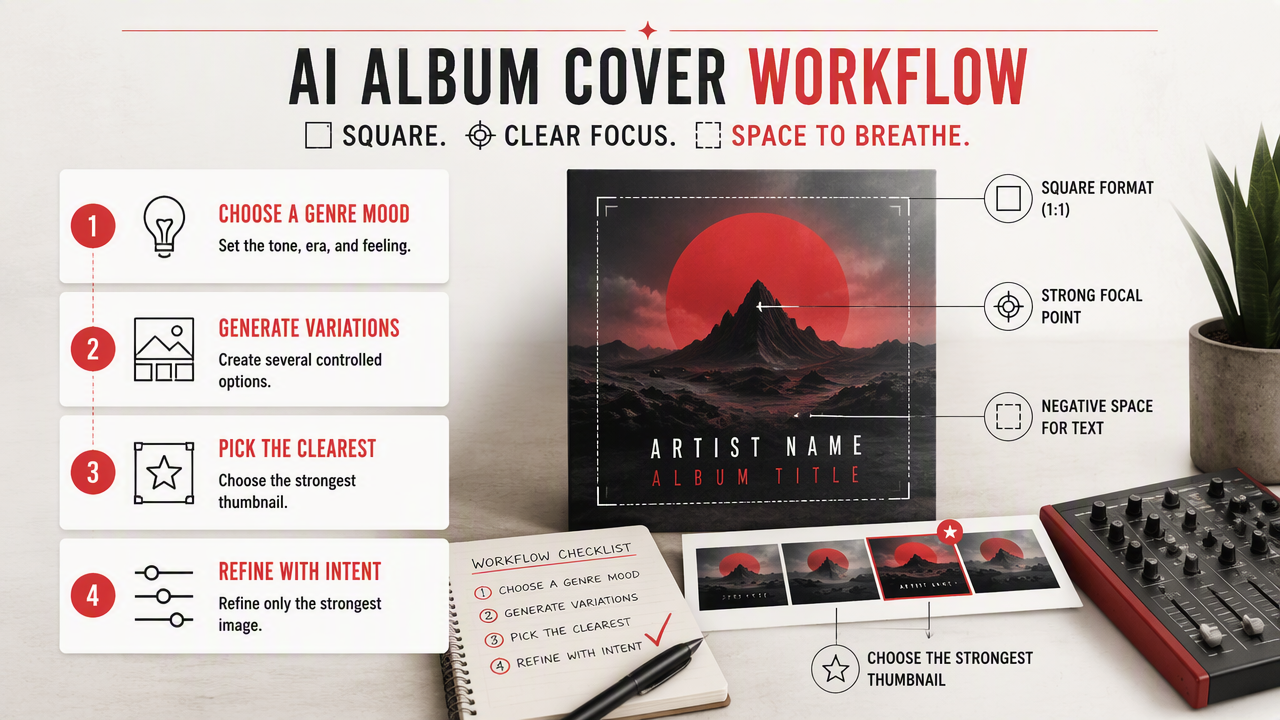
- Choose a square composition before generating.
- Define the artist persona in one sentence.
- Pick a lighting style, such as softbox, neon, flash, dusk, or spotlight.
- Reserve empty space for text in the top third, bottom third, or side margin.
- Generate several versions with the same prompt structure.
- Test the image as a tiny thumbnail before adding final typography.
A cover that looks good at poster size may fail on Spotify, Apple Music, or social snippets if the face is too small. I usually judge the first pass at thumbnail size. If I can't recognize the mood in two seconds, the cover is not ready.
The visual model matters, but prompt discipline matters more. A 2021 overview by Aggarwal, Mittal, and Battineni explains generative adversarial networks as a major image-generation approach and surveys their theory and uses (ScienceDirect, 2021). Modern tools may use different architectures, but the creative principle holds: clearer inputs tend to produce more controlled outputs.
Cover design checklist for AI portraits
| Design element | Good choice | Why it matters |
|---|---|---|
| Format | 1:1 square crop | Fits album and single cover conventions |
| Subject | One clear artist or duo | Reads faster in thumbnails |
| Lighting | Intentional source, not random glow | Gives the image a professional mood |
| Background | Simple, atmospheric, or symbolic | Avoids clutter behind text |
| Typography space | Empty zone around top, side, or bottom | Keeps title readable |
| Color palette | 2 to 4 main colors | Makes the release visually memorable |
| Facial detail | Sharp eyes and natural expression | Builds trust and identity |
Which album cover styles work best by genre?
The best AI-generated cover style depends on the genre promise: pop needs polish, rap needs presence, electronic music needs atmosphere, and indie needs character. A generator can imitate visual direction quickly, but the art still has to match the sound or listeners will smell the mismatch like a fake vintage tee.
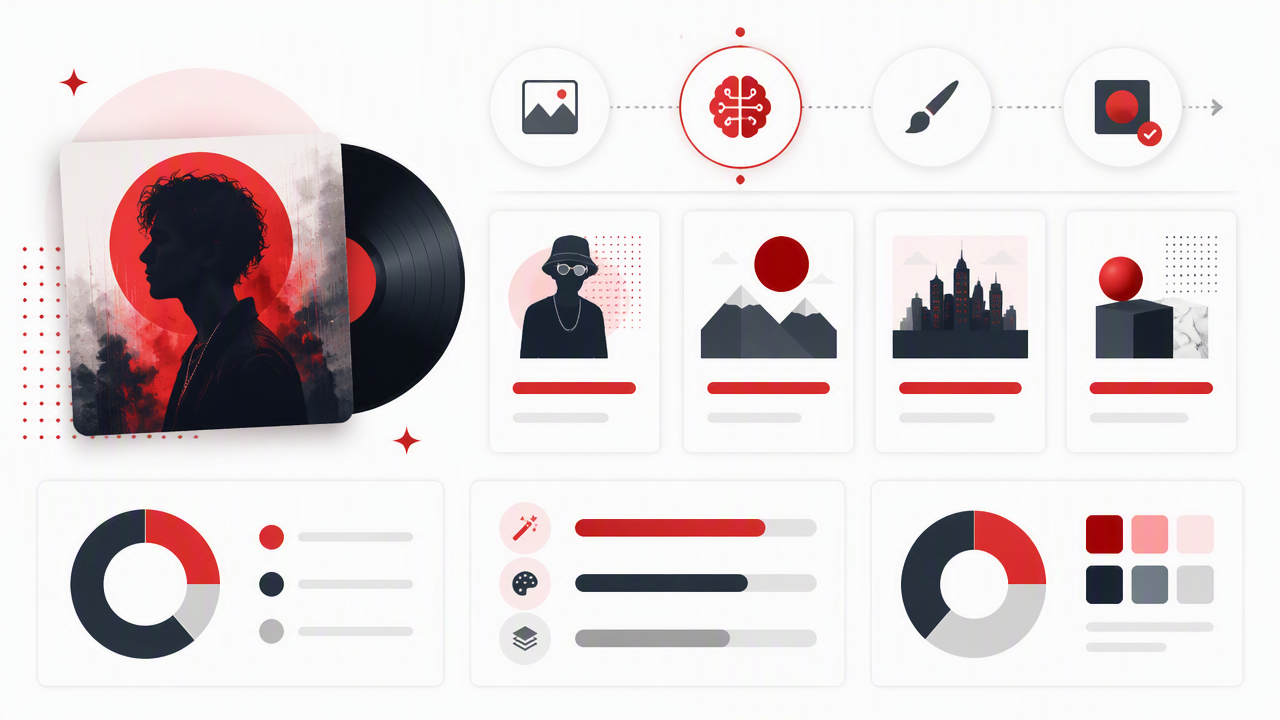
Genre prompts should include fashion, facial expression, camera distance, lighting, and background. The goal is not to copy an existing artist. The goal is to build a believable visual world around your release.
Use references as direction, not duplication. Music history is full of covers remembered for one decisive visual idea: a striking face, a strange room, a bold color field, or an unexpected pose. Even Wikipedia album entries often document artwork disputes or release context, which shows that cover art is not packaging fluff. It is part of the record's identity.
Genre prompt examples for artist portraits
| Genre | Portrait direction | Lighting | Background | Typography space |
|---|---|---|---|---|
| Pop | Glossy close-up, styled hair, confident expression | Soft beauty light | Pastel studio, chrome, or clean gradient | Top or bottom center |
| Rap | Low-angle stance, sharp wardrobe, direct eye contact | Flash, rim light, streetlight | Car interior, rooftop, concrete, luxury room | Side margin or lower third |
| Electronic | Futuristic DJ or producer portrait, reflective clothing | Neon, laser, blue-magenta glow | Club haze, abstract shapes, sci-fi room | Wide upper third |
| Indie | Natural pose, imperfect charm, film-photo feel | Window light or golden hour | Bedroom, field, motel, small venue | Handwritten-style gap on side |
A useful pop prompt might be: "square album cover portrait of a solo pop artist, glossy editorial beauty lighting, pastel lavender background, confident expression, clean negative space at top for title, sharp facial detail."
A useful electronic prompt might be: "square cover photo of a DJ in reflective black jacket, neon blue and magenta lighting, smoky club atmosphere, cinematic lens, empty upper-right area for typography."
How HotphotoAI handles artist-style cover portraits
HotphotoAI is useful for creator-led album covers because it focuses on polished personal images rather than only abstract artwork. If your release depends on your face, persona, outfit, or fantasy alter ego, the HotphotoAI platform can help create promotional images that feel closer to a styled photoshoot than a blank template.
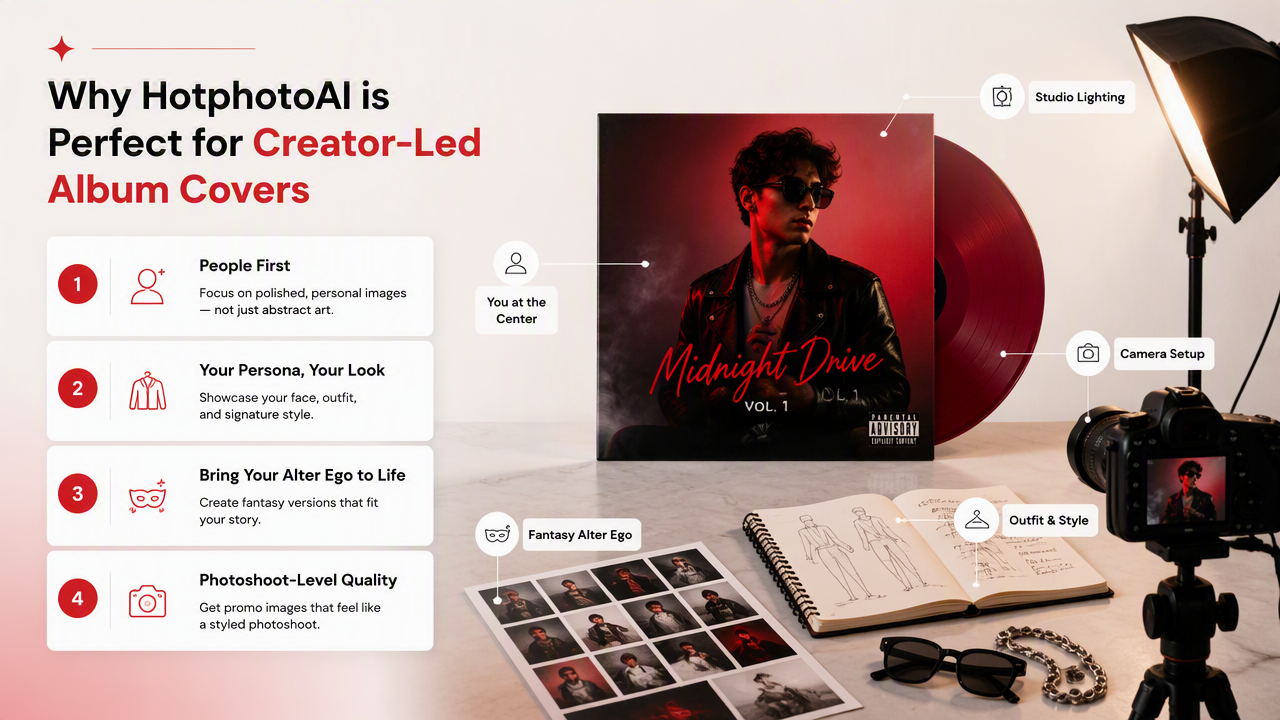
The practical advantage is speed. You can test glam, model-style, lifestyle, fantasy, and professional portrait directions before committing to one visual identity. That matters for independent artists who need cover art, teaser posts, playlist images, and profile refreshes around the same release cycle.
I'd use this workflow when the artist is the brand:
- Start with a clean source photo where the face is visible.
- Generate 6 to 12 style directions, not 60 random ones.
- Keep wardrobe, color, and lighting consistent across the final set.
- Leave a text-safe area for the release title.
- Export a version without typography for social crops.
Fairness and representation still deserve attention. Research by Ekstrand, Das, and Burke examined fairness in information access systems, a broader area that includes how systems can affect visibility and representation (Foundations and Trends in Information Retrieval, 2022). For AI portraits, that means creators should check whether skin tone, facial structure, hair texture, and styling remain accurate across generated variations.
When a photo-first generator beats a template maker
| Need | Photo-first AI portrait tool | Template-based cover maker |
|---|---|---|
| Artist face is central | Strong fit | Limited unless you upload strong photos |
| Fantasy or glamour persona | Strong fit | Often needs manual compositing |
| Fast social variations | Strong fit | Good for layout variations |
| Heavy typography system | Needs design review | Strong fit |
| Abstract important art | Good, but not always necessary | Strong fit |
Template makers are still helpful when typography is the main event. A portrait generator wins when the release needs a believable human image with styling, mood, and identity built in.
What should creators expect from cover generators in 2027?
Cover generators in 2027 will likely move from single-image output toward reusable artist identity systems. Instead of making one square cover, creators will expect matching portraits for pre-save pages, vertical clips, canvas loops, merch mockups, playlist pitching, and tour flyers.
The next useful shift is consistency. Artists don't just need one pretty image; they need a visual campaign. Expect better controls for recurring faces, wardrobe, lighting setups, typography-safe zones, and platform-specific exports.
Rights clarity will also matter more. As AI artwork becomes normal in music promotion, artists should keep source files, prompt notes, licenses, and final exports organized. That paperwork is less glamorous than a silver leather trench coat, but it ages better.
AI album cover photo generator FAQ
Can I use AI-generated photos for Spotify or Apple Music covers?
Yes, you can use AI-generated images for release artwork if you have the rights required by your distributor and the image meets platform specs. Always review your tool's license terms, avoid copyrighted logos or celebrity likenesses, and export a clean square version with readable text.
What size should an AI album cover be?
A square format is the safest starting point for album and single artwork. Many creators design at a large square size, then export compressed versions for different platforms. Keep the main face, title, and artist name readable when the image shrinks to thumbnail size.
Should the AI add the text too?
Usually, no. AI image models often struggle with clean lettering, especially names and titles. Generate the portrait with empty space, then add typography in a design tool. You'll get sharper text, better alignment, and fewer accidental alphabet crimes.
What makes an AI cover look amateur?
Common giveaways include warped hands, plastic skin, crowded backgrounds, unreadable text, random neon, and no clear focal point. Check the face, edges, accessories, and crop before release. If the image looks confusing at thumbnail size, simplify the composition.
Is a real photo better than an AI cover?
A real shoot is best when you need documentary authenticity, complex styling, or press-grade editorial control. AI is better when you need fast experimentation, stylized personas, or multiple campaign images on a smaller budget. Many artists can combine both approaches.
Conclusion
A good AI cover is not just a pretty square; it is a visual promise about the music. Start with mood, genre, lighting, and typography space, then generate enough variations to find the image that still works when it's tiny on a phone screen.
If your cover needs a polished artist portrait, try HotphotoAI as part of your release workflow and keep the best image style consistent across social posts, profile photos, and promo assets. For a faster start, head to hotphotoai.com and build one cover concept around your next single's strongest emotion.