AI Background Generator for Portraits: How to Pick Scenes That Actually Flatter You
TL;DR
Use AI portrait backgrounds to change the signal your photo sends: polished, playful, romantic, expensive, creative, or professional. Pick the scene by goal first, then match lighting, outfit, camera angle, and realism so the final image looks intentional instead of pasted on.
A plain selfie can become a studio headshot, rooftop date photo, luxury hotel portrait, or fantasy editorial image with one strong background choice. An AI background generator for portraits separates the person from the original setting, then creates or replaces the scene around them. Tools like HotphotoAI are useful because portraits are not just about looking good; they are about looking right for the room you want to enter, even if that room is a dating app feed.
Table of Contents
What is an AI background generator for portraits?
An AI background generator for portraits is a tool that creates, replaces, or restyles the scenery behind a person while keeping the subject as the focus. It can turn a casual photo into a studio, travel, nightlife, lifestyle, or creator-style image without booking a location, photographer, or lighting setup.
AI portrait background generator: software that detects a person in an image, separates them from the original scene, and generates a new background from a text prompt, preset style, or reference image.
Modern tools usually combine subject segmentation, generative image models, lighting adjustment, and refinement. The better ones do not just swap pixels. They try to make the shadows, color temperature, depth of field, and camera perspective feel like they belong in the same photo.
Research on generative adversarial networks by Aggarwal, Mittal, and Battineni explains how generative models can create realistic synthetic images from learned visual patterns, which is the technical family behind many image-generation workflows GAN overview, 2021. For users, the short version is simpler: the model has seen enough visual structure to invent a believable scene when you describe it well.
Where portrait background generation fits
- Dating profiles: make a photo feel social, warm, adventurous, or polished.
- Creator content: build repeatable visual styles for thumbnails, posts, and profile banners.
- Professional profiles: create clean studio-style portraits without renting a studio.
- Glamour and fantasy portraits: test outfits, lighting, and dramatic locations without a costume trunk in your hallway.
A good AI background should support the face, not audition for the lead role.
How do you choose the right portrait background?
Choose the right portrait background by starting with the photo's goal, not the prettiest scene. A good background tells viewers what to feel in two seconds: trust, attraction, creativity, status, warmth, or energy. The wrong one makes the image look like a passport photo got lost in a perfume ad.
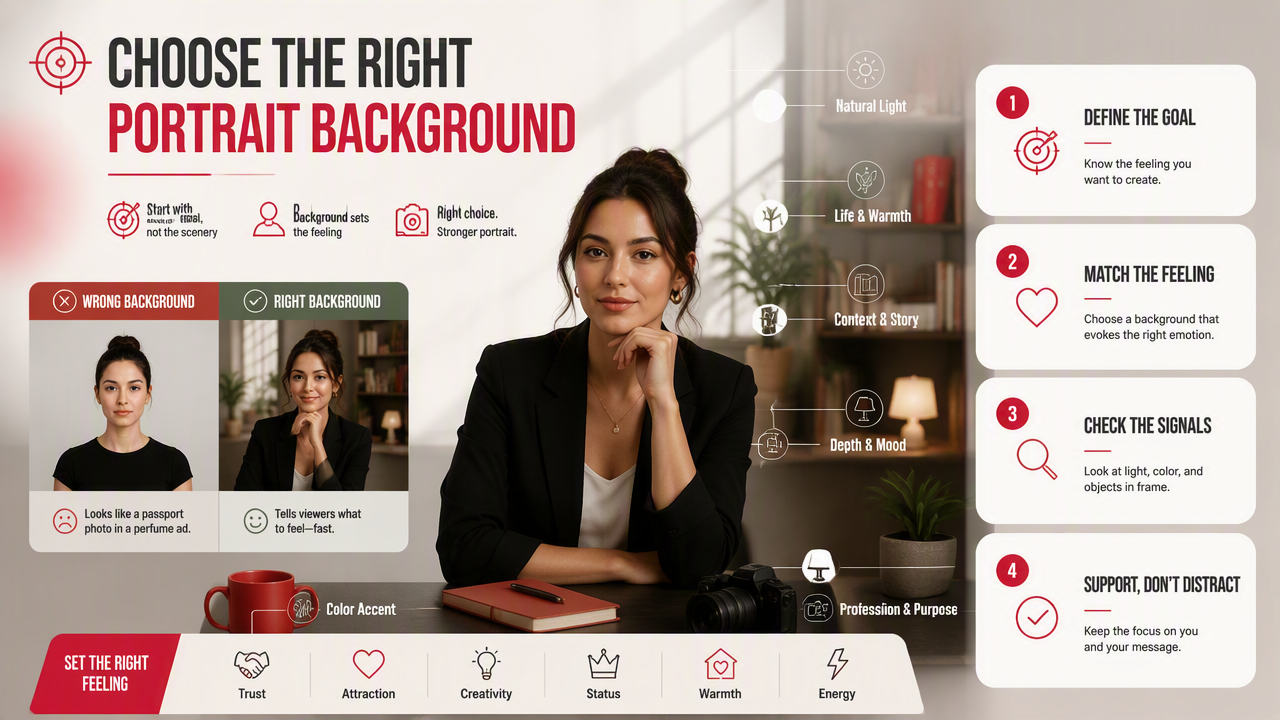
The best selection rule is simple: match purpose, personality, and platform. A LinkedIn portrait needs clarity and restraint. A Tinder photo can carry more story. A creator avatar can be stylized, but the face still needs to read at thumbnail size.
Background selection matrix by portrait goal
| Portrait goal | Best background type | Mood it creates | Use when | Avoid |
|---|---|---|---|---|
| Dating profile | Cafe, park, rooftop, golden-hour street | Warm, approachable, social | You want to look dateable, not staged | Empty luxury scenes that feel fake |
| Professional headshot | Soft studio, office, neutral wall | Competent, focused, credible | LinkedIn, resumes, speaker bios | Busy city lights behind the head |
| Creator profile | Color gradient, set wall, neon studio | Recognizable, bold, branded | You need a repeatable visual identity | Random styles across every post |
| Glamour portrait | Hotel lobby, velvet lounge, fashion studio | Polished, aspirational, dramatic | Model-style images or personal branding | Overly shiny skin and plastic lighting |
| Travel look | Beach, European street, mountain overlook | Adventurous, open, relaxed | Lifestyle feeds or dating prompts | Landmarks that overpower your face |
| Nightlife image | Bar, club entrance, city balcony | Energetic, social, confident | Showing personality and style | Dark scenes that hide your eyes |
| Fantasy portrait | Sci-fi, royal, cinematic forest | Imaginative, playful, high-concept | Cosplay, avatars, creative campaigns | Using it as a main professional photo |
Use the matrix like a casting sheet. You are not picking wallpaper; you are picking the role your portrait plays.
How do AI backgrounds change portrait mood and purpose?
AI backgrounds change portrait mood by changing the visual context around the face: lighting, location, texture, color, and implied lifestyle. A gray studio backdrop says control. A sunlit street says openness. A rooftop bar says confidence. Same person, different signal, different click behavior.
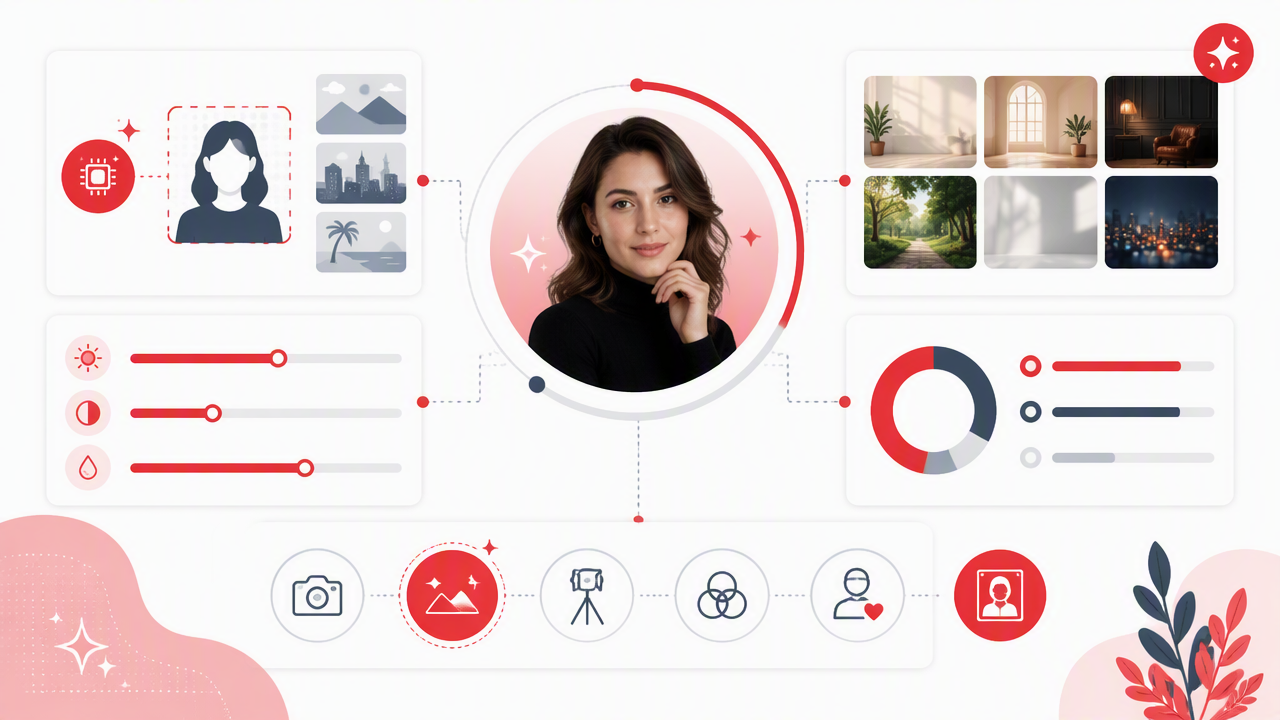
A portrait background works because people read scenes fast. Before they study your expression, they notice whether the image feels casual, expensive, creative, safe, romantic, or theatrical. That is why a background can upgrade a profile photo, or accidentally make it look like you are trapped in a stock-photo witness protection program.
Mood shifts by scene type
- Studio: clean, controlled, serious. Best for headshots, modeling tests, and profile images where the face matters most.
- City street: active, social, contemporary. Works well for dating apps and lifestyle creators.
- Luxury interior: aspirational and polished. Use lightly, because too much marble can scream rented personality.
- Travel setting: curious, relaxed, spontaneous. Strong for social feeds when the outfit and lighting match the scene.
- Nightlife scene: confident and social. Keep eye detail visible, or the photo turns into a silhouette with opinions.
- Fantasy setting: expressive and memorable. Best for avatars, themed content, and creative experiments.
Research by Walter on AI literacy and prompt engineering highlights the value of critical thinking when working with AI systems Walter, 2024. That applies here: the prompt is not magic dust. You still need taste, intent, and a willingness to reject the first shiny result.
How HotphotoAI handles portrait scenes
The HotphotoAI platform is best approached as a portrait styling tool, not just a background swapper. I'd use it when the goal is a polished personal image, such as a dating profile upgrade, glamour portrait, creator shot, or model-style lifestyle scene.
Strong results usually come from choosing a believable setting first, then aligning outfit, pose, and lighting. If the photo says "cozy wine bar," the expression should not say "corporate badge renewal."
How do you create better AI portrait backgrounds?
Create better AI portrait backgrounds by giving the model clear instructions about setting, lighting, lens feel, style, and realism. The most useful prompts are specific without becoming a novel. Start with the goal, describe the scene, then add details that protect the face and body from visual chaos.
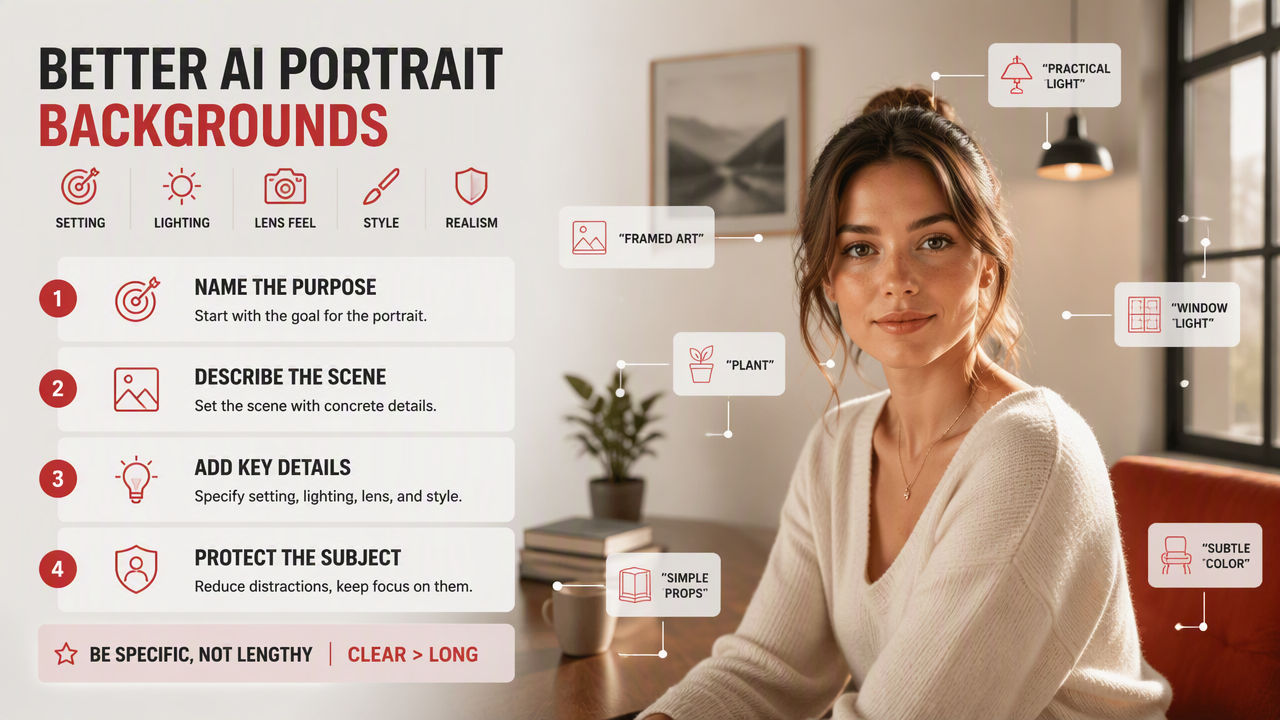
A practical prompting workflow
- Name the purpose: dating profile, LinkedIn headshot, creator avatar, glamour portrait, or fantasy image.
- Pick one scene: rooftop at sunset, soft gray studio, Paris-style street, modern office, velvet lounge.
- Set the light: golden hour, softbox, window light, cinematic neon, cloudy daylight.
- Control depth: blurred background, shallow depth of field, portrait lens look.
- Match the outfit: casual linen, black blazer, evening dress, streetwear, fitness look.
- Ask for realism: natural shadows, believable scale, consistent perspective, skin texture preserved.
- Generate variations: compare three to five results before editing small details.
A strong prompt might read: "Create a realistic dating profile portrait background in a warm rooftop cafe at golden hour, soft city blur, natural shadows, 85mm portrait lens look, relaxed upscale mood, keep face sharp."
Quality checks before you post
Review the finished image at full size and thumbnail size. Background flaws often hide when large and jump out when small, which is rude but useful.
- Check whether the light direction matches the face.
- Make sure hair edges are clean.
- Look for warped glasses, earrings, fingers, and shoulders.
- Confirm the background scale fits the person.
- Avoid scenes that imply a lifestyle you would feel awkward explaining.
A 2023 literature review by Gligorea, Cioca, and Oancea examined adaptive AI systems in learning contexts, showing how AI tools adjust outputs based on inputs and patterns Gligorea et al., 2023. For portraits, that means your inputs matter. Better source photos and clearer prompts usually lead to more believable results.
What should portrait background tools improve by 2027?
Portrait background tools should improve realism, identity preservation, lighting consistency, and user control by 2027. The next leap will not be more dramatic castles behind more people. It will be quieter: fewer artifacts, better taste controls, stronger editing, and backgrounds that adapt to platform-specific goals.
Expect more guided workflows. Instead of typing everything from scratch, users will likely choose "dating profile, warm, candid, urban," then adjust lighting, wardrobe mood, and background intensity. That is better for most people, because prompt boxes can turn even confident adults into confused raccoons.
FAQ about AI portrait backgrounds
Are AI-generated backgrounds good for dating profiles?
Yes, AI-generated backgrounds can improve dating profiles when they make the photo feel more natural, social, and flattering. The best choices are believable lifestyle scenes, such as cafes, parks, rooftops, or travel settings. Avoid making every image look like a magazine campaign, because dating profiles still need trust.
Can I use an AI background for a professional headshot?
Yes, a clean AI-generated studio or office background can work well for a professional headshot. Keep the scene simple, use soft lighting, and avoid dramatic effects. Recruiters and clients should notice your face, expression, and credibility before they notice the background.
What kind of source photo works best?
Use a sharp, well-lit portrait where your face, hair, shoulders, and outfit are visible. Simple original backgrounds are easier to replace cleanly. Side lighting, motion blur, sunglasses, and cropped hair can make generation harder, even when the tool is strong.
How many background versions should I create?
Create at least three versions for the same portrait: one safe, one stylish, and one bold. Compare them on the platform where you plan to post. A background that looks fantastic on desktop may become visual soup in a tiny dating app card.
Where should I try this for personal portraits?
For polished dating, glamour, lifestyle, and creator-style portraits, try HotphotoAI and start with one clear photo goal. You can also visit hotphotoai.com when you're ready to test different outfits, backgrounds, and lighting styles without booking a traditional shoot.
Conclusion
The best AI background generator for portraits is not the one with the wildest scenery; it is the one that helps your photo say the right thing quickly. Start with your goal, choose a believable scene from the matrix, write a prompt that controls lighting and realism, then test several versions before posting. If you want a practical next step, choose one portrait today and make three versions: professional, lifestyle, and bold. The winner will teach you more than another hour of scrolling.