AI Boudoir Photo Generator: Realistic, Private, and Tasteful Image Ideas for 2026
TL;DR
AI boudoir photos work best when you aim for tasteful styling, realistic lighting, and a private face model trained on enough reference images. Use 15 varied uploads, choose a clear mood, avoid over-edited prompts, and review privacy settings before generating intimate portraits.
An AI boudoir photo generator can create polished, intimate portraits without booking a studio, buying five outfits, or explaining to a stranger why you need a velvet chaise at 4 p.m. Boudoir photography: a style of intimate, sensual, romantic, and sometimes erotic portraiture, usually set in a bedroom, studio, or private dressing-room environment. With tools like HotphotoAI, the modern goal is not fake perfection. The goal is a believable version of you, styled with better lighting, stronger posing, and just enough drama to make your camera roll feel underdressed.
Table of Contents
What is an AI boudoir photo generator?
An AI boudoir photo generator is a tool that creates intimate, glamour-style portraits from text prompts, reference photos, or a private model trained on your face.
The best results sit between classic boudoir photography and editorial portrait styling. Think soft window light, silk robe, black dress, hotel suite, candlelit shadows, or tasteful lingerie silhouettes. The weaker results look like plastic mannequins trapped in a perfume ad.
SERP research shows most ranking pages focus on quick creation steps. PhotoGPT emphasizes themes and presets, Pincel focuses on a single-selfie workflow, and Lucidpic targets boudoir and lingerie images. The missing piece is decision guidance: what style fits your goal, what inputs make you look real, and where privacy matters.
Key insight: boudoir AI should enhance confidence, not erase identity. If the image no longer looks like you, it may be flattering, but it won't help much on Tinder, Instagram, or a professional personal brand.
Boudoir image types at a glance
| Style | Best use | Visual cues | Watch out for |
|---|---|---|---|
| Tasteful glamour | Personal keepsakes, social posts | Soft light, covered poses, elegant styling | Looking too generic |
| Dating-profile sexy | Tinder, Hinge, creator photos | Confident eye contact, fitted outfit, real setting | Overly staged thirst traps |
| Editorial boudoir | Portfolio, fantasy, model-style images | Fashion lighting, dramatic pose, luxury room | Unnatural skin and hands |
| Fantasy portrait | Cosplay, themed content, playful shoots | Silk, mirrors, moonlight, vintage decor | Becoming cartoonish |
A good generator lets you move between these styles without forcing everything into the same glossy magazine look.
How do you create realistic boudoir images from your own photos?
You create realistic AI boudoir images by uploading varied face and body references, training a private identity model, choosing one clear style, and generating several versions before selecting the most natural result.
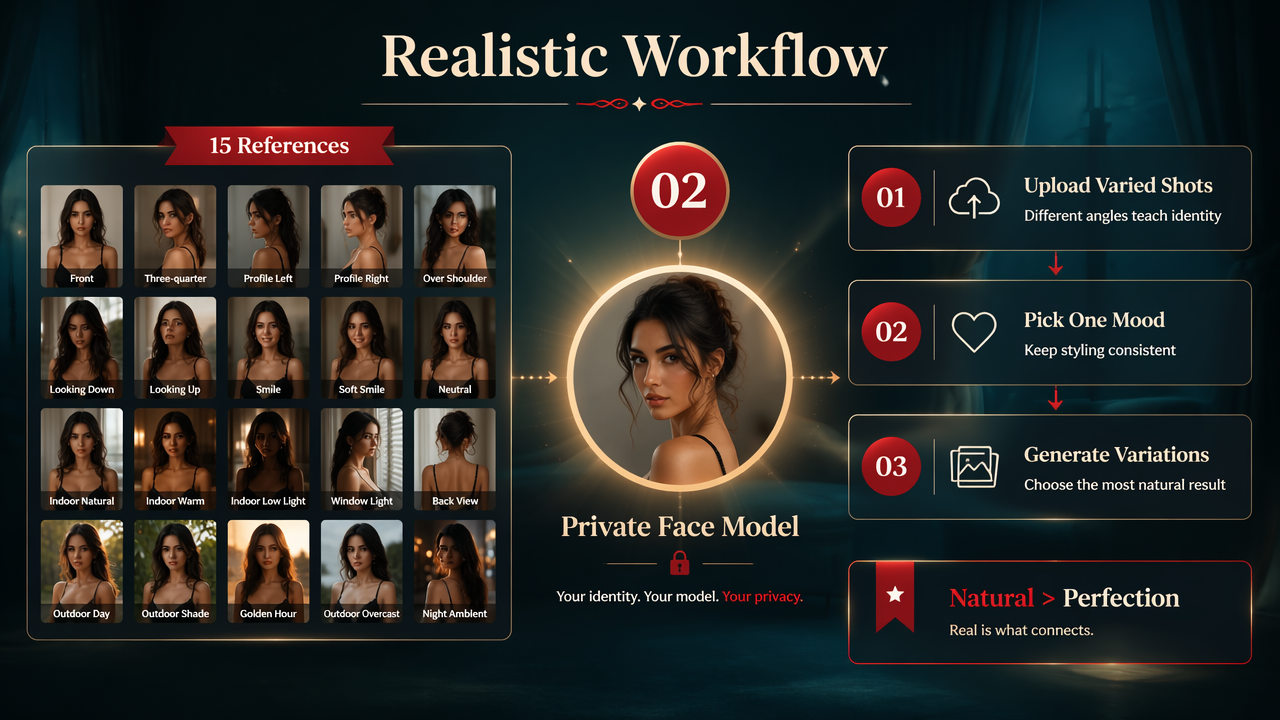
The strongest workflow uses about 15 photos with different expressions, angles, lighting, and outfits. That gives the model enough information to understand your face instead of guessing your cheekbones like a witness sketch artist after a long lunch.
A practical four-step workflow
- Upload 15 varied photos: include front-facing, three-quarter, smiling, neutral, indoor, and outdoor images.
- Pick one mood: luxury hotel, soft bedroom light, black dress, silk robe, or editorial flash.
- Generate a batch: make multiple images, then compare eyes, hands, teeth, skin, and body proportions.
- Save only believable results: the winning image should look like a great photoshoot, not a suspiciously wealthy cousin.
The HotphotoAI platform is built around this kind of personal-photo workflow, where your uploaded images help guide a more consistent private face model. I like that approach because boudoir is personal; a generic face with your haircut is not enough.
AI boudoir generator checklist
| Checkpoint | What good looks like | Quick fix |
|---|---|---|
| Face match | Eyes, nose, smile, and jaw feel familiar | Add clearer reference photos |
| Lighting | Shadows match the room and pose | Prompt one lighting source |
| Pose | Relaxed shoulders, natural hands | Ask for editorial seated pose |
| Outfit | Fabric follows the body realistically | Use simple clothing terms |
| Background | Bedroom or hotel details stay consistent | Avoid crowded prompts |
| Skin | Texture remains human | Add natural skin texture |
A realistic boudoir image usually comes from restraint. One room, one outfit, one lighting style, one mood. The AI can juggle flaming curtains and diamond heels, but it probably shouldn't.
Which boudoir style should you choose for dating, glamour, or fantasy?
The right boudoir style depends on where you will use the image, how recognizable you want to be, and whether the mood should feel intimate, confident, romantic, or cinematic.
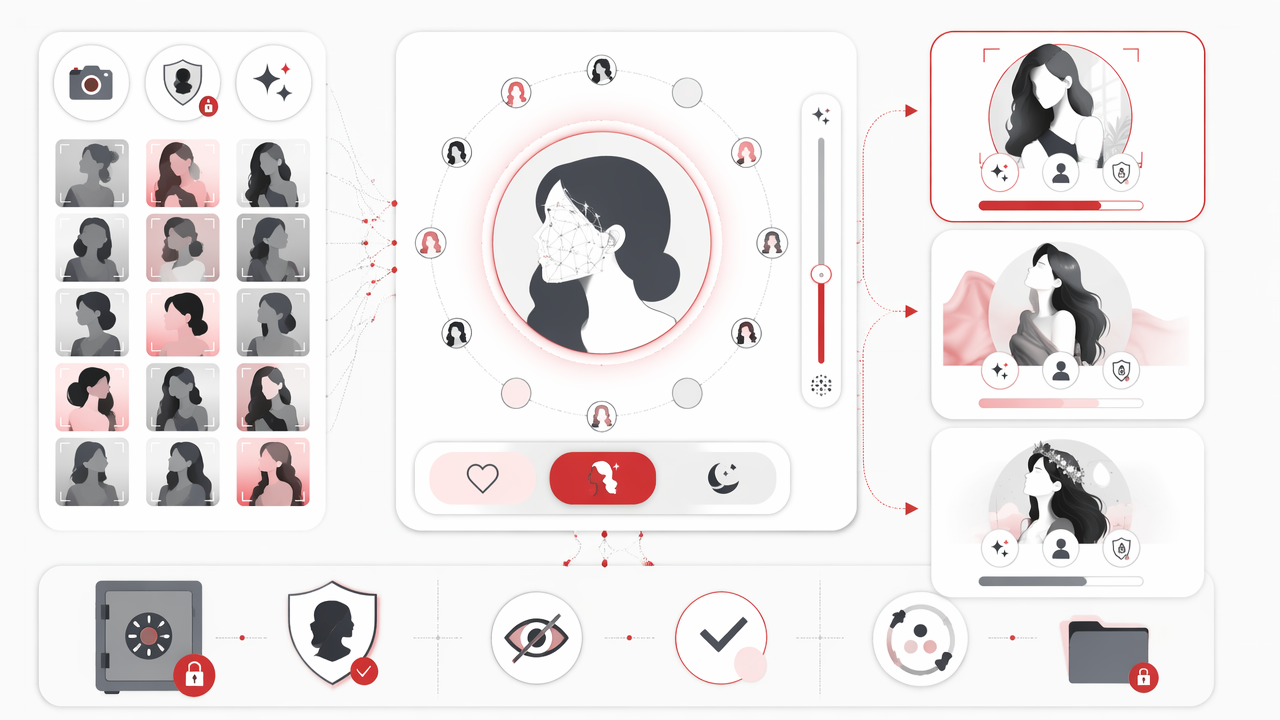
For dating apps, I would avoid anything that screams generated. A confident black dress in soft flash often beats full lingerie in an impossible penthouse. For social content, editorial glamour gives more range. For private keepsakes, bedroom lighting and silk textures can feel warmer.
Prompt ideas by outcome
- Dating profile: confident woman in fitted black dress, soft flash photography, modern apartment, natural smile, realistic skin texture.
- Luxury hotel: elegant boudoir portrait, silk robe, warm lamp light, cream bedding, relaxed editorial pose.
- Romantic glamour: soft bedroom lighting, lace details, shallow depth of field, natural makeup, intimate but tasteful mood.
- Creator portrait: fashion magazine style, black satin outfit, direct eye contact, clean background, dramatic side light.
- Fantasy boudoir: moonlit room, velvet curtains, vintage mirror, cinematic shadows, dreamy romantic styling.
Use one prompt direction per batch. When you mix luxury hotel, vintage mirror, beach sunset, and red latex in one request, the model may produce visual soup. Expensive-looking soup, perhaps, but still soup.
How HotphotoAI handles this
With HotphotoAI, the useful move is to start with a clear style goal instead of a vague request for a hot photo. Choose the mood first, then adjust outfit, lighting, and pose around it.
For brand recall, head to hotphotoai.com when you want to experiment with glamour, seductive, fantasy, or model-style portraits from your own image set. Keep the prompt simple enough that the result still looks like a real photoshoot.
How do you keep AI boudoir photos private and ethical?
You keep AI boudoir photos private and ethical by using your own images, checking storage and deletion controls, avoiding non-consensual likenesses, and treating intimate outputs as sensitive personal media.
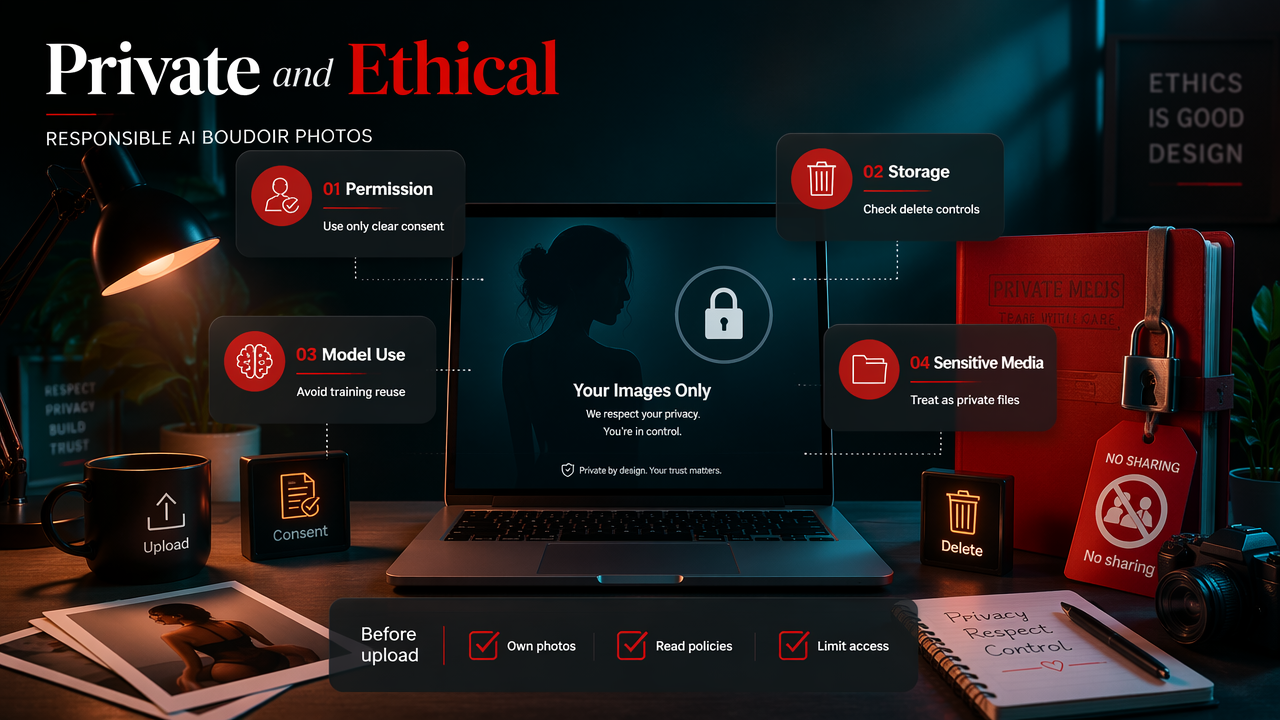
Boudoir is not just another image category. It can reveal body shape, face identity, sexuality, taste, and relationship context. That means privacy choices matter before the first upload, not after a picture surprises you.
Privacy and consent rules worth following
- Use only photos of yourself or people who gave clear permission.
- Read whether uploads are stored, deleted, or used for model improvement.
- Avoid generating intimate images of celebrities, exes, coworkers, or strangers.
- Keep downloads in a locked folder if the images are private.
- Do not post AI-edited intimate photos without checking platform rules and personal consent.
Research by Antonio A. Casilli in Sociologias examines automation myths and the human labor often hidden inside digital systems, a useful reminder that AI services are not magic boxes floating outside society: Waiting for robots. For intimate imagery, that reminder should make users more careful, not paranoid.
What to expect in 2027
By 2027, boudoir generators will likely improve at identity consistency, fabric realism, pose control, and policy labeling. Expect clearer consent controls, more visible safety settings, and better tools for editing a pose without rebuilding the whole image.
The biggest improvement I want is boring but useful: fewer weird fingers, better mirror reflections, and lighting that understands gravity. Seduction is hard when a lampshade casts a shadow from another universe.
AI boudoir photo generator FAQ
The most common questions are about realism, privacy, prompts, dating app use, and how far to push sensual styling without making images look fake.
Can AI boudoir photos look realistic?
Yes, AI boudoir photos can look realistic when the model has enough reference images, the prompt uses believable lighting, and the final selection filters out errors in hands, eyes, teeth, and skin. Realism usually drops when prompts add too many props, extreme poses, or impossible clothing details.
How many photos should I upload?
A practical target is 15 varied photos because the generator can learn your face across angles, expressions, and lighting conditions. Include clear, recent images rather than old selfies. Avoid heavy filters in the uploads because filtered references can teach the model the wrong version of your face.
Are AI boudoir images good for dating profiles?
They can work for dating profiles if they still look like you and match the tone of your profile. A tasteful black dress, soft flash, or lifestyle bedroom portrait usually feels more believable than a hyper-glossy lingerie image. The best dating photo says confident, not professionally airbrushed by aliens.
What should I avoid in prompts?
Avoid prompts that stack too many styles, body changes, celebrity references, or explicit details. Crowded prompts often create distorted anatomy, mismatched rooms, or faces that drift away from your identity. Keep the request grounded: one outfit, one room, one lighting mood, and one pose.
Conclusion
A strong AI boudoir photo generator gives you control over style, privacy, and realism without turning your portrait into a wax figure with Wi-Fi. Start with 15 good reference photos, pick one mood, write a simple prompt, and judge every result by face match, lighting, hands, and overall believability.
If you want seductive, glamour, or fantasy portraits that still feel personal, try a small batch with HotphotoAI and compare styles before saving your favorites. Visit hotphotoai.com, choose a tasteful direction, and build the kind of image that looks like a photoshoot you actually meant to book.