AI Graduation Photo Generator: Create Portraits That Look Like You
TL;DR
Start with clear personal photos and a scene brief that specifies your real gown colors, accessories, and facial features. Review the result before printing announcements, and use authentic photographs wherever your institution requires them.
An AI graduation photo generator should celebrate your achievement, not cast a suspiciously polished stranger as you. The best brief starts with your actual appearance, correct academic clothing, and a believable setting. For graduates exploring styled personal portraits, HotphotoAI is a place to begin planning that look. I'd aim for an announcement-ready image that feels like a thoughtful portrait session: recognizable face, natural light, and a cap that appears to obey gravity.
Table of Contents
What is an AI graduation photo generator?
An AI graduation photo generator creates or restyles graduation-themed portraits using artificial intelligence, often guided by personal photographs and written instructions. It can help you explore caps, gowns, backgrounds, and lighting without arranging a full photoshoot. The result is a generated illustration of your celebration, not proof that a photographed event occurred.
Reference photo: A real image supplied to guide the subject's appearance.
Scene brief: Instructions describing clothing, pose, setting, lighting, and details to preserve.
Identity fidelity: How closely the finished portrait resembles the person in the reference images.
Research continues to develop image-generation methods. The 2025 paper Z-Image: An Efficient Image Generation Foundation Model with Single-Stream Diffusion Transformer examines an image-generation architecture; it doesn't establish how accurately any particular graduation service reproduces you.
Choose the right type of graduation image
Your intended use determines how closely the portrait should follow reality.
| Image type | Suitable purpose | Priority |
|---|---|---|
| Realistic personal portrait | Announcements and personal profiles | Recognizable features and accurate clothing |
| Stylized celebration portrait | Creative social posts | Clear artistic intent |
| Authentic photograph | Institution-required submissions | Compliance with the institution's rules |
I'd choose realism for a family announcement and reserve fantasy backgrounds for clearly creative posts.
How do you create a believable graduation portrait?
Create a believable graduation portrait by giving the generator clear identity references and specific visual instructions:
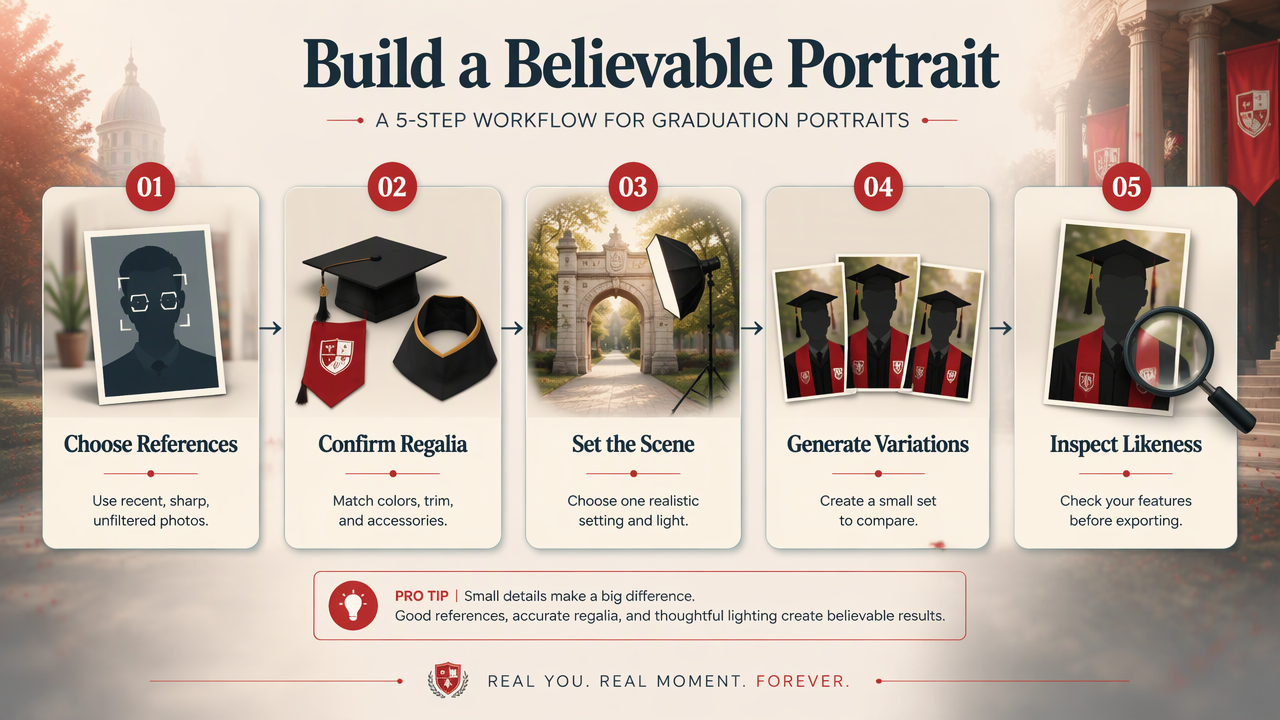
- Gather recent, sharp photos showing your face clearly.
- Confirm gown, hood, stole, and tassel details.
- Choose one realistic setting and lighting style.
- Generate a small set of variations.
- Inspect your likeness before exporting.
Prepare references that actually represent you
Recent, unfiltered reference photos give you a useful baseline for judging the finished image. Choose pictures with visible eyes, an unobstructed face, and lighting that shows your features clearly. Follow the service's stated upload requirements rather than assuming every tool needs the same number of photos.
I recommend references that reflect the hairstyle, facial hair, glasses, and makeup you want in the final portrait. A dramatic beauty filter makes a poor identity brief: you're already asking one interpretation to interpret another.
- Use only photos you own or have permission to upload.
- Crop out unrelated people and unnecessary personal information.
- Check retention, deletion, and training policies before uploading.
Lock the academic details before styling
Your institution's current guidance should determine academic clothing details. Check official instructions or your purchased regalia for the gown color, hood trim, stole wording, and tassel placement. If a detail depends on degree level or ceremony stage, specify the exact version you need.
Start with a simple head-and-shoulders composition. Add a diploma or elaborate pose only when it serves the image.
A reusable scene brief for announcement portraits
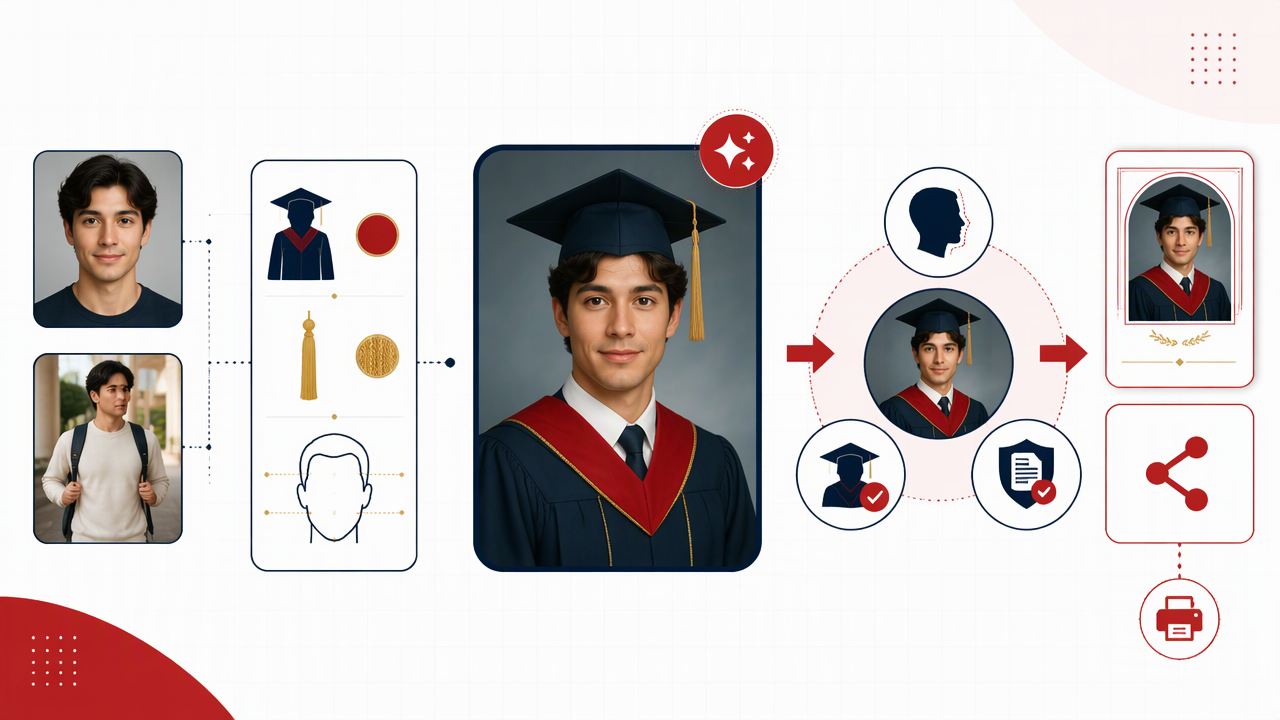
A useful scene brief separates your identity, academic clothing, and photographic style into concrete instructions. Give the model visible details rather than broad requests such as "make me look successful." Success has many outfits; your graduation gown has a particular color.
Copy this portrait prompt and replace the brackets
Create a realistic graduation portrait of the person in the reference photos. Preserve their facial proportions, skin tone, age, hairstyle, and glasses. Use a [gown color] gown, [cap description], and [verified stole or hood details]. Pose them [pose] against [background], with [lighting]. Keep skin texture natural and fabric believable. Include no invented school logos, readable diploma text, or extra accessories. Frame vertically with space above the cap and around the shoulders.
For example, specify a navy gown, plain mortarboard, relaxed smile, and softly blurred outdoor greenery. That is easier to evaluate than a crowded campus scene filled with architectural details.
A centered vertical portrait with quiet space around the subject is a useful starting point for announcement layouts. HotphotoAI fits naturally into this planning stage as an option for exploring styled personal images. Keep your completed brief beside you when choosing the look.
Change one variable per revision
Targeted revisions make comparisons easier. Keep the identity and clothing instructions stable while changing the background, lighting, or pose individually.
- First revision: soften the lighting.
- Second revision: simplify the background.
- Third revision: adjust framing for the announcement template.
Check likeness, regalia, and permitted use
A portrait is ready to share only when its identity, academic details, and intended use pass separate checks. I'd compare it directly with a recent photograph, then review the clothing against your institution's guidance. Attractive isn't the same as accurate, especially when relatives know your face better than any model does.
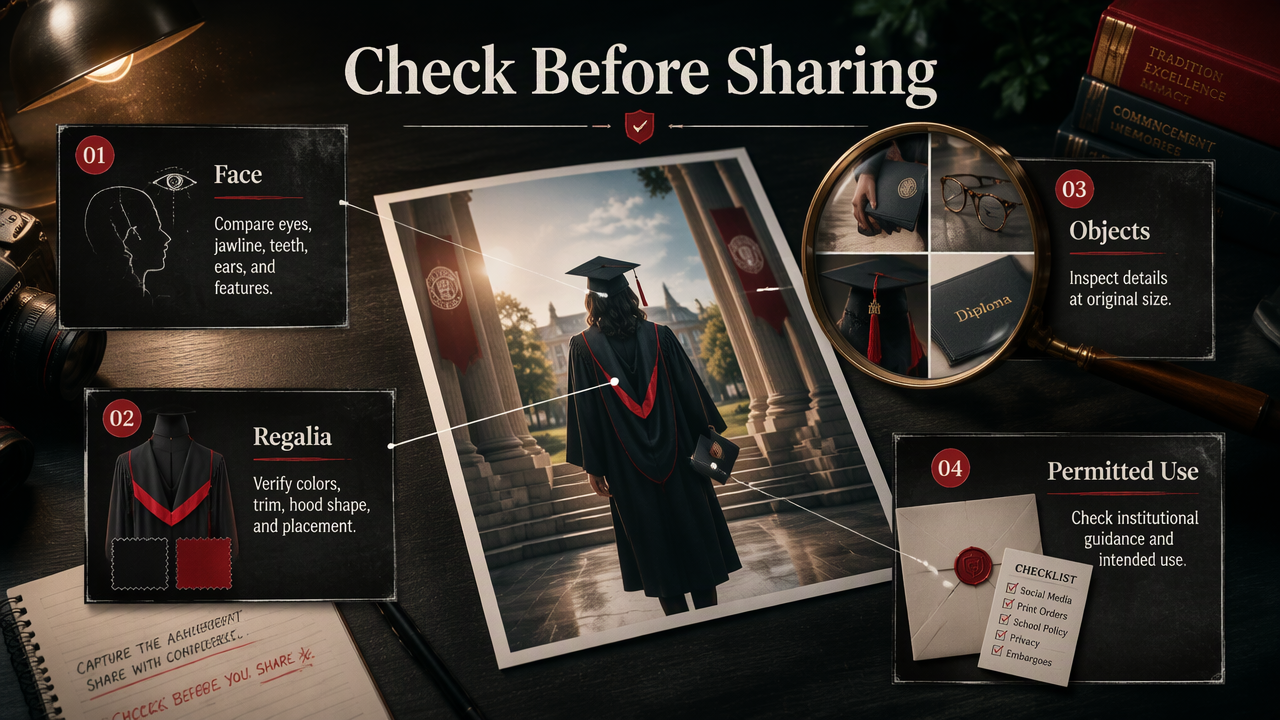
Run this quality checklist before printing
Inspect the original-size file, not just a flattering thumbnail.
- Face: Check eye shape, jawline, teeth, ears, and distinctive features.
- Regalia: Verify colors, trim, hood shape, and accessory placement.
- Objects: Inspect fingers, glasses, tassels, and diploma edges.
- Composition: Leave room for cropping and announcement text.
- Print: Check the printer's file requirements and order a proof when practical.
For printed announcements, I recommend adding names, dates, and school wording in your layout editor rather than asking the generator to render them inside the portrait.
Keep school identity and official records authentic
Generated portraits shouldn't invent school insignia, honors, credentials, or attendance at an event. Use a plain gown or verified accessories when you lack permission or reliable reference material for branded details.
The 2021 paper Socially Responsible AI Algorithms: Issues, Purposes, and Challenges examines responsible AI issues broadly, rather than graduation photography specifically. Here, the practical principle is straightforward: distinguish creative personal imagery from institutional evidence.
If a school, employer, or application requires an authentic photograph, submit a real photograph that meets its rules.
FAQ: Graduation portraits, costs, and sharing
The most useful questions concern recognizable results, total cost, and where generated portraits belong.
Can a generated graduation portrait really look like me?
A generated portrait may resemble you, but you should evaluate the result rather than assume identity accuracy. Compare facial proportions, skin tone, hairline, and distinctive features with a recent photo. I'd reject an image that looks flattering but changes your face. Your announcement should introduce the graduate, not their imaginary cousin.
Can I make graduation portraits for free?
Some services advertise free generation or editing, but check the terms before uploading. A free preview may differ from the downloadable version in resolution, watermarking, or available revisions. Compare the total cost of getting a usable file, not simply the price of the first generation. Confirm privacy and deletion options too.
Should I disclose that my graduation image uses AI?
Disclosure is sensible when viewers could mistake a generated setting or ceremony scene for a real event. A short caption such as "AI-styled graduation portrait" makes the context clear. For official submissions, follow the receiving institution's rules instead of relying on a caption. When uncertain, ask before submitting the image.
Conclusion
Your achievement deserves a portrait with a clear creative direction and a recognizable face. Save the scene brief, gather your reference photos, and choose one announcement layout before generating. To explore personal portrait styling with HotphotoAI, visit hotphotoai.com and check the current options. Treat an AI graduation photo generator as a creative tool, then use the checklist to decide which image earns a place on your announcement.