AI images generator for holiday profile photos: A 2026 Guide
TL;DR
Start with a clear, recent portrait and add one seasonal setting rather than reinventing your face. Choose understated styling for dating or professional profiles, save fantasy looks for creative accounts, and check likeness and the final crop before uploading.
Your holiday profile photo should look like you got excellent lighting, not a new identity from Santa. An AI images generator for holiday profile photos is most useful when seasonal styling supports a recognizable face. For December 2026, I'd start with the profile's purpose, then choose the outfit, background, and lighting. HotphotoAI is a relevant starting point for exploring AI personal portraits. The practical goal is simple: a festive picture that still feels like someone your friends, dates, or colleagues would recognize.
Table of Contents
What makes a good AI holiday profile photo?
A good AI holiday profile photo preserves your recognizable appearance while adding seasonal clothing, lighting, or scenery. For dating and professional profiles, the face should remain the main subject. I recommend one festive cue, a clear expression, and a crop that stays readable inside a small circular avatar.
Text-to-image model: A machine-learning model that generates an image from a natural-language description.
Reference-photo workflow: A portrait-making process that uses an existing photograph to guide the generated result; available controls depend on the tool.
That distinction matters. A written description can request a cheerful person beside a Christmas tree, but it doesn't establish your identity. For personal profiles, look for a workflow that accepts reference photos rather than relying only on text.
Match the portrait to its audience
- Dating profiles: Keep your current hairstyle, familiar expression, and believable clothing.
- Professional accounts: Favor a clean headshot with subtle seasonal color or background lights.
- Creator profiles: Try editorial lighting, glamorous outfits, or a clearly stylized winter setting.
My rule: the holiday theme should be the supporting actor. Your face gets top billing.
Four festive briefs that keep you recognizable
A useful festive portrait brief separates identity details from creative choices, so you can change the season without changing the person. I'd name what must stay consistent first, then describe one setting and one lighting style. The examples below are prompt concepts, not measured results or claims about a particular generator.
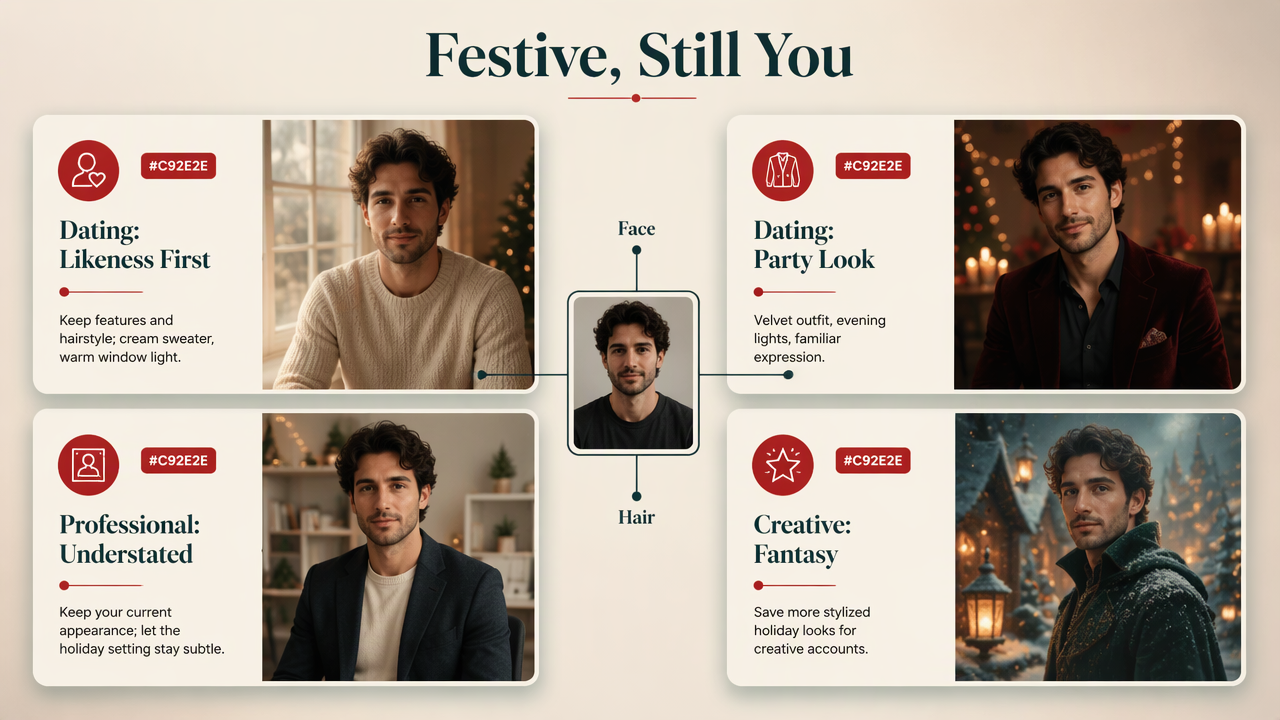
Side-by-side styling choices by profile type
| Profile use | Likeness-first brief | More stylized alternative |
|---|---|---|
| Tinder or dating | Preserve facial features and hairstyle; cream sweater, warm window light, softly blurred tree | Velvet party outfit, evening lights, same familiar expression |
| Professional profile | Preserve facial proportions; navy jacket, neutral backdrop, subtle golden lights | Editorial headshot with a restrained red accent and studio lighting |
| Social creator | Preserve recognizable features; winter coat, snowy street, natural daylight | Fashion portrait with dramatic snowfall and cinematic blue lighting |
| Fantasy account | Preserve recognizable features; silver scarf, moonlit winter garden | Ice-palace portrait with theatrical styling, presented as fantasy |
For a dating profile, I'd choose the likeness-first version. Creators can use the stylized alternative when the account already signals imaginative content. A professional headshot benefits from restraint: festive doesn't have to mean wearing the entire decoration aisle.
A reusable portrait prompt
Create a realistic head-and-shoulders portrait based on my reference photo. Preserve my facial proportions, skin tone, hairstyle, and recognizable expression. Add a cream sweater, soft window light, and a gently blurred Christmas tree. Keep my face dominant and leave enough space for a circular profile crop.
Treat preservation requests as instructions, not guarantees. Review the finished face yourself, especially the eyes, smile, jawline, and hairline.
How do you turn a selfie into a holiday portrait?
- Choose a recent, sharp reference photo.
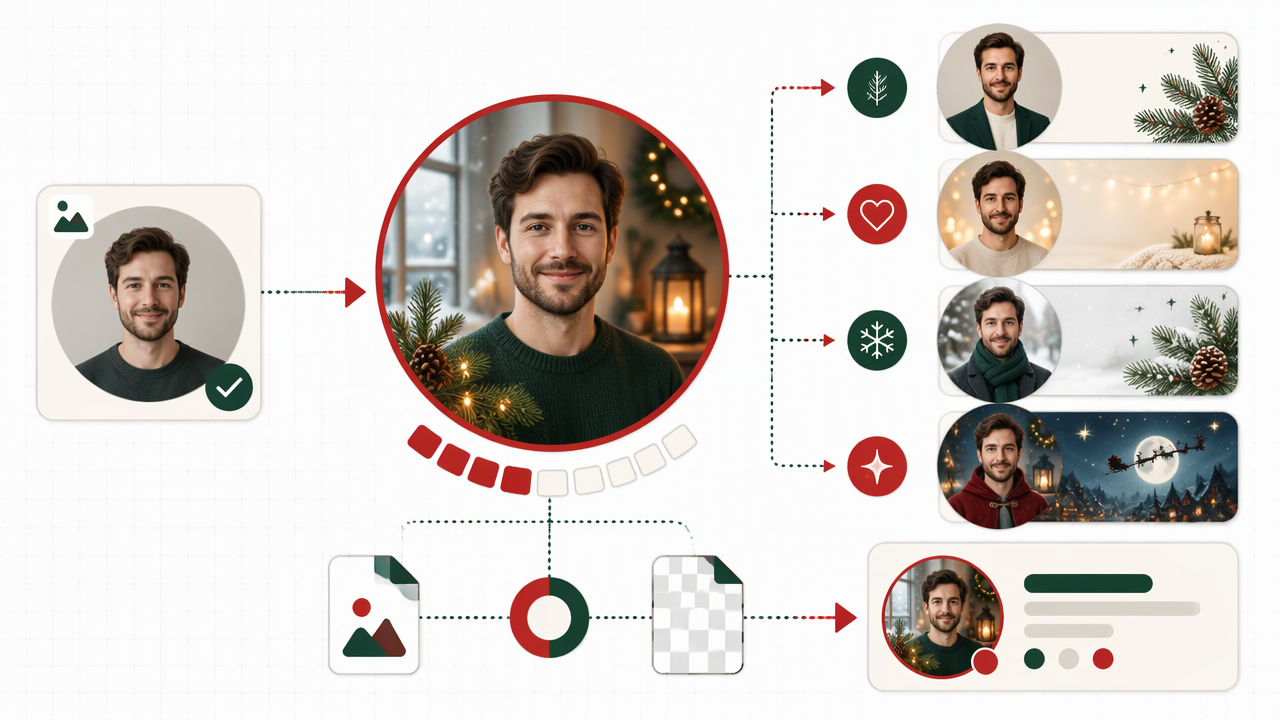
- Review the service's photo-upload and privacy terms.
- Describe the identity details to preserve.
- Add one seasonal setting and lighting style.
- Generate variations, then check likeness and anatomy.
- Crop for the destination and export in an accepted format.
I recommend changing one creative variable between attempts. Keep the same reference and expression while comparing a sweater portrait with a party-jacket version; that makes selection easier.
Input-to-output quality checklist
- Input: Use even lighting, visible eyes, and an unobstructed face. Avoid starting with heavy beauty filters.
- Output: Check teeth, glasses, earrings, hands, and clothing edges at full size.
- Profile preview: Test the circular crop. Keep the eyes visible and decorations outside the focal area.
- Export: Follow the destination's file-size and format requirements. JPEG suits photographic uploads; PNG is useful when supported transparency is needed.
Keep the original export before making smaller copies. For the broader JPEG vs PNG for AI profile photos decision, check transparency needs and upload limits rather than assuming a larger file will look better.
Privacy and evidence checks before uploading
Read retention, deletion, and training-use terms before submitting personal photos. Access a service directly instead of following unexpected holiday-promotion messages. The 2021 phishing study by Alkhalil and colleagues examines phishing attacks; it isn't an assessment of portrait generators.
Likewise, Deitke and colleagues' 2023 Objaverse paper concerns annotated 3D objects, not holiday-headshot accuracy. Neither source establishes which portrait tool best preserves your face. I'd judge that through current outputs and published service terms.
How HotphotoAI handles this
HotphotoAI is a relevant option for exploring AI-generated personal images with a seasonal portrait brief. I'd approach the HotphotoAI platform with a defined audience, a prepared reference photo, and a chosen visual direction, then use its available options to shape the portrait. A clear brief gives the process a useful starting point.
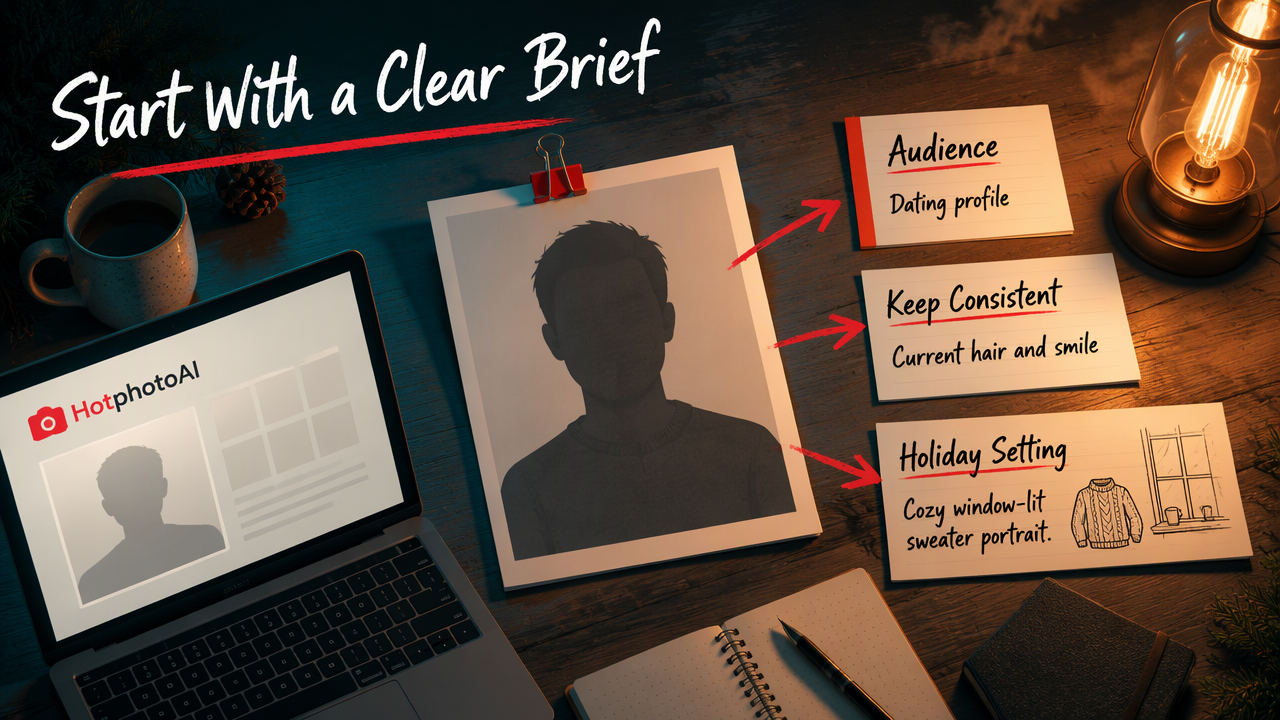
Bring a small creative brief
Prepare three notes before visiting hotphotoai.com: where the image will appear, which appearance details should stay consistent, and which holiday setting you want. For example: dating profile, current hair and smile, cozy window-lit sweater portrait.
Build a small set with distinct purposes: a natural-looking profile image, a polished social portrait, and an imaginative seasonal version.
Holiday portrait FAQ
The right holiday portrait depends on the profile's purpose, the image's realism, and the destination's upload rules.
Can I use an AI holiday photo on Tinder?
Check Tinder's current rules before uploading. I recommend a recognizable, realistic portrait rather than a heavily altered appearance. Keep recent real photos in the profile as well, so potential matches can understand what you look like. A seasonal image should add personality, not create expectations your everyday appearance can't meet.
How many reference photos should I upload?
Use the number requested by the service rather than assuming more is better. If multiple references are supported, choose recent photographs with consistent hair and appearance, clear lighting, and useful angles. I'd prioritize a small, coherent selection over a mixed collection spanning different ages, filters, or hairstyles.
Should I disclose that my portrait is AI-generated?
Follow the platform's current disclosure requirements. Beyond those rules, I recommend labeling clearly fantastical or substantially altered portraits when viewers might mistake them for real photographs. A short caption such as AI-styled holiday portrait sets expectations. Professional profiles deserve extra care because viewers may interpret the image as a straightforward headshot.
Conclusion
Choose one festive brief, prepare a recent reference, and compare the result with your real appearance before posting. Visit hotphotoai.com with your audience and styling notes ready. Keep the portrait that reads clearly at avatar size and still feels like you, just with better lighting and a little December sparkle.