AI LinkedIn Banner Photo Generator: Build a Better Background
TL;DR
Generate the background with AI, then add your headline and final layout in a design editor. Use a wide canvas, leave room for your profile photo, and choose imagery that reflects your actual work rather than a generic office scene.
Your LinkedIn banner should explain your professional identity, not audition as a screensaver. An AI LinkedIn banner photo generator can help create a background that matches your work, personality, and profile photo. I recommend treating image generation as one part of the design process: create the visual, then control the crop and typography yourself. For a photo-led direction, consider HotphotoAI when exploring personal imagery to incorporate into your design.
Table of Contents
What is an AI LinkedIn banner photo generator?
An AI LinkedIn banner photo generator is a tool that creates imagery for the wide background behind your LinkedIn profile photo. You describe a scene, palette, or visual style, then adapt the result into a banner. The most useful output supports your professional message rather than competing with your name and headline.
AI-generated banner: A profile background made partly or entirely from generated imagery, usually finished with cropping, layout, and optional text in a separate editor.
Canvas size and crop-safe composition
I recommend a 1584 × 396-pixel working canvas, a 4:1 aspect ratio, as a practical starting layout for a personal-profile banner. Treat this as design guidance, not a substitute for checking LinkedIn's current upload requirements in 2026.
- Keep important content away from the edges.
- Leave the lower-left area visually quiet for the profile-photo overlap.
- Place your main subject or message toward the center-right.
- Preview the uploaded banner on desktop and mobile before finalizing it.
Generate wider than you need when possible, then crop deliberately. Your banner is a panoramic strip, not a headshot stretched until it begs for mercy.
How do you create a professional AI LinkedIn banner?
Create a professional AI LinkedIn banner by defining one message, generating a wide background, and finishing the layout manually. I recommend this sequence because it separates visual exploration from precise placement. Your final check should happen on the profile itself, where the avatar and surrounding interface change how the design reads.
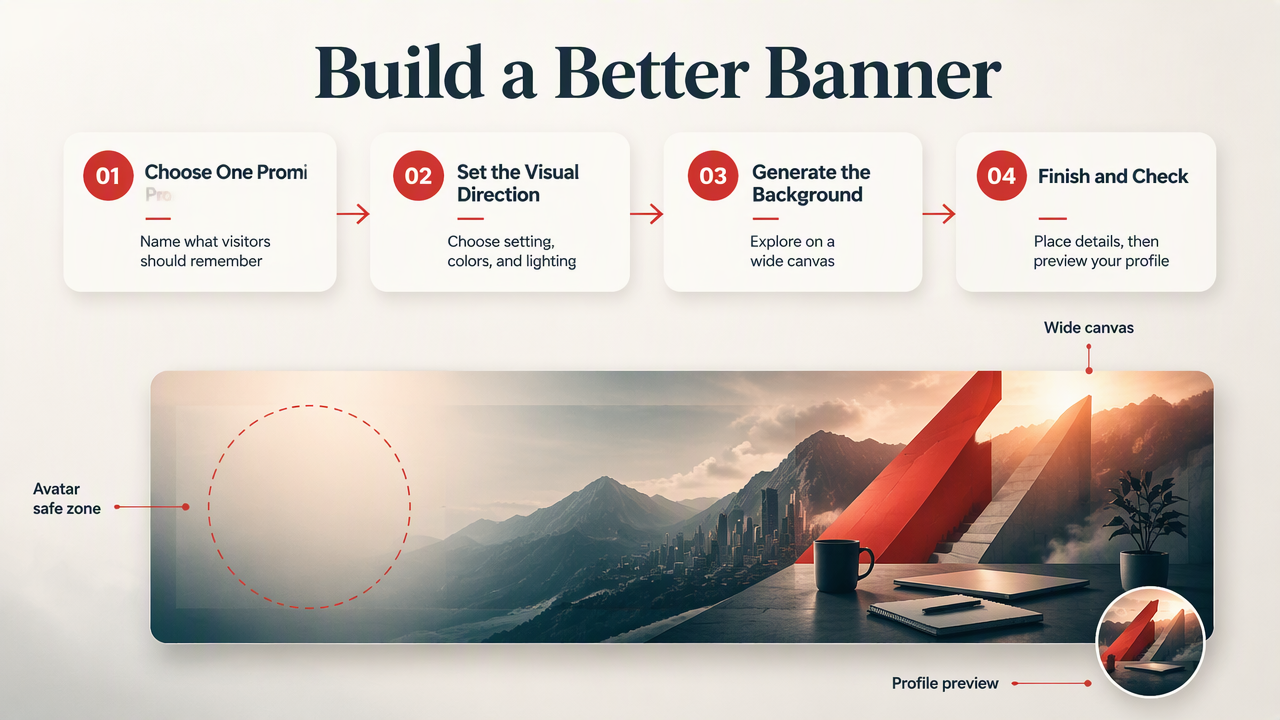
A five-step workflow from brief to upload
- Choose one promise. Write what you want visitors to remember, such as product strategy for early-stage teams.
- Select a visual direction. Pick a setting, two main colors, and a lighting style that match your profile photo.
- Generate the background. Ask for panoramic composition, negative space, and no lettering.
- Finish in an editor. Crop to your working canvas and add a short headline only if it contributes new information.
- Inspect the live profile. Check overlap, readability, and whether the banner complements your name and headline.
I would save the prompt, original image, and editable layout together. That makes a later role change a revision rather than a complete restart.
A reusable prompt with clear art direction
A useful prompt specifies composition as clearly as subject matter:
Create a panoramic professional background for a freelance product designer. Warm off-white and muted blue palette, soft daylight, understated studio objects on the right, open space across the left and center, realistic materials, no text, no logos.
Replace the profession, palette, and setting with your own details. Ask for a background, not a complete advertisement.
Avoid invented credentials, client logos without permission, and generated lettering that you haven't checked. Also inspect objects and architecture at full size: a polished thumbnail can hide a desk with questionable physics.
Which banner style fits your professional brand?
The best banner style reflects the work you want to attract and stays consistent with your profile photo. I would start with your audience's needs, not the generator's most dramatic preset. A consultant needs clarity; a creator may benefit from a more expressive visual signature.
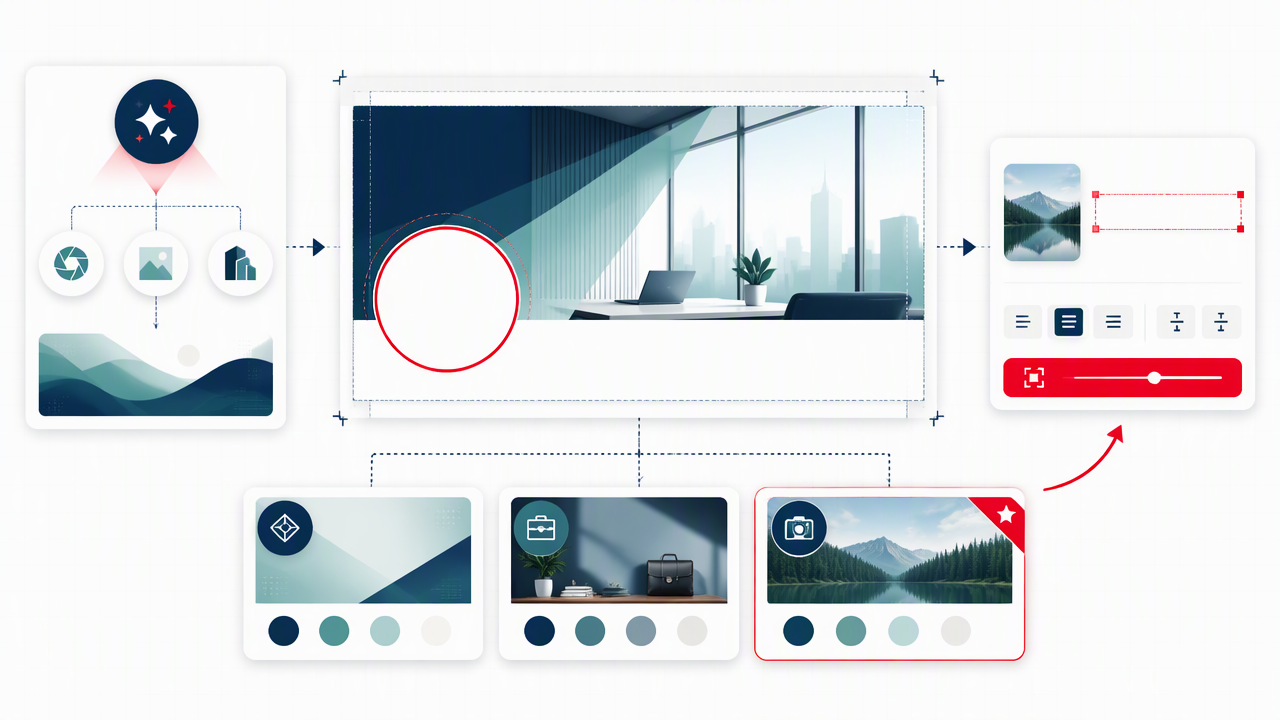
Four audience-specific banner briefs
| Audience | Visual direction | Optional message | Composition priority |
|---|---|---|---|
| Creators | Editorial backdrop in a signature color | Topic and publishing focus | Space for a recognizable visual motif |
| Freelancers | Workspace or craft-related detail | Service and intended client | One clear focal point |
| Job seekers | Restrained field-relevant imagery | Specialism or target role | Calm background behind profile details |
| Consultants | Minimal architectural or abstract forms | Business problem you solve | Strong contrast for a short statement |
These are starting briefs, not professional dress codes. A software developer doesn't need floating code, and a consultant doesn't need a skyline to prove they own a calendar.
What research can and cannot tell you
Research provides context, not a guaranteed recipe for recruiter attention. Purificato, Boratto, and De Luca's 2024 survey covers user modeling and profiling. Ekstrand, Das, and Burke's 2022 work addresses fairness in information access systems. Neither source, from the supplied metadata, establishes that AI banners improve hiring outcomes.
Use your banner to communicate relevant information, not to imply that a particular appearance guarantees professional success.
How HotphotoAI fits a photo-led banner workflow
HotphotoAI belongs in the personal-image exploration stage of a photo-led banner workflow, while your design editor handles the final banner layout. I would approach these as separate tasks: develop a portrait direction that reflects your professional identity, then build supporting space and typography around the selected image.
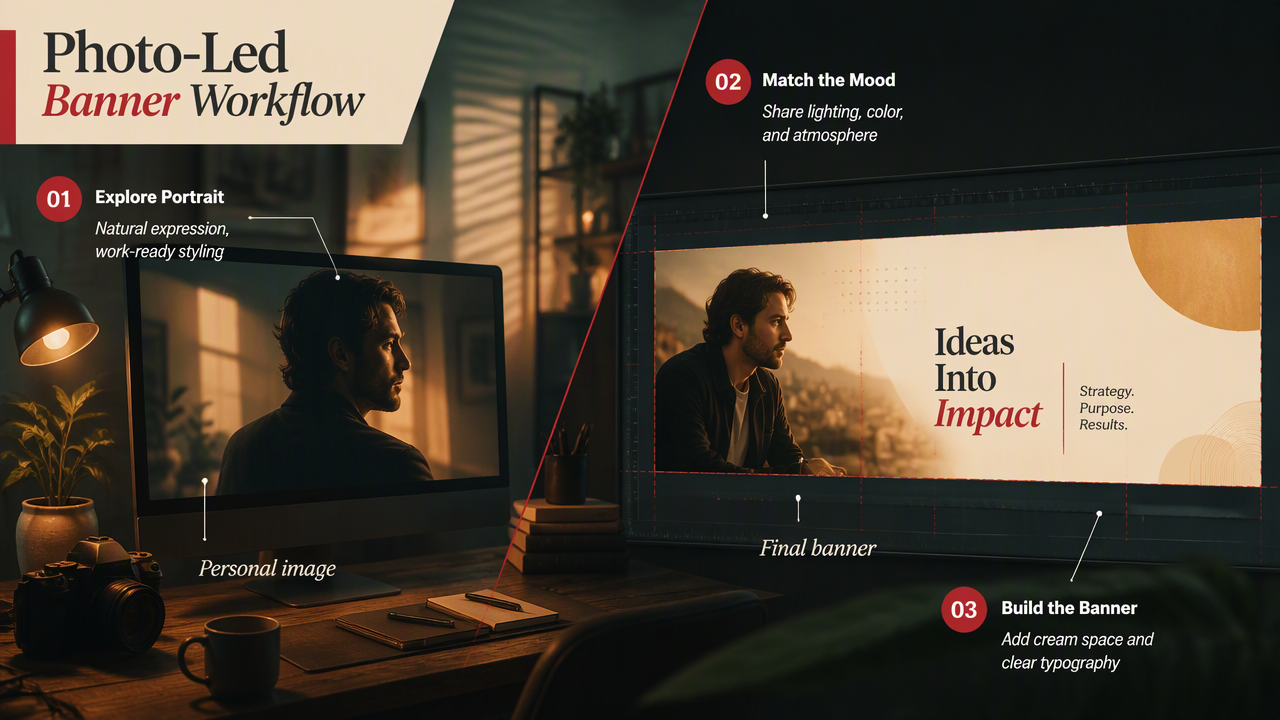
Turn a portrait concept into a coordinated background
A coordinated portrait and banner can share lighting, color, and mood without repeating the same image. For example, pair a warmly lit personal photo with a cream background and subtle amber accents.
- Choose a natural expression and work-appropriate styling.
- Carry one or two colors from the portrait into the banner.
- Place any portrait element where it supports the page layout.
Check available image styles and export options before choosing your production workflow. My recommendation is to build one consistent visual identity across the profile rather than treating each image as an unrelated project.
FAQ: LinkedIn banner design decisions
A useful LinkedIn background remains readable, relevant, and recognizable after upload.
Should my LinkedIn banner include my face?
Your LinkedIn banner doesn't need your face because your profile photo already provides recognition. I would include a second portrait only when it adds context, such as showing your creative working style. Otherwise, use the banner for your professional focus, a signature color, or imagery that supports the service you offer.
Can I use AI to generate the banner text?
You can ask AI to suggest wording, but I recommend adding the final text in a design editor. That gives you control over spelling, alignment, font size, and contrast. Keep the message short enough to read at a glance, and check that it adds something beyond your existing LinkedIn headline.
How do I keep an AI banner from looking generic?
Make the brief specific to your work rather than asking for a professional background. Name your audience, visual materials, palette, and intended mood. I would generate a few distinct directions, then choose the one that feels consistent with your actual profile. Specificity beats another anonymous glass office with inspirational lighting.
Conclusion
Start with one professional promise, create two background directions, and test your favorite on the live profile. If you want a photo-led concept, explore HotphotoAI or visit hotphotoai.com, then finish the crop and typography in your editor. Judge the result by clarity and consistency, not by how loudly it announces that AI was involved.