AI Makeup Photo Generator: How to Create Glam Photos That Still Look Like You
TL;DR
An AI makeup photo generator is best for testing glam, clean beauty, fantasy, or profile-ready looks before you commit to a photoshoot or real cosmetics. Use a clear face photo, choose a style that fits the platform, and avoid over-editing skin, eyes, and face shape if you want the result to feel attractive and believable.
Great makeup in a photo is no longer limited by your brush skills, your bathroom lighting, or the tragic little mirror in a rideshare. An AI makeup photo generator can add lipstick, contour, lashes, glow, or a full editorial makeover to an existing selfie or portrait in minutes. AI makeup photo generator: a tool that uses artificial intelligence to detect facial features and apply makeup-inspired edits, usually across lips, eyes, cheeks, skin tone, lighting, and overall style. If you want polished dating app photos, creator images, or model-style portraits, HotphotoAI gives you a practical way to experiment with glamour looks without booking a studio.
Table of Contents
What is an AI makeup photo generator?
An AI makeup photo generator is software that analyzes a face in a photo, identifies facial regions, and applies cosmetic-style changes such as lipstick, blush, eyeshadow, contour, skin smoothing, and lighting effects. The best tools in 2026 go beyond stickers; they blend color, texture, and shadows so the edit looks photographed rather than pasted on.
Older beauty editors focused on manual retouching. Wikipedia describes Facetune as a photo and video editing app by Lightricks used for portrait, selfie, enhancement, and retouching tasks. Modern makeup generators are more automated, more style-driven, and often built for fast output rather than pixel-by-pixel editing.
YouCam Makeup, according to the supplied Wikipedia data, is an augmented reality makeup simulation and selfie editing app from Perfect Corp. That matters because the category now spans two needs: trying cosmetic products and creating attractive finished images.
Key insight: virtual try-on answers "Would this shade work on me?" while AI glam generation answers "Can this photo look more magnetic?"
Virtual try-on vs finished glam edit
| Use case | Best fit | What it changes | Typical output |
|---|---|---|---|
| Cosmetic try-on | Shopping for lipstick, foundation, or eyeshadow | Product shades and placement | A practical preview |
| Glam portrait edit | Dating, social, or creator photos | Makeup, light, skin, mood, background | A polished image |
| Fantasy makeover | Stylized portraits and character looks | Makeup, outfit cues, color theme | A dramatic creative image |
| Professional profile polish | LinkedIn, bios, personal brands | Skin, lighting, subtle grooming | A cleaner headshot |
Competitor pages in the research data show the same split. Fotor emphasizes free online makeup generation and one-click try-on. YouCam highlights online makeup editing and testing more than 100 shades. SeaArt positions its tool as a free makeup filter for stylish transformations. The opportunity is choosing the right tool for your real goal, not just clicking the shiniest mascara button.
How do you use an AI makeup photo generator well?
To use an AI makeup photo generator well, start with a sharp, front-facing photo, choose a makeup intensity that matches the platform, generate several variations, and keep the version that improves the image without changing your identity. Good input still matters; AI can do magic, but it's not a fairy godmother with unlimited patience.
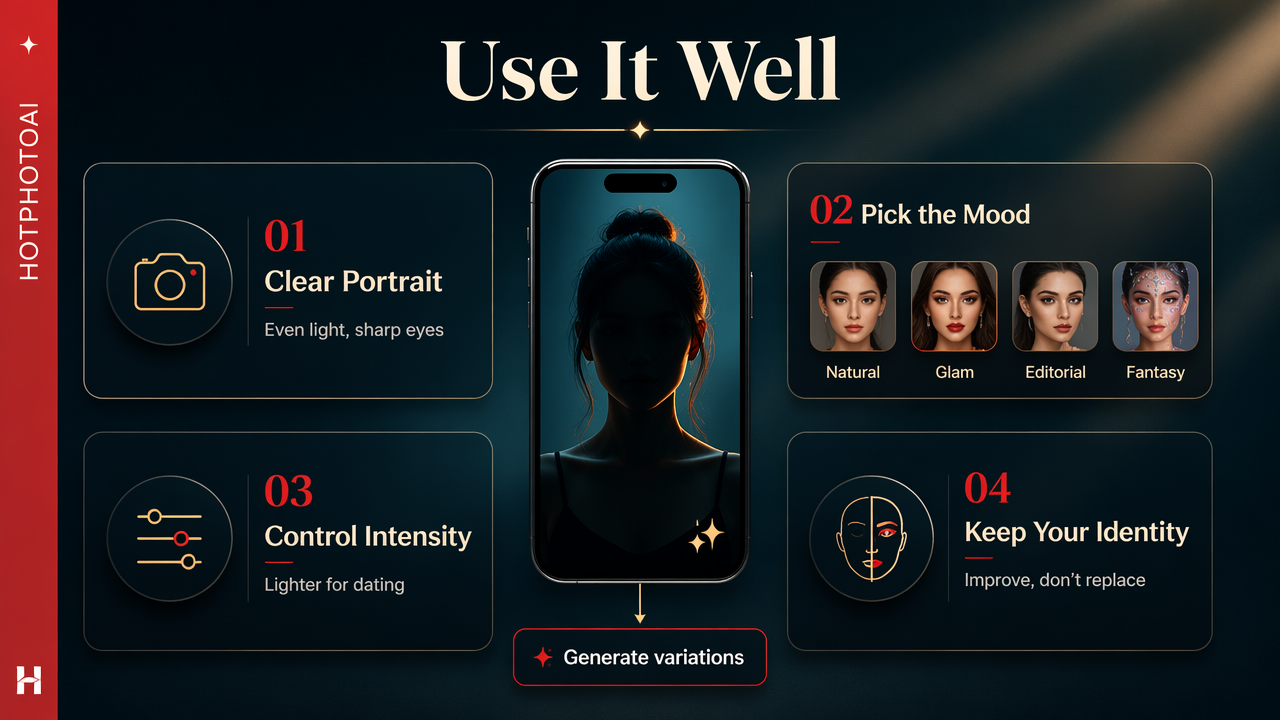
- Upload a clear portrait: Use even lighting, visible eyes, and minimal motion blur.
- Pick the mood first: Choose natural, glam, editorial, soft romantic, or fantasy before changing details.
- Control intensity: Keep makeup lighter for dating and professional profiles, stronger for creator or stylized content.
- Check facial identity: Make sure your eyes, face shape, and skin texture still feel like you.
- Export multiple crops: Save square, vertical, and close-up versions for different platforms.
A practical workflow beats random prompting. I like starting with one realistic version, one slightly bolder version, and one "magazine cover but still pays rent" version. Comparing three outputs helps you spot the sweet spot quickly.
Prompt and style ideas that produce better edits
- Clean beauty: dewy skin, soft blush, natural brows, nude lip, warm daylight.
- Date-night glam: defined lashes, satin skin, rose lip, gentle contour, restaurant lighting.
- Editorial makeup: graphic liner, sculpted cheekbones, glossy lips, studio flash.
- Soft luxury: neutral palette, smooth skin, champagne highlight, cream background.
- Fantasy portrait: jewel tones, shimmer eyeshadow, dramatic lighting, styled hair.
For profile photos, less usually wins. If the makeup is the first thing people notice, the image may feel like an ad for eyeliner rather than a picture of a person. The best edit earns a second glance, not a forensic investigation.
Which makeup styles work best for dating, social, and profile photos?
The best makeup style depends on where the image will appear: dating apps reward approachable polish, social platforms reward visual character, and professional profiles reward restraint. A single selfie can support several edits, but each platform has a different tolerance for drama.
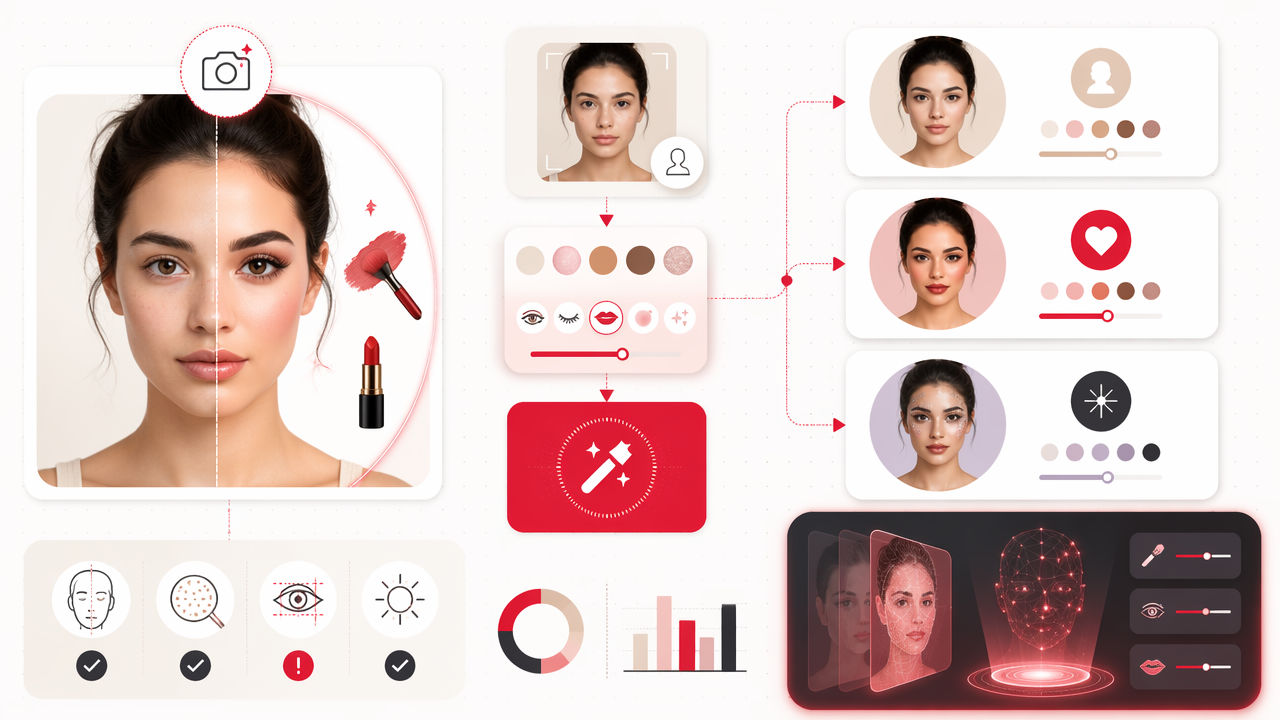
Search Console demand in the brief shows users are already searching for phrases like "hot photo edit," "hot photo ai editor," and "ai hot photo editor." That intent is not just about cosmetics. People want a photo that feels more attractive, more confident, and more intentional.
A useful rule: edit for the viewer's expectation, not only your personal taste. Tinder, Instagram, and LinkedIn are not attending the same party.
Style matrix for common photo goals
| Goal | Recommended makeup look | Avoid | Best visual cue |
|---|---|---|---|
| Tinder or dating apps | Natural glam, bright eyes, healthy skin | Heavy blur or face reshaping | Warm, real, confident |
| Instagram creator photo | Trend makeup, glossy skin, stronger color | Flat lighting | Distinctive style |
| Professional bio | Subtle grooming, even tone, soft lip | Glitter, harsh contour | Trust and clarity |
| Model-style portrait | Sculpted cheek, liner, editorial light | Random filters | Intentional drama |
| Fantasy image | Metallics, color themes, theatrical makeup | Half-real edits | Full creative commitment |
The HotphotoAI platform fits especially well when your goal is not just shade testing, but a more complete portrait upgrade. Think outfit mood, lighting, pose energy, and makeup direction working together instead of one lonely lipstick layer trying to carry the whole photo.
What should you check before trusting the final edit?
A finished makeup edit should improve the photo while preserving identity, skin believability, and social context. Before posting, zoom in on the eyes, lips, teeth, hairline, jaw, fingers, and background, because small artifacts can make an otherwise strong portrait feel synthetic.
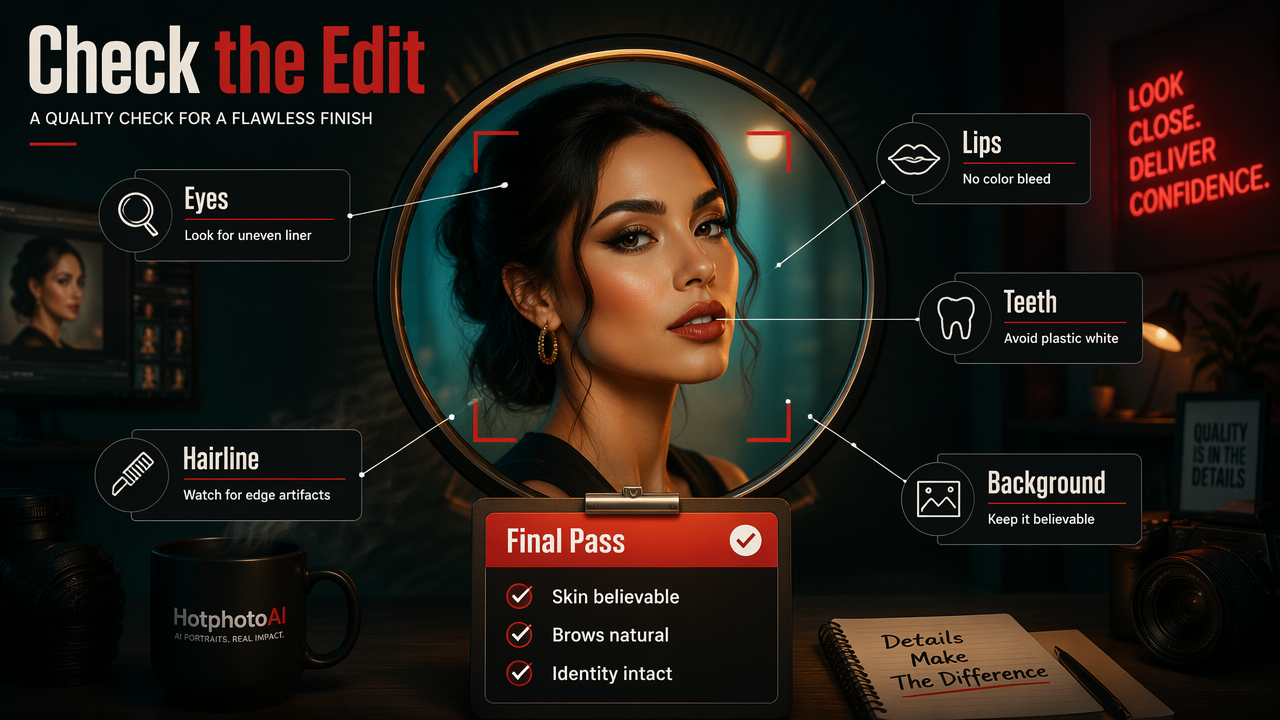
Common problems are easy to miss when you're excited by the first glamorous result. Lip color can bleed past the mouth. Eyeliner can become uneven. Skin can turn too waxy. Teeth can look unnaturally bright. Brows can drift into cartoon territory, which is rarely the goal unless your dating strategy involves confusing people.
Use this quick quality check:
- Identity: Would a friend recognize you instantly?
- Skin: Is there still some natural texture?
- Symmetry: Do both eyes and brows make sense?
- Edges: Are lips, lashes, and hair clean at full size?
- Context: Does the makeup match the outfit, lighting, and background?
Privacy also deserves attention. Upload only photos you're comfortable processing through a third-party service, and read the tool's usage terms before using sensitive images. For public-facing profiles, avoid edits that imply a completely different face, body, age, or lifestyle.
A simple pass-or-post checklist
- View the image at 100 percent zoom.
- Compare it against the original photo.
- Ask whether the edit looks like makeup, not a mask.
- Test it as a small thumbnail, since apps crop aggressively.
- Wait ten minutes, then look again with less sparkle in your eyes.
If the image still looks good after that, it is probably ready. If you keep explaining why a weird eyelash is "not that noticeable," it is absolutely noticeable.
What will AI makeup editing look like in 2027?
AI makeup editing in 2027 will likely become more personalized, more context-aware, and more tightly connected to full portrait generation. Instead of applying a generic glam filter, tools will increasingly adapt makeup to face shape, skin tone, camera angle, outfit, lighting, and platform intent.
Current competitor positioning already points in that direction. Fotor promotes one-click online makeup and multiple styles. YouCam focuses on virtual try-on and shade testing. Newer creator-focused tools are moving toward total image direction, where makeup is only one part of the final portrait.
Expect three practical changes:
- Better facial consistency: Edits should preserve identity across multiple images.
- More style control: Users will request "soft bridal glam" or "clean-girl profile photo" with fewer manual steps.
- Smarter realism settings: Tools will separate believable enhancement from fantasy looks more clearly.
For users, the winning habit will be building a small set of personal visual styles. One clean profile look, one social glam look, and one bold creative look can cover most needs. If you want to test that approach, head to hotphotoai.com and build a few variations from the same base photo.
FAQ about AI makeup photo generators
Can AI makeup edits replace a real makeup artist?
AI makeup edits can replace a quick digital makeover for photos, but they do not replace a makeup artist for events, film, weddings, or real-world wear. A generator is best for testing looks, improving profile pictures, and creating stylized portraits. A human artist still wins when texture, products, lighting, and live movement matter.
Are AI makeup photos okay for dating apps?
AI makeup photos are okay for dating apps when they still look like you. Keep the edit realistic, avoid changing facial structure, and use at least one recent unedited or lightly edited photo in your profile mix. The goal is better presentation, not creating a mystery guest who arrives at dinner.
What photo works best as the starting image?
A clear, well-lit face photo works best. Choose a portrait where your eyes are visible, your face is not heavily shadowed, and the camera angle is not extreme. Neutral makeup or bare skin gives the tool more room to create a clean result.
Can I create glamour or fantasy portraits, not just makeup edits?
Yes. Many users now want full glamour, lifestyle, model-style, or fantasy portraits rather than simple lipstick and eyeshadow changes. With HotphotoAI, you can think beyond cosmetics and shape the whole image mood, including styling, lighting, and visual attitude.
Conclusion
A strong AI makeup photo generator helps you test beauty styles, upgrade profile photos, and create polished portraits without turning your face into a luxury mannequin with Wi-Fi. Start with a clear image, choose the style for the platform, run a few variations, and judge the result by realism, identity, and overall vibe. For a practical next step, pick one selfie and create three versions: natural glam, date-night polish, and editorial bold. Then keep the one that looks like your best day, not your secret twin from a perfume campaign.