AI Model Photo Generator From Selfies: How to Create Realistic Model-Style Photos
TL;DR
An AI model photo generator turns varied selfies into repeatable, model-style images of you, not a random AI character. For the most realistic results, upload clear, varied photos, choose believable prompts, and review privacy controls before training a face model.
A great profile photo used to require a camera, a brave friend, and the patience of a saint. Now, an AI model photo generator from selfies can create polished dating, lifestyle, glamour, or professional-style portraits using your own face as the visual anchor. AI model photo generator: a tool that trains a private visual model from your selfies so it can generate new images where you remain recognizable across outfits, scenes, poses, and lighting. For users who want stylish personal photos without booking a shoot, HotphotoAI focuses on this exact job: turning everyday selfies into prompt-based and reference-based model photos.
Table of Contents
What is an AI model photo generator from selfies?
An AI model photo generator from selfies is software that learns your facial identity from uploaded photos, then creates new portraits of you in different styles, backgrounds, outfits, and poses. Unlike a generic image generator, it tries to preserve your recognizable features across many outputs.
Generic AI art tools create a person. Selfie-trained portrait tools create you, or at least a convincing digital version of you. That distinction matters for Tinder photos, Instagram content, LinkedIn-style portraits, creator branding, and fantasy looks where identity consistency is the whole point.
Research on AI-generated characters has explored how synthetic people can support personalization in digital experiences, including learning and well-being contexts, as discussed by Pat Pataranutaporn, Valdemar Danry, and Joanne Leong in Nature Machine Intelligence. Personal photo tools apply a similar personalization idea to visual identity.
Key insight: the best selfie-trained outputs usually come from boring input photos and imaginative final prompts. Your camera roll does the identity work; the AI does the styling.
AI selfie tools versus face-trained model generators
| Feature | Generic AI selfie generator | Selfie-trained model photo generator | Traditional photo editor |
|---|---|---|---|
| Main input | One image or text prompt | Multiple selfies | Existing photo |
| Identity consistency | Often limited | Stronger across batches | Exact, because it edits a real image |
| Best for | Quick avatars, cartoons, fun edits | Dating, glam, lifestyle, model shots | Retouching, cropping, color fixes |
| Creative control | Style presets | Prompts, references, scenes, outfits | Manual adjustments |
| Realism depends on | Base model quality | Training photo quality and prompts | Original photo quality |
How does the selfie-to-model-photo workflow work?
A selfie-trained model photo workflow usually follows four steps: upload varied images, train a private face model, choose a prompt or reference style, then generate multiple versions for review. The process is simple, but the quality depends heavily on the photos you feed it.
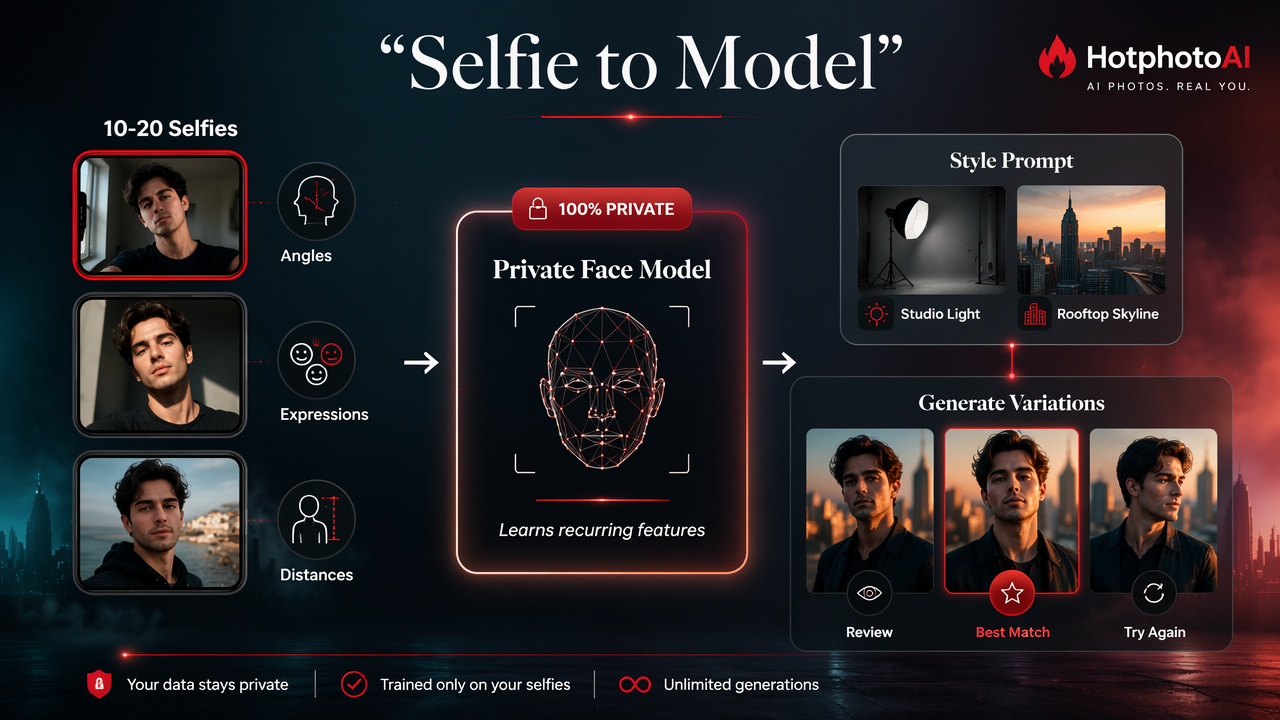
- Upload 10 to 20 clear selfies. Aim for different angles, expressions, hairstyles, and distances.
- Let the system train your face model. The model learns recurring facial features, not just one pose.
- Pick a style or write a prompt. Examples include studio fashion portrait, rooftop lifestyle shot, beach dating photo, or cinematic headshot.
- Generate a batch. More outputs give you better odds of finding a keeper.
- Save selectively. Keep images that look like you on a very good day, not you after being replaced by a suspiciously symmetrical cousin.
The workflow also connects to broader interactive media trends. Cheng Lu Wang's 2021 editorial on future directions in interactive marketing examined how digital interaction and personalization are reshaping marketing. Selfie-trained portraits bring that same personalized content logic to individual profiles and creator images.
Inputs that improve realism
- Use natural daylight or soft indoor light.
- Include front, three-quarter, and slight side angles.
- Mix close-up selfies with chest-up photos.
- Keep your age, facial hair, glasses, and hairstyle reasonably current.
- Avoid heavy beauty filters, face-swap apps, and extreme lenses.
- Add neutral expressions as well as smiles.
A clean training set gives the AI fewer bad habits to copy. If every upload has nightclub lighting, the model may think your natural habitat is a purple fog machine.
Best use cases for model-style AI photos
Selfie-trained AI photos work best when you need many polished versions of yourself for online identity, not when you need documentary proof of a real event. Think of them as a virtual styling session, not a passport office.
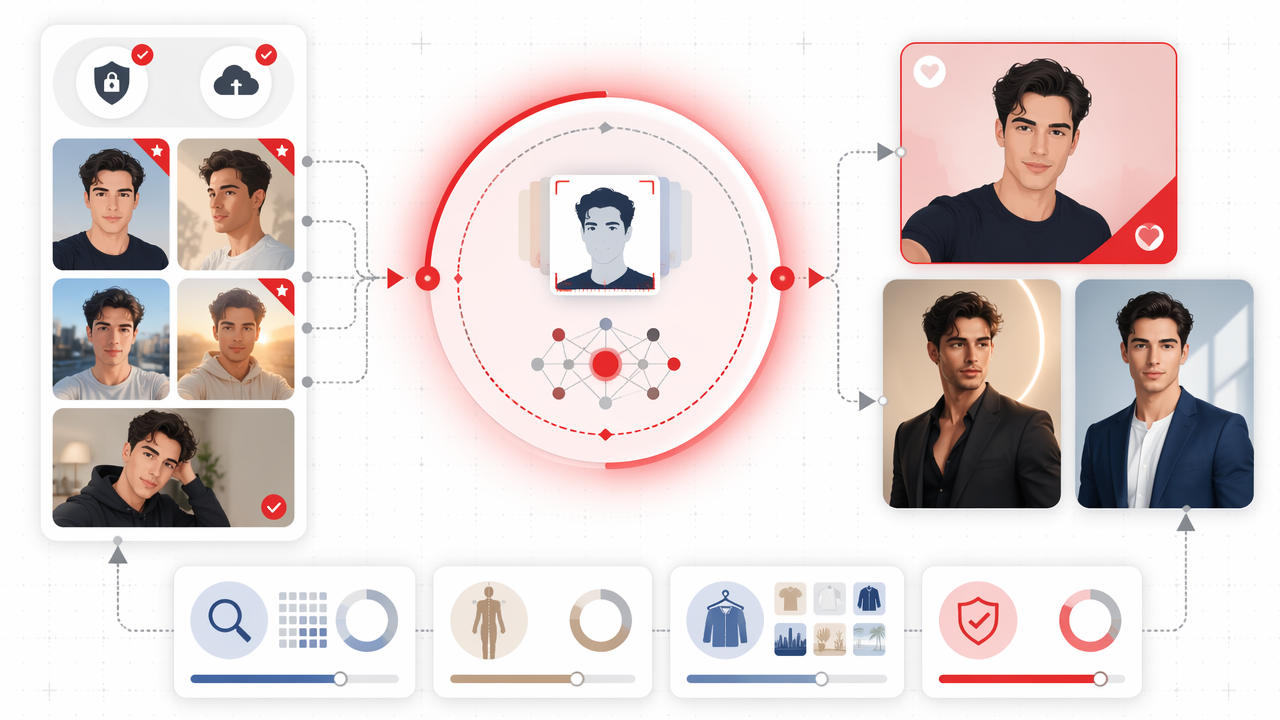
For dating apps, the goal is attractive but believable variety: one clear face photo, one lifestyle scene, one full-body style image, and one warmer candid-style shot. For creators, the value is volume. You can test outfits, moods, backgrounds, and visual themes without renting locations.
For professionals, the strongest use case is personal branding where a traditional corporate headshot feels too stiff. A founder, coach, freelancer, or consultant can create polished portraits that fit a website, newsletter, or social profile while staying more expressive than a badge photo.
A 2022 IEEE Access paper by Sangmin Park and Young-Gab Kim on metaverse taxonomy, components, applications, and open challenges discusses digital environments where identity, representation, and immersion matter. AI portrait generation sits in that same practical zone: people want digital versions of themselves that feel recognizable and useful.
Common photo goals and prompt directions
| Goal | Prompt direction | What to avoid |
|---|---|---|
| Tinder or Hinge profile | Natural lifestyle, outdoor cafe, relaxed smile | Overly glossy magazine poses |
| Instagram creator post | Fashion editorial, city street, golden hour | Repeating the same facial angle |
| Glam portrait | Studio lighting, elegant outfit, soft background | Unrealistic skin texture |
| Personal brand | Confident portrait, modern office, clean lighting | Fake-looking boardrooms |
| Fantasy or cosplay | Cinematic costume, themed environment | Prompts that hide your face |
How HotphotoAI handles model-style photos
The HotphotoAI platform is built for people who want attractive, stylized personal images generated from their own face rather than one-off AI art. It fits model-style portraits, glamour shots, dating photos, lifestyle scenes, and outfit experiments where consistency matters.
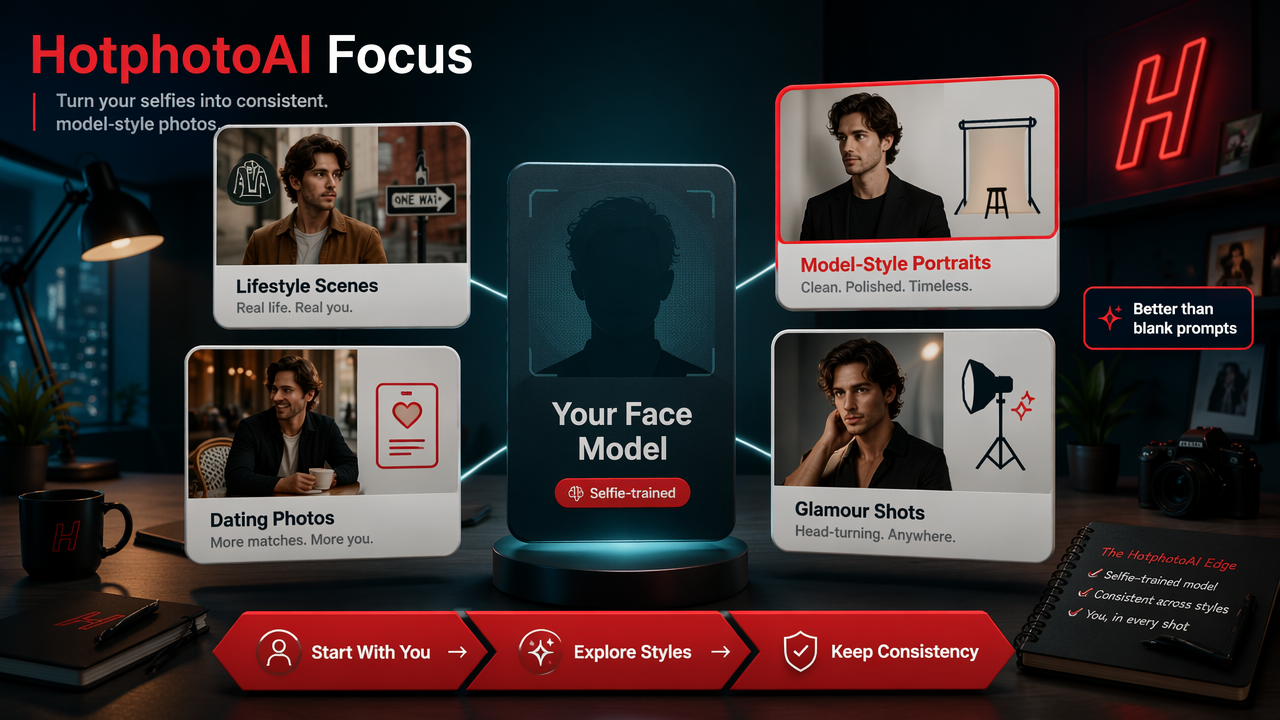
With HotphotoAI, the practical advantage is focus. Instead of starting from a blank text prompt and hoping the result resembles you, you begin with your selfie-trained identity and then explore styles. That makes the tool more useful for profile photos than a general image generator that treats every prompt like a new casting call.
For best results, I'd treat your first batch like a contact sheet from a real photoshoot. Generate a range, reject anything that feels too artificial, then keep the few images that match your actual vibe. The winners should look enhanced, not like your face got a software update it didn't ask for.
A strong AI profile photo should pass two tests: it should look good at thumbnail size, and your friends should still recognize you instantly.
AI model photos versus traditional photoshoots
| Factor | AI model photos | Traditional photoshoot |
|---|---|---|
| Speed | Often batch-based after upload and training | Requires scheduling and shooting time |
| Outfit variety | Easy to test many looks | Limited by wardrobe and time |
| Background variety | Prompt-driven scenes and styles | Requires locations or backdrops |
| Control | High creative control through prompts | High control through photographer direction |
| Realism | Best when prompts stay believable | Strongest because photos are captured live |
| Privacy needs | Requires selfie upload review | Requires photographer and file sharing trust |
AI does not replace every shoot. If you need event photos, product-in-hand proof, or editorial work with exact body posing, a photographer still wins. If you need a dozen strong looks for apps and profiles, AI is usually faster.
What should you check before uploading selfies?
Before uploading selfies, check how the service explains consent, storage, deletion, model training, and image rights. A good buyer checklist is simple: know what you upload, know what gets created, know how to delete it, and know where generated images can be used.
Privacy language should be plain enough for normal humans, not just lawyers who collect semicolons. Look for clear answers on whether your photos are used only for your model, whether generated images are private by default, and how account deletion works.
Use this checklist before choosing any selfie-to-portrait service:
- Consent: only upload photos of yourself, or people who gave clear permission.
- Deletion: confirm whether source selfies and trained models can be removed.
- Visibility: check if generations are private or public by default.
- Rights: review whether you can use outputs on dating apps, social profiles, or business pages.
- Realism: avoid representing AI images as real events, locations, or endorsements.
When you are ready to create model-style images from your own selfies, head to hotphotoai.com and start with a varied, natural photo set. Keep your prompts believable first, then experiment with bolder looks once the face model is producing consistent results.
Frequently asked questions
How many selfies do I need for good AI model photos?
Most tools work best with a varied set rather than one perfect image. A practical range is about 10 to 20 photos with different angles, expressions, and lighting. Quality matters more than glamour. Clear, recent, unfiltered selfies usually train a more recognizable model.
Can AI-generated dating photos hurt trust?
They can if they make you look like a different person or imply a fake lifestyle. Use AI photos that match your real age, body type, style, and general environment. A polished image is fine. A yacht you've never seen is less charming.
Are free AI selfie generators enough?
Free AI selfie generators are useful for quick avatars, cartoons, and casual edits. For repeatable portraits that keep your face consistent across many looks, a private face-trained model is usually the better fit. The difference shows up when you need multiple believable profile photos.
What prompts create the most realistic results?
Realistic prompts describe normal photography: lens style, lighting, outfit, setting, and mood. Try "natural outdoor lifestyle portrait, soft daylight, relaxed smile, casual jacket" before asking for cinematic fantasy armor. Specific but believable beats dramatic but vague.
Can I use these images professionally?
Often, yes, but review the service terms first. AI-generated personal portraits can work for social profiles, creator pages, newsletters, and personal websites. For regulated industries, official IDs, press use, or employer directories, confirm the rules before publishing.
Conclusion
An AI model photo generator from selfies is best used as a personal photo studio in software form: feed it honest source images, guide it with believable prompts, and choose outputs that still feel like you. Start with dating, lifestyle, glamour, or professional profile goals, then build a small set of images for each use. If you want a focused tool for that workflow, visit hotphotoai.com, upload a strong selfie set, and create your first batch with one simple rule: make the AI flatter you, not impersonate a celebrity wearing your eyebrows.