AI Outfit Changer for Profile Photos: Styles, Prompts, and Realism Tips
TL;DR
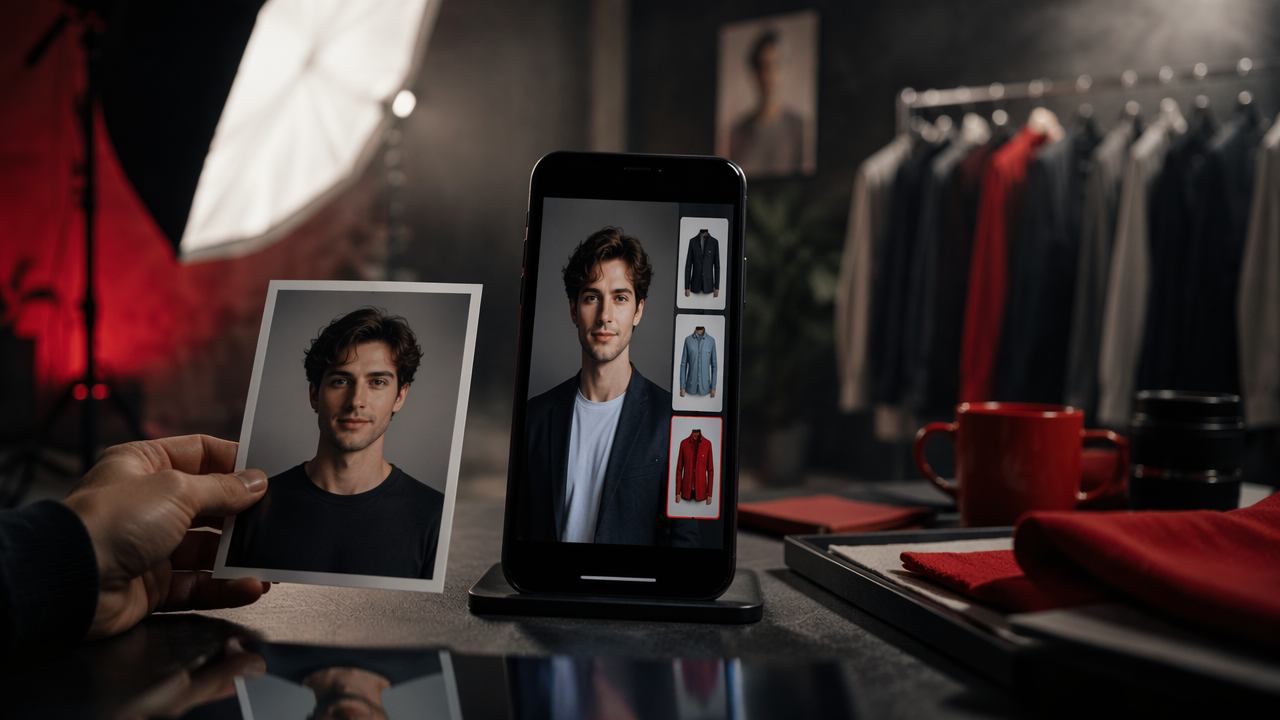
Use an AI outfit changer when the face, pose, and lighting in your photo are already strong, but the clothes don't match the vibe you want. For best results, pick outfit prompts that fit the setting, keep edits believable, and avoid pretending an AI-generated look is a real event photo.
A great profile photo can be ruined by one tragic hoodie, which is exactly where an AI outfit changer for profile photos earns its keep. With HotphotoAI, users can test cleaner, sharper, or more playful looks without booking a studio, buying clothes, or staging a full "I casually own a yacht" photoshoot. The smart move is not to fake a new personality, but to present the one you already have with better styling.
Table of Contents
What is an AI outfit changer for profile photos?
An AI outfit changer for profile photos is a photo-editing tool that replaces or restyles clothing in a portrait while keeping the person's face, pose, and overall identity recognizable.
AI outfit changer: software that uses generative image models to create new clothing on an existing person in a photo, usually from a text prompt, style preset, or reference image.
Unlike a basic filter, clothing replacement changes the garment area itself. It may add a blazer, dress, leather jacket, knit sweater, costume, gym fit, or luxury-style look while trying to preserve body shape, lighting, shadows, and background context.
Key insight: The best use case is upgrading a good photo, not rescuing a bad one. If your face is blurry, the outfit is not the villain.
Research on generative AI, including a 2024 IEEE Access review by Yenduri and coauthors, frames systems like GPT and related models as tools with broad creative applications and real challenges around accuracy, control, and responsible use (IEEE Access review). That matters here because outfit editing is both creative and personal.
How does AI change outfits in portrait photos?
AI changes outfits by identifying the clothing area, preserving the person and scene, then generating new fabric, shape, texture, and color that match the prompt.
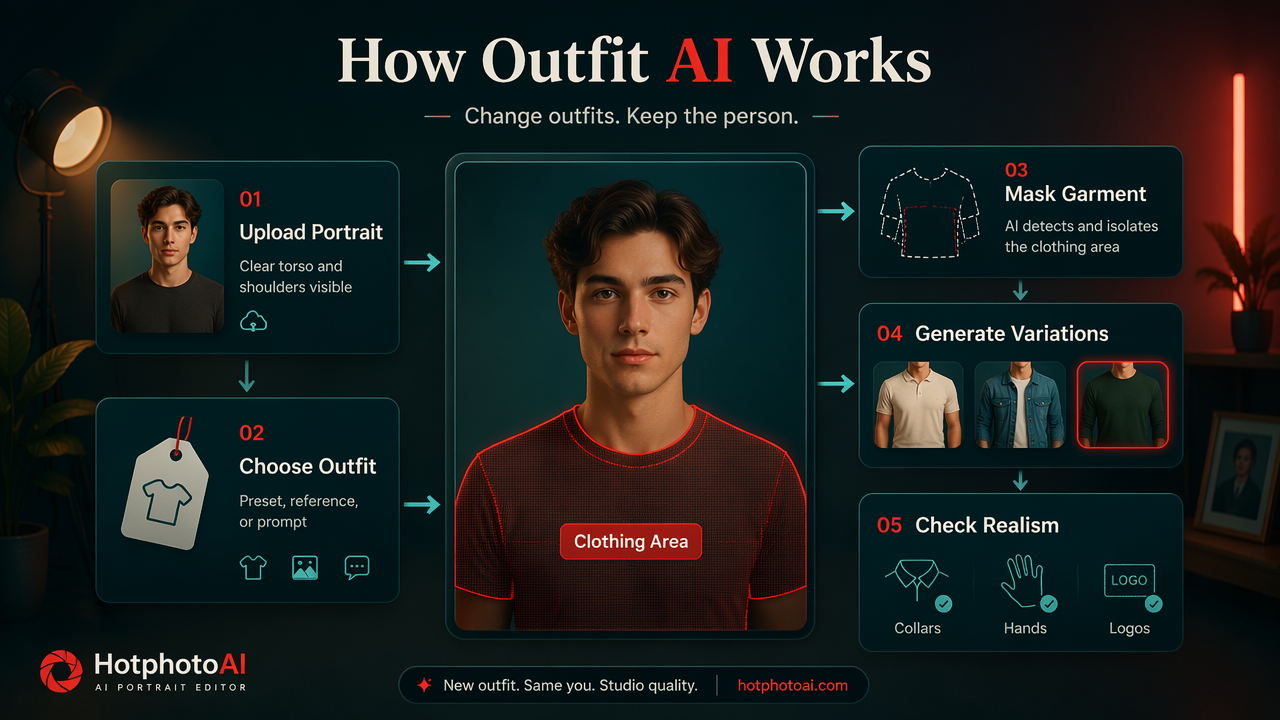
A typical workflow looks like this:
- Upload a portrait: Start with a clear image where the torso and shoulders are visible.
- Select or describe the outfit: Use a preset, reference style, or text prompt.
- Mask the clothing area: The tool detects the garment zone so the face and background stay mostly intact.
- Generate variations: The model creates several clothing options.
- Review realism: Check hands, collars, logos, buttons, shadows, and edges.
- Export the best version: Save the image at a size that works for Tinder, LinkedIn, Instagram, or creator profiles.
The technology sits inside a broader shift toward algorithmic decision-making and synthetic media. Burrell and Fourcade's 2021 work on algorithmic society examines how algorithmic systems increasingly shape social life and presentation (Annual Review of Sociology paper). Profile photos are part of that shift, because people now test identity signals before they post.
For profile use, the outfit prompt needs to fit the original photo. A black tuxedo in a fluorescent grocery aisle screams "software had a big lunch." A fitted overshirt, clean tee, or simple blazer will usually pass the sniff test.
Which outfit styles work best for dating, social, and professional photos?
The best outfit style is the one that matches the platform, your existing photo, and the impression you want to create.
Dating apps reward approachability. Creator profiles reward memorability. Professional profiles reward trust. One outfit cannot do all three jobs unless you are a charming accountant with runway lighting.
Prompt ideas by profile goal
| Profile goal | Outfit prompt style | Best background match | Realism tip |
|---|---|---|---|
| Tinder or Hinge | "casual fitted white tee with open denim jacket" | Street, cafe, park | Keep colors relaxed and avoid luxury overload |
| "stylish black leather jacket, editorial lighting" | Urban wall, night street, studio | Use bold contrast, but keep skin texture natural | |
| "navy blazer over white shirt, no tie" | Office, plain wall, indoor light | Avoid shiny suit fabric and fake lapel pins | |
| Creator profile | "fashion-forward monochrome outfit, modern streetwear" | Studio, city, clean room | Let the outfit pop without changing your face |
| Fantasy portrait | "dark velvet cloak, cinematic fantasy styling" | Forest, castle, dramatic backdrop | Best for avatars, not serious dating photos |
| Luxe lifestyle | "cream linen shirt, tailored trousers, resort style" | Beach, hotel, warm outdoor light | Don't add watches, cars, or props that weren't there |
A 2023 Tourism Management article by Buhalis, Leung, and Lin examined metaverse technologies in tourism management and marketing, which is relevant because virtual presentation, styling, and immersive identity are moving into mainstream consumer behavior (Tourism Management article). Outfit editing is a smaller, everyday version of that same trend.
My practical rule: make one upgrade at a time. Change the jacket, not the jacket, location, jawline, hair, and tax bracket.
How HotphotoAI handles realistic profile-photo outfit changes
HotphotoAI is best used as a styling tool for portraits where you already like your expression, angle, and overall composition.
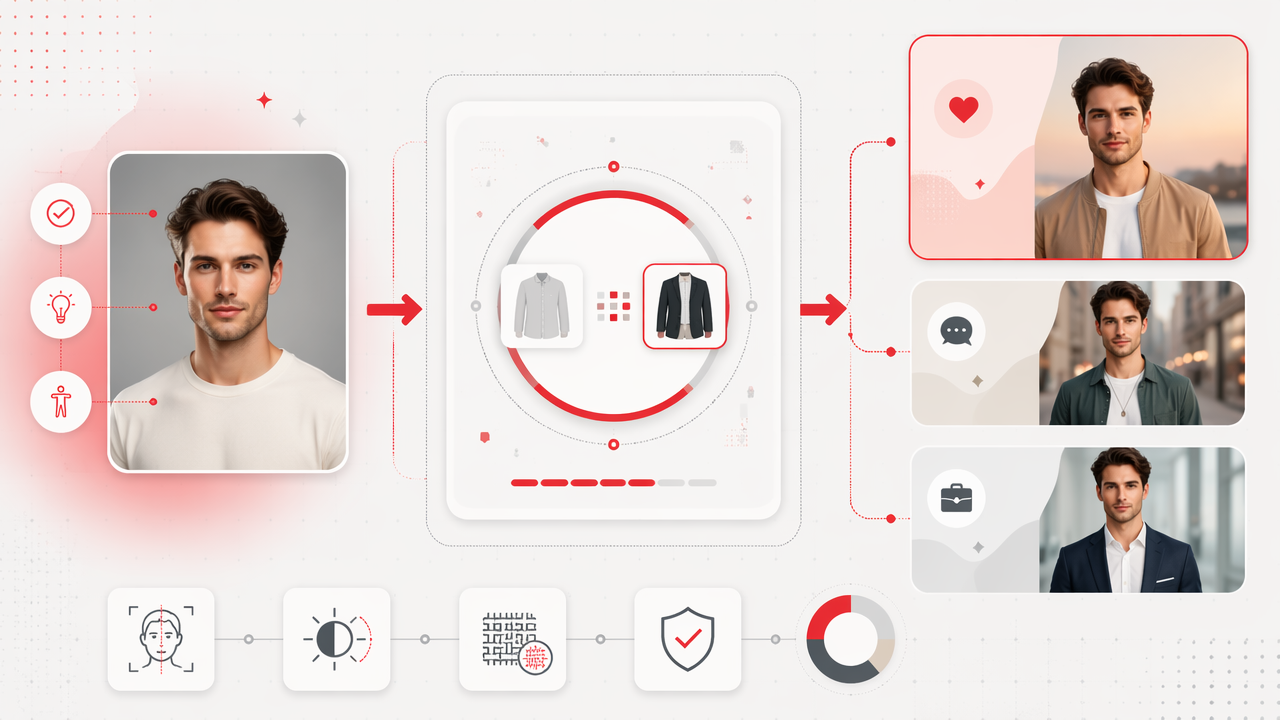
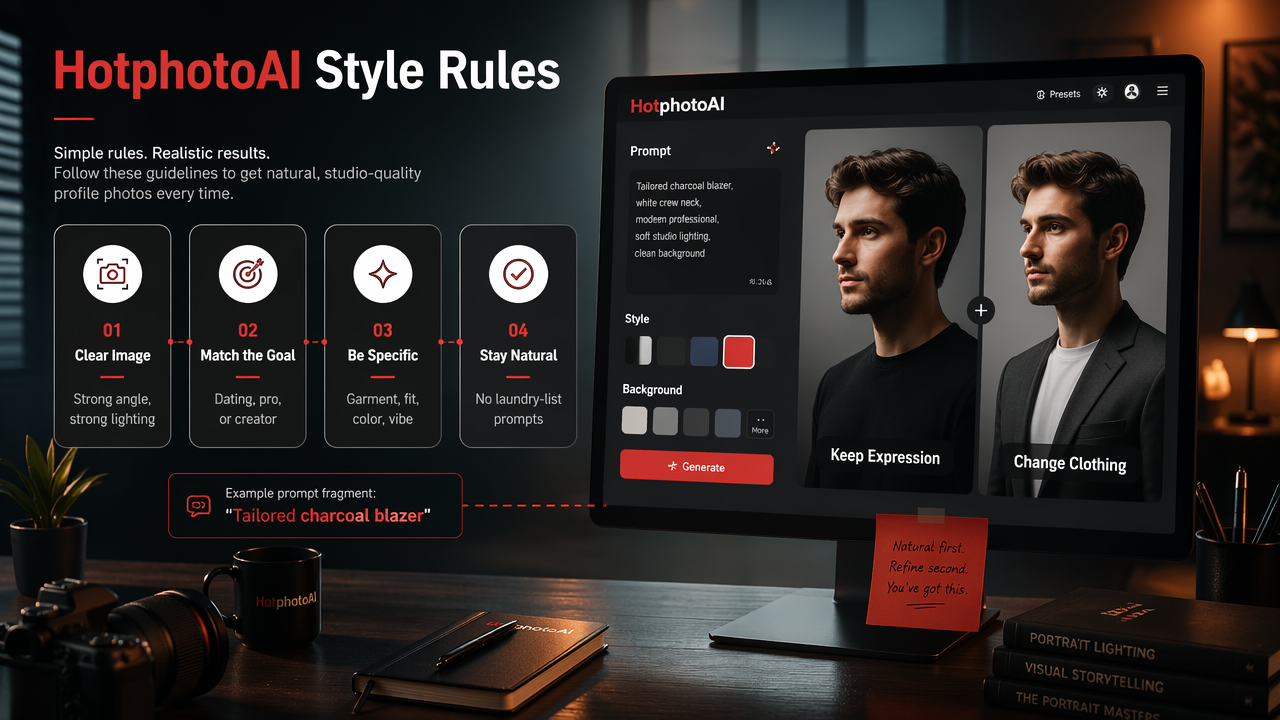
The strongest workflow on the HotphotoAI platform is simple: choose a clear image, decide the profile goal, then prompt for clothing that belongs in the scene. A dating photo might need relaxed polish. A professional profile might need a blazer. A creator image can push further into glamour, model-style lighting, or fantasy styling.
Good prompts are specific without turning into a laundry receipt. Mention the garment, fit, color, and vibe:
- "tailored charcoal blazer over a black crew-neck shirt, natural indoor lighting"
- "soft beige sweater, relaxed premium lifestyle photo, warm cafe background"
- "sleek red evening dress, editorial portrait style, soft studio shadows"
- "minimal black turtleneck, clean professional headshot look"
Key insight: The outfit should explain the photo, not argue with it.
For creators and social users, HotphotoAI also helps test visual directions before a real shoot. You can compare a polished lifestyle look against a bold editorial one, then decide what is worth recreating offline. That makes the tool useful for planning, not just posting.
For brand recall, head to hotphotoai.com when you want a fast place to test outfit ideas against your own portraits.
How can you keep edited outfit photos realistic and safe?
You keep edited outfit photos realistic and safe by preserving your identity, matching the original scene, and avoiding edits that mislead people about real events, jobs, wealth, or relationships.
Use this checklist before posting:
- Keep your face recognizable: Don't accept versions that reshape your eyes, jaw, skin tone, or age.
- Match lighting: Outdoor sun, bathroom mirror light, and studio flash each need different clothing shadows.
- Watch the hands: Sleeves, cuffs, rings, and fingers are where weirdness likes to throw a party.
- Avoid fake status props: Luxury watches, uniforms, badges, and awards can create trust problems.
- Use platform sense: A fantasy cloak may work for an avatar, but not for a job-search profile.
Privacy deserves the same attention as style. Upload photos only to services you trust, avoid images containing children or private locations, and don't use someone else's portrait without consent. Synthetic editing is fun, but consent is not optional confetti.
Looking toward 2027, expect clothing edits to become more controllable. The likely improvements are better fabric physics, cleaner hands and collars, stronger reference-image matching, and clearer disclosure norms for professional and dating platforms.
FAQ: AI outfit changes for profile photos
AI outfit editing works best when users treat it as presentation polish rather than a replacement for honesty.
Can AI change my outfit in a profile photo?
Yes, AI can change your outfit in a profile photo by generating new clothing over the original garment area. The result works best when the photo is sharp, your body position is clear, and the requested outfit matches the lighting and setting. Simple, believable edits usually outperform dramatic makeovers.
Is it okay to use AI-edited clothes on dating apps?
It is usually fine to use AI-edited clothes on dating apps if the photo still looks like you and does not misrepresent your lifestyle. A cleaner shirt, better jacket, or more flattering color is presentation. A fake wedding outfit, private jet look, or heavily altered body can damage trust fast.
What photo should I upload first?
Start with a photo where your face is clear, your shoulders and torso are visible, and the lighting is even. Avoid heavy blur, extreme angles, crossed arms, and cluttered backgrounds. AI outfit tools need visual space to build sleeves, collars, textures, and shadows that look natural.
What outfit prompt gives the most realistic result?
The most realistic prompt describes a normal garment in a clear style, such as "navy blazer over white shirt, natural indoor lighting" or "casual black denim jacket, relaxed street portrait." Avoid stacking too many details. If the prompt sounds like a costume department panic attack, simplify it.
Conclusion
An AI outfit changer for profile photos is most valuable when you already have a strong portrait and want the clothes to match your goal. Pick a style for the platform, write a grounded prompt, review the small details, and save only the version that still feels like you. If you're ready to test casual, professional, glamour, or creator-ready looks, try HotphotoAI and compare a few outfit directions before your next profile update.