AI Photo Authenticity Checker: A 2026 Guide to Natural-Looking Portraits
TL;DR
Use an AI photo authenticity checker as a second opinion, not a judge. For dating apps, social profiles, and professional headshots, inspect skin texture, teeth, hands, lighting, backgrounds, and metadata before posting. If the photo still feels like you at a glance and holds up under zoom, it is usually ready.
A great AI portrait should make someone think, "nice photo," not "which image generator made that?" An AI photo authenticity checker helps you test whether a portrait looks natural enough for Tinder, LinkedIn, Instagram, or a creator profile before it becomes your digital handshake. For users creating polished lifestyle or model-style images, HotphotoAI is useful because the real goal is not trickery, it is believable self-presentation with better outfits, lighting, and settings.
Table of Contents
What is an AI photo authenticity checker?
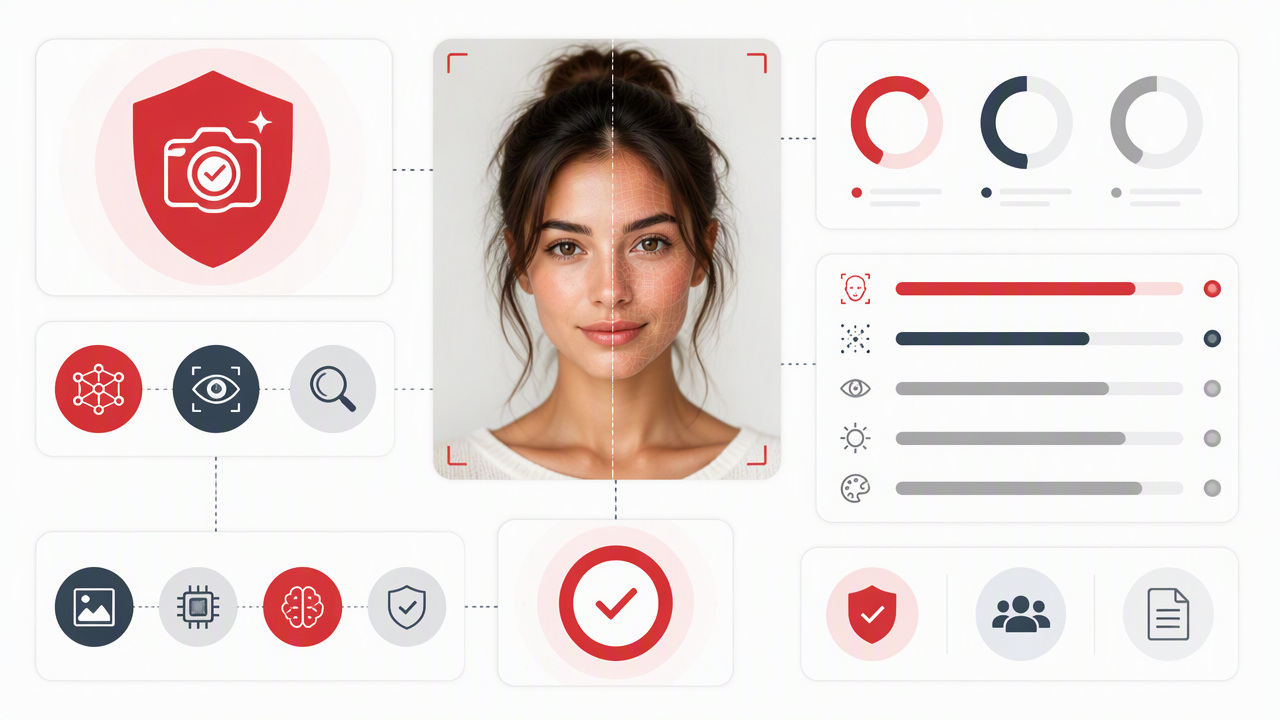
An AI photo authenticity checker is a tool or manual review process that evaluates whether a photo appears AI-generated, edited, manipulated, or visually inconsistent. It usually examines image patterns, facial details, background logic, lighting, texture, and sometimes metadata, then gives a confidence score or warning signs.
AI photo authenticity checker: A detection method that reviews an image for signs of artificial generation, synthetic editing, or visual manipulation.
Modern detectors sit in a messy middle. They can flag suspicious patterns, but they do not always know whether a polished portrait came from a camera, a retoucher, a generator, or a very determined person with good lighting and too much caffeine.
Research on visual AI shows why this is hard. A 2022 review on machine learning and smart vision in construction described how deep learning systems can analyze visual environments for specific patterns, but those systems depend heavily on training data and task design Automation in Construction, 2022. Image detection works the same way: the model is only as good as the examples it has learned from.

Detector types compared
| Method | What it checks | Best use | Main limitation |
|---|---|---|---|
| AI image detector | Pixel patterns, generator artifacts, visual probability | Fast screening | Can produce false confidence |
| Manual authenticity review | Face, hands, lighting, background, proportions | Profile photos and portraits | Needs human judgment |
| Metadata review | Camera data, software tags, file history | Editorial or professional use | Metadata can be missing or stripped |
| Reverse image search | Prior appearances of the image | Fake profile screening | New images may not appear anywhere |
Treat detection as a seatbelt, not a steering wheel: helpful, but it should not do all the driving.
How do you use an image detector without overtrusting it?
Use an image detector by uploading the photo, reading the result as probability, then checking the portrait manually for natural human details. A detector can help you decide what to inspect, but it should not be your only standard for dating, social, or professional profile images.
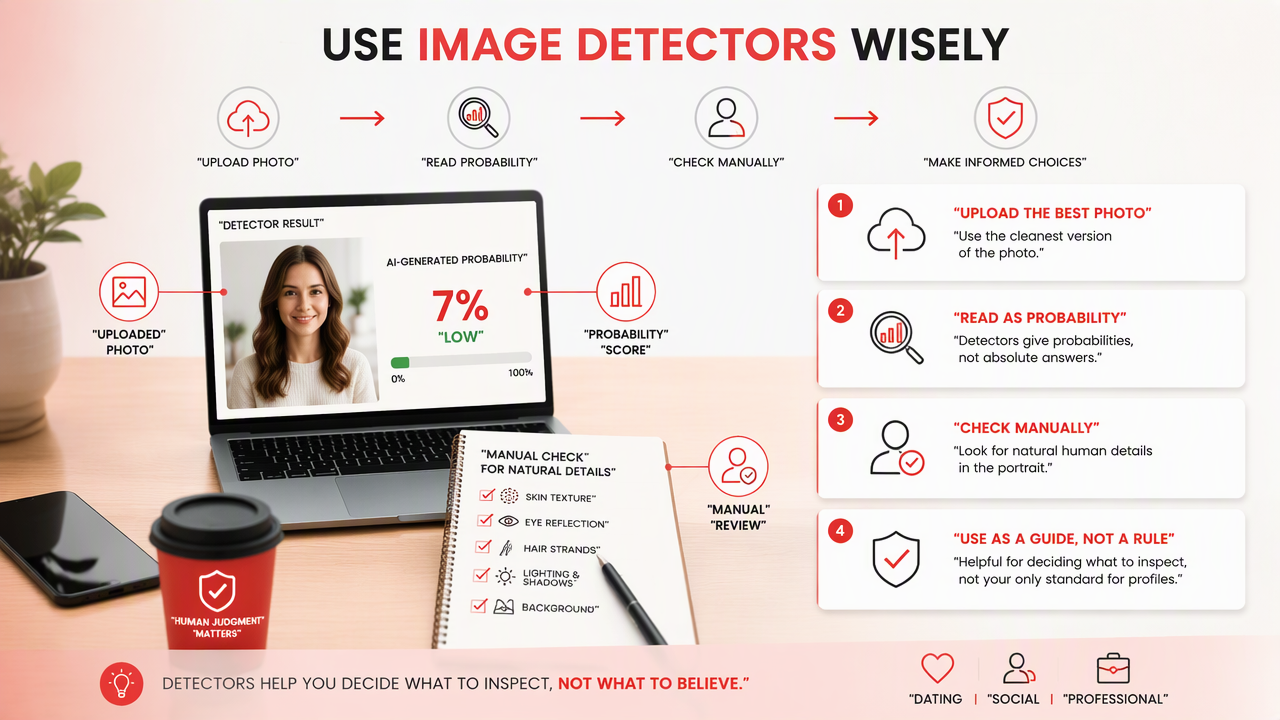
- Upload the cleanest version of the image, not a compressed screenshot.
- Read the confidence score carefully, especially if the tool labels results as "likely" or "possibly."
- Zoom to 100 percent and inspect the face, hands, jewelry, hairline, clothing seams, and background.
- Compare it with your real photos to confirm the person still looks recognizably like you.
- Ask one honest human whether anything feels off. Pick the friend who tells you when spinach is in your teeth.
- Decide by use case, because a fantasy portrait has different standards than a passport-style profile photo.
A 2022 study on political deepfakes examined detection in a high-stakes media context, which is a reminder that synthetic-image judgment changes by setting Journal of Computer-Mediated Communication, 2022. A dating profile needs trust and recognizability. A cosplay avatar can be more stylized. A LinkedIn headshot should be conservative enough that nobody wonders if your suit was rendered by a toaster.
The biggest mistake is treating "not detected" as "authentic." Detectors may miss new generator styles, heavily edited images, or photos that mix real and AI elements.
A practical three-pass review
- Pass 1, glance test: Does the portrait look normal in two seconds?
- Pass 2, detail test: Do eyes, teeth, fingers, earrings, glasses, and shadows make sense?
- Pass 3, context test: Does the setting match the outfit, lighting, and purpose of the profile?
If a photo passes all three, it is usually strong enough for casual social use. For professional use, I would still compare it against a real photo set so the image feels polished, not suspiciously perfect.
The natural-looking AI portrait checklist
A natural-looking AI portrait has consistent skin texture, believable teeth and hands, matching light direction, realistic clothing details, and a background that obeys ordinary physics. Most bad AI portraits do not fail in one dramatic way; they fail through tiny clues that stack up.
Before posting, check the image like a picky casting director with excellent Wi-Fi. The point is not to remove all style. The point is to keep the image attractive without making people pause for the wrong reason.
Common giveaways to inspect
| Area | What to check | Good sign | Red flag |
|---|---|---|---|
| Skin | Pores, lines, texture | Soft but still human | Plastic smoothness or waxy cheeks |
| Teeth | Shape and spacing | Individual teeth look distinct | Merged teeth or glowing whiteness |
| Hands | Finger count and joints | Natural pose and knuckles | Extra fingers, warped nails, odd bends |
| Eyes | Reflections and alignment | Similar catchlights | Mismatched pupils or glassy stare |
| Hair | Edges and strands | Fine flyaways exist | Helmet-like hair or melted strands |
| Background | Objects, signs, furniture | Details stay consistent | Warped text, impossible shelves |
| Lighting | Shadows and highlights | Face and scene share one light source | Face lit like a studio, room lit like a cave |
| Clothing | Collars, buttons, seams | Fabric folds follow the body | Buttons drift, patterns dissolve |
The most believable AI portrait is not the most flawless one. It is the one with enough normal imperfection to feel alive.
For dating apps, I would be strict about face shape and body realism. For Instagram, a little stylization is expected. For professional profiles, avoid glamour lighting unless your job involves spotlights, red carpets, or selling very expensive watches.
Use-case standards
- Tinder or Hinge: Prioritize recognizability, natural expression, and realistic lifestyle context.
- Instagram or creator profiles: Allow stronger styling, but keep anatomy and lighting believable.
- LinkedIn or portfolio pages: Use restrained backgrounds, simple outfits, and realistic skin texture.
- Fantasy or fashion portraits: Push styling further, but label or present it in a way that matches audience expectations.
A 2022 paper on evaluating street view imagery focused on image quality assessment, which is relevant because realism depends on more than the subject alone. Scene clarity, consistency, and visual quality all shape whether an image feels trustworthy International Journal of Applied Earth Observation and Geoinformation, 2022.
How HotphotoAI helps create believable profile photos
The best authenticity check starts before detection: create portraits with a clear purpose, realistic styling, and believable visual constraints. The HotphotoAI platform is built for people who want attractive profile images without booking a studio, renting outfits, or pretending their apartment has golden-hour lighting on command.
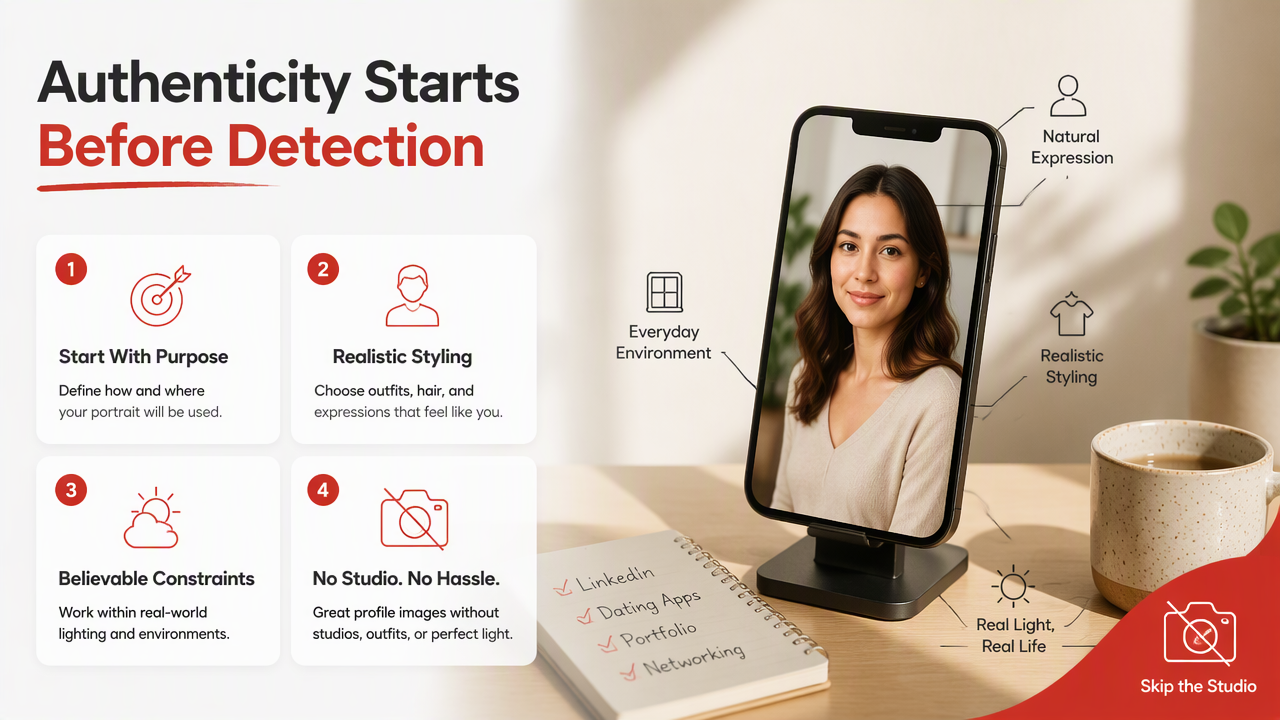
When using HotphotoAI, I would generate several options for the same profile goal rather than chasing one impossibly perfect image. Variety gives you better judgment. If three images look like you and one looks like your suspiciously glamorous cousin from the future, pick from the first three.
For strongest results, give yourself a simple review workflow after generation:
- Choose the use case: dating, social, professional, glamour, or fantasy.
- Select images where your face remains consistent across the set.
- Reject portraits with overly smooth skin, strange hands, or confused backgrounds.
- Keep one close-up, one mid-shot, and one lifestyle-style image for profile variety.
- Compare the final picks with recent real photos before posting.
The advantage of working from a focused portrait tool is control. You can experiment with outfits, lighting, and settings while still aiming for a human result. For examples and profile-ready image ideas, visit hotphotoai.com.
What will photo authenticity look like in 2027?
Photo authenticity in 2027 will rely less on one detector score and more on layered proof: visual inspection, metadata, source history, platform labels, and user disclosure. As AI portraits become more realistic, the useful question will shift from "was AI used?" to "is this image honest for its purpose?"
Dating apps and social platforms are likely to keep testing labels, verification flows, and media provenance features. Professional networks may care more about consistency across profile images than whether a portrait had AI assistance. Creators will probably use AI styling openly, much like filters and retouching became normal before everyone admitted they were normal.
For personal profiles, I expect a practical etiquette to emerge:
- Use AI to improve presentation, not to invent a different person.
- Keep facial structure, age range, and body type honest.
- Avoid using synthetic images as the only proof of identity.
- Match image style to the platform and audience.
Wikipedia's overview of misinformation in the Gaza war describes how false or misleading media can spread during high-pressure events, which shows why image authenticity matters beyond profile pictures Wikipedia. Personal portraits are lower stakes, but trust still travels through pixels.
Frequently asked questions
Can an AI detector prove a photo is real?
No detector can prove a photo is real with total certainty. Most tools estimate whether an image has patterns associated with AI generation or manipulation. Use the result as one signal, then check the face, hands, lighting, background, and source context before trusting or posting the image.
What is the biggest giveaway in AI profile photos?
The biggest giveaway is usually inconsistency, not one weird detail. Over-smooth skin, perfect teeth, strange fingers, warped background objects, and lighting that does not match the room can combine to make a portrait feel synthetic. If the image looks too flawless, add more human reality.
Are AI portraits okay for dating apps?
AI portraits can work for dating apps when they still look like you and do not misrepresent your age, body, face, or lifestyle. Use them like polished photos, not fictional character art. I would mix them with real recent photos so matches know what to expect.
Should professionals use AI-generated headshots?
Professionals can use AI-generated headshots if the image is accurate, conservative, and consistent with their real appearance. Avoid heavy glamour effects, dramatic backgrounds, or facial changes. A good business portrait should make you look prepared, not like you were assembled by a luxury spreadsheet.
Conclusion
An AI photo authenticity checker is most useful when paired with human judgment: run the detector, inspect the details, compare the image with real photos, and choose the version that feels polished but believable. If you want profile images that look intentional without drifting into uncanny territory, create a small set, review it with the checklist above, and keep only the portraits that pass the glance test and the zoom test. To build better profile-ready images, head to hotphotoai.com and start with a clear use case before you generate.