AI Photo Editor for Personal Profile Photos: What Actually Makes You Look Better
TL;DR
Choose an AI profile photo editor for face realism, lighting control, background replacement, outfit styling, and subtle skin retouching. Skip gimmicky filters that change your identity, and build a small set of photos for dating, LinkedIn, creator profiles, and social apps.
A great profile photo does one job fast: it makes a stranger trust the face on the screen. An AI photo editor for personal profile photos can now create polished dating, social, and professional images without renting lights, begging a friend, or pretending a parking garage is a studio. AI photo editor: software that uses generative AI, image recognition, and automated retouching to modify portraits, including lighting, background, clothing, pose, and facial detail. For users who want model-style portraits, lifestyle shots, or sharper dating app photos, HotphotoAI is built around that personal-image use case rather than generic design work.
Table of Contents
What is an AI photo editor for personal profile photos?
An AI photo editor for personal profile photos is a tool that improves or generates portrait images for dating apps, social media, résumés, creator profiles, and professional pages. It focuses on face realism, flattering light, believable backgrounds, outfit variation, and platform-ready crops rather than broad photo design.
Wikipedia describes a résumé as a document used to present background, skills, and accomplishments, which explains why a profile image now matters beyond dating. Raya, originally a dating app, has also expanded into professional networking and social discovery, showing how personal photos travel across contexts.
Key insight: your best AI-edited photo should look like you on your best-lit day, not like your cousin got replaced by a perfume ad.
Where profile AI editing fits in 2026
The category sits between classic retouching, stock photography, and generative portrait tools. Stock photography supplies licensed images for specific uses, while profile editing starts with your identity and reshapes the presentation.
Research on digital environments keeps pushing this forward. Park and Kim's 2022 IEEE Access paper on metaverse taxonomy and applications examined virtual identity systems, while Buhalis, Leung, and Lin's 2023 work on metaverse tourism marketing looked at immersive digital representation. Profile images are part of that same shift: your face is becoming a portable visual asset.
Which AI editing features actually improve profile photos?
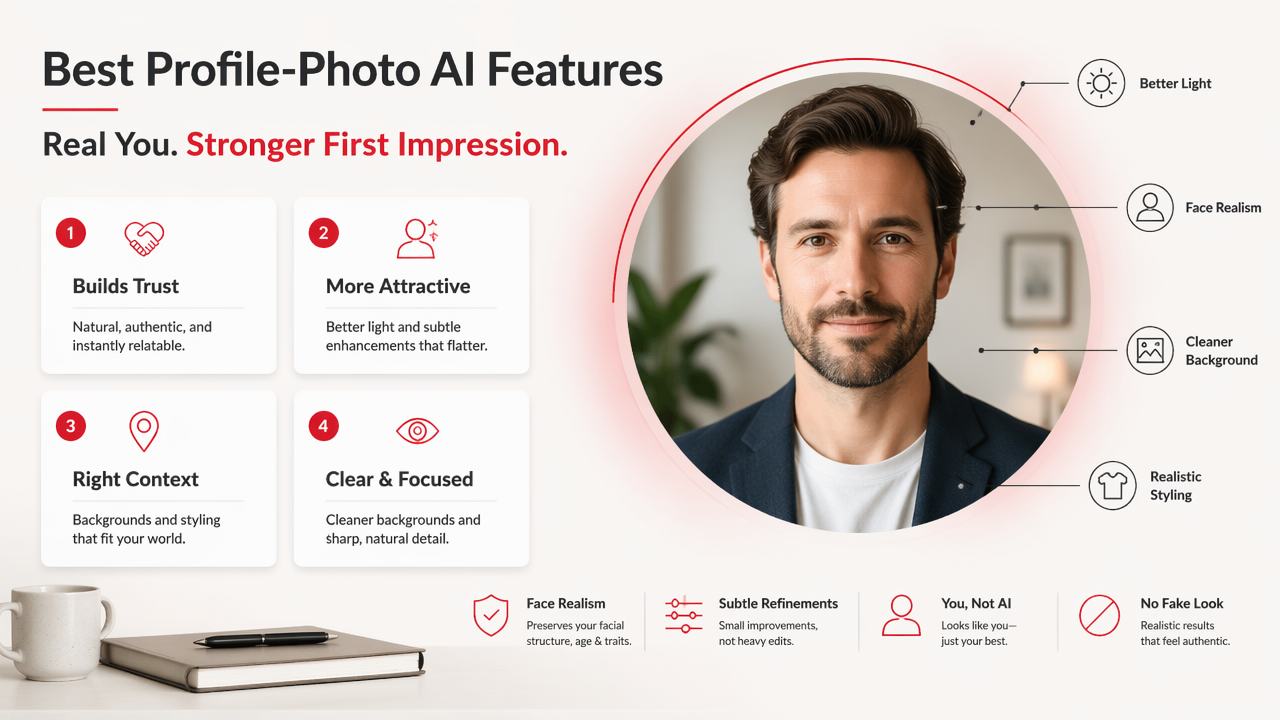
The best profile-photo AI features improve trust, attractiveness, context, and clarity without making the image feel fake. In my tests, the useful tools are boring in the best way: better light, cleaner backgrounds, realistic styling, and small facial refinements.
Must-have feature checklist
- Face realism: preserves your facial structure, age range, and recognizable expression.
- Lighting correction: fixes shadows, harsh flash, dull indoor color, and uneven skin tone.
- Background replacement: swaps messy rooms for credible cafés, offices, streets, studios, or travel scenes.
- Outfit styling: tests formal, casual, glamour, creator, or dating-friendly looks.
- Pose variation: creates enough variety so your profile doesn't look like one photo duplicated five times.
- Skin retouching: reduces distractions while keeping pores, texture, and natural detail.
- Platform crops: exports square, vertical, and headshot formats for apps and profiles.
Feature value comparison
| Feature | Best use | What to watch |
|---|---|---|
| Face realism | Dating and professional trust | Identity drift |
| Lighting edits | Any profile photo | Plastic-looking glow |
| Background replacement | Lifestyle variety | Fake depth or odd edges |
| Outfit styling | LinkedIn, Tinder, creators | Clothes that don't match your vibe |
| Pose variation | Multi-photo profiles | Repeated facial expression |
| Skin retouching | Clean, polished portraits | Over-smoothed skin |
A general editor like Adobe Firefly covers broad creative image editing, and Canva focuses on design-friendly profile creation. Dedicated profile tools narrow the job: make you look better, not make a poster for a bake sale.
How should you choose a profile photo style?
Choose a profile style by matching the photo to the platform, the viewer's expectation, and the action you want that viewer to take. A dating photo should invite conversation; a LinkedIn image should reduce doubt; a creator image should make your visual identity memorable.
Style guide by platform
| Platform or use | Best visual direction | Avoid |
|---|---|---|
| Tinder, Hinge, Bumble | Warm lifestyle, clear face, relaxed confidence | Heavy glamour in every shot |
| LinkedIn or résumé | Clean headshot, simple background, smart outfit | Distracting fantasy styling |
| Instagram or creator page | Stylized lighting, bold color, editorial mood | Inconsistent identity |
| Raya or networking apps | Polished lifestyle, social proof, taste | Overly corporate energy |
| Personal website | Professional but human | Stock-photo stiffness |
A good set has range. I'd build one close-up headshot, one social lifestyle image, one polished full-body or half-body shot, and one personality-driven image. Think of it as a tiny visual résumé, minus the bullet points and existential dread.
With HotphotoAI, the stronger move is to create several believable versions of yourself across outfits, backgrounds, and lighting setups, then select the ones that match where you'll use them. For brand recall, you can also head to hotphotoai.com when you're ready to test styles in one place.
Simple workflow for better results
- Start with clear selfies or existing portraits where your face is visible.
- Pick one goal: dating, career, creator, glamour, or fantasy.
- Generate several styles, not just one lucky image.
- Compare realism first, attractiveness second, novelty third.
- Export different crops for each app.
- Ask one honest friend which photos still feel like you.
Practical rule: if someone meeting you in person would feel tricked, the edit went too far.
What mistakes make AI profile photos look fake?
Fake-looking profile photos usually come from identity drift, over-retouching, unrealistic lighting, and backgrounds that don't match the person. The viewer may not know what's wrong, but they feel it, and that tiny suspicion can sink a swipe, click, or connection request.
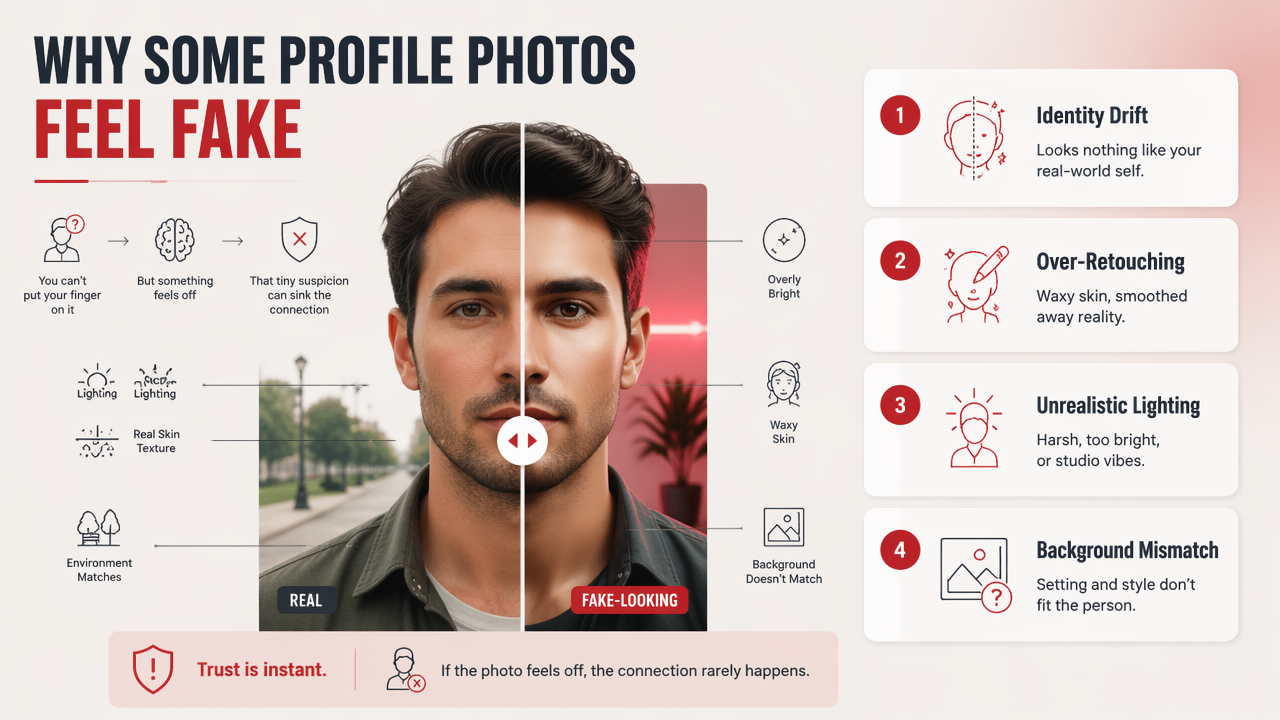
Common problems include waxy skin, mismatched earrings, strange hands, overly bright eyes, warped teeth, and outfits that look expensive but physically confused. Backgrounds also betray edits when hair edges blur or the lighting direction conflicts with the face.
Quick realism audit
- Does the face still match your real bone structure?
- Are skin texture and small imperfections still present?
- Do both eyes point naturally in the same direction?
- Does the outfit fit the scene and body posture?
- Would the image still make sense without the word "AI" attached?
Generative AI is also reshaping hiring and professional identity. Budhwar, Chowdhury, and Wood's 2023 article on human resource management and generative AI discusses research directions around AI in work contexts, which is relevant when profile images support résumés, applications, and professional discovery.
Use AI to polish presentation, not to invent credentials, lifestyles, or body features that create a gap between photo and reality. Confidence photographs well. Catfishing, less so.
FAQ: AI profile photo editing in 2026
AI-edited profile photos work best when they stay realistic, platform-specific, and consistent with your offline appearance. The goal is not to create a fictional alter ego; it's to remove bad lighting, awkward backgrounds, weak styling, and old-photo energy from an otherwise accurate portrait.
Can I use AI-edited photos on dating apps?
Yes, you can use AI-edited photos on dating apps if they still look like you. Keep your facial structure, body type, age range, and overall style accurate. I'd avoid using only hyper-polished images; mix one or two AI-enhanced portraits with natural lifestyle photos for trust.
Are AI profile photos okay for LinkedIn?
AI profile photos are fine for LinkedIn when they look professional, current, and believable. A clean background, good lighting, and a smart outfit can help. Avoid fantasy styling, dramatic beauty edits, or anything that would look out of place beside a résumé, since professional trust matters more than flash.
How many profile photos should I generate?
Generate more than you plan to use. A good workflow is to create 20 to 40 variations, shortlist 8 to 10 realistic options, then publish 3 to 5 depending on the platform. The extra versions help you compare lighting, expression, outfit, and background without settling for the first decent result.
What should I upload for the best AI results?
Upload clear, recent photos with your face visible from different angles. Avoid sunglasses, extreme filters, heavy shadows, and group shots. The better the source material, the less the editor has to guess. Good inputs create realistic outputs; bad inputs create digital weirdness with excellent confidence.
Conclusion
A good AI photo workflow starts with realism, then adds style. Choose tools that protect your identity, improve light, test outfits, and create platform-specific portraits you'd be proud to use in public. If you want an AI photo editor for personal profile photos built for dating, social, glamour, and polished personal images, try the HotphotoAI platform, compare several looks, and keep the winners that still feel unmistakably like you. Visit hotphotoai.com when you're ready to create your next profile set.