AI Photo Generator From Selfies: How to Get Realistic Portraits in 2026
TL;DR
Upload varied, clear selfies if you want realistic AI portraits, not one heroic bathroom mirror shot. The best results come from 8 to 15 photos with different angles, lighting, and expressions, then choosing styles that match your goal: dating, social media, glamour, or professional profiles.
An AI photo generator from selfies can turn casual phone photos into polished portraits, but the output is only as good as the face data, style prompt, and realism settings behind it. AI selfie portrait generator: a tool that learns your facial features from uploaded selfies, then creates new images of you in different outfits, scenes, lighting, and visual styles. If you want a fast way to test polished dating, lifestyle, or profile images, HotphotoAI is built around that exact use case, minus the awkward studio stool and forced chin tilt.
Table of Contents
What is an AI photo generator from selfies?
An AI photo generator from selfies uses your uploaded face photos to create new portraits that look like you in different styles, poses, outfits, and backgrounds. Instead of only editing one image, it builds a reusable visual model of your appearance, then generates fresh images for dating apps, social platforms, fantasy portraits, or professional profiles.
Modern tools sit inside the broader shift toward multimodal AI, the same category associated with systems such as Google DeepMind's Gemini family of multimodal large language models. In plain English: the software connects visual patterns, prompts, and image generation rather than just slapping a filter on your forehead.
Key insight: A selfie generator is not a magic mirror. It is more like a very fast art director that needs clear reference photos and specific instructions.
Core terms worth knowing
Training selfies: the images you upload so the model can learn your face.
Prompt: the written instruction, such as "editorial portrait in soft window light, black blazer, city background."
Style preset: a packaged look, such as dating profile, CEO headshot, glamour, anime, fitness, or cinematic.
Identity consistency: how well the generated images still look like you instead of your suspiciously attractive cousin.
What selfies should you upload for realistic results?
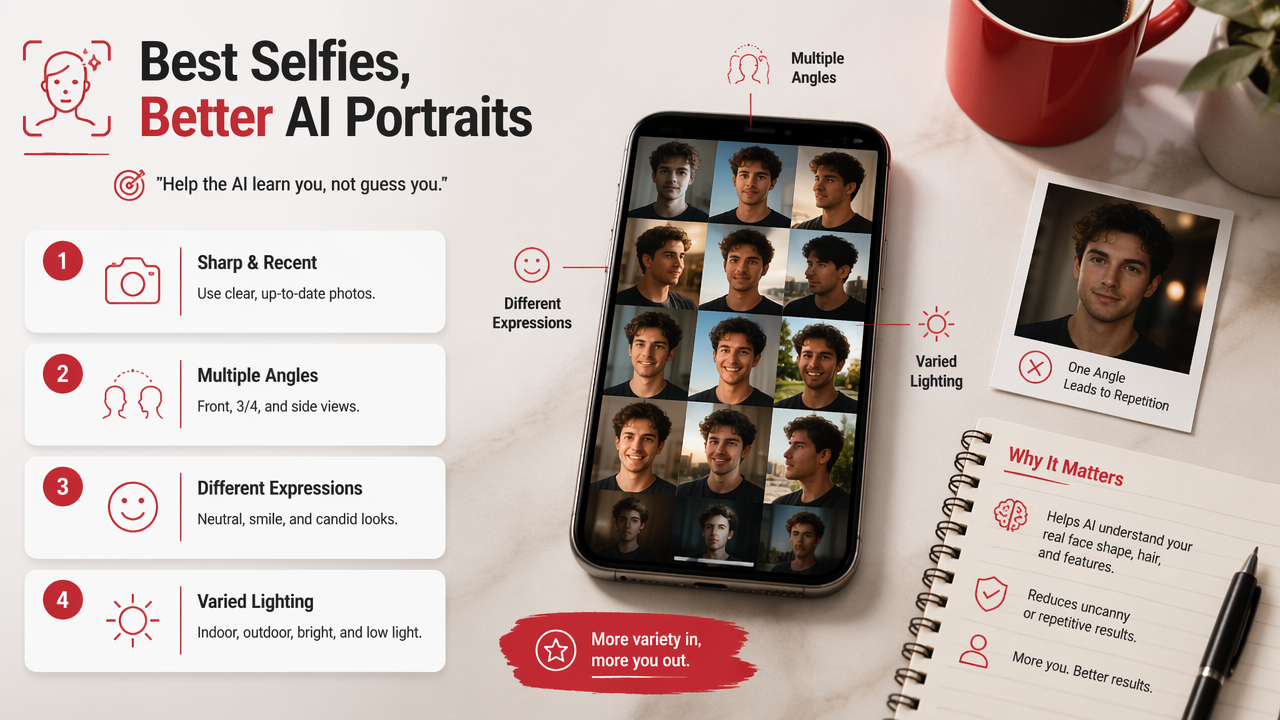
The best selfies for AI portraits are sharp, recent, varied photos that show your face clearly from multiple angles, expressions, and lighting conditions. Uploading only one flattering angle usually creates repetitive or uncanny results, while varied source photos help the system understand your real face shape, hair, smile, skin tone, and proportions.
Selfie upload checklist
Use this upload mix before you generate anything:
- Add 8 to 15 clear selfies if the tool allows it.
- Include front-facing, slight-left, and slight-right angles.
- Mix smiling, neutral, and relaxed expressions.
- Use natural light, indoor light, and one outdoor photo.
- Keep your current haircut, facial hair, glasses, or signature look.
- Avoid heavy filters, sunglasses, group shots, and extreme shadows.
A good rule: if a human friend could recognize you instantly from the set, the model has a fair shot too.
Upload quality table
| Upload choice | Effect on output | Best use |
|---|---|---|
| Clear solo selfies | Stronger facial match | Dating, headshots, social portraits |
| Varied angles | Better face structure | Realistic lifestyle images |
| Recent photos | More accurate identity | Any current profile use |
| Heavy filters | Distorted features | Avoid for realism |
| Group photos | Confused identity signals | Avoid unless cropped tightly |
| Harsh shadows | Uneven skin and shape data | Use only as an extra, not the base |
Don't feed the model your greatest hits from seven years ago unless you also plan to time travel to the date.
How do you create dating, social, glamour, and professional portraits?
To create useful AI portraits, match the selfie set, style prompt, and output goal before generation. Dating photos should look approachable, social images can be more stylized, glamour portraits can push drama, and professional images should keep clothing, background, and lighting believable enough for LinkedIn or portfolio use.
A practical generation workflow
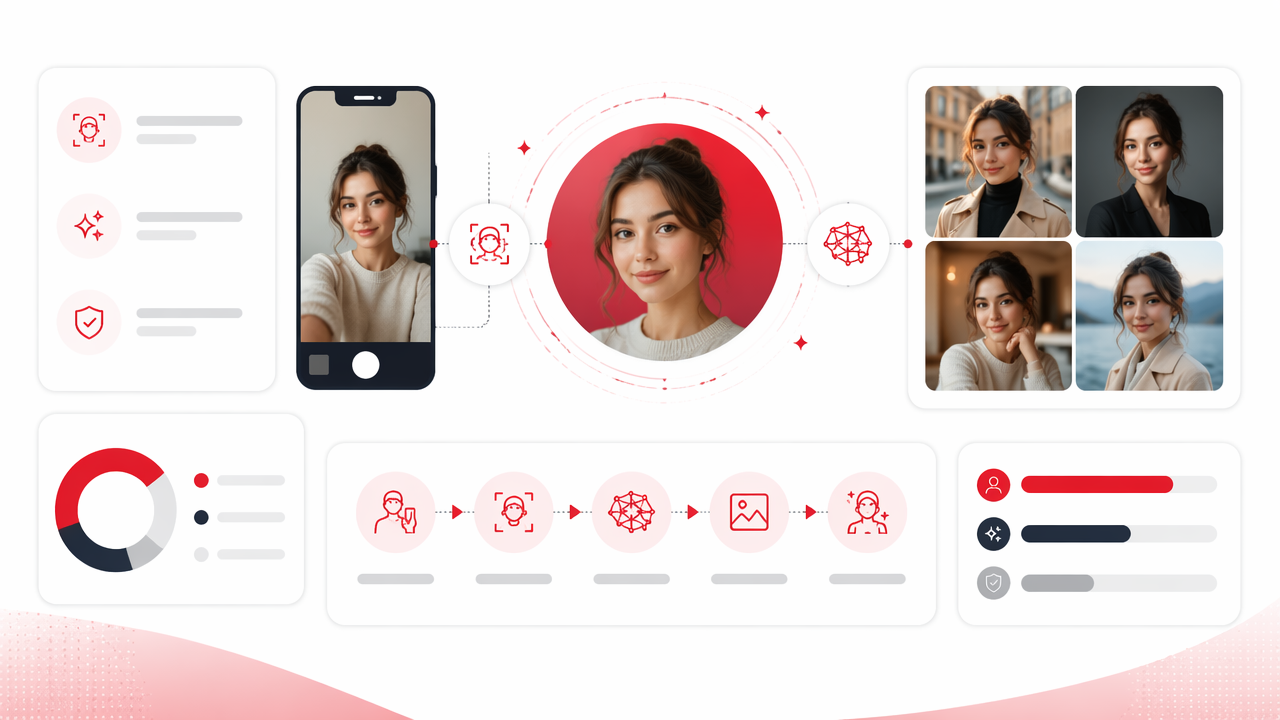
Follow this process when using the HotphotoAI platform or a similar selfie-based portrait tool:
- Pick the profile goal first: Tinder, Instagram, LinkedIn, creator branding, or fantasy art.
- Upload your strongest varied selfie set.
- Choose a style preset that fits the goal.
- Add a short prompt with outfit, background, and lighting.
- Generate a batch, not one image.
- Save the most natural 3 to 5 images.
- Test them with real people before making them your main profile photo.
The last step matters. AI may adore a photo where you look like a cologne ad detective, but your friends may prefer the one where you look like someone who replies to texts.
Style goals by platform
| Goal | Best portrait style | What to avoid |
|---|---|---|
| Dating apps | Warm lifestyle, outdoor, cafe, smart casual | Overly glossy model shots |
| Editorial, fashion, travel, creative lighting | Same pose in every image | |
| Clean headshot, blazer, neutral background | Fantasy or nightlife styling | |
| Creator branding | Bold color, recognizable theme, strong composition | Random styles with no identity |
| Glamour portraits | Studio lighting, elegant outfit, cinematic mood | Plastic skin or impossible anatomy |
With HotphotoAI, I'd start with one realistic batch and one expressive batch. That gives you safe profile options plus a few images with actual personality, which is usually where the fun begins.
What should you check before using AI-generated portraits?
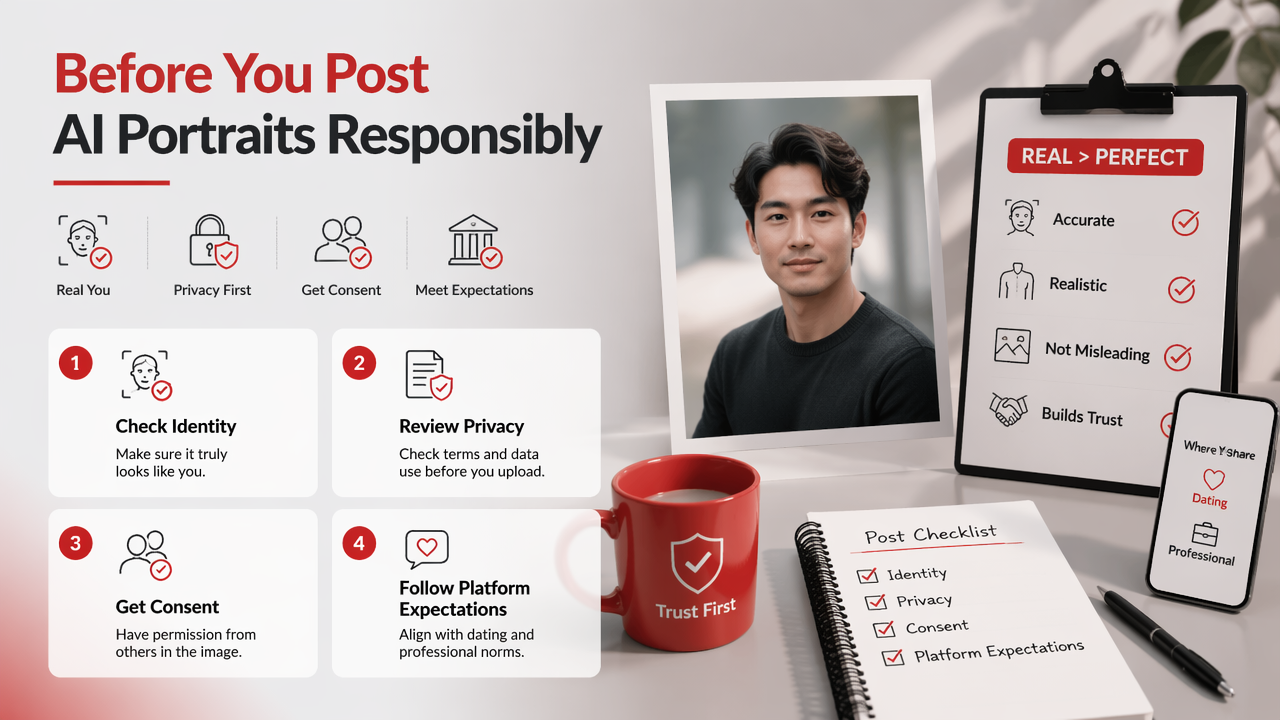
Before using AI-generated portraits publicly, check identity accuracy, privacy terms, consent, and platform expectations. A portrait can be technically beautiful and still be a poor choice if it exaggerates your face, changes your body, uses misleading context, or violates the trust people expect on dating and professional platforms.
Realism and trust checks
- Face match: does it still look like you at a glance?
- Hands and teeth: are they normal, or did the AI invent piano-key dentistry?
- Body shape: does it stay close to reality?
- Background: does the setting imply a job, location, or lifestyle you don't actually have?
- Disclosure: would someone feel tricked if they met you in person?
For dating, I recommend using AI portraits as polished versions of reality, not fictional witness-protection identities. A little better lighting is fine. A new jawline and yacht collection is where things get spicy.
Privacy questions to ask
Check how the service handles uploads, model training, deletion, and reuse. The App Store result in the SERP highlights that users already look for privacy details, ratings, and update history when choosing selfie AI apps, which makes privacy more than fine print.
Also think about consent. Don't upload another person's face to make romantic, glamour, or fantasy portraits without permission. The technology is impressive; being weird with it is still weird.
FAQ about selfie-based AI photo generators
Selfie-based portrait tools are improving quickly, but the winning formula in 2026 is still simple: clear inputs, honest goals, and selective use of the outputs. Research on virtual environments, such as Park and Kim's 2022 IEEE Access paper on metaverse components and open challenges, shows why personal visual identity keeps gaining value in digital spaces: A Metaverse: Taxonomy, Components, Applications, and Open Challenges.
Marketing research is moving the same way. Cheng Lu Wang's 2021 editorial on interactive marketing examined new directions for digital customer interaction, a useful backdrop for why personal images now matter across profiles, ads, creator pages, and communities: New frontiers and future directions in interactive marketing.
Can I make professional headshots from selfies?
Yes, you can make professional headshots from selfies if your uploads are clear, recent, and varied. Choose neutral clothing, soft light, and simple backgrounds. For career platforms, keep the image believable: polished is good, but an over-edited portrait can feel less trustworthy than a slightly imperfect real one.
Are AI dating photos a good idea?
AI dating photos can work well when they show a realistic version of you in flattering light and natural settings. Use them to improve composition, outfit ideas, and image variety. Avoid portraits that change your face, height, body type, or lifestyle so much that the first date becomes a fact-checking session.
How many AI portraits should I use on a profile?
Use one or two AI-assisted portraits alongside real candid photos for dating profiles, social accounts, or creator pages. A full grid of perfect AI images can feel staged. A mixed set feels more human and gives viewers proof that you exist outside the render farm.
What should I try first?
Start with one realistic portrait batch for your main profile goal, then create a second batch for experimentation. If you're ready to test better dating, glamour, lifestyle, or professional images, head to hotphotoai.com and build a small set you can compare before publishing.
Conclusion
A good AI photo generator from selfies won't replace taste, but it will give you more chances to find the version of yourself that fits the moment. Start with clean selfies, choose a clear goal, generate several styles, then keep only the portraits that still feel like you. If you want a practical next step, use HotphotoAI to create one realistic profile set and one creative set, then ask two honest friends which images they'd actually trust.