AI Photo Generator: How to Create Profile-Ready Images in 2026
TL;DR
A good AI photo generator for personal portraits should preserve your likeness, use reference selfies, and give you control over outfits, backgrounds, and lighting. For dating apps, social profiles, and polished headshots, choose tools built for people photos rather than generic text-to-image art.
A great profile photo does not need a rented studio, a panicked friend with portrait mode, or a suspiciously windy rooftop. An ai photo generator can now turn reference selfies into polished dating, social, professional, glamour, lifestyle, or fantasy portraits, if the tool is built for human likeness instead of random art. AI art: visual artwork generated or enhanced with artificial intelligence programs, most often text-to-image models. For personal portraits, I'd start with a portrait-focused platform like HotphotoAI, then judge results by one simple test: would someone who knows you still recognize you?
Table of Contents
What is an AI photo generator?
An AI photo generator is software that creates or enhances images with artificial intelligence, usually from text prompts, reference photos, or both. For profile photos, the best tools go beyond "make a cool image" and focus on likeness, face consistency, pose, styling, lighting, and usable formats for dating apps, social media, and professional profiles.
Modern systems sit inside the broader field of AI-generated visual art. Research on deep neural networks, including the review by Samek, Montavon, and Lapuschkin in Proceedings of the IEEE, explains how complex models can learn patterns from large data sources and apply them to image-related tasks (source). That sounds dry, but the practical version is simple: the model learns visual relationships, then predicts a new image that fits your inputs.
Key insight: for personal photos, "realistic" is not enough. The image must look like you on a very good day, not like your charming cousin from another timeline.
Core terms worth knowing
Text-to-image: You type a prompt, and the model creates an image from that description.
Reference selfie: A real photo you upload so the system can learn your face, hair, and general appearance.
Likeness preservation: The tool's ability to keep your recognizable facial identity across different styles.
Prompt: The written instruction, such as "studio headshot, navy blazer, soft window light."
How do you generate better AI profile photos?
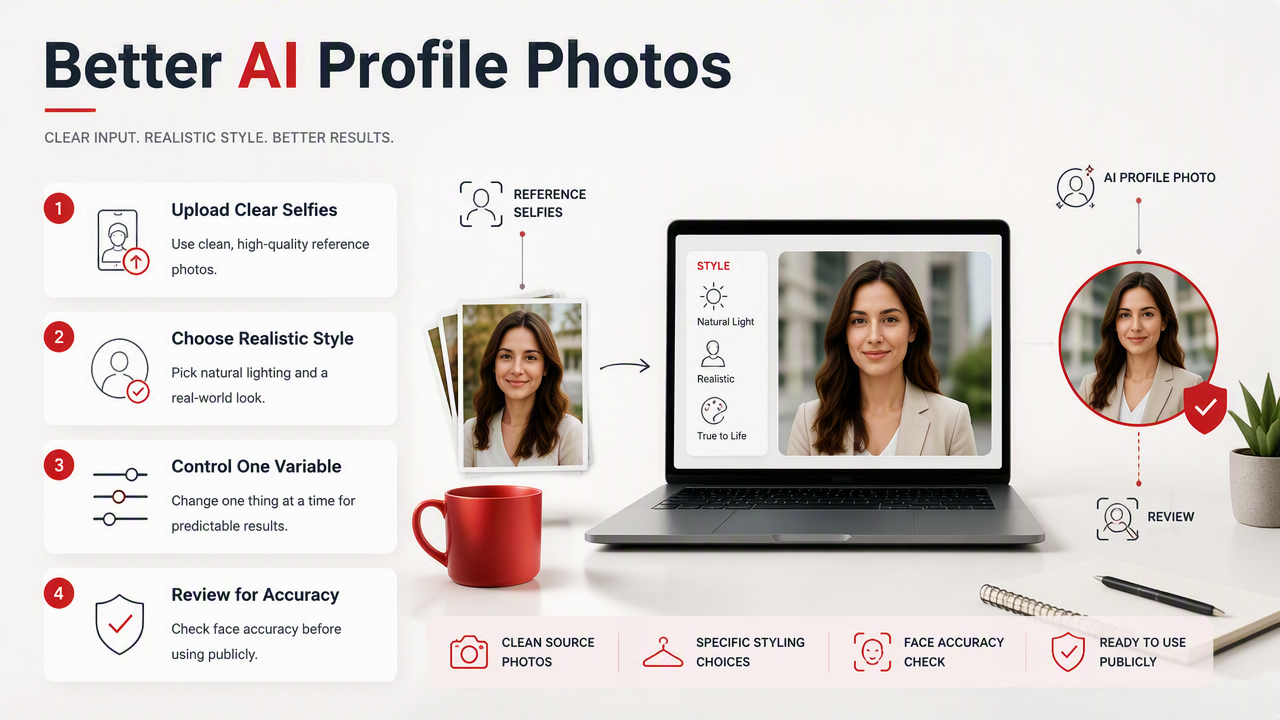
You generate better AI profile photos by giving the model clear reference selfies, choosing a realistic style, and controlling one variable at a time. The strongest results usually come from clean source photos, specific styling choices, and a final review for face accuracy before using the image publicly.
A practical 6-step workflow
- Upload varied reference selfies: Use clear photos with different angles, expressions, and lighting.
- Pick the photo goal: Dating, LinkedIn, Instagram, creator branding, or fantasy portrait.
- Choose a believable style: Start with lifestyle, studio, outdoor, or editorial before going cinematic.
- Control the outfit: Name colors, formality, and fit, such as "black turtleneck" or "linen shirt."
- Set the background: Use "coffee shop," "city street," "plain gray studio," or "golden-hour beach."
- Review for identity: Reject images with changed eye shape, strange teeth, waxy skin, or mismatched facial structure.
I like to generate a batch, save the natural-looking winners, then make one adjustment per round. Changing outfit, lighting, pose, and background all at once is how you get a photo that looks expensive but weirdly haunted.
Prompt examples for common profiles
- Tinder or Hinge: "Natural outdoor portrait, relaxed smile, casual jacket, warm evening light, realistic skin texture."
- Instagram creator: "Editorial lifestyle portrait, stylish streetwear, soft contrast, urban background, confident expression."
- LinkedIn: "Professional studio headshot, navy blazer, neutral background, soft key light, approachable smile."
- Glamour portrait: "Model-style beauty portrait, elegant black outfit, studio lighting, subtle makeup, realistic face."
- Fantasy portrait: "Cinematic royal portrait, dramatic fabric, moody castle background, detailed lighting, recognizable face."
Which features matter most for personal portraits?
The most important features for personal portraits are reference-photo training, likeness consistency, controlled styling, privacy handling, and export formats that work on real platforms. Generic image generators can make impressive art, but portrait users need images that look attractive, credible, and recognizably themselves.
Feature checklist for choosing a tool
| Feature | Why it matters | What to look for |
|---|---|---|
| Reference selfies | Keeps the face recognizable | Multiple uploads, varied angles, clear guidance |
| Likeness consistency | Prevents "almost you" results | Stable face shape, eyes, smile, and hairline |
| Outfit control | Helps match dating, work, or creator goals | Named clothing styles and color options |
| Background control | Makes photos platform-specific | Studio, travel, lifestyle, office, fantasy scenes |
| Lighting styles | Changes mood and perceived quality | Soft window light, golden hour, studio light |
| Privacy controls | Protects personal images | Clear handling of uploads and generated photos |
| Easy downloads | Saves time | High-resolution exports and mobile-friendly files |
Competitor SERP pages from Adobe Firefly, Canva, and Felo AI focus heavily on broad text-to-image creation, styles, templates, and art generation. That's useful for posters and concepts. Personal portraits need a narrower lens: the face is the product, and the audience is brutally efficient with a thumb swipe.
How HotphotoAI handles this
The HotphotoAI platform is designed around stylized personal portraits, so its best use case is not a dragon poster or a surreal avocado spaceship. It's for people who want better-looking versions of themselves in model-style, lifestyle, dating, glamour, or profile-ready scenes.
That focus matters because portrait generation has a different success metric. You're not only asking, "Is this image beautiful?" You're asking, "Does this image still feel like me, and would I actually post it?" For users comparing broad art tools with portrait-first tools, that distinction saves time.
What mistakes make AI portraits look fake?
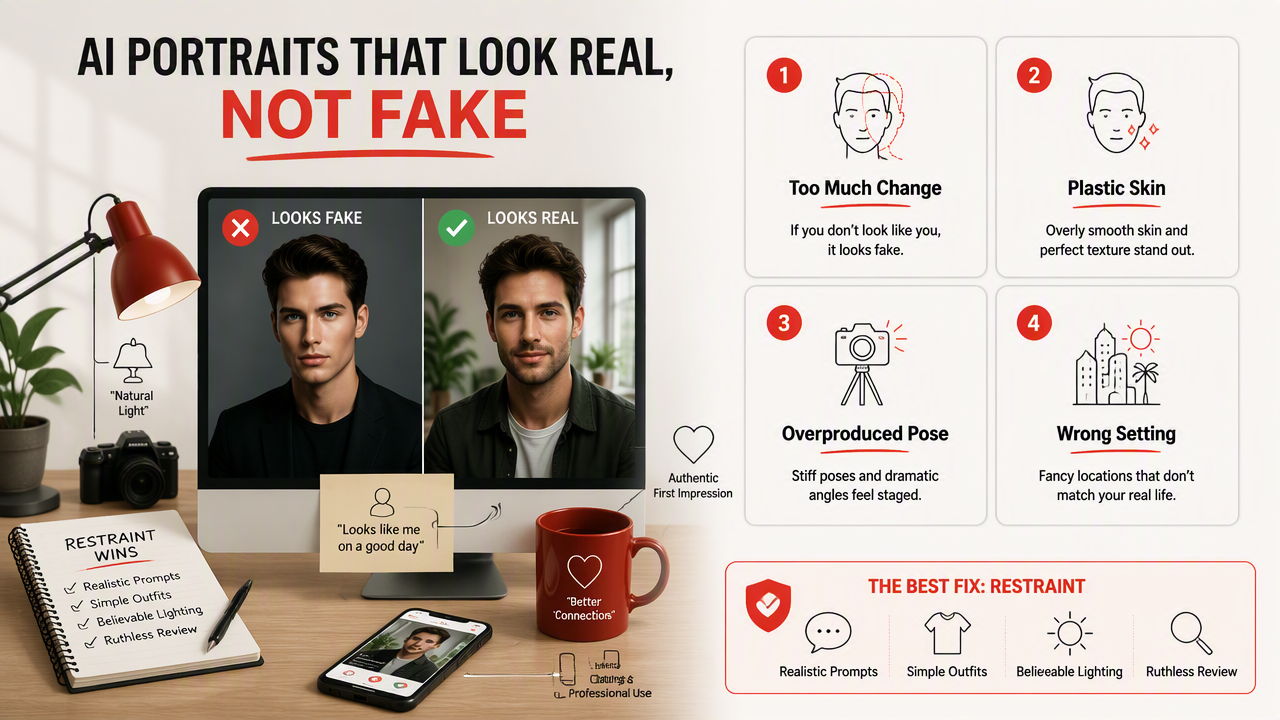
AI portraits look fake when the face changes too much, the skin becomes plastic, the pose feels overproduced, or the setting does not match the person's real life. The best fix is restraint: realistic prompts, simple outfits, believable lighting, and a ruthless review before uploading anything to a dating or professional profile.
Common issues to avoid
- Over-glamour: If every photo looks like a perfume ad, people may distrust it.
- Identity drift: Small changes to jawline, nose, eyes, or smile can make the image feel false.
- Too-perfect skin: Realistic texture usually beats porcelain smoothness.
- Mismatch with your profile: A tuxedo yacht photo feels odd if your bio says "weekend hiker and spreadsheet goblin."
- Inconsistent photo set: Five images that look like five different people will raise questions.
Use AI portraits as upgraded presentation, not a fictional witness protection program with better cheekbones.
There is also a wider trust issue around AI imagery. Explainable AI research in medical image analysis by van der Velden, Kuijf, and Gilhuijs highlights how opacity in deep learning systems can matter when images influence decisions (source). Profile photos are lower stakes than medical imaging, of course, but the same lesson applies: users should understand what the tool changed and review outputs carefully.
What should we expect from AI photo tools in 2027?
AI photo tools in 2027 will likely become more identity-aware, more editable, and more connected to virtual spaces. Expect stronger controls for face consistency, reusable personal models, video-ready avatars, and clearer consent features as generated personal media becomes normal across profiles, creators, and immersive platforms.
Near-future improvements to watch
Research on the metaverse by Park and Kim in IEEE Access maps virtual worlds as systems involving components, applications, and open challenges (source). Personal images will likely feed that shift. A profile photo may become a reusable identity asset across social apps, dating platforms, workspaces, and avatar-based environments.
The most useful upgrades will be practical, not flashy:
- Better before-and-after control, so users can keep a preferred face while changing only the outfit.
- More transparent editing history, so platforms can label generated or AI-assisted photos.
- Faster mobile generation for creators who need fresh looks often.
- Style libraries for dating, professional, model, fitness, travel, and fantasy portraits.
- Stronger consent and deletion controls for uploaded selfies.
If you want polished personal images now, create a small set for specific use cases rather than one giant batch for everything. For a portrait-focused starting point, head to hotphotoai.com and build photos around the platform where you'll actually use them.
FAQ about AI-generated profile photos
AI-generated profile photos work best when users treat them as polished personal media, not magic replacements for identity, taste, or judgment. The goal is to look more confident and visually consistent while staying recognizable enough that real-life meetings, followers, or recruiters are not surprised.
Are AI profile photos acceptable for dating apps?
AI profile photos can be acceptable when they look like you and do not misrepresent your age, body, or lifestyle. Use them to improve lighting, outfits, and setting, not to create a different person. I'd mix generated portraits with real candid photos for trust.
How many reference selfies should I use?
Use several clear selfies with different angles, expressions, and lighting. Avoid sunglasses, heavy filters, extreme shadows, and group shots. More variety usually helps the system understand your face, but quality matters more than dumping your entire camera roll into the machine.
Can AI photos help with professional profiles?
Yes, AI-assisted portraits can help professional profiles when they use realistic lighting, clean backgrounds, and appropriate clothing. Choose simple headshot styles over dramatic fashion looks. A recruiter should notice your credibility first, not wonder which sci-fi casting agency handled your photo.
What is the safest way to use generated portraits?
Review every image for likeness, realism, and context before posting. Avoid outputs that alter your face too much or imply places, jobs, or lifestyles you do not have. Save the best few, test them on the right platform, and replace anything that feels misleading.
Conclusion
A useful ai photo generator is not just a prompt box with a flair for dramatic lighting. For personal portraits, prioritize likeness, reference selfies, outfit and background control, privacy, and platform-ready exports. Start with one goal, such as a warmer dating profile, a cleaner LinkedIn headshot, or a stylized creator image, then generate in focused batches. If you want model-style, lifestyle, glamour, or fantasy portraits without booking a shoot, try HotphotoAI and visit hotphotoai.com to create a small set you'd actually be proud to post.