AI Photo Lighting Editor: Make Portraits Look Better Without a Studio
TL;DR
AI relighting can make portraits look cleaner, warmer, sharper, and more intentional, but the best results come from matching the lighting style to the use case. Use soft glam for dating profiles, balanced light for professional images, cinematic contrast for creator content, and subtle outdoor warmth for lifestyle shots.
Bad lighting can make a great face look tired, flat, or oddly suspicious, like the camera caught you explaining a group project you didn't do. An AI photo lighting editor fixes that by adjusting illumination, shadows, highlights, contrast, and color temperature after the shot. For users who want stylized portraits without booking a studio, HotphotoAI is built around that exact need: turning everyday images into polished dating, lifestyle, glamour, and profile-ready photos.
AI photo lighting editor: software that uses machine learning to analyze an image and change how light appears across the subject, background, and scene.
Lighting: the deliberate use of light for practical or aesthetic effects, including natural light and artificial sources.
Raster graphics editor: an image-editing program that lets users modify pixel-based files such as JPEG or PNG images.
Table of Contents
What is an AI photo lighting editor?
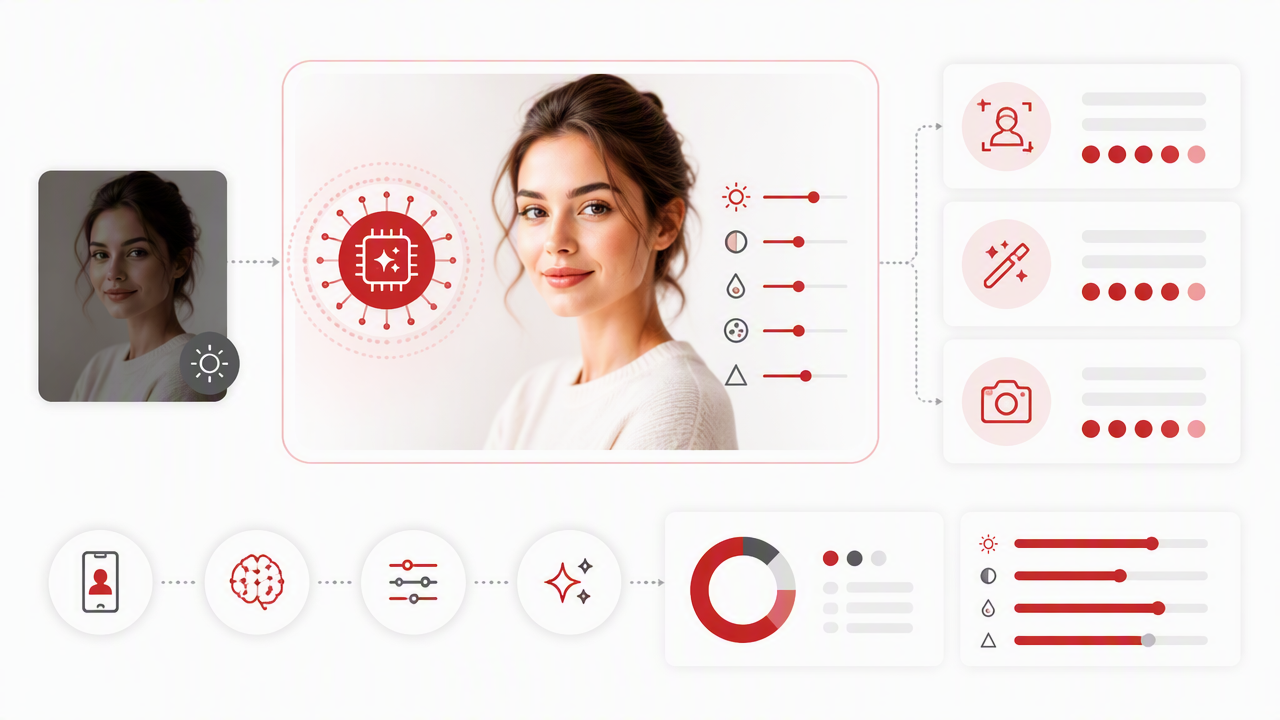
An AI photo lighting editor is a tool that automatically changes the perceived lighting in a photo by adjusting brightness, shadow depth, highlights, color warmth, contrast, and sometimes synthetic light direction. Instead of manually painting masks, users upload an image, choose a lighting look, and let the model relight faces, clothing, and backgrounds.
Traditional editors depend on sliders and manual selection. AI relighting estimates the subject, background, and light behavior, then applies changes more selectively. That matters for portraits because faces need different treatment than jackets, walls, hair, or shiny skin.
Competitor tools such as Clipdrop's Relight, Krea's AI Lighting Editor, ImagineArt's lighting changer, and Fotor's relight feature all frame the job around quick uploads and automatic changes. The missing piece in many pages is guidance on which lighting style actually fits the photo's purpose.
Key insight: lighting is not decoration. It changes whether a portrait feels trustworthy, romantic, cinematic, casual, expensive, or accidentally taken in a parking garage.
Core lighting controls to know
- Shadows: dark areas that shape the face, jawline, nose, and background depth.
- Highlights: bright areas that create shine, glow, and visual focus.
- Contrast: the difference between light and dark tones, often tied to drama or sharpness.
- Color temperature: the warm or cool feeling of the image, from golden-hour amber to crisp blue studio light.
- Directional light: the implied angle of the light source, such as front light, side light, or overhead light.
Why does lighting change attractiveness and realism?
Lighting changes attractiveness and realism because it controls facial shape, skin texture, eye brightness, background separation, and emotional tone. Soft light can smooth harsh texture, side light can add structure, warm light can feel inviting, and poorly matched light can make even an edited portrait look artificial.
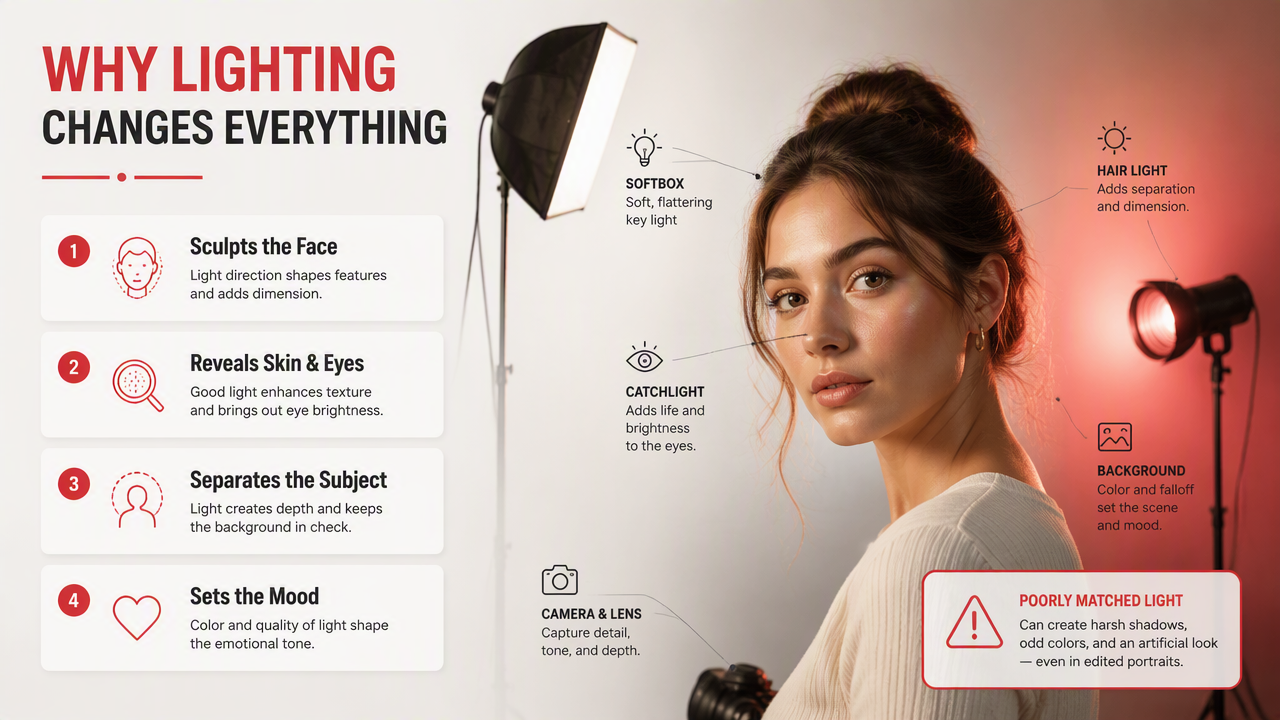
Human viewers judge photo quality quickly. A dating profile shot with clean catchlights in the eyes and soft shadows usually feels more flattering than the same face under green bathroom lighting. Professional photos, meanwhile, need even exposure and believable skin tone, not a fantasy glow that screams, "I was rendered during lunch."
Research on digital environments also shows why realistic visual presentation matters. Park and Kim's 2022 IEEE Access paper on metaverse components and applications examines virtual environments where convincing digital identity and visual representation are central design concerns source. That same principle applies to AI portraits: style is useful only when the person still looks credible.
A 2021 review in Plant Methods by Liu and Wang covers deep learning for visual detection tasks in images source. The subject is agriculture, not selfies, but it reinforces a broader point: modern image models can learn visual patterns that humans used to inspect manually.
Lighting effects by use case
| Use case | Best lighting style | What it improves | What to avoid |
|---|---|---|---|
| Tinder or dating profile | Soft glam, warm daylight | Approachability, skin tone, eye brightness | Overly plastic skin |
| LinkedIn or portfolio | Clean studio, balanced front light | Trust, clarity, professionalism | Heavy shadows across the eyes |
| Creator portrait | Cinematic side light | Mood, depth, visual identity | Random color casts |
| Nightlife photo | Neon rim light, controlled contrast | Energy, atmosphere, outfit detail | Crushed blacks |
| Outdoor lifestyle | Golden hour, soft backlight | Natural warmth, movement, scene realism | Fake sun direction |
How do you use AI relighting without making photos look fake?
Use AI relighting by starting with a clear source image, choosing a style that fits the goal, keeping shadows consistent, preserving skin texture, checking eye highlights, and exporting at the right size. The best edit looks like better photography, not like a portrait got promoted to science fiction.
- Pick a photo where the face is visible and not heavily blurred.
- Choose a lighting style that matches the platform: dating, professional, creator, or lifestyle.
- Adjust brightness before adding dramatic effects.
- Keep the light direction believable across face, hair, clothes, and background.
- Compare the edit beside the original at normal phone-screen size.
- Export a high-resolution version for profiles or posts.
When I test relighting, I look first at the eyes and nose shadow. If the eyes brighten naturally and the nose shadow still points in a believable direction, the image usually passes the realism test.
A good relight should make someone say, "Nice photo," not "Which app did this to your cheekbones?"
Common relighting mistakes to avoid
- Too much glow: skin loses pores, texture, and age cues.
- Mismatched background light: the face looks studio-lit while the room stays dim.
- Unnatural color temperature: warm skin with a cold gray scene can feel pasted in.
- Flat front light: every feature becomes visible, but the face loses dimension.
- Extreme contrast: dramatic edits can hide expression, especially in small profile thumbnails.
How HotphotoAI fits portrait relighting workflows
The HotphotoAI platform works best when the goal is not only brighter lighting, but a more attractive final portrait style. Instead of treating lighting as a lonely slider, it fits into a broader personal-image workflow: outfits, mood, backgrounds, model-style posing, and polished profile presentation.
For dating and creator photos, that matters. A warm soft-glam portrait needs different lighting logic than a crisp professional headshot or cinematic nightlife image. Matching light, wardrobe, and background is where AI portrait generation feels more useful than a basic exposure correction.
Which lighting style should you choose?
The right lighting style depends on the emotion and platform you want the photo to communicate. Soft glam is best for attraction, balanced studio light is best for professional trust, cinematic light is best for personality, and outdoor lifestyle light is best for natural social proof.
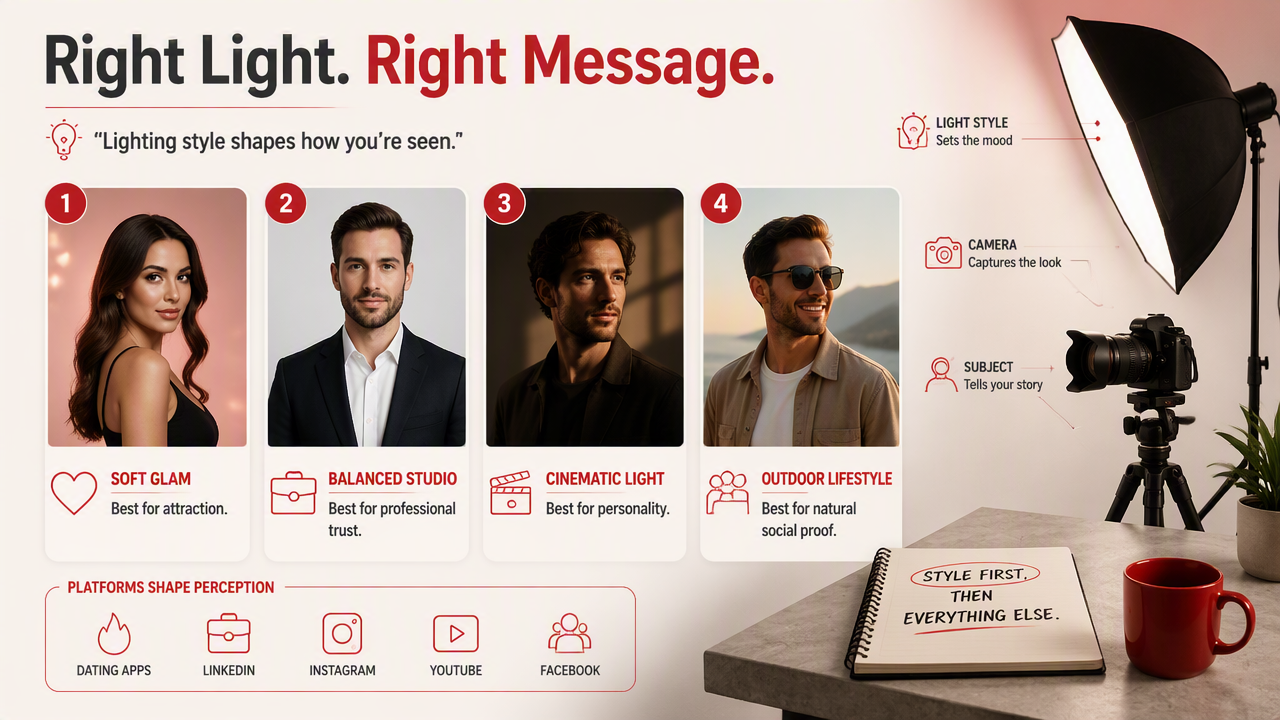
Style choice should come before editing intensity. If the photo is for a dating app, the goal is not maximum sharpness. It is warmth, eye contact, and enough realism that the person on the other end won't suspect you live inside a filter.
For professional profiles, avoid mood lighting that hides the eyes or changes skin tone too aggressively. Clean light, mild contrast, and simple background separation usually win. Creators can push harder because brand identity often rewards a stronger look.
Quick style picker
| Lighting style | Best for | Visual result | My practical note |
|---|---|---|---|
| Soft glam | Dating apps, selfies, beauty portraits | Smooth, warm, flattering | Best first test for most faces |
| Professional studio | LinkedIn, resumes, business bios | Clear, balanced, credible | Keep it boring in the best way |
| Cinematic | Instagram, YouTube thumbnails, posters | Dramatic, directional, moody | Great when expression is strong |
| Nightlife | Party photos, music, fashion | Neon, contrast, energy | Use sparingly for profile sets |
| Outdoor lifestyle | Travel, fitness, casual social | Warm, natural, relaxed | Works well when background matters |
Prompt ideas for better results
- "Soft golden-hour portrait lighting, natural skin texture, warm background."
- "Clean studio headshot lighting, balanced shadows, professional profile photo."
- "Cinematic side lighting, subtle contrast, realistic face details."
- "Outdoor lifestyle lighting, soft backlight, natural colors."
- "Nightlife portrait, controlled neon rim light, clear face, realistic shadows."
What should you expect from relighting tools in 2026 and 2027?
Relighting tools in 2026 are moving from simple brightness fixes toward scene-aware portrait systems that understand faces, outfits, backgrounds, and intended use. In 2027, expect more real-time previews, better identity preservation, and lighting controls designed for short-form video as much as still photos.
The technical direction makes sense. Jiang, Han, and Habibi's 2021 IEEE survey on 6G discusses future networks that support richer connected experiences source. Faster networks and stronger on-device processing both point toward more interactive visual editing, not just upload-and-wait tools.
For users, the practical shift is simple: fewer manual sliders, more intent-based controls. Instead of asking for exposure plus contrast plus temperature, you'll ask for "confident professional headshot" or "soft dating-app portrait," and the editor will handle the lighting recipe.
Features likely to matter next
- Identity-safe relighting: better preservation of facial structure and recognizable details.
- Video relighting: consistent light across moving frames, not just single images.
- Use-case presets: styles built for dating, work, creator content, and fantasy portraits.
- Background-aware light: shadows and color matching that respect the full scene.
- Multi-image consistency: matching a set of profile photos so they feel shot in the same visual language.
Frequently Asked Questions
AI relighting is useful, but it works best when users understand what it can change and what still depends on the original image. These quick answers cover the decisions most people make before editing a portrait.
Can AI fix a very dark portrait?
AI can often improve a dark portrait by lifting exposure, recovering face detail, and adding more believable highlights. Results depend on the source image. If the face is extremely blurred or has no usable detail, relighting can brighten the photo, but it may not restore a natural-looking expression or sharp skin texture.
Is AI relighting good for dating app photos?
Yes, AI relighting can help dating photos look warmer, clearer, and more approachable. The safest styles are soft glam, golden hour, and outdoor lifestyle lighting. Keep the edit realistic, preserve skin texture, and avoid turning every image into a studio portrait because variety builds trust.
Does relighting change my face?
Relighting should change how light falls on your face, not your actual features. Some tools may also smooth skin, reshape shadows, or alter facial structure if the style is too aggressive. Compare the edited photo with the original and reject versions where your jaw, nose, eyes, or smile feel unfamiliar.
What file type should I upload?
A clear JPEG or PNG usually works well for portrait relighting. Use the highest-quality version you have, especially for profile photos, creator images, or professional headshots. Screenshots, compressed downloads, and heavily filtered images give the model less detail to work with.
Conclusion
Strong portrait lighting is the difference between "nice picture" and "why does this look like a magazine cover's cousin?" Start with a clear image, pick a lighting style that matches the platform, and keep realism as the referee. If you want polished portraits for dating, creator, lifestyle, or professional use, try HotphotoAI and compare a few styles before choosing your final set. For more examples and profile-ready image ideas, head to hotphotoai.com.