AI Photo Resolution for Dating Apps and Social Media
TL;DR
Export AI portraits larger than the final crop, keep the face sharp, and avoid re-saving compressed files. For most dating and social profiles, 2048 px on the long edge is the safest everyday target, while banners and full-body lifestyle shots need wider crops.
A great AI portrait can still look like mashed pixels if you upload the wrong size. AI photo resolution for dating apps and social media means choosing the image dimensions, aspect ratio, sharpness, and file quality that survive app compression while still looking natural on a phone screen. Dating app: an online dating service delivered through a mobile app, often using smartphone features such as location to connect users. If you want model-style profile photos without booking a studio, HotphotoAI can generate polished portraits, but the final export settings decide whether they look crisp or cursed.
Table of Contents
What is the best AI photo resolution for dating apps and social media?
The best AI photo resolution for dating apps and social media is usually 2048 px on the long edge, exported in the correct crop for the platform. That gives Tinder, Bumble, Hinge, Instagram, TikTok, Facebook, and LinkedIn enough detail to compress the image without turning eyes, hair, or textural skin detail into mush.
AI portraits are different from phone photos because they often contain synthetic detail. Fine hair strands, fabric texture, jewelry, and soft background blur can look convincing at full size, then wobble after an app resizes the file. I treat every upload like airport security: only the cleanest version gets through.
Key insight: Make the export larger than the display size, but not absurdly huge. Oversized files invite aggressive compression, while undersized files blur immediately.
Research on digital visual media backs the idea that images are not neutral decoration. A 2021 review of street view imagery in urban analytics and GIS examined how visual data quality shapes downstream interpretation. Profile photos work at a smaller scale, but the same principle applies: image quality affects what viewers notice and trust.
Quick-reference export table
| Use case | Best aspect ratio | Recommended export | Why it works |
|---|---|---|---|
| Tinder, Bumble, Hinge main photo | 4:5 or square | 2048 × 2560 or 2048 × 2048 | Keeps face detail after cropping |
| Dating app full-body photo | 3:4 or 4:5 | 1800 × 2400 or 2048 × 2560 | Shows outfit without tiny face syndrome |
| Instagram feed portrait | 4:5 | 2160 × 2700 | Strong vertical presence in feed |
| Instagram or TikTok story | 9:16 | 1440 × 2560 | Fits full-screen mobile viewing |
| LinkedIn profile photo | Square | 2048 × 2048 | Clean crop for circular display |
| X, Facebook, or YouTube banner | Wide | 2560 × 1440 | Leaves room for safe-area cropping |
| Website bio or portfolio | 3:2, 4:5, or square | 2400 px long edge | Flexible for responsive layouts |
How should you crop AI portraits for each platform?
Crop AI portraits by matching the platform's viewing shape first, then placing the face where app interfaces will not cover it. Dating apps reward clear faces and natural framing, while social platforms need crops that work in grids, feeds, stories, and circular avatars.
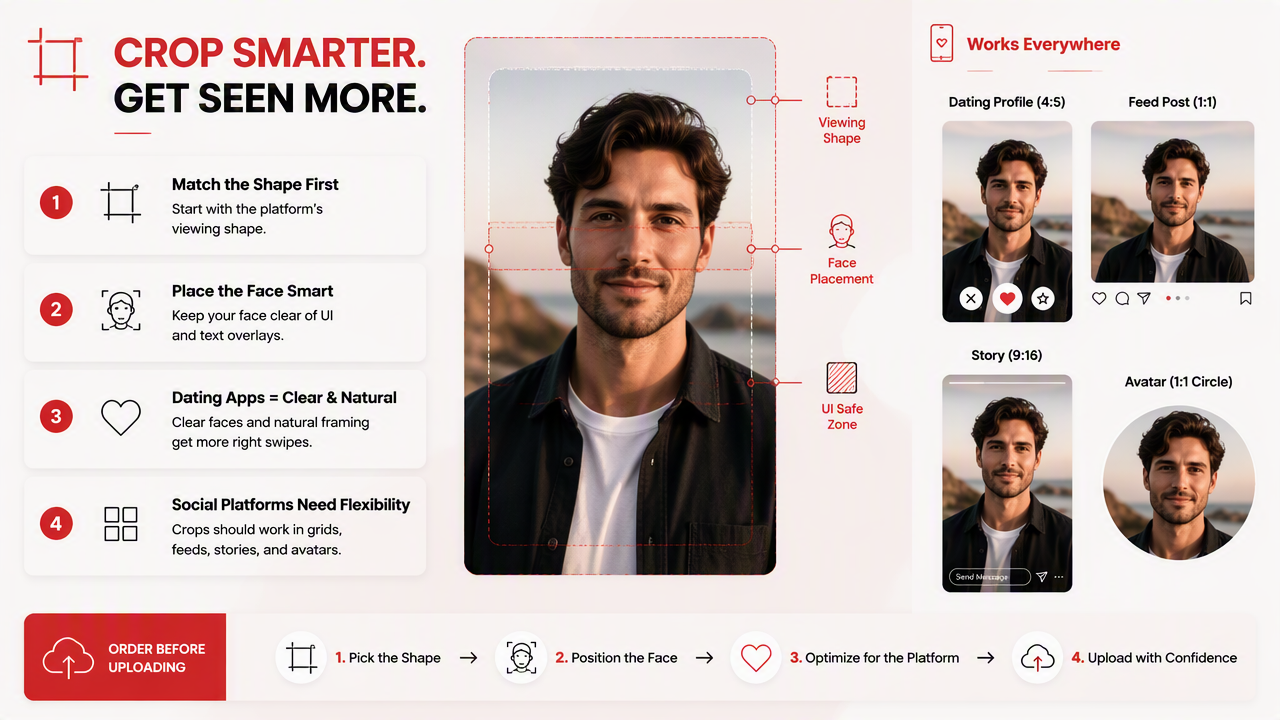
Use this order before uploading:
- Pick the final platform first.
- Choose the aspect ratio before editing.
- Keep eyes in the upper third of the frame.
- Leave margin above the head and around shoulders.
- Export once from the clean master file.
- Upload that version directly, not a screenshot.
Dating app photos need more breathing room than you think. A tight crop may look dramatic in your camera roll, then a button, name label, or gesture overlay eats the jawline. Glamour is good; decapitation is less persuasive.
Social media is less forgiving because one photo appears in several places. Instagram may show a portrait in the feed, crop it in the grid, and reduce it in previews. LinkedIn often crops square images into circles, so keep important details away from corners.
A 2022 paper on XR, augmented reality, and virtual reality frameworks focused on immersive visual experiences, but it also highlights a useful point for creators: display context changes perception. Your image is not just a file; it is a file inside an interface.
Safe crop rules for face, body, and lifestyle shots
- Headshot: keep the eyes slightly above center, with shoulders visible.
- Half-body portrait: include hands only if the AI rendered them cleanly.
- Full-body shot: use 3:4 or 4:5 so the face remains readable.
- Lifestyle scene: reduce background clutter before upload.
- Fantasy or stylized portrait: export larger, because fine effects can compress badly.
For high-polish portraits, the HotphotoAI platform is most useful when you generate multiple outfits and backgrounds, then export only the versions that still look believable at phone size. Pretty pixels need practical tailoring.
How do you avoid blurry AI portraits after upload?
Avoid blurry AI portraits by exporting a clean, high-resolution JPEG or PNG once, using the correct aspect ratio, and never re-uploading files that have already been compressed by another app. Most blur comes from stacked compression, bad cropping, low source detail, or sharpening that fights the platform's own processing.
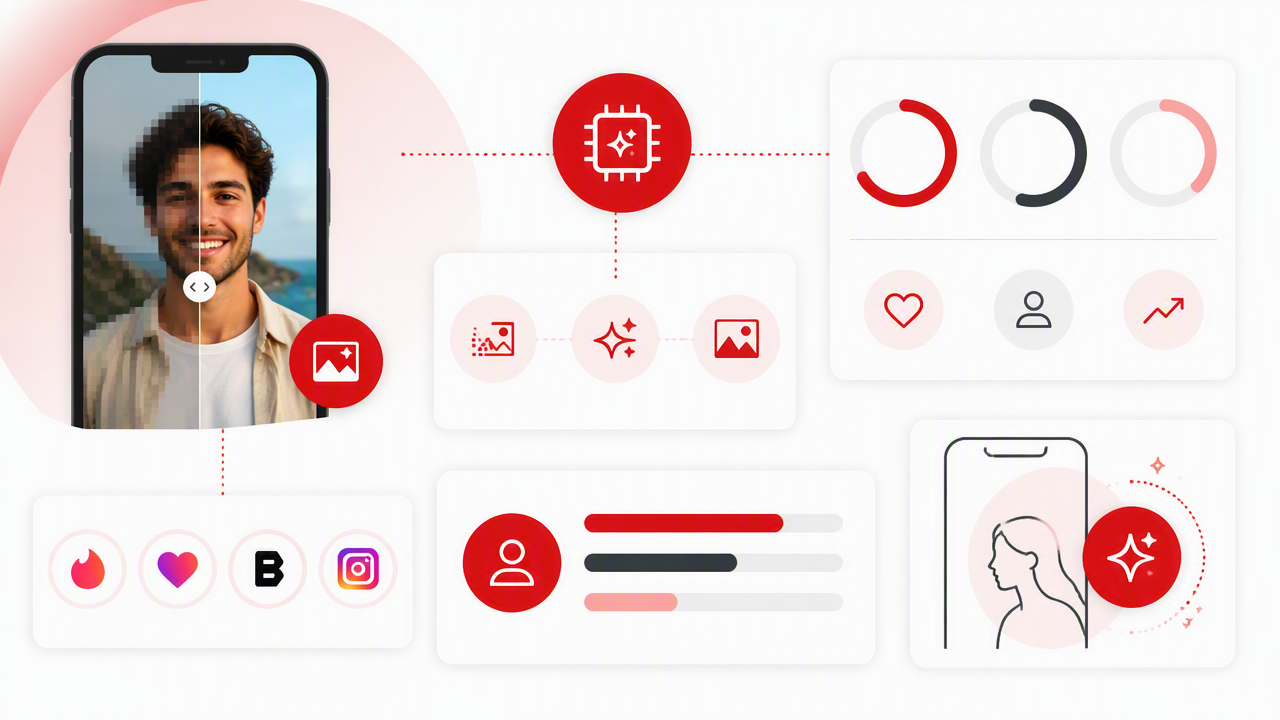
The fastest blur test is painfully simple: zoom to 100 percent before uploading. If the eyes, teeth, hairline, necklace, or glasses already look smeared, the app will not rescue them. It will politely make the problem smaller and uglier.
Key insight: AI portraits should look slightly sharper than a normal phone photo before upload, but not crunchy. Over-sharpened skin reads as fake fast.
Common causes of upload blur include:
- Tiny exports: anything near thumbnail size will fall apart.
- Repeated saves: each save can add compression artifacts.
- Screenshots: screenshots often strip useful image detail.
- Wrong crop: apps resize more aggressively when ratios do not fit.
- Over-editing: too much smoothing, sharpening, or background blur looks synthetic.
- Text overlays: small text usually becomes unreadable after compression.
Generative AI also raises a trust issue. A 2023 article on human resource management and generative AI discussed research directions around tools such as ChatGPT in professional contexts. For personal images, the practical lesson is similar: AI output should help presentation, not create a misleading identity.
Keep one master file untouched. Make platform-specific copies from that master, named clearly, such as hinge-4x5-2048.jpg or linkedin-square-2048.png. Boring filenames save glamorous faces.
What should AI photo tools cost, and what are you paying for?
AI photo pricing should be judged by usable outputs, style control, realism, export quality, and commercial or profile-use rights, not just the number of images promised. A cheap pack is expensive if only two photos look like you and one has a hand from a haunted mannequin.
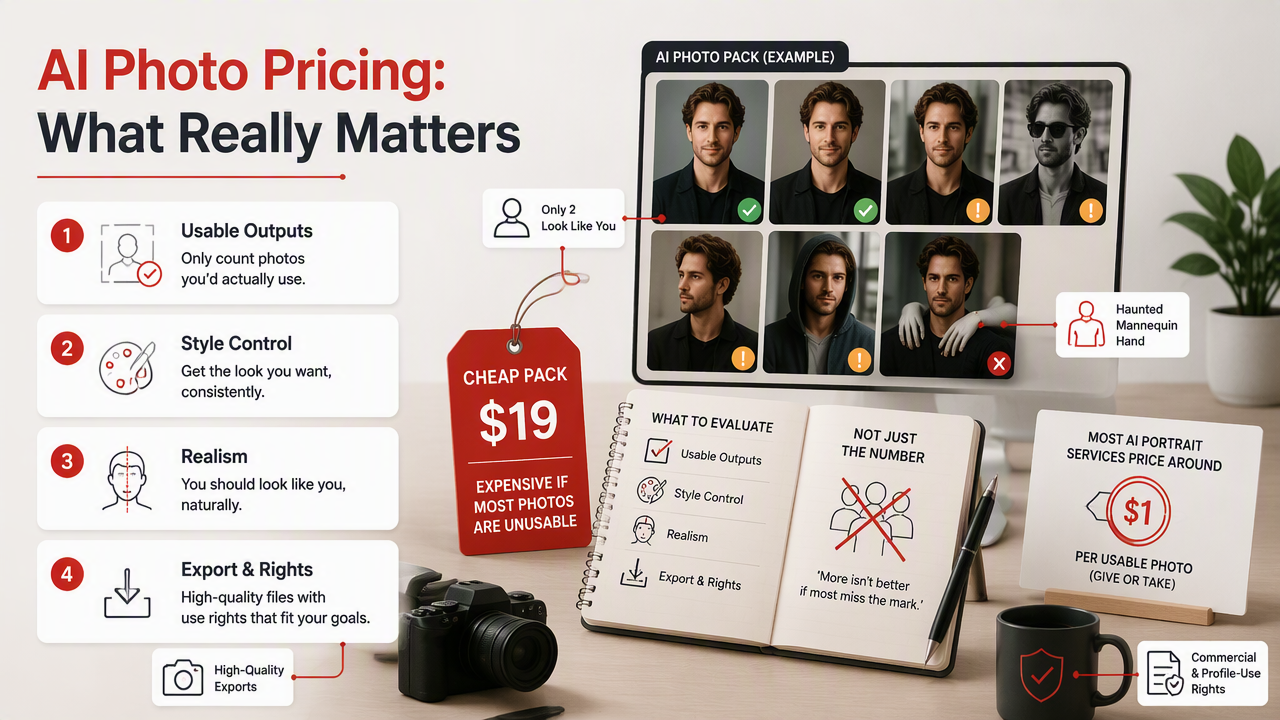
Most AI portrait services price around one or more of these factors:
- Number of uploaded training selfies
- Number of generated portraits
- Turnaround time
- Style packs, outfits, and backgrounds
- Higher-resolution exports
- Retouching or regeneration options
- Usage rights for personal, creator, or professional profiles
Pricing factors that actually matter
| Pricing factor | Why it matters | What to check before paying |
|---|---|---|
| Usable likeness | Photos must still look like you | Look for varied examples, not one hero image |
| Export size | Bigger files survive uploads better | Confirm long-edge resolution options |
| Style range | Dating, business, and social photos need different moods | Check outfits, lighting, and backgrounds |
| Revision control | AI packs can be hit or miss | See whether you can regenerate or choose styles |
| Privacy handling | You are uploading your face | Review image retention and account controls |
I would rather buy fewer strong images than a giant folder of almost-yous. For dating apps, five believable photos beat fifty glossy strangers wearing your haircut.
HotphotoAI fits users who want attractive, stylized personal images for profiles, social posts, and polished online presentation. If you are comparing options, visit hotphotoai.com after deciding which photo types you need: main dating photo, lifestyle image, professional headshot, or more creative portrait.
Frequently asked questions
Should I upload AI dating photos at 4K resolution?
You usually do not need true 4K for dating app uploads. A 2048 px to 2560 px long edge is a safer everyday range because it preserves detail without encouraging heavy compression. Use 4K mainly for banners, portfolios, or future cropping, then create smaller platform-specific copies.
Is JPEG or PNG better for AI profile photos?
JPEG is usually best for dating apps and social media because it keeps file sizes manageable and works everywhere. PNG can help if the image has crisp graphics or you need a lossless master file. For portraits, export a high-quality JPEG from the original, not from a screenshot or messaging-app download.
How many AI photos should I use on a dating profile?
Use enough AI photos to improve variety, but mix them with realistic presentation. A strong profile usually needs a clear headshot, a social or lifestyle image, a full-body photo, and one personality-driven shot. If every picture looks like a magazine cover, people may wonder where the real human went.
Can AI portraits work for LinkedIn and creator profiles?
Yes, AI portraits can work well for LinkedIn, creator profiles, portfolio pages, and personal branding if the styling matches the context. Keep LinkedIn images cleaner, with natural lighting and modest retouching. Save cinematic, fantasy, or glamour styles for platforms where creative self-presentation is expected.
Conclusion
The right AI photo resolution for dating apps and social media is not about chasing the biggest file; it is about exporting the right crop, at the right size, from the cleanest version. Start with 2048 px on the long edge, choose the platform ratio before editing, check the face at 100 percent, then upload directly.
If you want polished portraits without a traditional shoot, generate a varied set with HotphotoAI, save a clean master, and build one export per platform. For your next profile refresh, head to hotphotoai.com with this checklist open and keep only the photos that look sharp, believable, and unmistakably like you.