AI Photos for Speaker Bios: A Practical 2026 Workflow
TL;DR
Use a recognizable, restrained portrait and confirm the organizer's AI-image policy before generating it. Prepare one approved master image, export the requested crops, and keep a recent real photograph available for events that require one.
Your speaker photo should introduce you, not audition for a superhero franchise. AI photos for speaker bios can help create polished portraits for conference websites, event programs, and press materials when the brief prioritizes recognition. HotphotoAI is an option for exploring personal portrait styles around that brief.
AI speaker portrait: An AI-generated or AI-edited likeness of a real speaker, prepared to accompany their biography or event listing. I recommend treating it as an editorial asset: its job is to help attendees recognize the person they'll meet.
Table of Contents
What makes AI photos for speaker bios suitable?
AI photos for speaker bios are suitable when they preserve the speaker's recognizable appearance, match the event's visual tone, and meet the organizer's image policy. A useful portrait supports identification rather than inventing credentials, venues, or achievements. Approval matters as much as polish because the organizer controls the published listing.
Think of the photo as the visual equivalent of your opening sentence: clear, relevant, and free of unnecessary fireworks. A neutral background and familiar clothing usually serve that purpose better than a fictional stage.
Recognition beats manufactured authority
A generated microphone, audience, or conference backdrop can imply a real appearance that never happened. I'd reserve explicitly fictional scenes for clearly labeled creative materials, not the standard speaker headshot.
The supplied research offers general AI background, not direct evidence about speaker-photo performance. The 2023 review Deep learning modelling techniques addresses applications and challenges; it doesn't establish that generated portraits improve bookings.
Choose a portrait that makes you easier to recognize, not a scene that makes your résumé look longer.
What requirements should you confirm first?
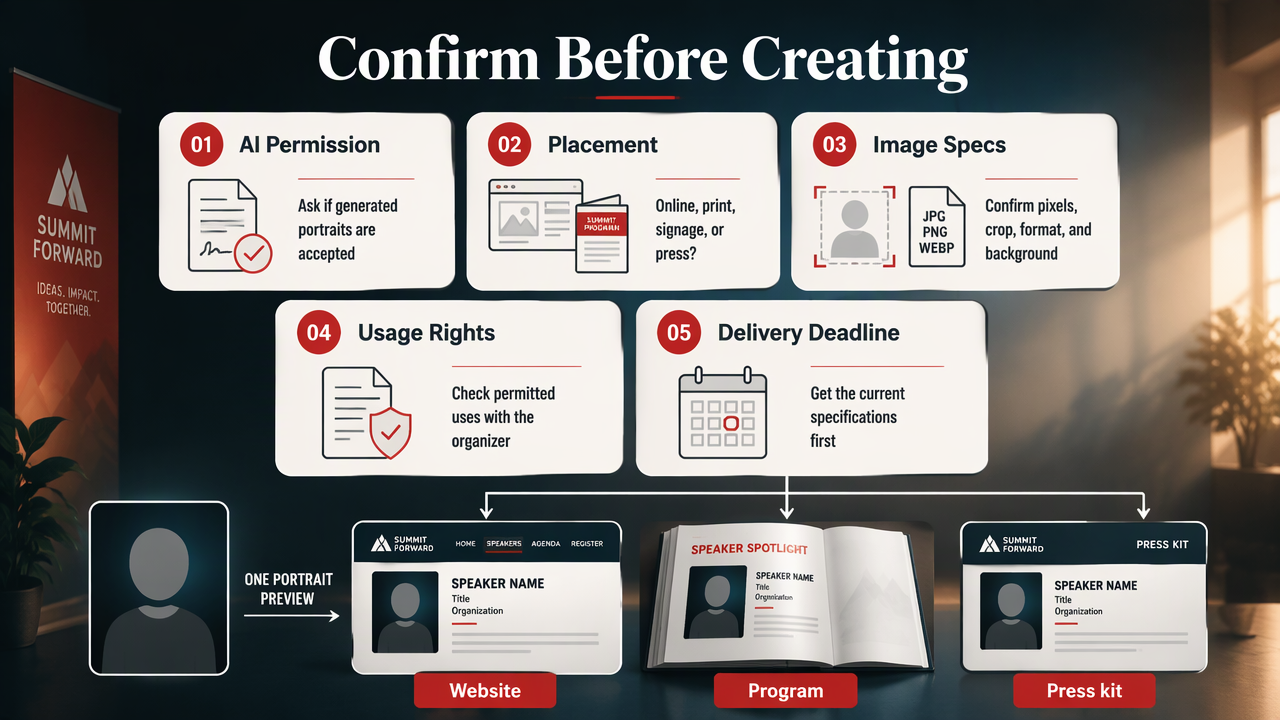
Speaker portrait requirements should cover AI permission, image dimensions, crop, file format, background, usage rights, and delivery deadline. Ask the organizer for its current specifications before generating anything. Conference websites, printed programs, and press kits may need different files, so one attractive preview isn't automatically a complete submission.
The organizer's requirements checklist
- Permission: Are generated or substantially AI-edited portraits accepted?
- Placement: Will the image appear online, in print, on signage, or in press materials?
- Technical specifications: Confirm pixels, aspect ratio, format, file-size limits, and print requirements.
- Composition: Ask about headroom, background, and space for cropping.
- Rights: Confirm permission for promotional reuse and check the tool's applicable terms.
- Delivery: Establish the deadline, approval contact, and replacement process.
Match the portrait to its destination
| Destination | Recommended composition | Confirm before export |
|---|---|---|
| Conference website | Head and shoulders with clear facial detail | Card crop and mobile display |
| Printed program | Simple portrait with clean edges | Required dimensions and print settings |
| Press kit | Roomier portrait with flexible cropping | Formats and permitted editorial uses |
| Session announcement | Plain background with breathing room | Space needed for titles and logos |
These are recommendations, not universal standards. I'd request an existing speaker card as a reference; an example often answers questions a specification sheet misses.
How do you create a credible speaker portrait?
- Gather recent reference photos that show your current appearance.
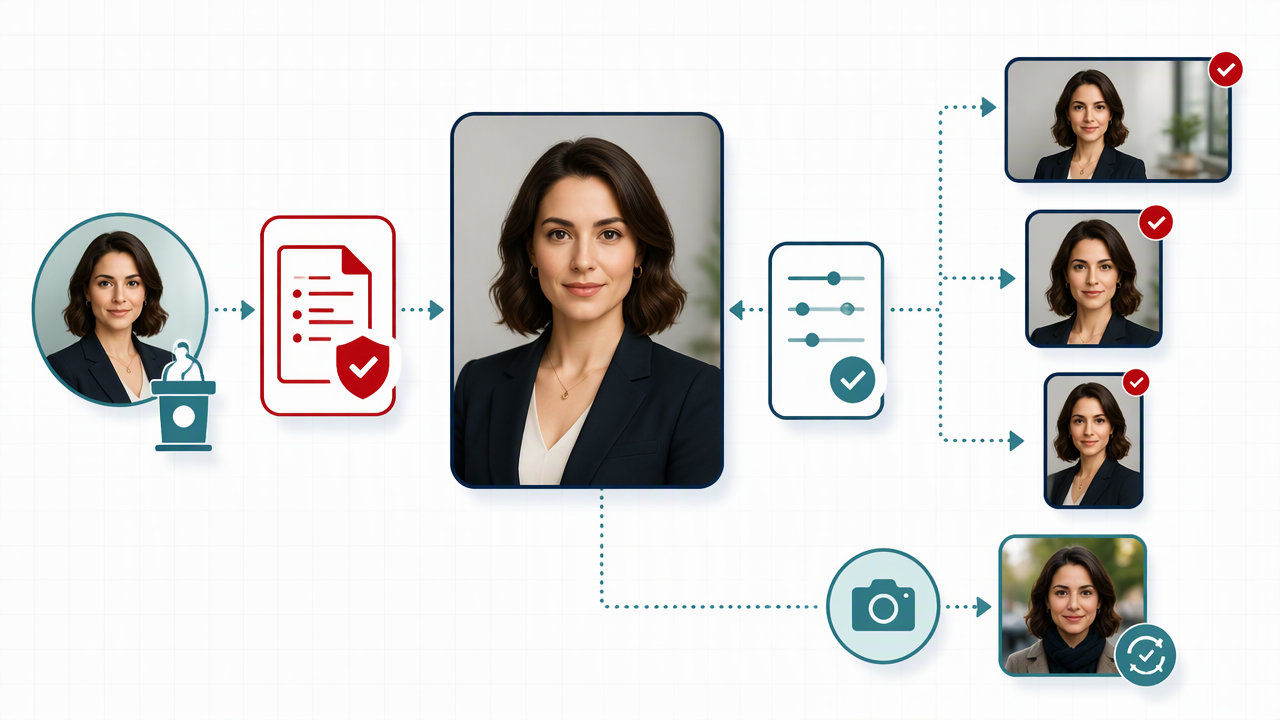
- Write a restrained brief matching the event's audience.
- Generate a small selection with consistent styling.
- Compare each candidate with your references for recognizable features.
- Test the preferred image in the organizer's crop.
- Submit the candidate for approval before preparing final exports.
Use styling that supports your subject
For a technology panel, I'd choose a plain shirt or jacket, soft light, and a neutral studio background. For a creative-industry talk, a modest color accent can add personality. For an academic event, familiar everyday professional clothing may feel more credible than formalwear you never wear.
A useful prompt direction is: Head-and-shoulders editorial portrait, current hairstyle and facial features, natural skin texture, soft daylight, plain warm-gray background, relaxed expression, understated clothing. Treat those words as requests, then inspect the result.
How HotphotoAI handles this
HotphotoAI fits the portrait-exploration stage of this workflow: bring an event-specific brief and use it to guide your personal image choices. I recommend selecting around the organizer's requirements rather than chasing the most dramatic style. Keep the approved direction consistent across your website, biography, and media kit.
Selection checklist:
- Check facial proportions, glasses, hairline, and distinguishing features.
- View the portrait at thumbnail size.
- Inspect clothing edges and background details at full size.
- Leave enough room for the requested crop.
Research on deep learning tools dealing with data scarcity, published in 2023, covers definitions, challenges, and approaches. It isn't a speaker-headshot benchmark; I'd judge the actual candidate image rather than infer quality from general AI research.
Secure approval with a reusable portrait brief
Organizer approval is easiest when you submit the proposed portrait with its intended use, an accurate description of AI involvement, and a request for confirmation. Send the image before the final deadline so there's time for another crop or a conventional photograph if the event's policy requires one.
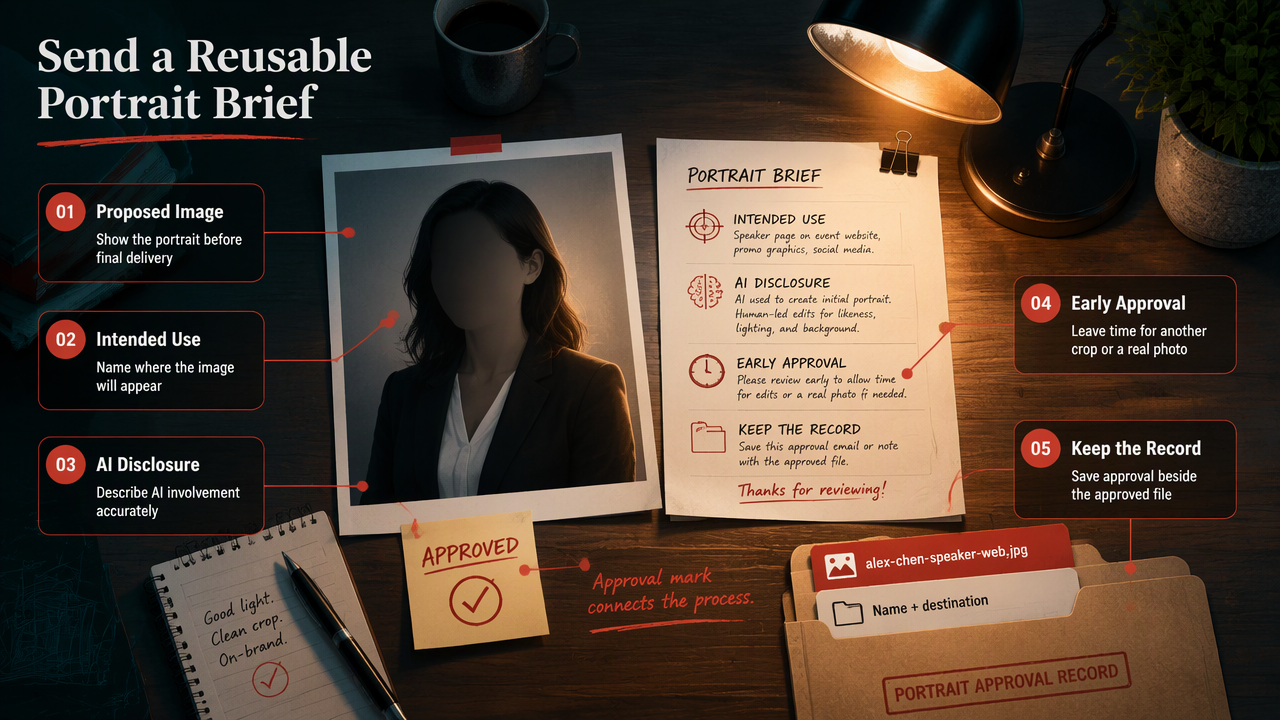
Keep the correspondence with the approved file. Label exports by name and destination, such as alex-chen-speaker-web.jpg, so nobody has to decipher final-final-reallyfinal.png.
Copy and save this reusable brief
Save the following template as speaker-portrait-brief.txt to create a reusable local file. Fill it in before generating or commissioning your next portrait.
Speaker name:
Event and session:
Audience:
Image placements:
AI permission and disclosure wording:
Current appearance references:
Clothing and expression:
Background and lighting:
Required crops and dimensions:
File format and size limit:
Usage rights to confirm:
Approval contact:
Submission deadline:
Backup real photograph:
My suggested approval message is simple: explain how the portrait was made, identify the intended placements, and ask whether it meets the event's policy and specifications. Don't assume acceptance at one conference carries over to another.
An approved master portrait plus clearly named exports is a better handoff than a folder of almost-identical options.
Speaker portrait FAQ
The final decisions usually concern disclosure, professional credibility, and reuse across events.
Should I disclose that my speaker photo uses AI?
Tell the organizer when submitting an AI-generated or substantially AI-edited portrait, and follow its disclosure policy. Public labeling depends on the event's requirements and how the image is presented. I recommend being clear about the process rather than describing a generated scene as a photograph from a real speaking engagement.
Can I use a generated portrait in a professional bio?
A generated portrait can serve a professional bio when the publisher accepts it and the image represents your current appearance. Keep credentials in the biography itself, where they can be checked. The portrait should support recognition; it shouldn't suggest an employer, award, or speaking venue that isn't part of your record.
Can I reuse one portrait for every conference?
You can propose the same master portrait for multiple events, but each organizer may have different policies and crop requirements. Keep an uncropped approved master, export versions for each placement, and revisit the likeness when your appearance changes. Consistency is useful; sending an unsuitable file everywhere is simply consistent extra work.
Conclusion
Start your AI photos for speaker bios project by sending the requirements checklist to your organizer. Then complete the brief, select a recognizable portrait, and secure approval before exporting. For your next portrait session, explore HotphotoAI at hotphotoai.com with the completed brief beside you. Aim for a clear introduction, not a fictional keynote.