AI Portrait Generator Cost: What You Pay per Usable Photo
TL;DR
Compare portrait generators by cost per photo you'll actually use, not advertised image counts. Add credits, reruns, editing, and renewals to your budget, then choose a one-time package or subscription based on how often you need fresh portraits.
A hundred generated portraits aren't a bargain if only three deserve daylight. AI portrait generator cost makes more sense when you divide your total spending by photos you'd actually publish. For dating profiles, social posts, and professional portraits, I'd start with a clear brief: what must the finished image accomplish?
AI portrait generator: Software that uses artificial intelligence to create or transform portrait images, often from uploaded photos, written instructions, or both.
A defined look also makes product selection easier. If you're considering HotphotoAI, start with your intended setting, outfit, and profile use so you have a concrete result to evaluate.
Jump to your budgeting question
- Pricing models
- Cost-per-keeper calculation
- Choosing a billing model
- Planning your personal portraits
- Common pricing questions
Table of Contents
What does an AI portrait generator cost in 2026?
AI portrait generator cost depends on whether you buy a package, subscribe, or pay for generation credits. The supplied search research includes a $19 monthly starting price and a $29 one-time headshot offer. These are advertised entry points, not verified checkout totals or guarantees of usable personal portraits.
Pricing snapshot dated November 7, 2026
The figures below come from the supplied search snippets; they haven't been independently checked at checkout. Treat them as comparison starting points, not a complete market range.
| Billing model | Price shown in supplied research | What to verify |
|---|---|---|
| Monthly personal-photo subscription | From $19/month | Monthly allowance, renewal, and billing term |
| One-time AI headshot package | From $29 | Delivered images, reruns, and download rights |
| Image-generation usage pricing | Roughly $0.003-$0.25/image | Model, resolution, and services included |
The usage range comes from a search result dated April 21, 2026. It describes image generation broadly, so it isn't a like-for-like price for a finished portrait service.
A low generation price may exclude identity setup, selection, editing, or delivery. Likewise, an annual plan's monthly equivalent isn't necessarily the amount charged today. Compare the checkout total before admiring the headline.
How do you calculate cost per usable portrait?
- Add package fees, credit purchases, paid reruns, editing, and renewals.
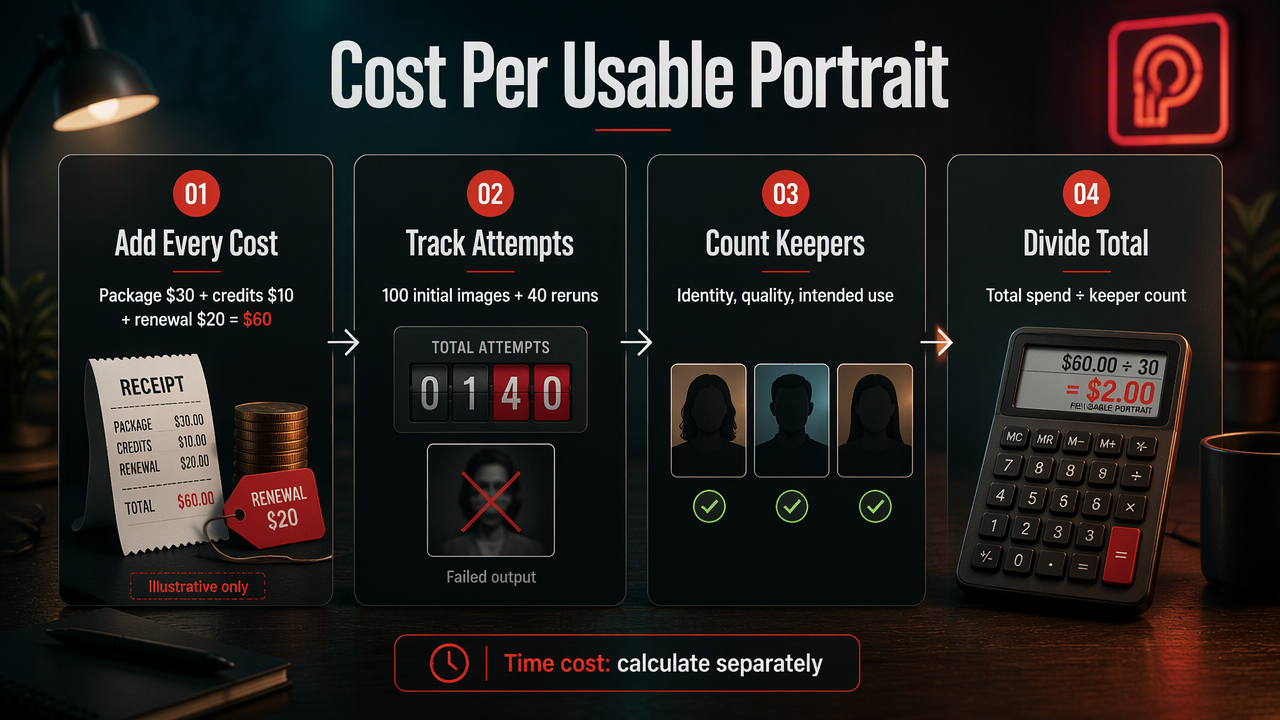
- Record how many credits each attempt consumes, including failed outputs.
- Count only portraits that meet your identity, quality, and intended-use requirements.
- Divide total spending by that keeper count; calculate time cost separately if selection and editing matter to your budget.
A transparent hypothetical calculation
Suppose a package costs $30, extra credits cost $10, and an unwanted subscription renewal adds $20. Your total is $60. Those figures are illustrative, not prices attributed to any provider.
You generate 100 initial images and 40 reruns. Of the 140 outputs, eight meet your brief:
- Cash spending: $30 + $10 + $20 = $60.
- Cost per generated output: $60 ÷ 140 = about $0.43.
- Cost per keeper: $60 ÷ 8 = $7.50.
The reruns are already represented by the extra-credit purchase, so don't charge them twice. If attempts consume different credit amounts, track actual credits rather than assuming one image equals one credit.
Set the keeper standard before generating
A keeper should resemble you, suit its destination, and survive a full-size inspection. For Tinder, I'd favor a believable expression and recognizable appearance. For a professional profile, I'd also inspect clothing edges, background distractions, and crop compatibility.
Your useful denominator is publishable portraits, not files delivered. A large image count can still produce a small wardrobe of usable looks.
How do you choose the right portrait plan?
- Define whether you need one profile refresh or ongoing content.
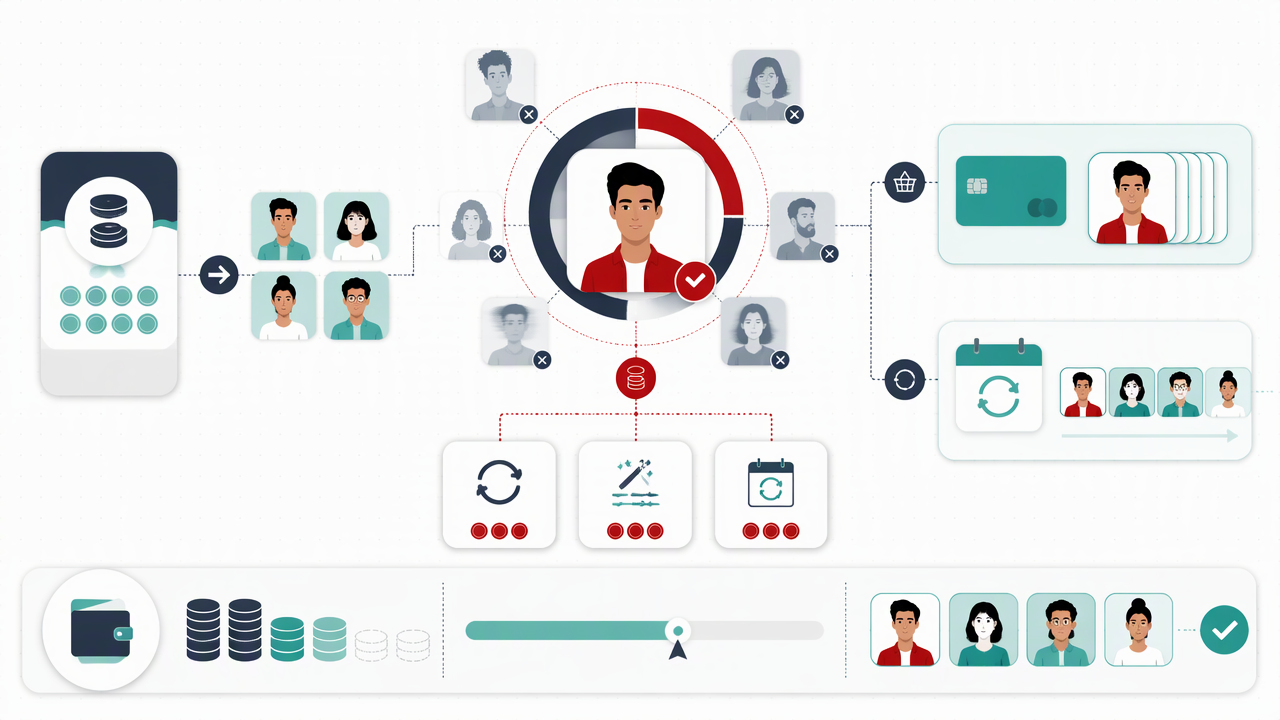
- Choose the smallest package that covers your intended looks.
- Compare total payment, credit rules, and export quality.
- Check cancellation, refunds, and image-use permissions.
- Set a spending ceiling before generating additional variations.
Match payment frequency to publishing frequency
A one-time package is easier to budget for a single profile update. A subscription may suit creators who regularly need new settings or outfits, provided the allowance matches their output schedule. Usage billing can suit experimentation when you're comfortable managing more of the production work yourself.
I'd choose based on the next month's actual photo needs, not an imaginary future as a full-time influencer. Your calendar is a better financial adviser than a discount banner.
Separate image research from shopping promises
The 2022 paper by Ramesh and colleagues on text-conditional image generation examines generation with CLIP latents. The 2021 review by Gui and colleagues covers generative adversarial networks, including algorithms, theory, and applications. These are technical background sources, not current portrait-pricing studies.
Neither title establishes a commercial tool's keeper rate. For shopping decisions, prioritize samples relevant to your look, clear billing terms, and the permissions you need.
Planning your portrait budget with HotphotoAI
HotphotoAI belongs in a goal-led portrait shortlist: decide what you want to publish, then evaluate the current offer against that brief. For example, a dating-profile refresh might call for a casual outdoor portrait, a dressed-up social image, and a clear close-up, rather than dozens of near-identical poses.
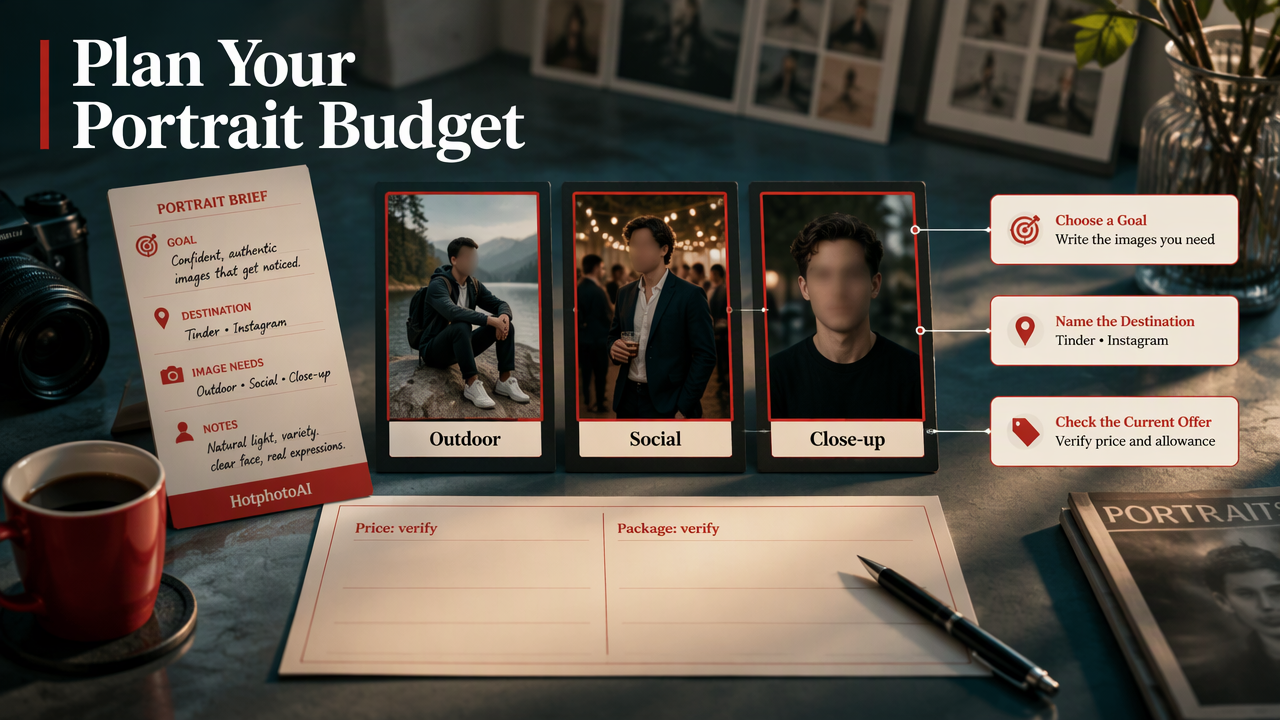
The supplied research doesn't include this product's pricing or package allowances, so a responsible comparison leaves those figures unfilled until you check them.
Bring a three-part creative brief
A specific brief gives you a useful standard for choosing a package and reviewing results:
- Destination: Tinder, Instagram, LinkedIn, or a personal website.
- Appearance: Recognizable features, preferred outfit, and expression.
- Delivery: Required crop, resolution, and number of distinct looks.
I'd keep the first purchase focused on one destination. That makes the budget easier to judge and gives each selected portrait a job. Visit hotphotoai.com to review the current offer against that brief.
AI portrait pricing FAQ
Portrait pricing questions usually come down to what you receive, what counts as usable, and when another payment is due.
Are free AI portraits genuinely free?
A free preview isn't necessarily a free finished portrait. Check whether downloading, higher resolution, watermark removal, or additional attempts requires payment. I'd use a free option to assess resemblance and style first, then inspect the export terms before treating the result as a usable profile photo.
Does paying more guarantee better resemblance?
Price alone doesn't guarantee that a portrait will look more like you. Evaluate identity consistency separately from lighting, clothing, and background style. A polished image can still miss your expression or facial proportions. I'd judge relevant examples and the provider's stated delivery terms rather than assuming the largest package produces the best likeness.
What should I check before a subscription renews?
Check the renewal date, cancellation deadline, unused-credit policy, and whether the displayed price requires annual billing. Save the checkout terms and set a reminder before the next charge. If you only need a single profile refresh, compare the subscription's total commitment with a one-time purchase before deciding.
Conclusion
Make your AI portrait generator cost decision with a keeper target and a spending ceiling. Write your brief, confirm the checkout total, and track what you actually publish. For a focused personal-photo project, review HotphotoAI's current offer and choose around the portraits you need, not the biggest image count.