AI Portrait Generator vs Face Swap: Which Should You Choose?
TL;DR
Choose a personalized AI portrait generator when you want new poses, outfits, and scenes; choose face swapping when you already have a specific target image. Test likeness before publishing, use permissioned images, and judge results by how faithfully they represent you.
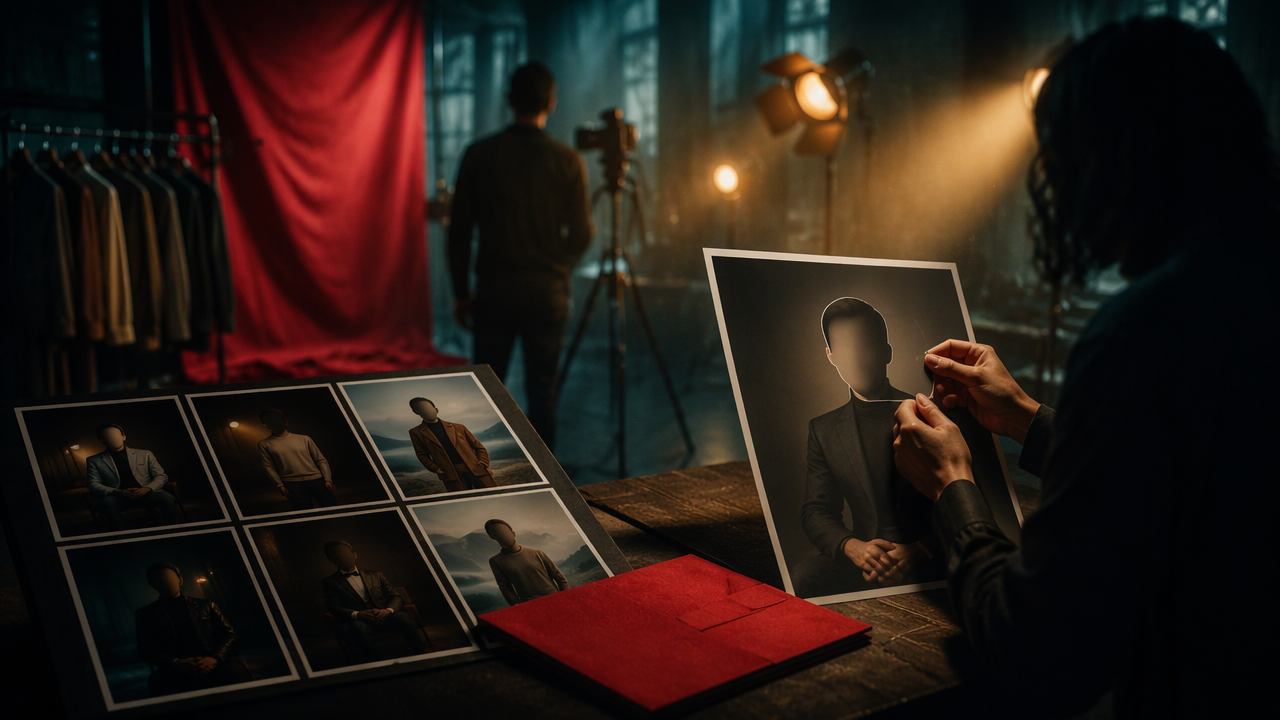
AI portrait generator vs face swap comes down to creating a photograph versus changing who's pictured in one. A personalized portrait generator creates new images using identity references; a face swap transfers facial identity into an existing image. For profile-photo projects, HotphotoAI is an option to explore within the personalized-portrait category. The useful question isn't which method sounds smarter, but which gives you the creative control you need.
Table of Contents
What is the difference between AI portraits and face swaps?
An AI portrait generator creates a new portrait, while a face swap changes facial identity within a target image. Personalized generators use reference photos to guide resemblance; generic generators may create fictional people. Face swaps usually retain the target's composition, body, and background, making them image edits rather than personalized photoshoots.
Personalized AI portrait: A newly generated image guided by photos of a particular person.
Face swap: An edit that places one person's facial identity into another image.
Target image: The photograph supplying the composition for a swap.
Some tools combine generation and swapping. I compare the workflow, not the label on the button.
Decision table: creation versus replacement
| Dimension | Personalized portrait generation | Face swapping |
|---|---|---|
| Starting point | Identity references and creative direction | Source face and target image |
| Pose flexibility | Can generate different poses | Usually follows the target pose |
| Scene creation | Can create a new setting | Usually preserves the target setting |
| Outfit control | Can generate different clothing | Usually inherits target clothing |
| Likeness | Depends on identity preservation | Depends on facial transfer and alignment |
| Artifacts to inspect | Anatomy, accessories, identity drift | Face edges, skin transitions, lighting |
| Best fit | Several original profile-photo concepts | One specific, permissioned composition |
A face swap borrows the photograph's structure. A portrait generator creates the structure, too.
How do you compare likeness and artifacts fairly?
- Compare likeness using the same clear, permissioned identity references.
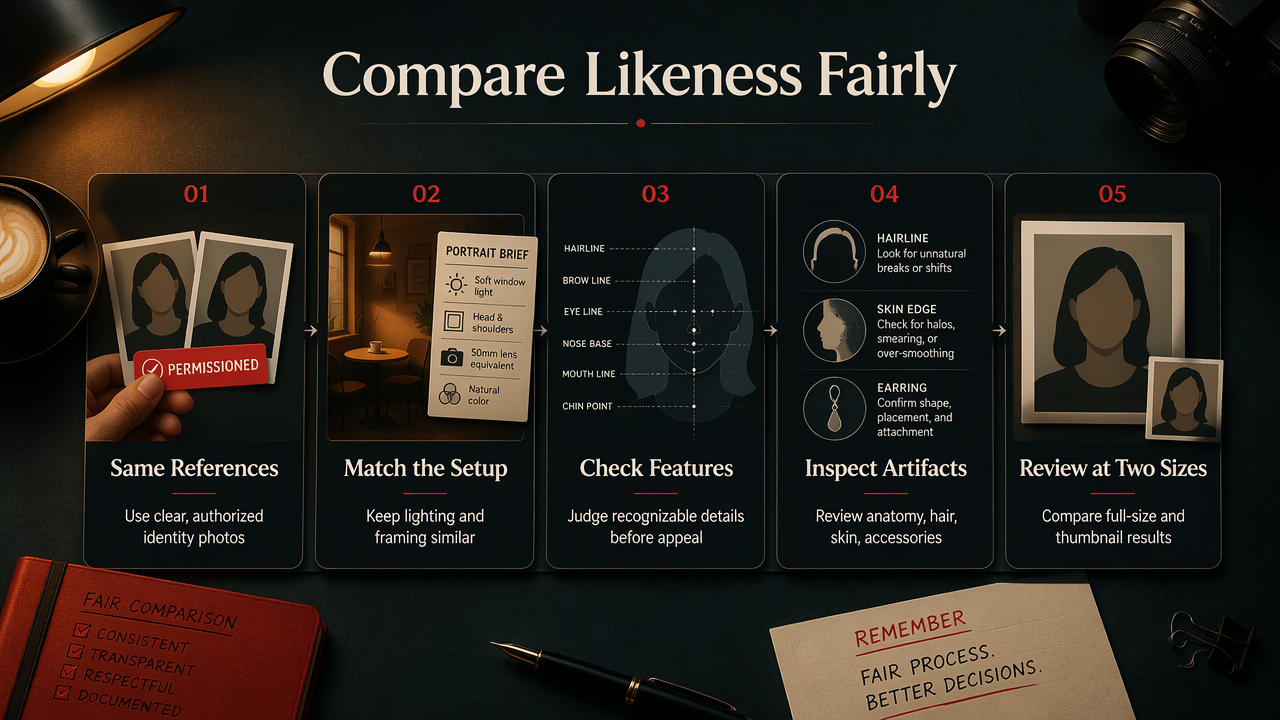
- Choose a target image and portrait brief with similar lighting and framing.
- Check recognizable facial features before judging attractiveness.
- Inspect anatomy, hairlines, skin transitions, and accessories.
- Review full-size results and small profile thumbnails before selecting a winner.
A permissioned café-portrait test
For a practical comparison, I'd use your own reference photos and a café target image whose subject and photographer have authorized the intended edit. Ask the generator for a café portrait; use the target for the swap. Keep framing similar so you're comparing faces, not rewarding the nicer background.
Check these details separately:
- Identity: Eye spacing, nose shape, jawline, and distinctive features.
- Integration: Shadows, skin tone, hairline, and neck transitions.
- Whole-image quality: Hands, glasses, earrings, clothing, and background details.
A convincing face doesn't automatically make a convincing photograph. The hands may still have other plans.
What the available research establishes
The supplied research offers background, not a head-to-head product benchmark. Jiahui Yu and colleagues' 2022 paper on content-rich text-to-image generation examines image generation. Tero Karras and colleagues' 2021 paper on alias-free generative adversarial networks concerns generative-model design.
Both predate 2026 by several years. Neither supplied citation establishes which current consumer app preserves your likeness best, so I wouldn't turn these papers into a product leaderboard.
Who should pick portrait generation or face swapping?
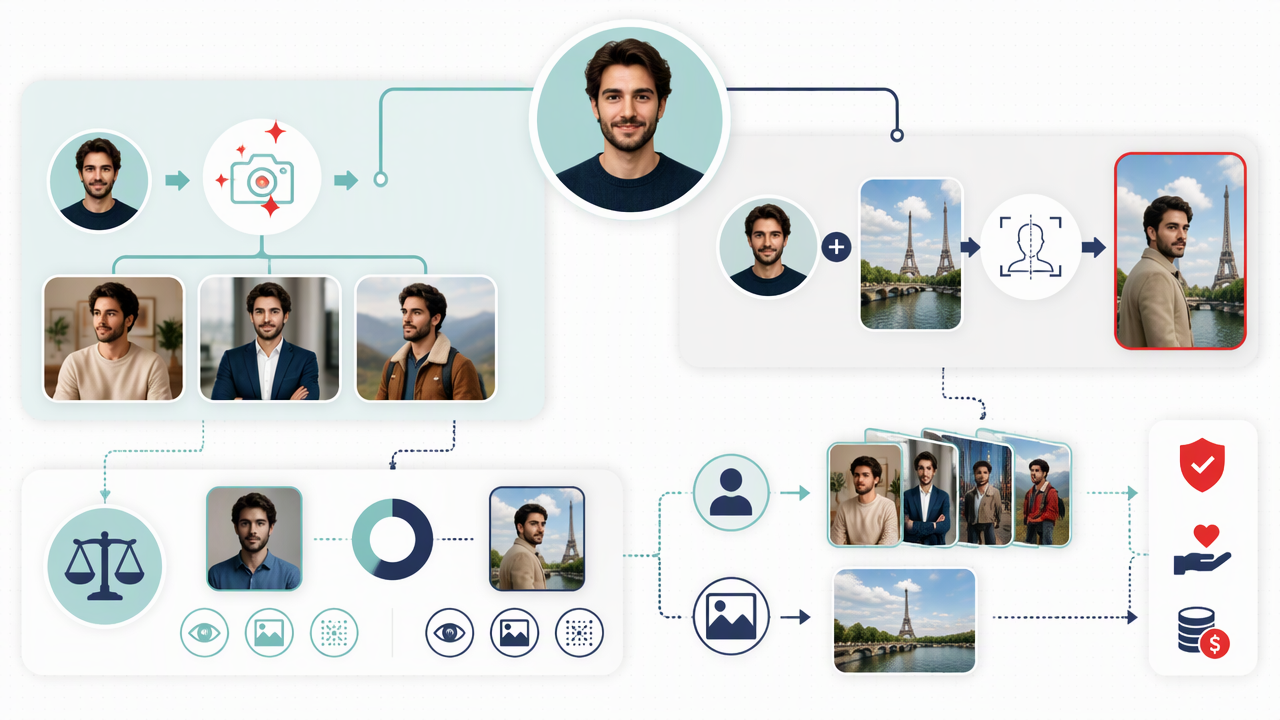
Choose portrait generation for new visual concepts and face swapping for a particular existing composition. My recommendation depends on what you want to preserve: your identity across different photographs, or the structure of one photograph while changing its face.
Match the workflow to your profile
- Dating profiles: I'd choose generated portraits for varied, believable settings, then select images that reflect your current appearance.
- Professional profiles: Portrait generation suits a new headshot concept; review clothing and presentation against your workplace expectations.
- Creators and fantasy portraits: Generation offers room to invent scenes. Swapping suits a permissioned template you specifically want to reuse.
For dating photos, recognizability beats an imaginary upgrade. A profile should introduce you, not cast your more glamorous fictional cousin.
Consent covers more than the uploaded face
Use your own face or obtain explicit permission from the person depicted. For swaps, also confirm authorization to edit and publish the target photograph. Permission to view or download an image isn't permission to replace someone's identity.
Check the service's upload retention, deletion controls, and commercial-use terms. Disclosure expectations depend on the platform and context; don't present a synthetic setting as proof of a real event.
With permissions settled, write a brief describing the intended audience, outfit, setting, and expression. That gives you a clear creative target and makes selecting finished images easier.
How HotphotoAI handles this
HotphotoAI is relevant to the personalized-portrait route: the goal is a collection of personal images with different visual treatments, rather than replacing a face in one chosen photograph. I'd explore it with a specific profile-photo brief and review the current options at hotphotoai.com before choosing a style.
Build a useful portrait brief
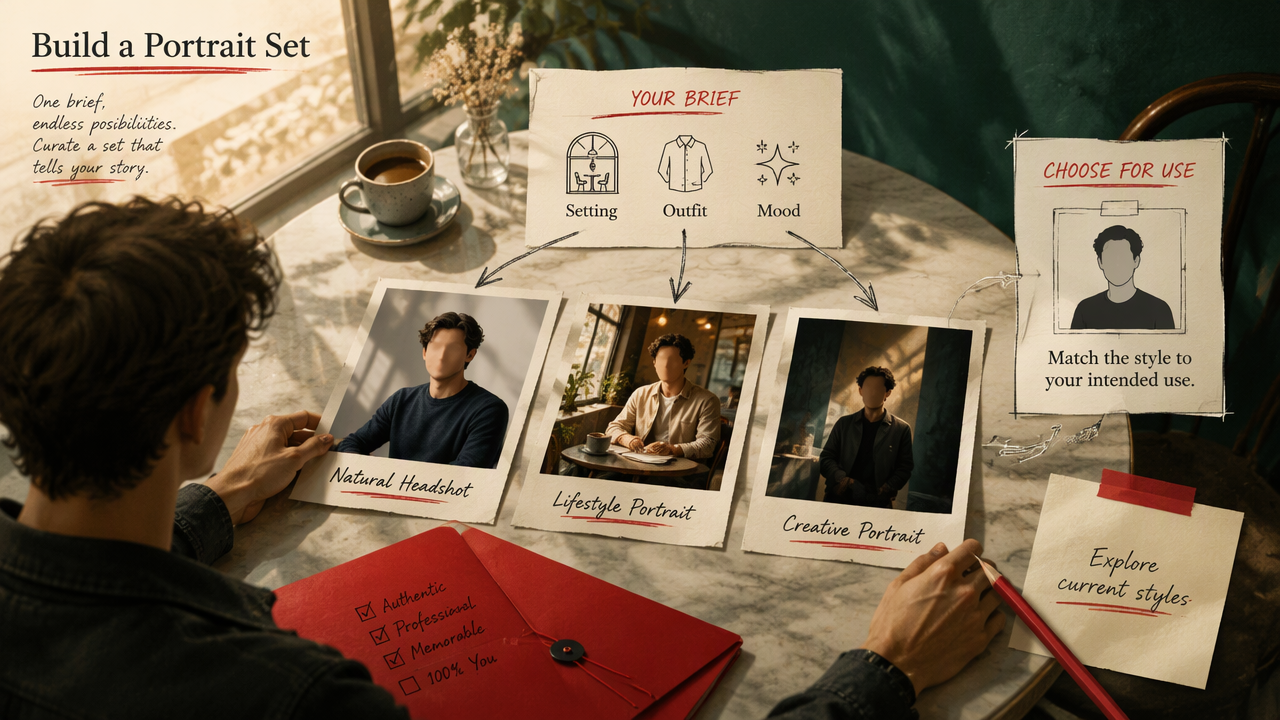
Start with three concepts: a natural headshot, a relaxed lifestyle portrait, and a creative image. Describe each setting, outfit, and mood in plain language. For example: daylight café portrait, casual shirt, relaxed smile.
Keep selection tied to the intended use:
- Dating: approachable expression and recognizable appearance.
- Work: clear face, suitable clothing, and a restrained setting.
- Social media: distinctive styling that matches your visual theme.
I prefer a small, coherent set over dozens of unrelated looks. Creative range is most useful when each image has a job.
FAQ: Practical questions before you publish
Your intended use should guide the final choice more than the technology's name.
Does a face swap preserve my whole appearance?
A face swap generally changes facial identity, not the entire person's appearance. The target image may still supply the body, hairstyle, pose, clothing, and surroundings. That distinction matters for personal profiles: a recognizable face doesn't mean the finished photograph accurately represents your physique or an experience you actually had.
Which approach is cheaper for profile photos?
There's no universal price winner without current plan details. Compare the total price against the number of images you'd actually publish, rather than counting every generated output. Include credits, subscriptions, extra attempts, and usage rights in your decision. A low-cost batch has little value if none of its images meets your brief.
Can I use either method on a dating profile?
Check the dating platform's current photo rules before uploading either type. I'd choose images that accurately communicate your present appearance and avoid implying that an invented activity really happened. If a picture noticeably changes your face or body, a recent real photograph is the better choice for setting expectations.
Conclusion
Choose the workflow before choosing the app: new compositions call for portrait generation; a permissioned existing composition calls for swapping. Write one clear brief, prepare authorized reference photos, and inspect the results at full size and thumbnail size. For a personalized portrait project, explore HotphotoAI with those three profile concepts in mind.