AI Portraits and Dating App Photo Verification: A 2026 Guide
TL;DR
Use an authentic live selfie for verification, and check your dating app's current rules before uploading AI portraits. Keep recent camera photos as your profile's foundation; a verification badge isn't blanket approval for generated images.
Your profile photo and your verification selfie have different jobs. Understanding AI portraits and dating app photo verification starts there: one introduces you to potential matches; the other supports an identity check.
I recommend planning your photo lineup around recognizable features, everyday style, and clear lighting. The goal is a profile that feels like meeting you, not auditioning your digital understudy.
For creative portrait exploration, HotphotoAI is an option to consider alongside your regular photography. Start with the look you want, then choose the right place to share it.
Table of Contents
What separates AI portraits from verification selfies?
AI portraits are generated or substantially restyled personal images, while verification selfies are captures requested by a dating app to support an identity check. A profile image serves presentation; a verification capture serves the app's checking process. They aren't interchangeable, even when both show a recognizable version of your face.
AI portrait: A personal image created or substantially transformed using artificial intelligence.
Verification selfie: A photo or video capture submitted through an app's designated identity-check workflow.
Photo verification: An app-specific process for checking whether the person completing verification corresponds to profile imagery; its scope depends on the service.
Three image types, three different roles
| Image type | Main purpose | Practical recommendation |
|---|---|---|
| Recent camera photo | Show your everyday appearance | Use as your profile foundation |
| AI-generated portrait | Explore a styled representation | Check permission and label where appropriate |
| Verification selfie or video | Complete the app's identity check | Capture yourself live as instructed |
A badge should be read according to the app's own explanation. Don't infer that it certifies every outfit, background, or detail in a profile.
Do dating apps permit AI-generated profile photos?
Permission to upload AI-generated profile photos depends on the dating app's current rules, not on whether your account passes verification. Check photo requirements, authenticity rules, and impersonation policies separately. The research available for this guide doesn't establish current official Tinder, Bumble, or Hinge permissions, so blanket approval would be unjustified.
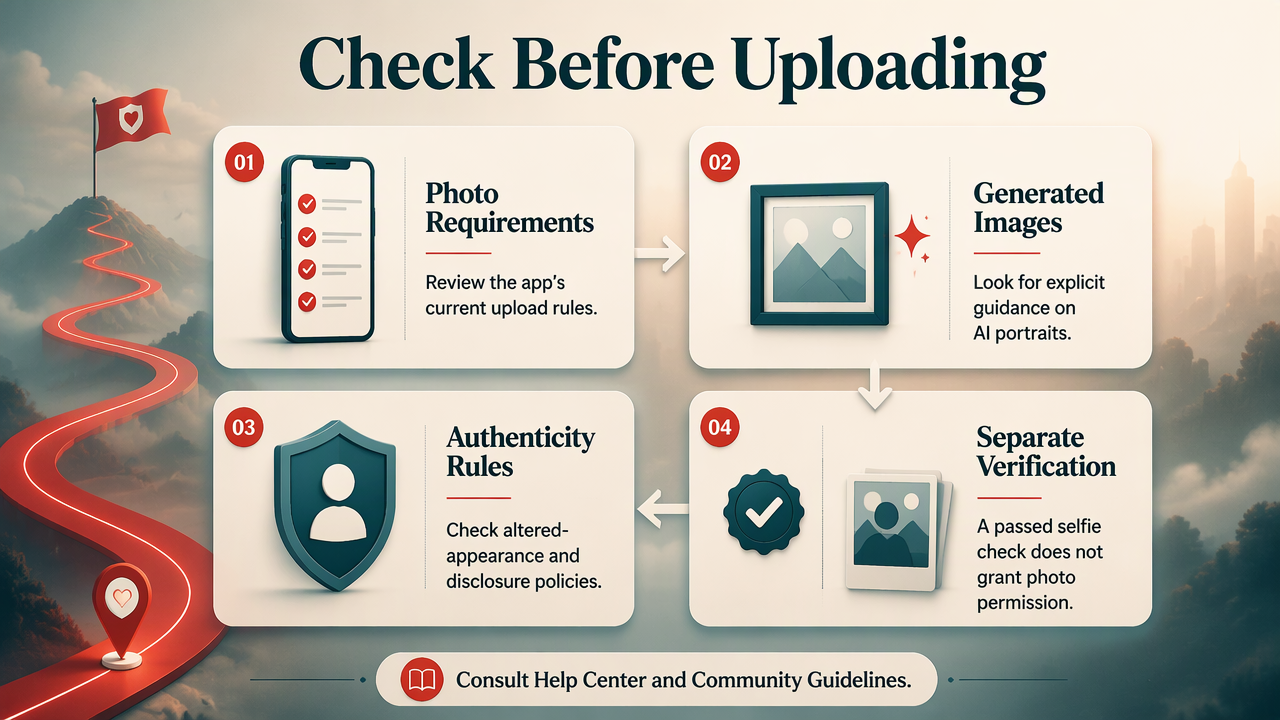
For a 2026 decision, consult the app's official Help Center and Community Guidelines. Look for explicit guidance on generated images, altered appearance, and disclosure. A policy allowing ordinary photo editing doesn't automatically settle whether fully generated portraits are allowed.
I wouldn't treat an accepted upload as proof of permission. Upload processing and policy compliance answer different questions.
A permission checklist before publishing
- Check the image category: Is it an edited camera photo or a generated scene?
- Read the relevant rules: Search official guidance for authenticity, AI, impersonation, and photo requirements.
- Check disclosure expectations: A label adds context but doesn't override a prohibition.
- Ask support if unclear: Describe the actual edit rather than calling everything a filter.
Passing verification and having permission to publish a particular image are separate decisions.
How should you complete photo verification?
- Open the dating app's official verification flow.
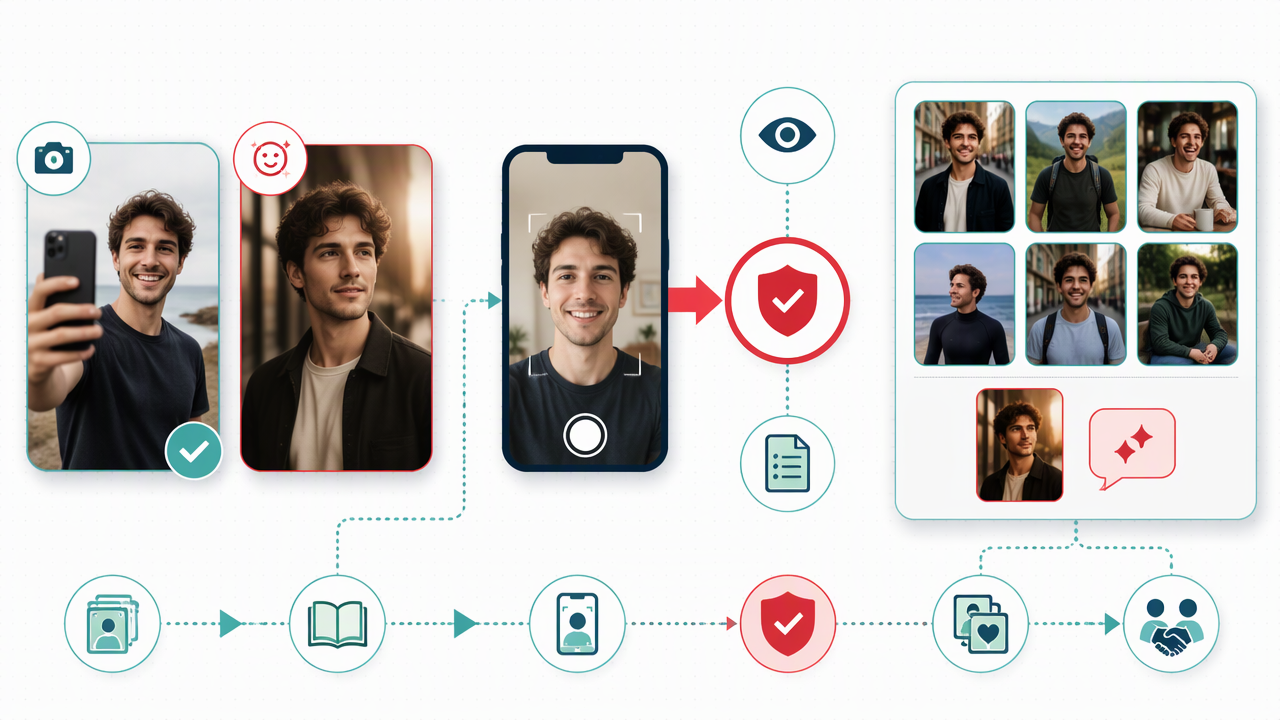
- Read its capture instructions and consent information carefully.
- Use your own live face in clear, even lighting.
- Follow requested movements or poses without substituting generated media.
- Submit through the app and use official support if verification fails.
Prepare the capture, not a replacement image
Use a clean camera lens, a stable phone position, and lighting that makes your face easy to see. Follow the specific instructions about glasses, framing, or head movement rather than copying advice for another platform.
If your appearance has changed, review your profile photos and the app's guidance. I recommend recent camera photos that reflect how you'll look on a date. Your verification session isn't the moment for cinematic lighting.
Use official support instead of workarounds
If the check fails, use the app's retry or appeal route. Don't substitute prerecorded footage, generated selfies, another person's face, or a manipulated camera feed. Those approaches defeat the purpose of an authentic check.
Before consenting, read the app's explanation of capture processing, retention, and deletion options. Different services can use different procedures; don't assume one app's privacy terms describe another.
The safest checklist improves capture conditions while keeping the person and the capture authentic.
How HotphotoAI handles this
HotphotoAI fits the portrait-creation side of this workflow, while the dating app remains responsible for its own verification process. I recommend treating creative portrait work and identity checks as separate tasks, with a clear purpose for each image.
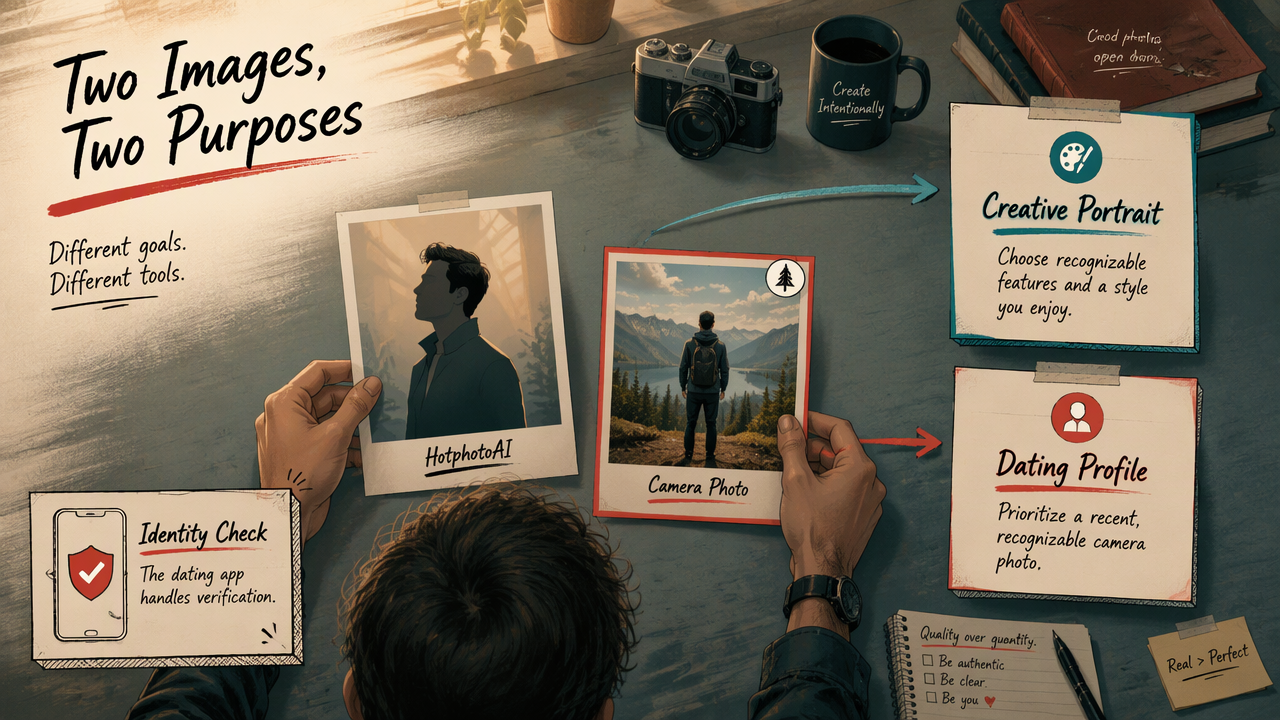
A useful creative brief starts with recognizable facial features and a style you enjoy. For example, you might explore a polished portrait concept for social media while choosing a recent outdoor camera photo for a dating profile. Different destinations deserve different image choices.
Build a portrait brief with a clear destination
- Dating profile: Prioritize recent, recognizable camera photos and review the app's rules.
- Social media: Explore expressive lighting, backgrounds, or fantasy concepts with suitable context.
- Professional profile: Choose a restrained presentation that reflects your current appearance.
For creative portrait ideas, visit hotphotoai.com with a specific brief: your intended platform, preferred style, and the impression you want to make.
FAQ: Trust, disclosure, and generated portraits
Trust depends on what an image represents and what an app actually checks, not just how convincing a portrait looks.
A clear photo choice and an honest description are more useful than asking a badge to explain everything.
Does a verification badge prove every photo is real?
No. Read the badge's meaning in that app's official guidance rather than assuming it authenticates every image detail. Identity matching, image provenance, and profile accuracy are different questions. A badge also doesn't establish someone's intentions, relationship status, or personal safety. Keep normal precautions when communicating and arranging a first meeting.
Can I use an AI portrait as my verification selfie?
Use an authentic live capture whenever the app requests one, rather than submitting a generated portrait. Follow the workflow presented by the service, including any requested poses or movements. If you need an accessibility accommodation or can't complete the process, contact official support instead of trying to manufacture a passing image.
Can people reliably spot AI dating photos?
Visual inspection alone shouldn't be treated as proof. The 2021 ACM Computing Surveys review by Yisroel Mirsky and Wenke Lee examines deepfake creation and detection. It's background research, not a 2026 dating-app benchmark. Neither unusual fingers nor flawless skin gives you a dependable verdict about a person's identity.
What should users watch for beyond 2026?
Watch official policy updates for changes to disclosure requirements, verification scope, and image-origin information. The 2022 survey by Thanh Thi Nguyen and colleagues covers deepfake creation and detection, but doesn't establish today's platform rules. I'd prioritize clearly stated permissions and privacy terms over predictions about perfect AI detection.
Conclusion
Start with three tasks: review your app's current photo rules, select recent camera images, and complete verification using an authentic live capture. Then give any creative portraits a clearly defined destination. Build a profile that helps someone recognize you across the café table, not just admire your lighting.