AI Professional Photo Generator: How to Create Credible Profile Photos in 2026
TL;DR
An AI professional photo generator works best when you treat it like a tiny photo shoot, not a magic vending machine. Use clear selfies, choose believable outfits and lighting, then review every image for realism before using it on a website, creator bio, speaker page, portfolio, or dating profile.
A good profile photo still does unfairly heavy lifting, and yes, it judges your haircut before anyone reads your bio. An AI professional photo generator turns casual selfies into polished portraits for online profiles, creator pages, portfolios, speaker bios, and personal websites. AI professional photo generator: software that uses artificial intelligence, often text-to-image or image-to-image models, to create or enhance realistic portrait images from uploaded photos and style prompts. For people who want model-style shots without booking a studio, HotphotoAI is built around that exact use case: better personal photos with controlled looks, outfits, and settings.
Table of Contents
What is an AI professional photo generator?
An AI professional photo generator creates polished portrait images by learning from your uploaded selfies and applying chosen styles, backgrounds, clothing, and lighting.
The broader category overlaps with AI art, which refers to visual work generated or enhanced through artificial intelligence programs, most often text-to-image models. Portrait tools narrow that idea to a practical goal: make you look credible, attractive, and recognizably yourself.
Research on AI in creative industries by Nantheera Anantrasirichai and David Bull reviewed how artificial intelligence supports image creation, editing, and media production workflows in Artificial Intelligence Review. That matters because profile photos now sit between photography, design, and personal branding.
Key insight: the best AI portrait is not the fanciest one. It is the one people believe for two seconds before they decide they like it.
How the process usually works
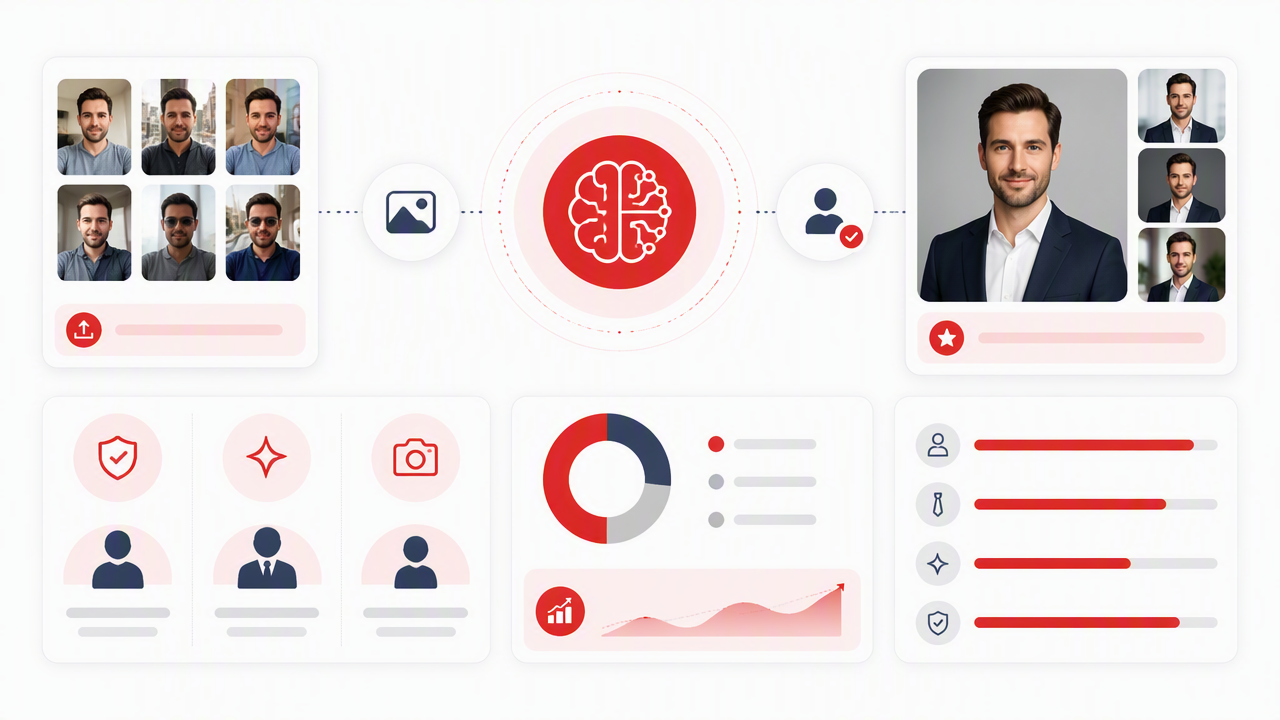
Most generators follow a simple flow:
- Upload several clear selfies or casual portraits.
- Pick a style, such as studio, lifestyle, fashion, corporate, creator, or fantasy.
- Choose clothing, background, and lighting preferences.
- Generate multiple images.
- Save only the ones that preserve your face, proportions, and vibe.
I recommend generating a set, not a single image. One photo can look lucky; five consistent photos look intentional.
Where should you use AI-generated professional photos?
AI-generated professional photos are best for public-facing profiles where polish matters but a formal studio headshot would feel too stiff.
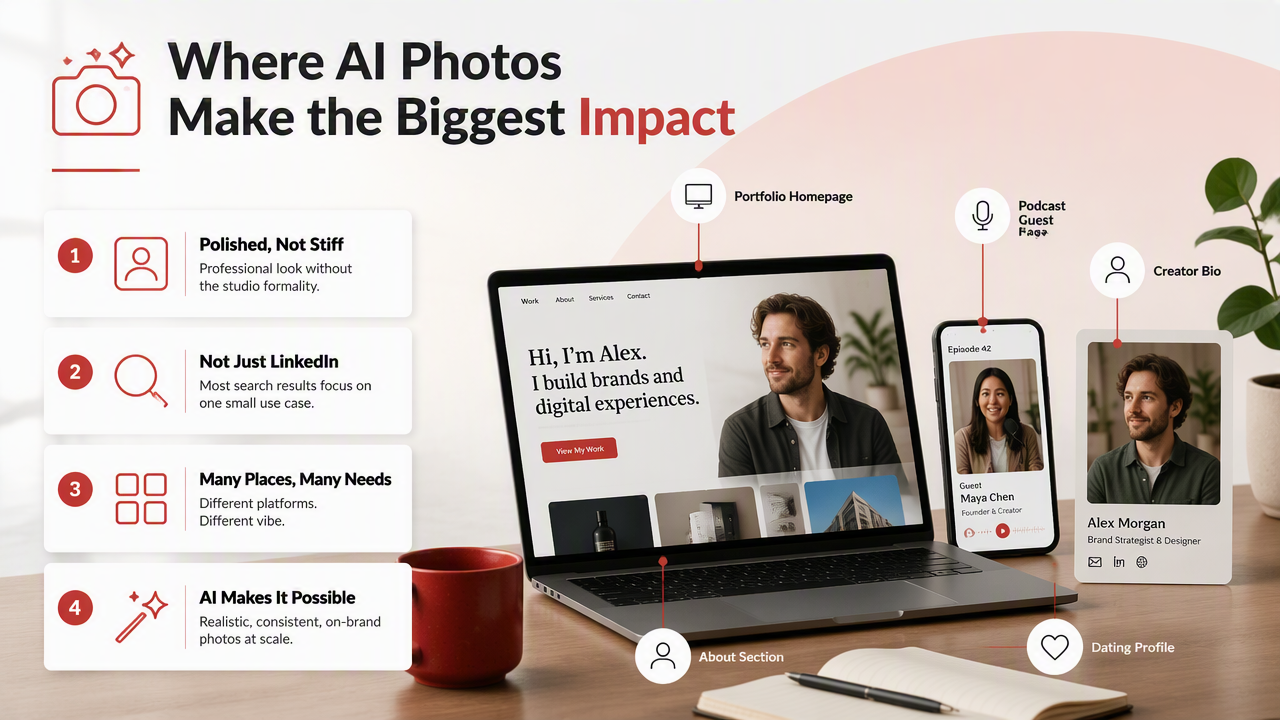
Most search results focus on LinkedIn-style headshots, but that is only one tiny corner of the problem. A creator bio, podcast guest page, About section, portfolio homepage, dating profile, or newsletter author box often needs something warmer, more stylish, and less "quarterly earnings call."
A 2023 paper on generative AI and human resource management by Pawan Budhwar, Soumyadeb Chowdhury, and Geoffrey Wood examined how tools like ChatGPT are reshaping workplace processes and research questions in the Human Resource Management Journal. Professional presentation now extends beyond resumes and offices into every place your identity appears online.
Best use cases beyond LinkedIn
- Personal websites: use one hero image and one more relaxed About-page image.
- Creator bios: match the photo to your niche, such as beauty, fitness, gaming, coaching, or travel.
- Speaker pages: choose clean lighting and direct eye contact so event organizers trust the image.
- Portfolios: use photos that match the tone of your work, not just your job title.
- Dating apps: pick approachable, natural shots over boardroom cosplay.
- Social platforms: create a consistent visual identity across avatars, banners, and pinned posts.
A good rule: if the page is trying to make a stranger trust, hire, follow, date, or book you, your photo deserves more than a cropped vacation picture.
What makes an AI professional photo credible?
A credible AI professional photo looks like a real image from a planned shoot, with natural expression, believable styling, clean lighting, and consistent facial details.
The uncanny stuff usually appears in small places: waxy skin, mismatched earrings, odd teeth, floating collars, or a jawline that has clearly hired its own PR team. Review images at full size before using them publicly.
Research by Laith Alzubaidi, Jinshuai Bai, and Aiman Al-Sabaawi surveyed deep learning tools, data scarcity, challenges, and applications in the Journal of Big Data. In plain English, AI output depends heavily on input quality, so blurry selfies rarely become believable portraits.
Credibility checklist for AI portraits
| Element | What to check | Good sign | Red flag |
|---|---|---|---|
| Expression | Face and eyes | Relaxed, alert, natural | Frozen smile or dead-eye stare |
| Clothing | Fit and context | Outfit matches your role or platform | Warped lapels, strange collars |
| Background | Setting and depth | Clean studio, office, street, or lifestyle scene | Random luxury room that feels fake |
| Lighting | Skin and shadows | Soft, directional, consistent | Plastic skin or glowing edges |
| Realism | Hands, teeth, hair, accessories | Details survive close inspection | Extra fingers, melted jewelry |
| Consistency | Multi-photo set | Same face across several images | Different person in every frame |
If you would feel awkward explaining the image as "basically me," don't use it. Your profile photo should upgrade reality, not file a fictional tax return.
Quick review routine before posting
Use this 60-second check:
- Zoom in on eyes, teeth, hands, hairline, and clothing seams.
- Compare the image with a real selfie to confirm facial match.
- Ask if the setting fits the platform.
- Remove anything that looks too glamorous for the context.
- Keep three to six images that feel like the same person.
For dating apps, I would rather use one slightly imperfect believable shot than a flawless image that screams "AI with a ring light addiction."
How to get better results from your photo generator
Better AI portraits come from better inputs, specific style choices, and ruthless editing after generation.
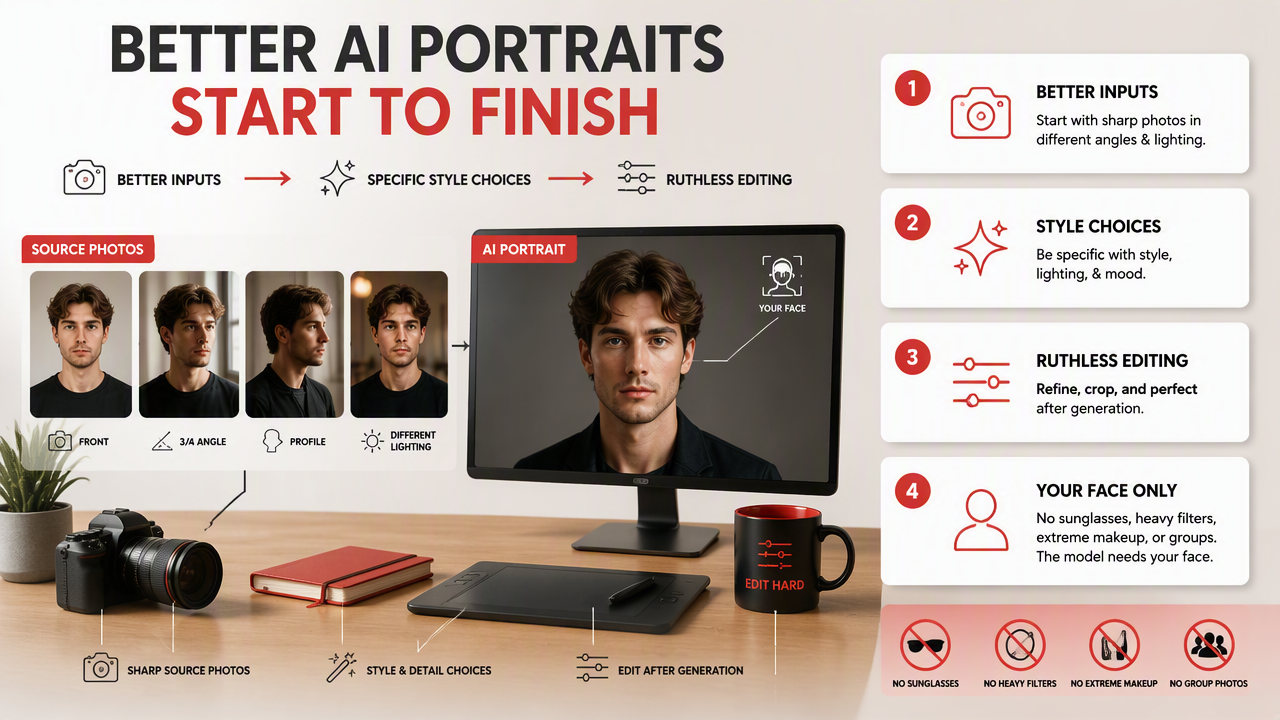
Start with sharp source photos taken in different angles and lighting. Avoid sunglasses, heavy filters, extreme makeup changes, and group photos. The model needs your face, not your brunch committee.
Use HotphotoAI when you want a controlled set of personal images for online profiles, stylized portraits, or glamour-inspired looks without organizing a traditional shoot. I like tools that let users experiment with outfits and backgrounds because the best final image often appears after testing a few directions, not after the first prompt.
Prompt and style choices that usually work
- For speaker pages: "confident portrait, neutral background, soft studio lighting, smart casual outfit."
- For creator bios: "warm lifestyle portrait, natural light, stylish outfit, clean background, approachable expression."
- For portfolios: "editorial portrait, simple setting, creative but realistic styling."
- For dating apps: "outdoor lifestyle photo, relaxed smile, natural lighting, casual outfit."
Keep prompts grounded. "Luxury CEO on a marble balcony during golden hour" may look expensive, but it can also look like you were generated by a hotel brochure.
Common mistakes to avoid
Do not use one AI photo everywhere. Repetition makes your profiles feel flat, and it can make the image look more synthetic.
Avoid photos where your face changes too much between images. People can forgive a flattering angle. They get suspicious when your nose, eye spacing, and age range rotate like a character selection screen.
Also skip overly perfect skin. Real skin has texture, and texture is not the enemy. In 2026, believable beats airbrushed.
What should you expect from AI profile photos in 2027?
AI profile photos in 2027 will likely become more consistent, more personalized, and more integrated into personal branding workflows.
Expect users to generate full visual sets: headshots, lifestyle portraits, banner images, thumbnails, and platform-specific crops from one session. The winning tools will not just create pretty images. They will help people look coherent across a website, creator profile, pitch deck, dating app, and social feed.
The HotphotoAI platform fits that direction because profile imagery is moving from single headshots to flexible personal image libraries. For brand recall, you can also head to hotphotoai.com when you are ready to test different looks.
AI photo tools compared by output goal
| Output goal | Best style direction | Where it fits |
|---|---|---|
| Trustworthy bio photo | Clean background, direct eye contact | Personal sites, newsletters, speaker pages |
| Attractive lifestyle portrait | Natural light, relaxed pose | Dating apps, Instagram, creator profiles |
| Polished work image | Smart casual outfit, subtle retouching | Portfolios, About pages, proposals |
| Stylized personal brand shot | Editorial lighting, stronger outfit choice | YouTube, podcasts, media kits |
The smart move is building a set with range. One image says, "Here I am." A set says, "I know exactly how I want to be seen."
FAQ about AI professional photo generators
AI photo tools are useful when you understand what they can improve and what still needs human judgment.
Can I use AI-generated photos for professional profiles?
Yes, you can use AI-generated photos for professional profiles if the image is accurate, realistic, and appropriate for the platform. For personal websites, speaker bios, portfolios, and creator pages, a polished AI portrait can work well. Avoid images that dramatically change your face, age, body shape, or identity.
How many source photos should I upload?
Upload several clear selfies or portraits with different angles, expressions, and lighting. More variety usually helps the generator understand your face better, though quality matters more than quantity. Skip blurry photos, heavy filters, sunglasses, and group shots because they add confusion instead of useful detail.
Are AI headshots good for dating apps?
AI portraits can help dating profiles when they look natural, warm, and believable. Choose lifestyle images over formal office shots, and mix them with real photos if possible. The goal is not to look like a luxury watch ad. The goal is to look like your best, still-human self.
How do I know if an AI photo looks fake?
Check the eyes, teeth, hands, ears, jewelry, hairline, and clothing seams. Fake-looking images often have plastic skin, warped fabric, mismatched accessories, or inconsistent facial structure across a set. If friends say it looks impressive but not quite like you, pick a more grounded version.
Conclusion
An AI professional photo generator is worth using when you want polished images without the cost, scheduling, or awkward small talk of a studio shoot. Start with strong selfies, choose believable styles, build a consistent set, and inspect every detail before posting. If you want model-style, lifestyle, or profile-ready images, visit hotphotoai.com and create a few looks for the platforms where your photo matters most.