AI Profile Picture Generator for LinkedIn: How to Look Professional, Not Plastic
TL;DR
Use an AI LinkedIn photo when you need a polished headshot quickly, but keep it believable: sharp face detail, natural lighting, realistic clothing, and a background that fits your industry. Avoid glamour edits, fantasy styling, and anything that looks more like a dating profile than a professional introduction.
Your LinkedIn photo is a tiny square doing a strangely big job: it signals trust before anyone reads your headline. An AI profile picture generator for LinkedIn can turn casual selfies into polished business portraits without booking a studio, changing outfits six times, or pretending you enjoy fluorescent office lighting. Tools like HotphotoAI are useful when you want professional, lifestyle, or model-style images that still look like you on a good Tuesday.
Table of Contents
What is an AI profile picture generator for LinkedIn?
An AI profile picture generator for LinkedIn is a tool that creates or edits a professional-looking headshot from user photos, usually by adjusting clothing, background, lighting, pose, and image style while keeping the person recognizable.
AI profile picture generator: software that uses generative artificial intelligence to create a polished personal image for online identity, branding, or profile use.
A LinkedIn-ready generator is different from a general avatar maker. In computing, an avatar is a graphical representation of a user or persona, but a LinkedIn headshot should usually look photographic, current, and credible rather than cartoonish.
Key insight: the goal is not to look unrealistically perfect. The goal is to remove distractions so your face, role, and confidence are easy to understand.
Academic work on generative AI reminds us to stay alert. Rudolph, Tan, and Tan examined ChatGPT and assessment concerns in 2023, highlighting how AI outputs can appear fluent while still needing human judgment in the Journal of Applied Learning & Teaching. That same idea applies to headshots: convincing output still needs your eye.
HotphotoAI fits this use case when you want a polished portrait without the full photoshoot ritual. I'd still compare several versions before choosing one, because the best LinkedIn image usually feels calm, not try-hard.
How do you make an AI LinkedIn photo look credible?
A credible AI LinkedIn photo looks like a real professional portrait: recognizable face, natural skin texture, clean composition, industry-appropriate clothing, and lighting that does not scream synthetic showroom.
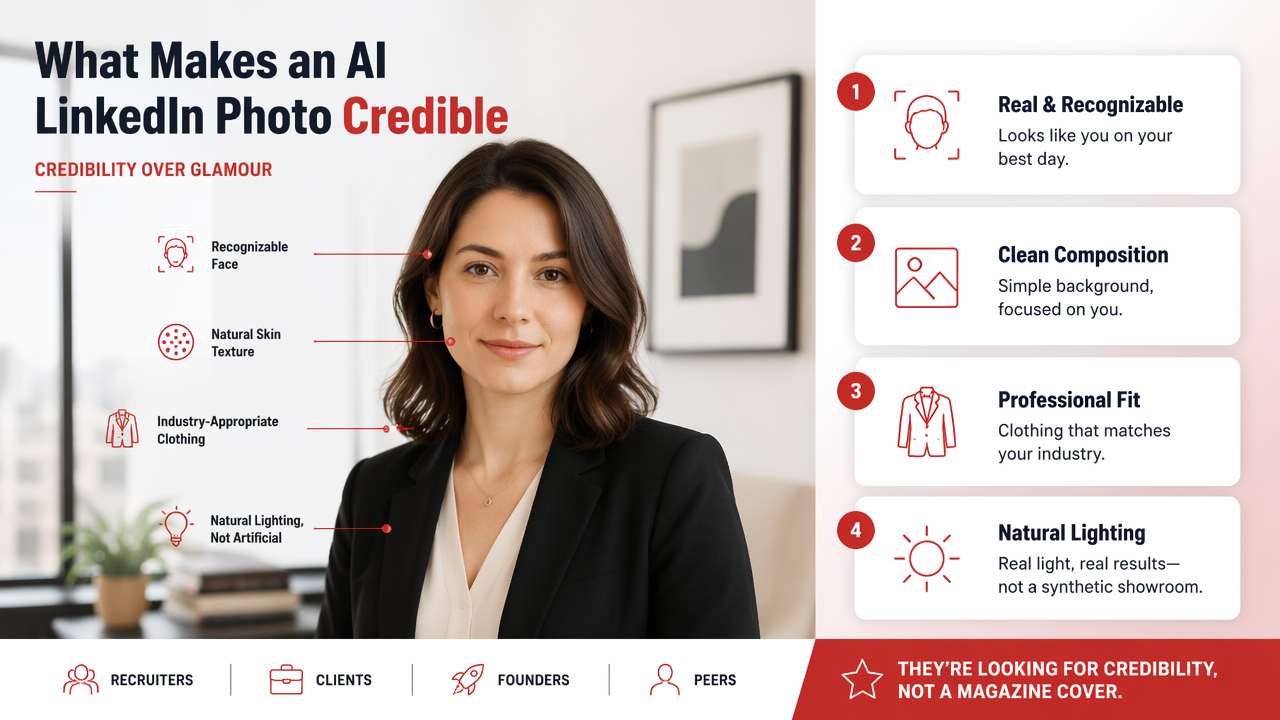
Credibility matters more than glamour. Recruiters, clients, founders, and peers are not looking for a magazine cover. They're looking for a person they might trust with a meeting, a budget, a team, or a reply.
Credibility checklist for AI headshots
| Element | Good LinkedIn choice | Risky choice |
|---|---|---|
| Face | Clearly recognizable, natural expression | Over-smoothed, changed features |
| Clothing | Blazer, knit, shirt, role-appropriate outfit | Costume, clubwear, loud novelty style |
| Background | Office, neutral wall, soft city setting | Fantasy scene, mansion, fake boardroom |
| Lighting | Soft, even, realistic | Glossy, dramatic, plastic-looking |
| Crop | Head and shoulders, centered | Full-body fashion pose |
| Mood | Approachable and competent | Seductive, theatrical, or aloof |
Use LinkedIn's context as your filter. A product designer can use a softer creative portrait. A CFO probably needs a cleaner, more conservative look. A founder can lean confident and modern, but should avoid looking like they were generated inside a luxury watch ad.
Quick process for a stronger result
- Start with 8 to 15 clear source photos from different angles.
- Choose styles that match your actual job and target audience.
- Generate several options, not just one lucky image.
- Reject images with odd eyes, teeth, hands, collars, or hairlines.
- Ask one blunt friend which image still looks like you.
- Upload the final version at a high resolution and check the circular crop.
Research on AI ethics in high-stakes fields is useful here. Stefan Harrer's 2023 article in EBioMedicine discusses the complicated case of ethically using large language models in healthcare and medicine via DOI. LinkedIn photos are lower stakes, thankfully, but honesty still matters.
What styles should professionals avoid?
Professionals should avoid AI LinkedIn photos that look overproduced, misleading, flirtatious, fantasy-based, heavily filtered, or inconsistent with how they would appear in a real meeting.
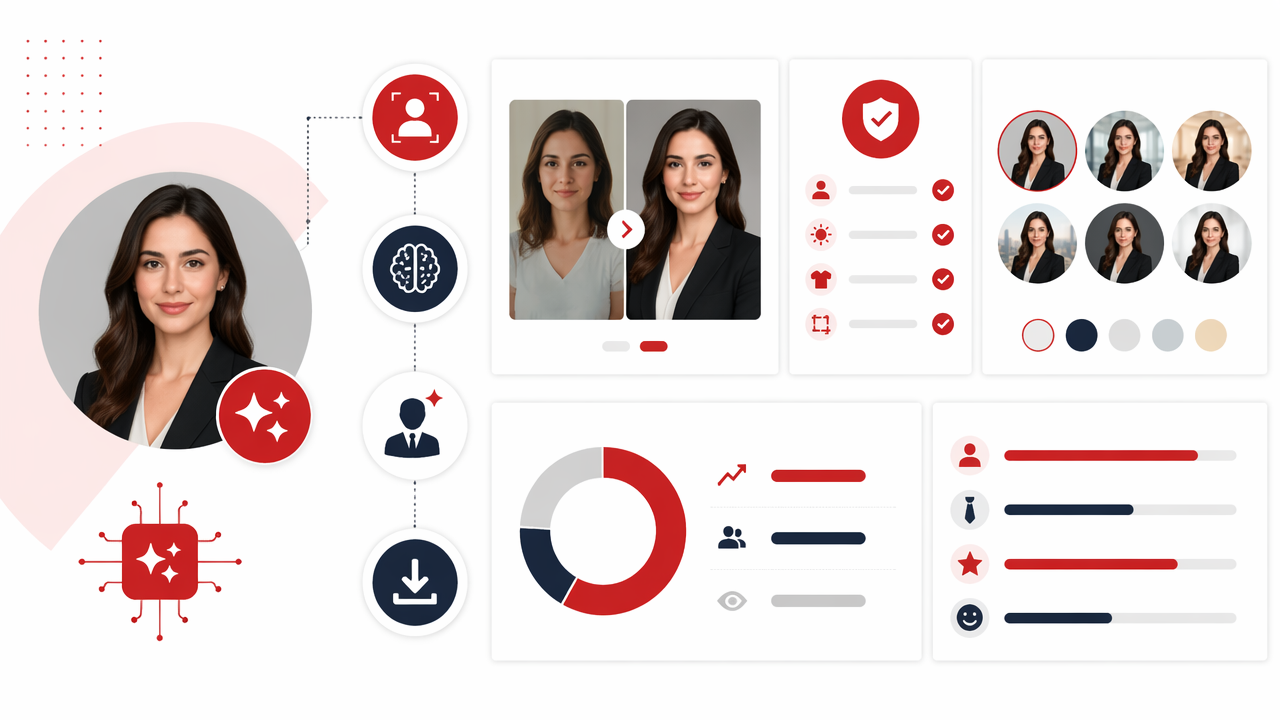
Some AI portraits fall into what researchers and internet critics call AI slop: mass-produced generative content perceived as low-effort, low-quality, or lacking meaning. On LinkedIn, that usually means a face that looks waxy, a suit that melts at the lapel, or a background that says executive spaceship.
LinkedIn styles that often backfire
- Glamour portraits: useful for personal branding in some creative fields, but often too polished for corporate trust.
- Dating-app energy: tilted poses, heavy retouching, intense stares, and nightclub lighting feel misplaced.
- Fantasy backgrounds: castles, cyberpunk cities, luxury jets, and fake penthouses distract from your actual work.
- Over-formal stock-photo looks: a stiff handshake pose can feel less authentic than a simple head-and-shoulders crop.
- Unrealistic age changes: looking 12 years younger online can create awkward first-call dissonance.
A lifestyle portrait can work, but only if it supports your professional story. A consultant in a bright workspace looks credible. A lawyer on a beach at golden hour may look like they are selling a retreat, not legal judgment.
My rule: if the image would make a hiring manager pause for the wrong reason, save it for another platform.
The safest style is not boring. It's specific. A clean studio-style image, a modern office portrait, or a natural outdoor business headshot can all work when the expression and wardrobe match the role.
How should you choose source photos and compare outputs?
You should choose source photos that clearly show your current face from multiple angles, then compare AI outputs for realism, role fit, recognizability, and LinkedIn crop quality.
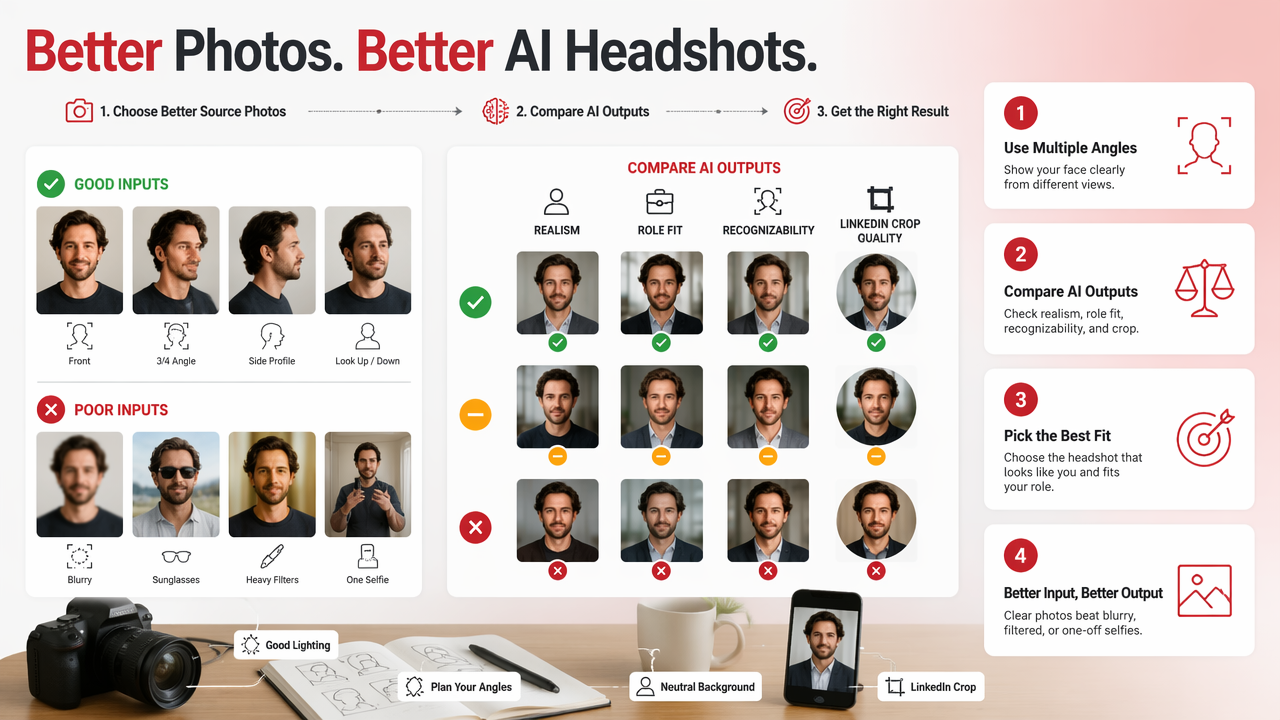
A generator can only do so much with blurry photos, sunglasses, heavy filters, or one heroic bathroom selfie. Feed it better inputs and you'll get fewer strange surprises. The machine may be clever, but it is not your mother; it will not know which version actually looks like you.
Best source photos to upload
- Use recent photos, ideally from the past 12 to 18 months.
- Include front-facing, three-quarter, and slight side angles.
- Pick images with clear eyes, visible hairline, and normal expressions.
- Avoid hats, sunglasses, heavy makeup filters, and extreme shadows.
- Include different lighting conditions, but keep the face sharp.
When testing outputs with HotphotoAI, I'd sort results into three groups: safe, strong, and too much. The safe group is useful for LinkedIn. The strong group may work for a personal website or speaker bio. The too-much group can still be fun, just not always boardroom-friendly.
Output comparison framework
| Test question | Keep it if... | Reject it if... |
|---|---|---|
| Does it look like you? | Friends would recognize you quickly | Your face shape or age changed a lot |
| Does it fit your field? | Clothing matches normal expectations | Outfit feels like a costume |
| Does it crop well? | Face stays clear in a circle | Head is too small or off-center |
| Does it show trust? | Expression feels relaxed and alert | Smile, eyes, or posture feel uncanny |
In 2026, the best results come from treating AI as a photo studio assistant, not a replacement for taste. By 2027, expect more tools to add identity consistency controls, clearer AI-image disclosure options, and better style presets for professions such as sales, healthcare, finance, design, and tech.
What questions should you ask before uploading your new photo?
You should ask whether the photo looks like you, fits your industry, supports your career goal, and would feel honest if you met someone from LinkedIn in person the next day.
Is an AI LinkedIn photo acceptable?
Yes, an AI LinkedIn photo is acceptable if it is realistic, current, and not deceptive. Treat it like professional retouching: cleaning up lighting and background is fine, but changing your face, age, body, or identity can damage trust when people meet you.
Should my LinkedIn photo be formal or casual?
Your LinkedIn photo should match your audience. Corporate, finance, law, and executive roles usually need a more formal look. Creative, startup, coaching, and creator roles can use warmer lifestyle portraits, as long as the image still reads as professional rather than social-first.
How many AI headshots should I generate before choosing one?
Generate enough options to compare patterns, not just favorites. I'd review at least 10 to 20 outputs if the tool allows it, then narrow to three. Check each finalist at thumbnail size, because LinkedIn users often see your photo small in comments, search, and connection requests.
Can I use the same AI photo on LinkedIn, resumes, and company pages?
Yes, one strong professional image can work across LinkedIn, resumes, speaker bios, and company pages. For more personal platforms, you may want a warmer lifestyle version. Keep the LinkedIn image the most restrained, since it often serves the widest professional audience.
Conclusion
A strong AI-generated LinkedIn photo should pass a simple test: it looks like you, only better lit, better framed, and less dependent on the office ceiling bulb. Start with clear source images, choose a style that fits your actual work, and reject anything that feels too glamorous, too fictional, or too smooth to be human. If you want to create polished options without booking a studio, try HotphotoAI and compare several professional styles before uploading your final pick. For more portrait ideas, visit hotphotoai.com and choose the image you'd feel confident seeing next to your next connection request.