AI Real Estate Agent Portraits: A Brokerage-Ready Guide
TL;DR
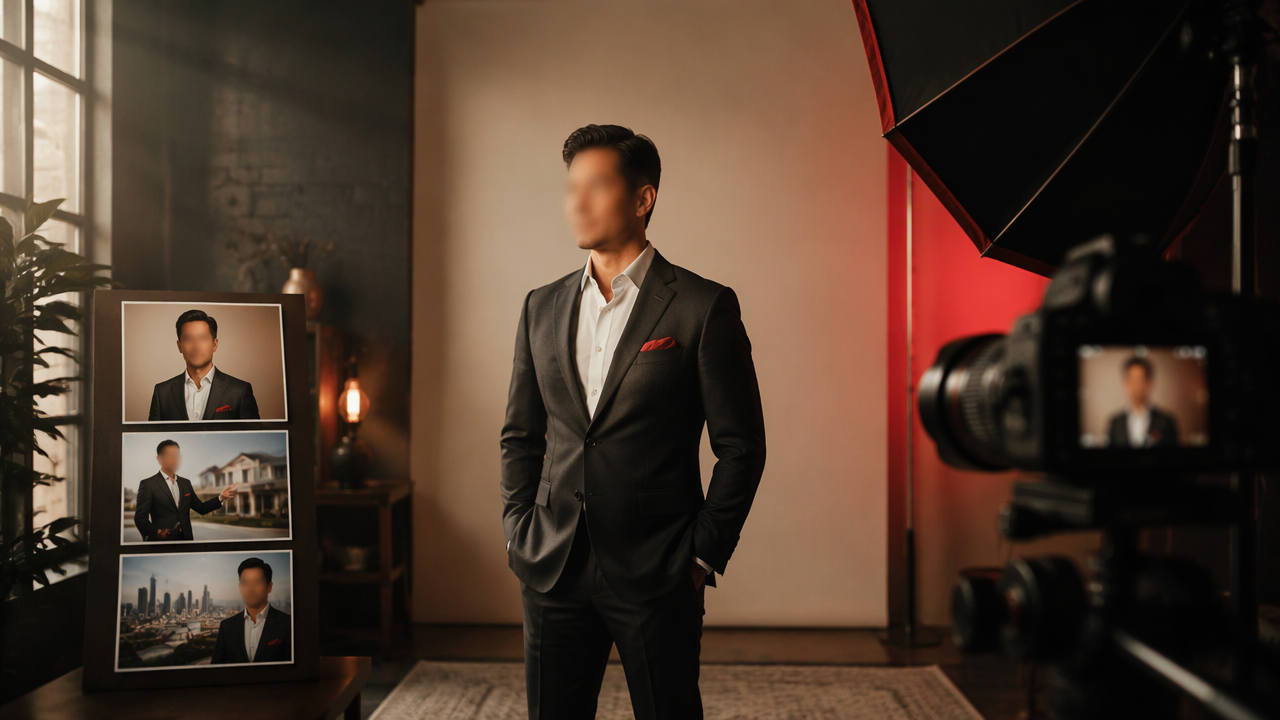
Build a coordinated portrait set around your real appearance, brokerage colors, and neutral backgrounds. Use separate crops for biographies, presentations, and local marketing, then get brokerage approval before publishing; choose real photography when the location itself matters.
Your portrait should sell your professionalism, not a fictional penthouse. AI real estate agent portraits can give brokerage biographies, listing presentations, and neighborhood marketing a coordinated look without organizing a separate shoot for every format. I'd start with a clear creative brief, then explore HotphotoAI for personal portrait creation around that brief.
AI agent portrait: An AI-generated or AI-assisted image of a real estate professional, created from reference photos or editing instructions for use in personal marketing.
Table of Contents
What are AI real estate agent portraits?
AI real estate agent portraits are generated or edited personal images designed for an agent's professional marketing. They can vary clothing, lighting, framing, and backgrounds while aiming to preserve recognizable identity. Their purpose is consistent presentation across channels, not proof that an agent visited, listed, or sold a particular property.
A useful distinction separates personal branding from property documentation. A neutral studio background establishes a visual style. A recognizable luxury home introduces a claim about place, even when the caption says nothing about ownership.
Research provides background, not a verdict on which portrait service works best. The 2021 review Artificial intelligence in the creative industries, by Nantheera Anantrasirichai and David Bull, addresses AI in creative work. The 2021 paper AI-generated characters for supporting personalized learning and well-being, by Pat Pataranutaporn and colleagues, concerns generated characters in a different setting. Neither should be treated as evidence of real estate conversion gains.
Treat the portrait as a brand asset, not evidence of a transaction.
Which portraits belong in your marketing set?
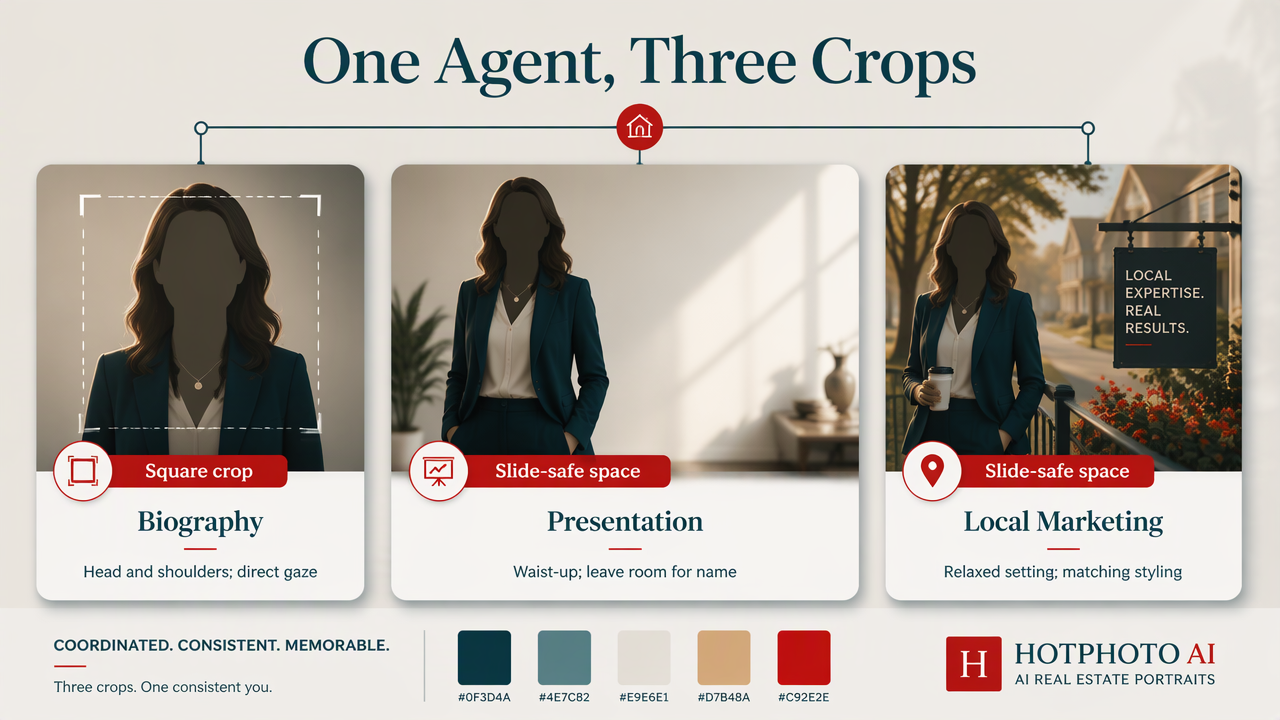
A useful agent portrait set includes a close headshot, a presentation portrait, and a relaxed local-marketing image with matching styling. I recommend planning the placements first. Otherwise, you may get an attractive vertical portrait that leaves precisely no room for your name on a horizontal slide.
A coordinated shot list by placement
Each shot should solve a distinct layout need while looking like part of the same collection.
| Placement | Suggested shot | Background and framing |
|---|---|---|
| Brokerage biography | Head and shoulders, direct gaze | Neutral background; room for square crop |
| Listing presentation | Waist-up, relaxed stance | Simple office-style setting; space beside agent |
| Local marketing | Friendly, smart-casual portrait | Generic outdoor setting, not an identifiable listing |
| Business card or sign | Clear, close portrait | Uncluttered backdrop; readable at small size |
Give every image the same overall lighting direction and color treatment. Match the formality to your actual work: a residential neighborhood specialist needn't look like they're announcing a corporate merger.
Brand-consistency checklist
Consistency comes from repeatable choices rather than identical poses.
- Wardrobe: Pick one formal outfit and one compatible casual look.
- Palette: Use brokerage-approved colors as accents.
- Expression: Keep your usual smile and approachable posture.
- Background: Choose a small family of neutral settings.
- Layout: Reserve space for names, titles, and brokerage identification.
Keep logos and contact details in the design layer rather than asking the image generator to render them.
How do you produce a consistent portrait set?
- Choose recent reference photos showing your current appearance.
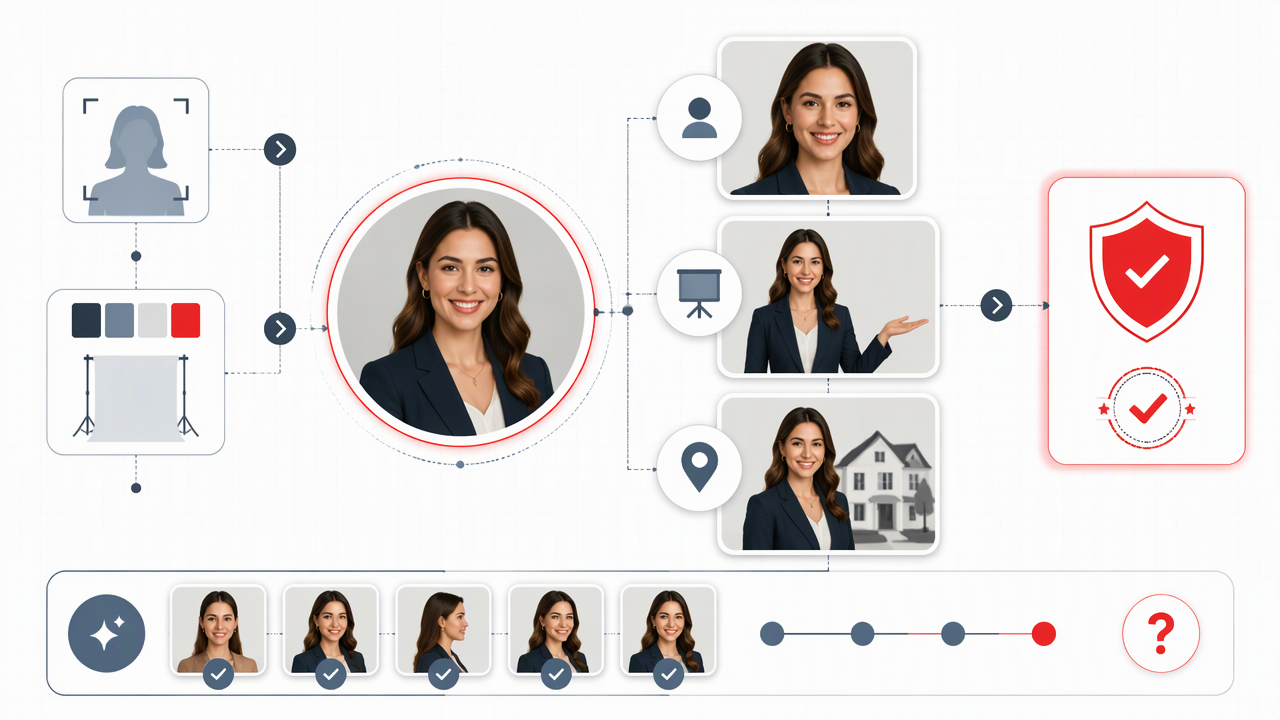
- Write one shared brief for wardrobe, lighting, and background.
- Generate a small initial set before expanding styles.
- Compare each portrait with your reference photos.
- Crop approved candidates for their intended placements.
- Save the brief and selected files for future updates.
A reusable brief for your first batch
A specific brief makes review easier because you can judge each candidate against the same target.
Try: Professional residential real estate agent portrait, navy blazer, cream shirt, natural smile, soft daylight, plain warm-gray background, head-and-shoulders composition, space around the head for cropping.
Use clear, well-lit references with different views of your face. I'd separate selection from styling: first choose images that resemble you, then decide which best match your brand.
How HotphotoAI fits the portrait workflow
HotphotoAI can serve as the personal-image creation step within a broader branding process. Bring your shot list and styling brief to the platform, and assess the available options against your planned placements. For this use case, I'd prioritize professional portraits and restrained lifestyle styling over fantasy concepts.
Your brokerage template remains the organizing layer. Once you've selected a coordinated set, place the portraits into approved biography, presentation, and marketing layouts so the whole collection feels deliberately designed.
How should your brokerage approve portraits?
- Submit portraits alongside their proposed captions and layouts.
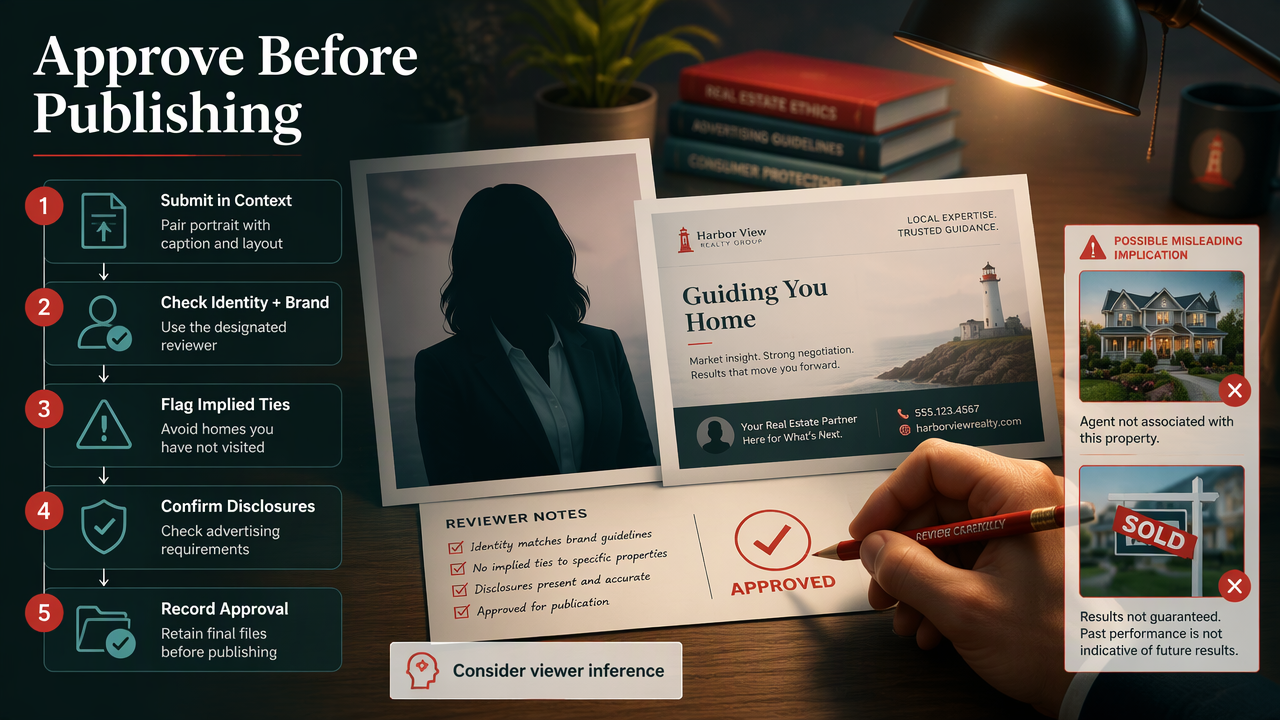
- Ask the designated brokerage reviewer to check identity and branding.
- Flag any generated setting that could suggest a property connection.
- Confirm applicable advertising and disclosure requirements.
- Record approval and retain the final files before publishing.
Misleading edits to reject
The review should cover what viewers might reasonably infer, not just whether the face looks convincing.
- Invented access: Placing yourself inside an identifiable home you haven't visited.
- Invented results: Adding a sold sign beside a property without a supported transaction.
- Invented affiliation: Generating brokerage logos, awards, or credentials you don't hold.
- Identity drift: Changing facial features enough that clients may not recognize you.
A generic architectural background can also become misleading when paired with a caption implying a real listing. Review the image and copy together.
A clear approval record
An approval record gives your team a repeatable publishing process.
Save the portrait, intended channel, accompanying copy, reviewer, and approval date together. Ask your brokerage which disclosures and advertising rules apply in your jurisdiction; don't assume one policy covers every platform or market.
FAQ: Practical decisions before publishing
The best production method depends on whether the image needs to establish identity, style, or a real connection to a place.
Should I use AI portraits or hire a photographer?
I'd use generated portraits for controlled branding variations and hire a photographer when the setting is part of the story. Team interactions, an actual office, and a property visit benefit from documenting the real scene. You can also combine methods: photograph the location work and use generated portraits for neutral profile layouts.
Do agent portraits need an AI disclosure?
Disclosure requirements depend on the applicable rules, platform policies, brokerage standards, and image context. Ask your brokerage reviewer rather than assuming a universal answer. Where clarification is appropriate, use plain language that describes the image accurately. A disclosure doesn't make an otherwise misleading property or transaction claim acceptable.
What should I check before uploading reference photos?
Check the provider's current privacy terms, retention policy, deletion options, and permitted commercial uses before uploading. Use photos you have permission to submit, and keep clients, documents, and identifiable bystanders out of the references. Confirm that the available export quality suits your planned print and digital placements.
Conclusion
A coordinated portrait set gives every channel a clear visual identity. Start with the four-shot brief above, choose your wardrobe palette, and nominate a brokerage reviewer.
Explore HotphotoAI to begin creating AI real estate agent portraits, or head to hotphotoai.com with your brief ready. Build one small set first, then turn your approved selections into reusable marketing assets.