AI Suit Photo Generator: How to Create Professional Suit Photos That Still Look Like You
TL;DR
An AI suit photo generator is best for upgrading casual selfies into polished profile images, as long as you keep the outfit, pose, and lighting believable. Use formal looks for LinkedIn and resumes, softer lifestyle styling for dating apps, and avoid plastic-smooth edits that make people wonder what happened to your pores.
A great suit photo can make a profile feel instantly more credible, but booking a photographer just to look employable in navy wool is not everyone's dream weekend. An AI suit photo generator turns an existing selfie into a polished portrait with business attire, studio-style lighting, and cleaner backgrounds. With HotphotoAI, users can test professional, lifestyle, glamour, or model-style looks without renting a studio or pretending a conference hallway is a photoshoot location.
Table of Contents
What is an AI suit photo generator?
An AI suit photo generator is a tool that converts a regular portrait or selfie into a dressed-up image where you appear to wear a suit, blazer, shirt, or formal outfit. It usually changes clothing, background, lighting, and styling while keeping your face recognizable enough for online profiles.
AI suit photo generator: software that uses generative artificial intelligence to create a formal portrait from an uploaded image, often adding business clothing and studio-style presentation.
A suit, also called a business suit or lounge suit, is traditionally a matching jacket and trousers worn with a collared shirt. In AI portraits, the idea is broader: the output may include blazers, dress shirts, ties, smart casual jackets, or executive-style outfits.
Key insight: The goal is not to look like a different person in expensive fabric. The goal is to look like the best-lit, best-dressed version of yourself.
Modern tools sit at the intersection of portrait editing, image generation, and personal branding. Research on deep neural networks by Samek, Montavon, and Lapuschkin in Proceedings of the IEEE reviews how these systems process complex visual patterns, which helps explain why AI can alter clothes and lighting while preserving identity cues like facial structure and expression (source).
How do AI suit photos work?
AI suit photos work by reading the uploaded image, identifying the person, then generating a new portrait with different clothing, lighting, and background details. The best results come from clear face data, natural posture, and style instructions that fit the platform where the photo will be used.
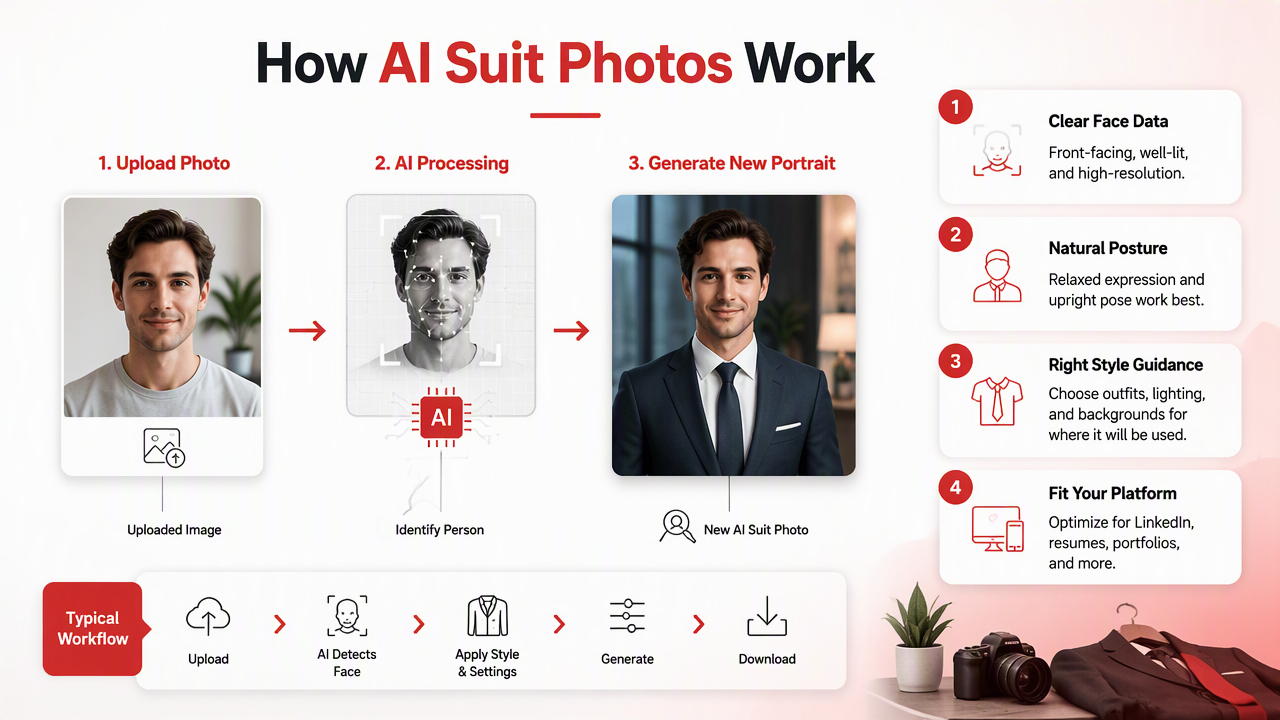
A typical workflow looks like this:
- Upload a clear selfie or portrait. Use a front-facing image with visible eyes, natural expression, and no heavy filters.
- Choose a style. Pick business formal, smart casual, executive, creative professional, or dating-profile polished.
- Set the context. Add prompts such as "charcoal suit, white shirt, soft studio lighting" or "navy blazer, outdoor city background."
- Generate multiple options. One image is a lottery ticket. Ten images are a useful shortlist.
- Review identity accuracy. Check the eyes, jawline, hairline, hands, collar, and shoulders.
- Export the most believable version. Choose the image that looks professional, not suspiciously airbrushed by a robot with a fashion degree.
Image-generation tools do not "dress" you in the literal sense. They predict what a plausible finished portrait should look like based on the input image and the selected style. That is why source quality matters so much.
Research on explainable AI in medical image analysis by van der Velden, Kuijf, and Gilhuijs highlights a broader point: image-based AI systems can produce impressive outputs, but users still need review steps because visual models are not human judgment (source). For profile photos, your review is the quality control layer.
Where should you use AI suit photos?
AI-generated suit photos are most useful on platforms where visual trust, polish, and first impressions matter. LinkedIn, resumes, business websites, dating apps, creator profiles, and speaker bios all benefit from different levels of formality, so one image should not do every job.
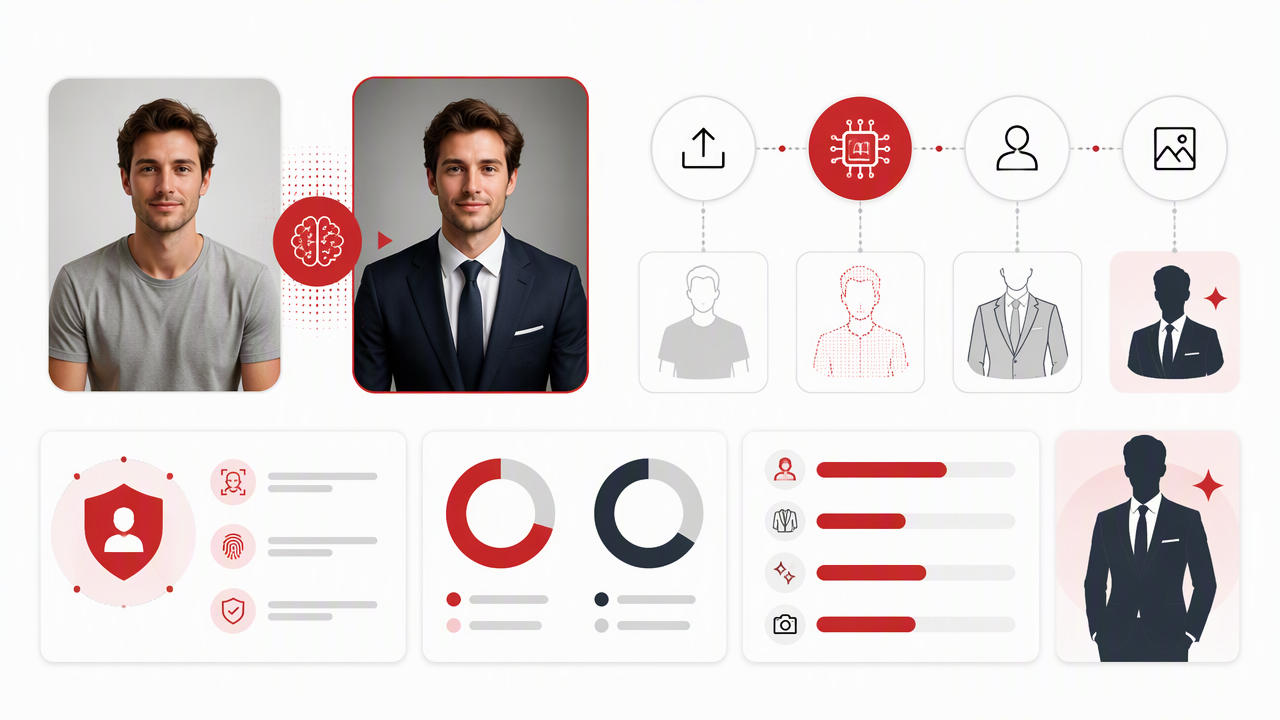
Best suit styles by platform
| Platform | Best suit style | What to avoid | Why it works |
|---|---|---|---|
| Navy, charcoal, or black blazer with clean background | Nightclub lighting or fantasy edits | Signals competence without shouting "boardroom cosplay" | |
| Resume or CV | Conservative suit, neutral backdrop, direct eye contact | Cropped selfies or dramatic poses | Keeps attention on credibility and clarity |
| Dating apps | Smart casual blazer, relaxed expression, warmer background | Overly corporate headshots | Looks attractive without feeling like a quarterly report |
| Personal brand site | Stylish suit, controlled lighting, branded color tone | Generic stock-photo styling | Creates a consistent public image |
| Creator profile | Fashion-forward blazer, expressive pose, creative background | Too much formality | Adds polish while keeping personality visible |
How HotphotoAI handles profile-ready suit styles
The HotphotoAI platform is useful when you want several versions of the same "you": polished LinkedIn, confident dating profile, stylish creator portrait, or formal business headshot. I'd use it when the problem is not your face, but the fact that your best photo was taken in a kitchen with heroic overhead lighting.
For online identity, consistency matters. A polished suit image should match your written profile, industry, age, and personality. A junior designer in a black turtleneck and relaxed blazer may look more credible than the same person in a stiff three-piece suit. A finance consultant, meanwhile, can usually go more formal without looking misplaced.
How do you create realistic suit photos without over-polishing?
You create realistic suit photos by starting with a strong source image, choosing believable clothing, and rejecting outputs that smooth away human detail. The best portrait should pass a simple test: if a colleague saw it, they would think you had a good photographer, not a secret twin.
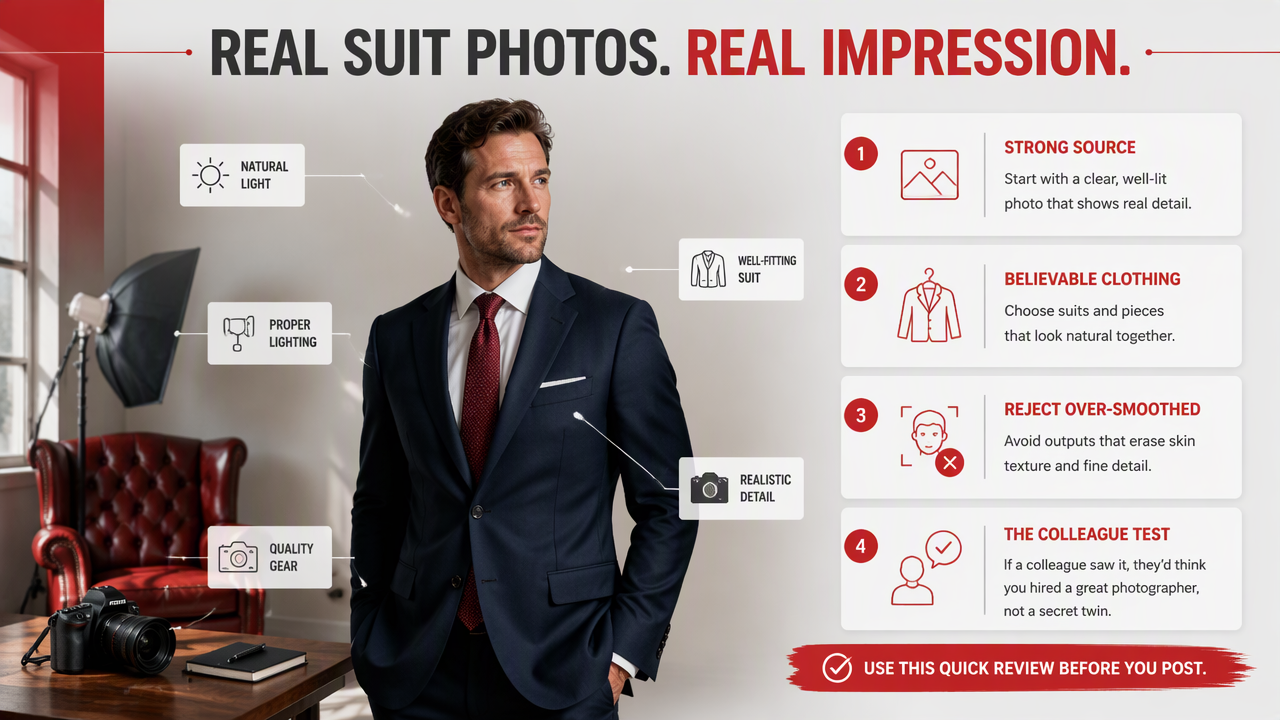
Realism checklist before you export
Use this quick review before posting the image anywhere public:
- Face match: Your eyes, smile, jawline, and skin texture still look like you.
- Suit fit: Lapels, shoulders, collar, and tie alignment look physically possible.
- Lighting: Face, shirt, and jacket share the same light direction.
- Hands and edges: Fingers, ears, hair, and glasses are not warped.
- Background: The setting matches the use case, not a luxury hotel lobby for a junior internship application.
- Expression: Friendly beats frozen. Confident beats "I have just been notarized."
Avoid using the most dramatic output just because it looks expensive. Over-polished images can create a trust gap, especially on LinkedIn, resumes, and dating apps. People expect enhancement now, but they still notice when skin looks waxy, collars melt, or a tie appears to have lost a fight with physics.
Practical rule: If the suit is the first thing people notice, tone it down. If your expression is the first thing they notice, you are closer to the right result.
What to expect in 2027
By 2027, suit photo tools will likely become more context-aware, with better control over fabric, fit, pose, and platform-specific image crops. Research on metaverse applications by Park and Kim in IEEE Access describes broader movement toward more immersive digital identity systems, which aligns with rising demand for realistic personal avatars and profile imagery (source).
Expect stronger identity preservation, better editing transparency, and more style presets for different professional cultures. The winning tools will not just make people look formal. They will help people look appropriate.
FAQ: AI suit photo generator questions
Can I use an AI suit photo for LinkedIn?
Yes, you can use an AI suit photo for LinkedIn if it accurately represents your face and looks professionally believable. Choose a neutral background, modest lighting, and a suit style that fits your industry. Avoid outputs that change your facial features too much, because trust matters more than looking like a luxury watch ad.
Are AI suit photos acceptable for resumes?
AI suit photos can work for resumes in countries or industries where resume photos are normal, but they should be conservative and realistic. Use a simple head-and-shoulders crop, natural expression, and plain background. If resume photos are not expected in your market, use the image for LinkedIn instead.
What kind of selfie gives the best result?
The best input is a clear, high-resolution portrait with your face fully visible, soft lighting, and minimal clutter. Avoid sunglasses, hats, heavy filters, extreme angles, and group photos. A boring source image often produces a better formal portrait than a dramatic selfie, which is unfair but true.
Should I disclose that my suit photo was AI-generated?
Disclosure depends on context. For casual social profiles, it is usually not necessary if the image still looks like you. For professional uses, the safer standard is accuracy: do not use an image that changes age, body shape, facial structure, or other material identity cues. Enhancement is fine. Fiction is risky.
Conclusion
A good AI suit portrait should make your profile feel sharper, not fake. Start with a clean selfie, pick the suit style that fits the platform, generate several options, and choose the one that still looks like you on a very good day. If you want to test polished professional, dating, or personal-brand portraits, try HotphotoAI and head to hotphotoai.com when you are ready to create your shortlist.