AI Vacation Photo Generator: Create Realistic Travel Photos Without Packing a Bag
TL;DR
Use an AI vacation photo generator when you want polished travel-style portraits for dating apps, social profiles, creator content, or playful fantasy scenes without booking a shoot. Start with clear selfies, choose believable lighting and locations, then refine prompts for pose, outfit, lens style, and background consistency.
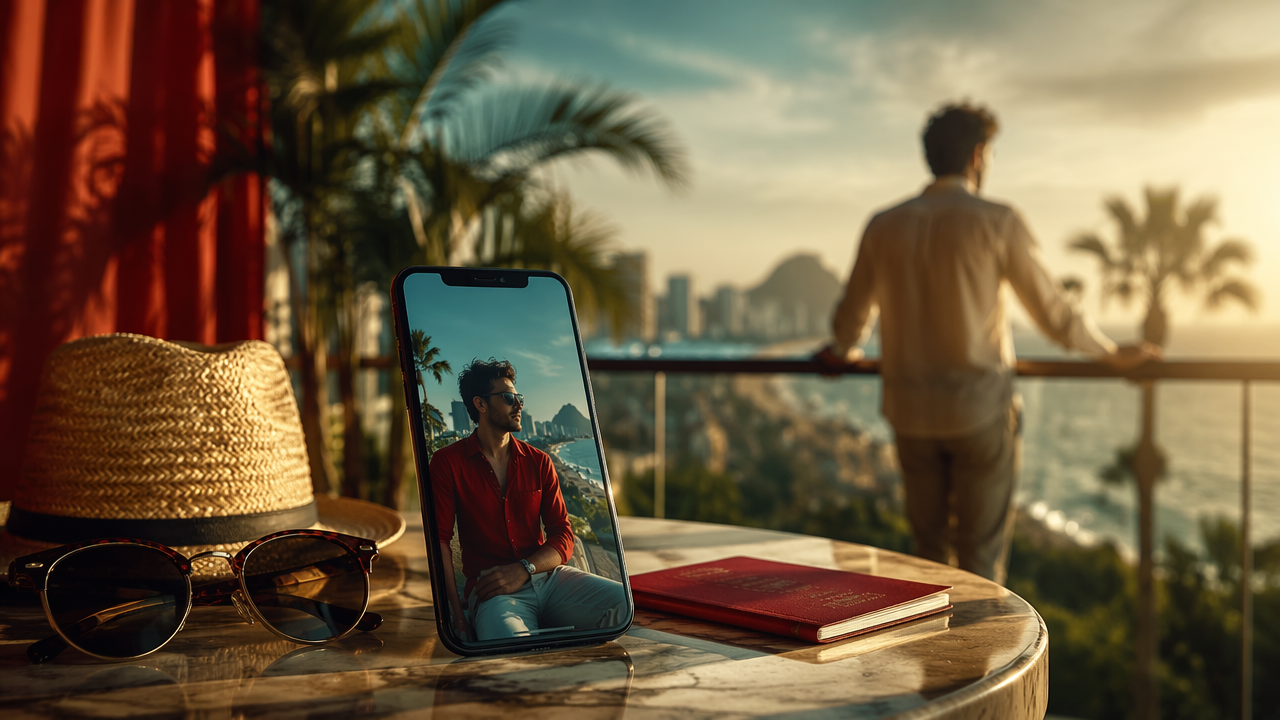
A great travel photo used to require airfare, good weather, and one friend willing to crouch in the sand for the angle. An AI vacation photo generator changes the job: you provide selfies, then create destination-style portraits with controlled outfits, locations, lighting, and mood. AI vacation photo generator: software that turns uploaded personal photos or text prompts into realistic travel-inspired portraits using image generation and face-consistency models. Tools like HotphotoAI are useful when you want polished lifestyle images for profiles, campaigns, or just the extremely serious business of looking relaxed near an imaginary Amalfi Coast.
Table of Contents
What is an AI vacation photo generator?
An AI vacation photo generator creates travel-style portraits from selfies, prompts, or reference images so you can appear in beaches, cities, resorts, mountains, or fantasy destinations without a physical photoshoot.
The current SERP is crowded: our research found 101 total results, and the analyzed competitor pages average 1,035 words. Most explain the same basic workflow, upload selfies, pick a destination, download images. The missing piece is practical realism: how to make the result look like a photo, not a postcard that got promoted too quickly.
Key insight: believable AI travel photos are less about exotic locations and more about matching face, light, clothing, camera angle, and story.
Academic work helps explain why details matter. The ACM survey Fashion Meets Computer Vision covers the role of visual attributes in clothing and appearance analysis, which connects directly to outfit consistency in generated portraits. Tourism-related AI is also moving fast; research on deep learning and tourist attraction recommendations in smart cities shows how destinations, context, and personalization can be modeled together.
How do you create realistic vacation photos from selfies?
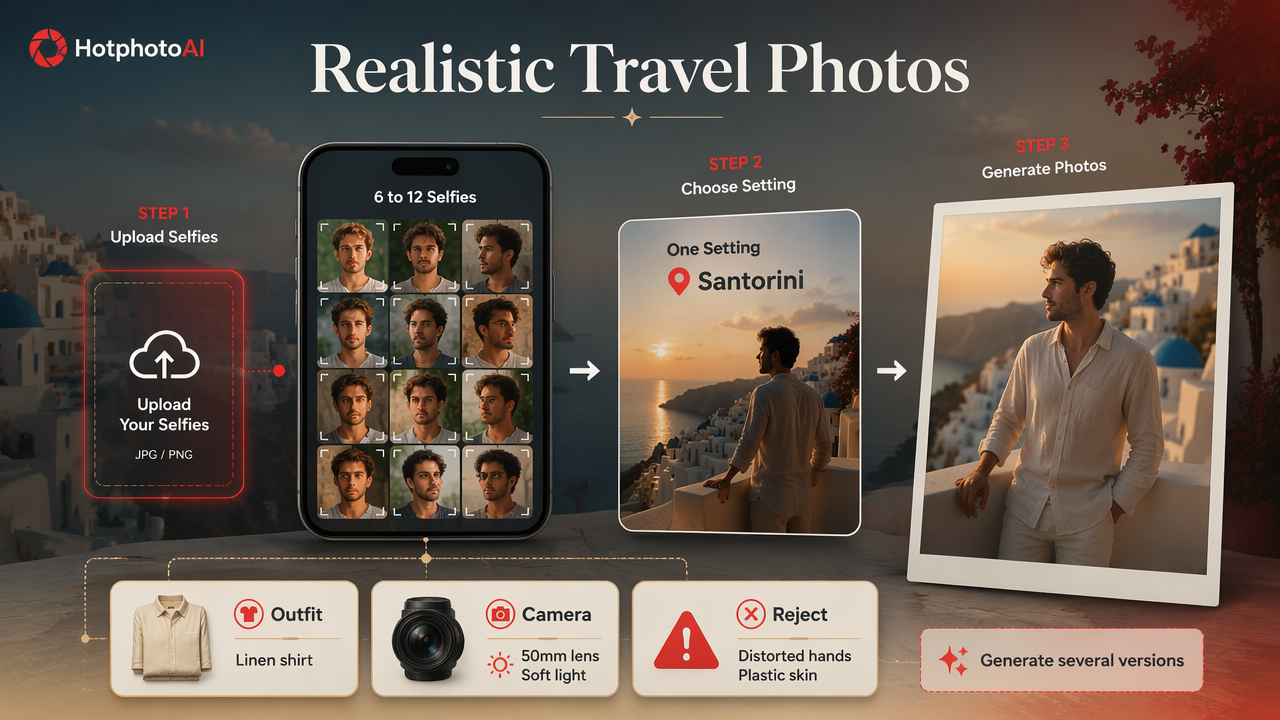
To create realistic AI travel photos from selfies, use clear source images, choose one believable setting, specify lighting and camera details, generate several versions, then reject anything with distorted anatomy, mismatched shadows, or plastic-looking skin.
Step-by-step workflow that does not scream fake beach day
- Upload 6 to 12 sharp selfies with different expressions, angles, and lighting.
- Pick one destination idea such as Santorini balcony, Kyoto street, Aspen lodge, or Tulum beach club.
- Describe the outfit in plain terms: linen shirt, red sundress, black trench coat, resort sunglasses.
- Add camera language such as 50mm lens, soft natural light, candid travel portrait, shallow depth of field.
- Generate multiple versions, because the first image is rarely the keeper.
- Check face consistency, hands, teeth, jewelry, horizon lines, and shadows.
- Save only the believable images that match your real vibe.
For dating profiles, I'd rather see one convincing cafe-in-Lisbon image than six suspicious yacht photos. Restraint is the secret sauce. If every image looks like a luxury perfume ad, people notice, and not in the good way.
Source photo checklist
- Use recent selfies, not photos from three haircuts ago.
- Include one straight-on face photo and a few three-quarter angles.
- Avoid heavy filters, sunglasses, or hats in every source image.
- Keep skin tone, facial hair, and hairstyle current.
- Choose photos where your face is not cropped or motion-blurred.
Better input photos give the model more identity clues. Poor inputs force the system to guess, and AI guesses can be bold little goblins.
Which prompts and styles make AI travel portraits look natural?
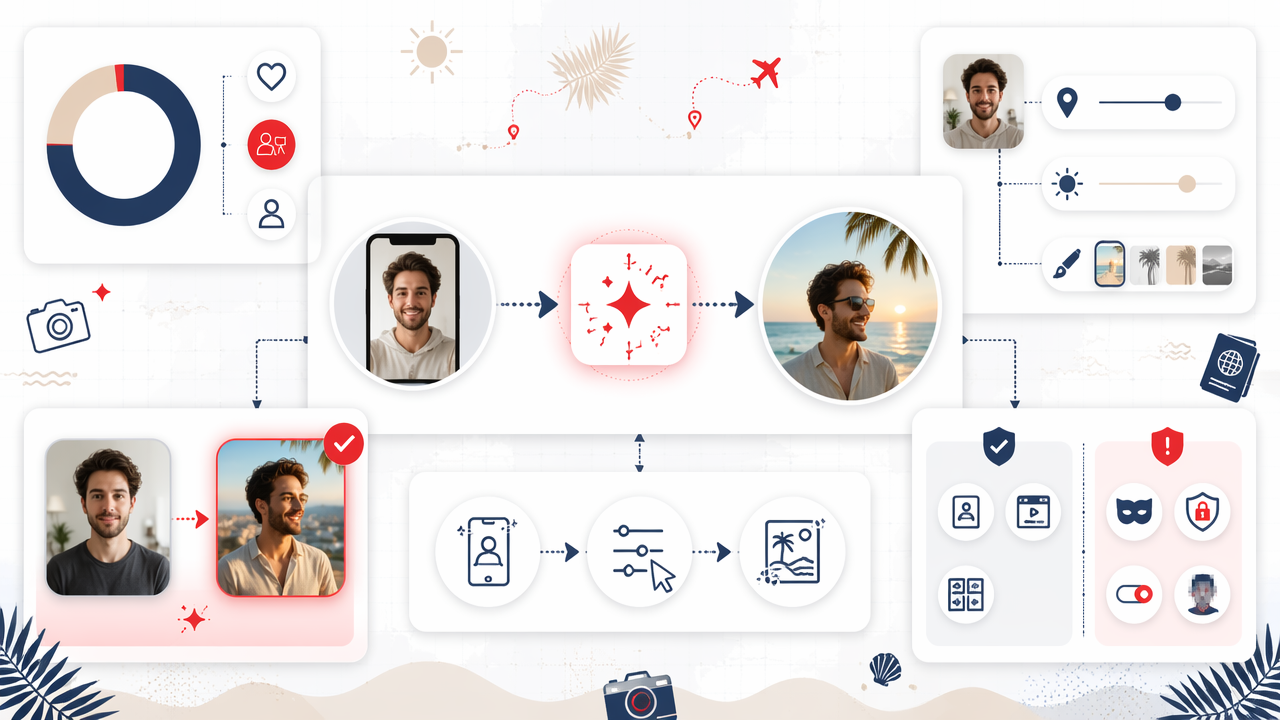
Natural AI travel portraits use prompts that combine identity, setting, light, wardrobe, camera style, and mood while avoiding overloaded fantasy details that clash with real photography.
Prompt matrix for realistic results
| Goal | Prompt elements to include | Avoid |
|---|---|---|
| Dating profile travel shot | Candid smile, golden hour, casual outfit, street cafe, 35mm photo | Overly perfect skin, luxury overload |
| Professional lifestyle image | Neutral resort lobby, smart casual outfit, soft window light | Beachwear, nightclub lighting |
| Creator content | Editorial pose, colorful destination wall, clean composition | Too many props or logos |
| Fantasy vacation portrait | Dreamy island, cinematic sunset, stylized dress | Claiming it is documentary travel |
| Glamour image | Model-style pose, resort pool, magazine lighting | Unnatural waist, doll-like face |
A useful prompt formula is: person + destination + outfit + lighting + camera + mood + realism constraint. Example: "Realistic candid travel portrait of me on a quiet Barcelona side street, cream linen shirt, warm afternoon light, 50mm lens, natural skin texture, relaxed expression, no exaggerated retouching."
With HotphotoAI, I'd start by creating one grounded set before trying dramatic styles. Once the face and body proportions look right, you can push the mood toward glamour, fashion, or fantasy without losing the person underneath.
Style choices that improve believability
- Golden hour: flattering, familiar, and forgiving.
- Overcast daylight: great for city walks and soft portraits.
- Candid framing: makes the scene feel less staged.
- Normal lenses: 35mm and 50mm prompts tend to read as realistic.
- Specific wardrobe: "navy linen shirt" beats "nice outfit" every time.
The most realistic prompt is not the fanciest one. It is the one a human photographer could actually shoot in ten minutes.
Where should you use generated travel images, and where should you be careful?
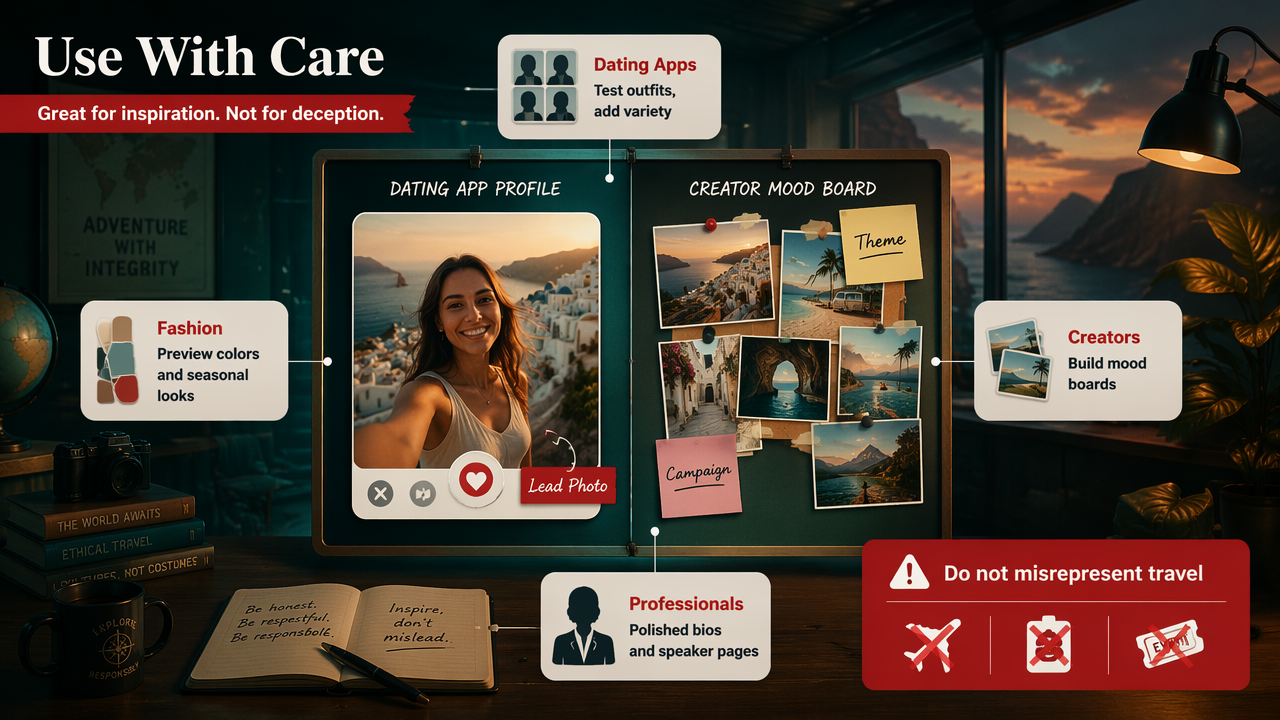
Generated travel images work best for creative self-presentation, profile refreshes, content planning, and stylized portraits, but they should not be used to misrepresent real travel, credentials, events, or commercial evidence.
Best use cases by audience
- Dating app users: create better lead photos, test outfits, or add variety beyond mirror selfies.
- Social media creators: build themed posts, mood boards, and campaign concepts.
- Professionals: produce polished lifestyle portraits for bios, speaker pages, or personal branding.
- Fashion experimenters: preview colors, seasonal outfits, and model-style looks.
- Fantasy portrait fans: make cinematic vacation scenes that are clearly creative.
A practical rule: if the image affects trust, disclose or avoid pretending it documents a real event. A fun "me in Monaco" aesthetic is different from implying you attended a conference, visited a client, or own the boat. The boat did nothing wrong.
For a safer workflow, label highly stylized images as AI-generated when context matters. Many audiences enjoy AI visuals when the intent is clear; they object when the image is used as fake proof.
What to expect in 2027
By 2027, travel portrait tools will likely improve in three areas: stronger identity consistency across sets, better outfit control, and more realistic interaction with complex backgrounds like crowds, mirrors, and water.
Destination personalization will also get smarter. The research direction around AI-based tourist attraction recommendations, such as the 2022 smart cities study, points toward systems that understand places as more than labels. Expect prompts to become more context-aware: not just "Paris," but "quiet Left Bank bookshop after rain."
For now, the winning approach is human judgment plus AI speed. Generate widely, edit carefully, and keep only the images that match how you actually want to be seen.
FAQ about AI vacation photo generators
AI vacation photo generators are useful when you want controlled, attractive travel-style images, but the best results come from clear inputs, realistic prompts, and honest usage.
Can AI travel photos look real enough for dating apps?
Yes, AI travel photos can look real enough for dating apps when they use natural lighting, normal poses, current facial features, and believable settings. I'd avoid making every image AI-generated, though. Mix one or two polished travel-style portraits with real everyday photos so your profile still feels human.
What should I write in a vacation photo prompt?
Write prompts with five details: destination, outfit, lighting, camera style, and mood. For example: "Candid portrait on a Lisbon balcony, white linen shirt, warm sunset light, 50mm lens, relaxed smile, realistic skin texture." Specific, ordinary details beat giant cinematic word salads.
Is it okay to post AI vacation photos on Instagram?
Yes, it is generally fine to post AI vacation photos for creative or aesthetic use, especially when the image is stylized or clearly not documentary. If the post could make people believe you visited a place, attended an event, or represented a brand there, disclosure is the cleaner choice.
How many images should I generate before choosing one?
Generate at least 10 to 20 variations for each concept, then choose the few that preserve your face, body proportions, and natural expression. AI image sets vary, so selection matters. The keeper is usually the image that looks slightly less dramatic and much more believable.
Conclusion
The smartest AI vacation photo generator workflow is simple: use strong selfies, build a believable scene, prompt for real camera behavior, then edit with taste. If you want glamour, lifestyle, fantasy, or profile-ready travel portraits without arranging a traditional shoot, try the HotphotoAI platform and keep your first batch grounded before going full luxury brochure. For your next set, visit hotphotoai.com, choose one destination, write one clean prompt, and generate enough options to find the image that looks like you on your best vacation day.