Are AI Photo Generators Private and Safe? A 2026 Guide
TL;DR
AI photo generators can be suitable for personal portraits, but privacy depends on the service's upload, training, sharing, and deletion rules. Check those separately, choose local processing when keeping photos off servers matters most, and start with non-sensitive images.
A private gallery isn't the same thing as private processing. If you're asking, are AI photo generators private and safe, the practical answer is: only when their data practices match your needs. Before turning selfies into dating photos, professional portraits, or fantasy scenes, check where your images go and what happens afterward. I'd judge the workflow before judging the cheekbones.
Table of Contents
Are AI photo generators private and safe?
AI photo generators can be private and safe for personal use, but neither quality nor a private account guarantees that. Privacy depends on who can access your uploads, whether they're used for training, and how deletion works. Safety also includes consent, account protection, and how you share the resulting portraits.
AI photo generator: A tool that uses generative artificial intelligence to create images, sometimes using uploaded photos as references.
Privacy: Control over the collection, access, use, sharing, and retention of your personal information.
Safety: Protection against misuse, unauthorized access, and harm involving your images or identity.
Think of these as separate questions. A service may keep a gallery hidden while still processing images on remote servers. Conversely, keeping generation on your computer doesn't determine whether publishing the result respects another person's consent.
A privacy claim should explain what happens to your photos, not merely who can see your gallery.
What happens to photos after you upload them?
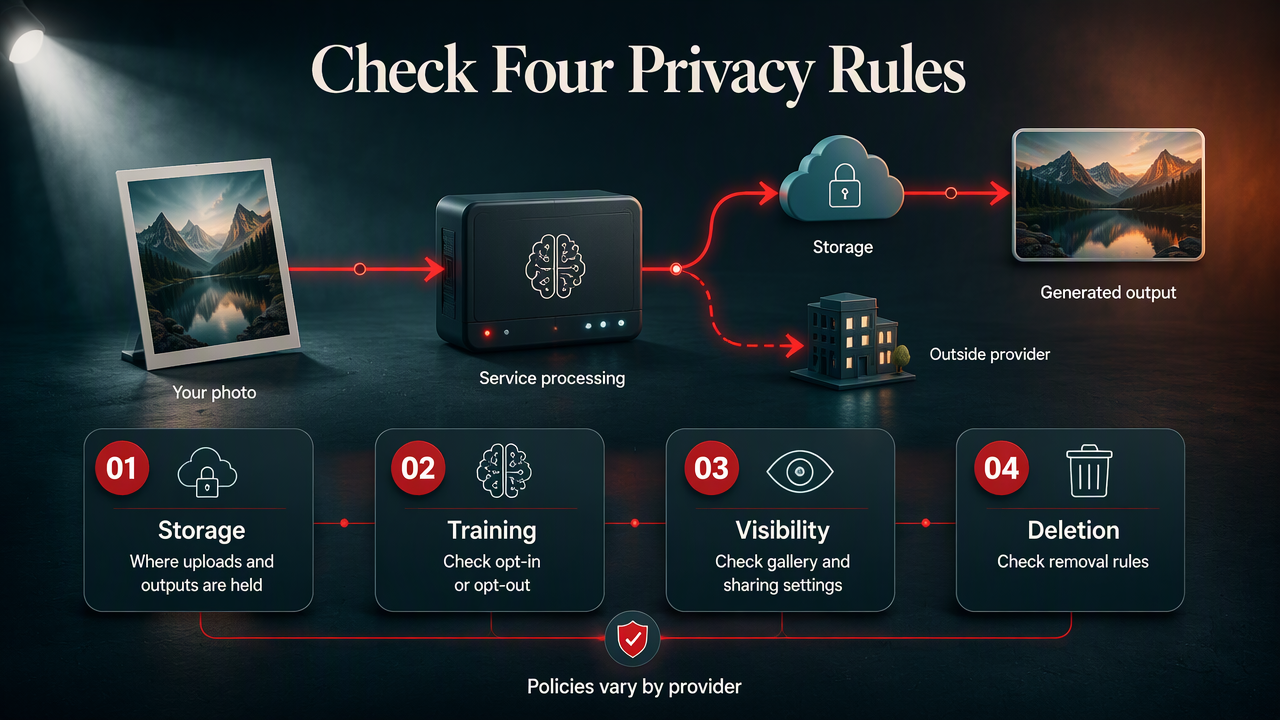
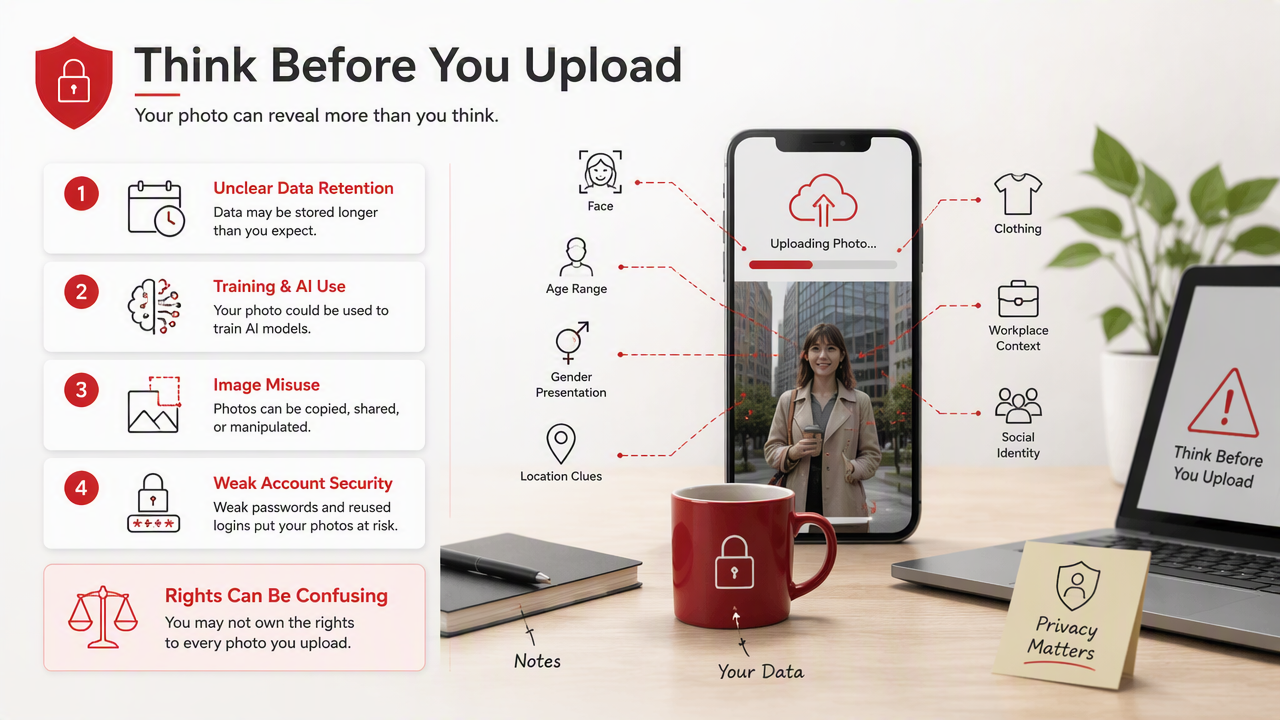
Uploaded photos enter the service's processing workflow, which may involve storage, outside infrastructure providers, and generated outputs. The exact handling depends on the provider, so check its current policy rather than assuming all tools behave alike. Treat upload storage, model training, public sharing, and deletion as four separate checks.
Four policy checks worth making
| Check | What to look for | What it establishes |
|---|---|---|
| Storage | Where uploads and outputs are held, and for how long | Retention rules |
| Training | Whether personal images improve models; any opt-in or opt-out | Secondary uses |
| Visibility | Whether galleries, profiles, and sharing links are public | Audience access |
| Deletion | Whether removal covers uploads, outputs, backups, and derived data | Scope of removal |
Search the policy for training, retention, service providers, and delete. A promise about one category doesn't answer the others. I'd also save the policy date before uploading a large batch.
Research context isn't a product audit
The 2023 survey by Alzubaidi and colleagues covers deep-learning data scarcity, definitions, challenges, and solutions. Park and Kim's 2022 IEEE Access paper examines metaverse components, applications, and open challenges.
These older papers provide broader technical context, not evidence that a particular portrait app protects uploads. For a 2026 purchase decision, current product documentation is the more relevant evidence.
How can you protect your photos before generating?
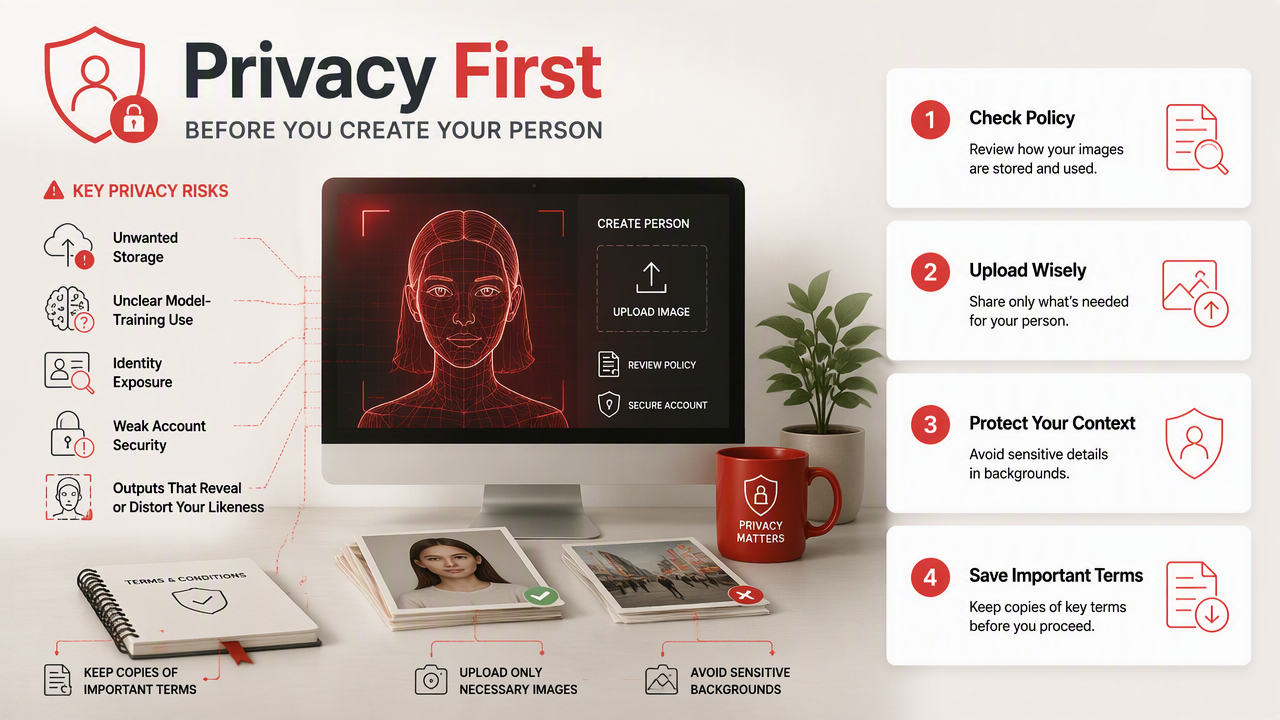
Protect your photos before generating AI portraits by checking the workflow before uploading anything personal:
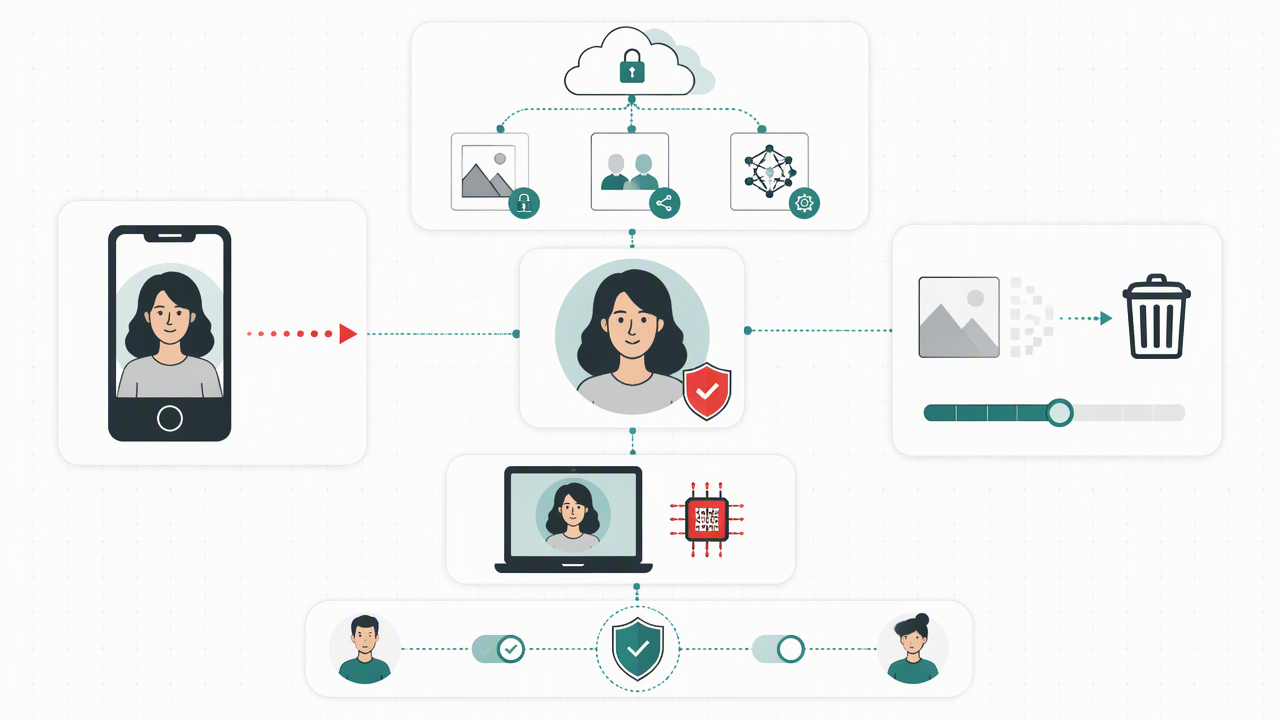
- Choose local or cloud processing deliberately.
- Read storage, training, sharing, and deletion terms.
- Upload only photos you have permission to use.
- Remove unnecessary identifying details.
- Generate a small test batch.
- Review and delete files afterward.
Local versus cloud: who should pick which?
| Approach | Best fit | What to verify |
|---|---|---|
| Fully local generation | People prioritizing keeping photos on their device | Processing stays local; plugins and sync settings |
| Cloud portrait service | People prioritizing a guided portrait workflow | Upload handling, training choices, retention, deletion |
| Browser-based tool | People prioritizing quick access | Whether processing runs locally or on a server |
A browser tab isn't proof of local processing. I'd pick fully local generation when keeping source photos off external servers is the deciding factor, provided I can manage the setup. I'd consider cloud processing when convenience matters and the documented terms meet my requirements.
Use a deliberately boring test photo
Start with an ordinary portrait against a plain background. Your test photo doesn't need to reveal your address, workplace badge, or anyone else's face.
- Crop out unrelated people and identifying documents.
- Check location metadata before uploading.
- Use a unique password and multifactor authentication when available.
- Inspect generated portraits before posting them publicly.
For Tinder or a professional profile, I'd favor a recognizable likeness over a dramatic reinvention. Better lighting is useful; an entirely different person is a poor introduction.
How HotphotoAI fits a privacy-first workflow
HotphotoAI fits this workflow as a personal-photo option to evaluate against your creative brief and privacy requirements. Start by defining your intended result: a dating profile portrait, polished social image, or stylized personal picture. That gives you a useful standard for choosing inputs and reviewing outputs.
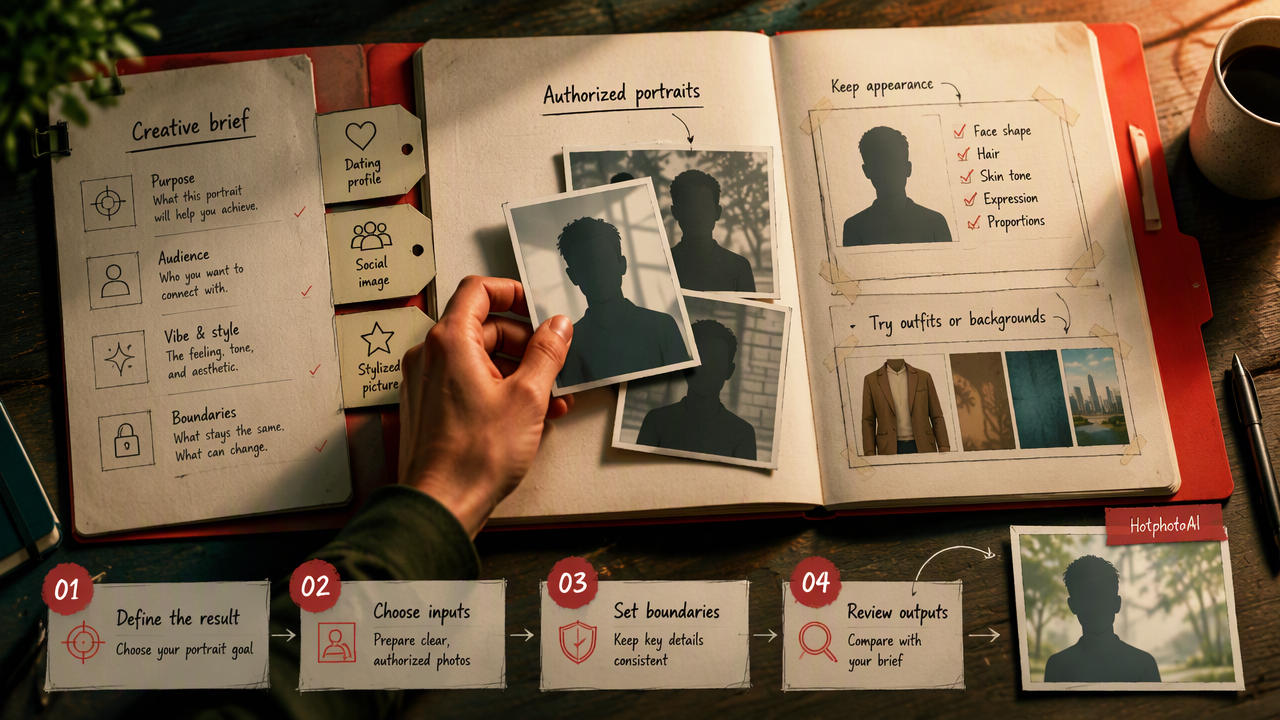
I recommend preparing a small set of clear, authorized portraits before choosing a service. Decide which appearance details should stay consistent and which elements, such as outfits or backgrounds, you'd like to experiment with.
A focused brief for personal portraits
When considering HotphotoAI, keep your first creative brief specific:
- Purpose: Dating profile, creator page, or professional introduction.
- Likeness: Recognizable facial features and a believable appearance.
- Style: A clear preference for clothing, setting, and lighting.
- Selection: A small initial batch to assess against that brief.
FAQ: AI portrait privacy and consent
AI portrait privacy questions are best answered by separating the processing rules from the choices you make when uploading and publishing.
Can an AI photo generator use my selfies for training?
An AI photo generator may use selfies for training if its terms allow that use. Don't assume payment means training is excluded. Check whether the rule covers uploads and generated images, whether participation is optional, and whether any setting applies before you upload. Ask support if the wording is unclear.
Does deleting my account delete every photo?
Deleting your account doesn't establish that every photo is immediately removed from every system. Read the deletion policy for uploads, generated images, backups, and any derived training data. Look for stated timelines and exceptions. I'd request written clarification when permanent removal is central to my decision.
Is it safe to generate photos of someone else?
Generating photos of someone else requires their informed permission, especially for intimate, misleading, or reputationally sensitive images. A publicly available selfie isn't permission to create a new portrayal. For shared projects, agree on the intended style, who can access the files, and where the results may be published.
Can I use AI portraits on dating or professional profiles?
AI portraits can be useful for profiles when they represent you honestly and comply with the platform's current rules. Check those rules before posting. I'd choose images that preserve your recognizable appearance and avoid suggesting qualifications, locations, or experiences you don't have. Disclose AI generation where required or where it would prevent misunderstanding.
Conclusion
Choose your privacy requirements before choosing your portrait style. Prepare a small, authorized photo set and a clear creative brief. If HotphotoAI is on your shortlist, visit hotphotoai.com to review the current product information, then assess it against your storage, training, sharing, and deletion checklist before uploading.