Artificial Intelligence Images: A Guide to AI Photos of Yourself
TL;DR
Use AI portraits to explore outfits, settings, and visual styles while keeping your real appearance recognizable. For dating and professional profiles, pair believable generated images with current camera photos, and check upload privacy and usage rights before starting.
Your next portrait can change the wardrobe, lighting, and location without requiring you to leave the sofa. Artificial intelligence images make that possible by generating new pictures rather than simply touching up existing ones. For personal portraits, I recommend treating AI as a creative director, not a replacement identity. HotphotoAI is an option to explore for this kind of personal-image project.
AI images of yourself: Generated portraits trained or guided by your selfies to create new looks, outfits, scenes, or styles.
Table of Contents
What are artificial intelligence images?
Artificial intelligence images are pictures generated or assisted by AI software using instructions, reference images, or both. Personal AI portraits use your photos to guide a new depiction of you. Unlike a basic filter, generation can create a different outfit, pose, setting, and lighting rather than just modifying the original photograph.
Some systems learn a personalized representation from several uploaded photos. Others use reference images during generation without creating a dedicated personal model. Those approaches aren't interchangeable, so check how a service describes its process.
A generated portrait may look photographic, but it isn't evidence that a photographed event occurred. Think of it as a visual proposal: you, styled for a scene that may never have existed.
AI portraits, filters, avatars, and edits compared
The main distinction is whether software adjusts an existing picture or synthesizes a new depiction.
| Image type | What changes | Best fit |
|---|---|---|
| AI portrait | Generates a new depiction guided by your likeness | Exploring outfits and scenes |
| Photo filter | Adjusts color, tone, or surface effects | Quick visual consistency |
| Avatar | Represents you, often in a stylized form | Gaming and creative identities |
| Edited photograph | Alters an existing camera image | Retouching and targeted corrections |
These categories can overlap. An editor may use generative tools, and an avatar can be photorealistic. Ask what happened to the image, not just what the button was called.
Which AI portraits work for each profile?
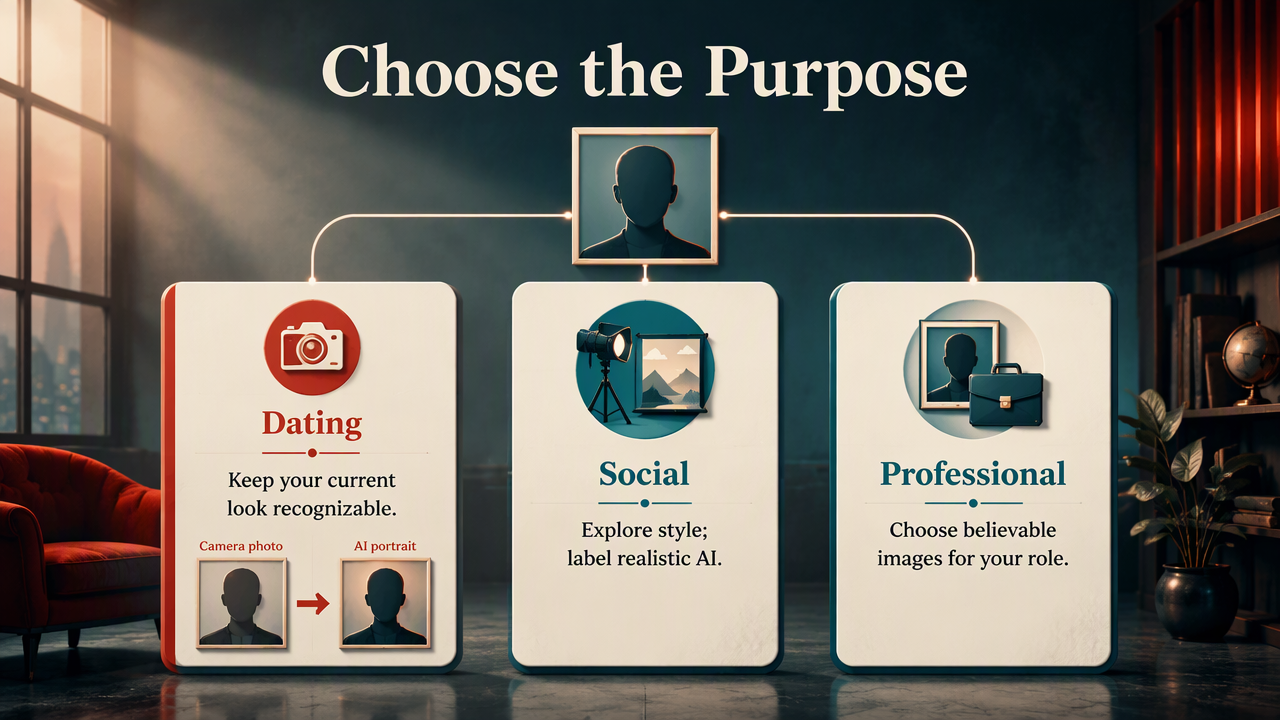
The best AI portrait depends on what viewers need to understand about you: your current appearance, your creative taste, or your professional role. I recommend choosing the purpose before choosing the style. A believable profile picture and a fantasy character portrait have different jobs, even when both use the same face.
Match the image to the audience
- Dating profiles: Keep your current face, hair, and body recognizable. Use a clear camera photo as your main image, with generated portraits as optional supporting images.
- Social media: Explore editorial lighting, themed outfits, or imaginary settings. Label realistic-looking fictional scenes when viewers might mistake them for real events.
- Personal branding: Choose clothing, backgrounds, and expressions that suit your actual role. I'd favor an approachable portrait over a boardroom costume you'd never wear.
- Creative projects: Try glamour, illustrated, or fantasy styles where invention is part of the point.
A useful test is whether someone meeting you tomorrow would recognize you immediately. For professional images, also ask whether the picture communicates the service or expertise you actually offer.
Choose realism when recognition matters; choose stylization when creative expression is the goal.
How do you create AI photos of yourself?
- Define the portrait's purpose and intended audience.
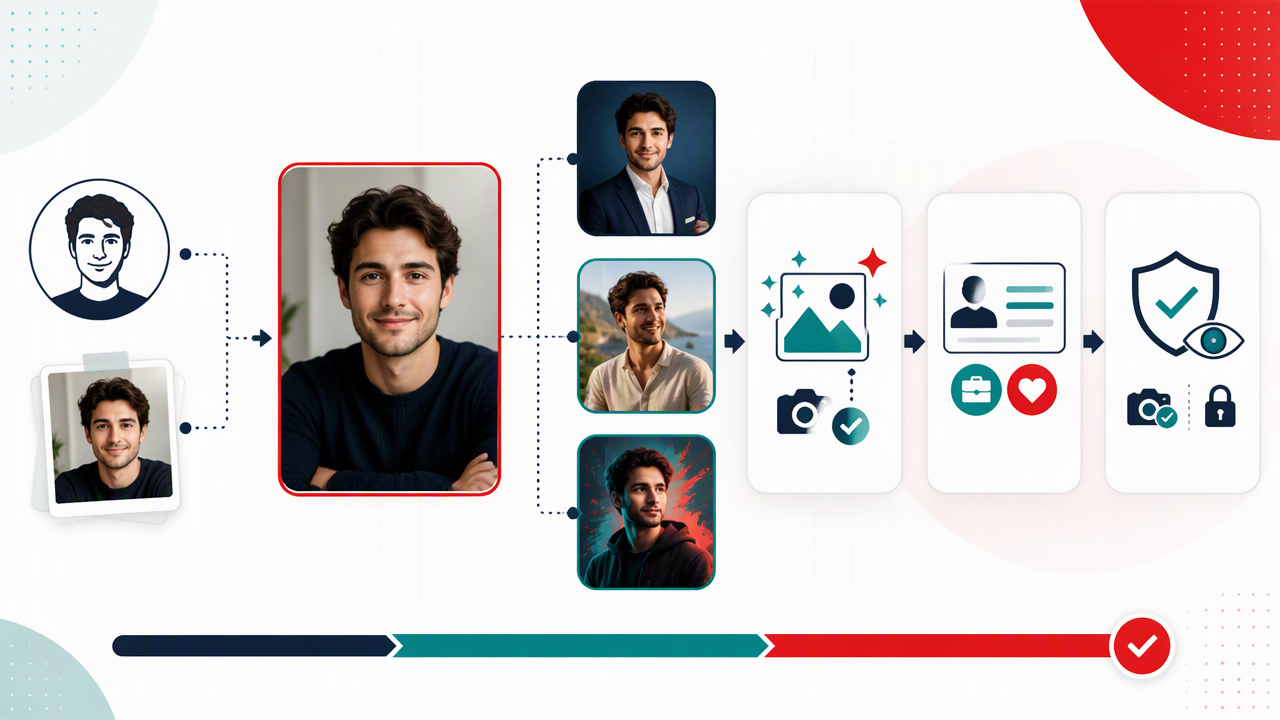
- Choose clear, recent reference photos showing your face from several angles.
- Specify the outfit, setting, lighting, and expression.
- Generate a small set, then inspect likeness and details.
- Refine one variable at a time before choosing your final image.
Give the generator a usable brief
Start with references that show what you actually look like. Follow the tool's upload instructions, and favor evenly lit images without heavy filters or faces hidden behind sunglasses.
A useful prompt might be: Photorealistic waist-up portrait of me, navy sweater, simple café background, soft window light, relaxed expression, natural skin texture. This describes visible choices rather than asking for the vague miracle of looking better.
Change the background first, then clothing, then lighting. I recommend that order because it makes comparisons easier. If everything changes at once, you won't know which instruction helped.
How HotphotoAI handles this
HotphotoAI is a relevant starting point for exploring AI-generated personal images for profiles and creative portraits. I'd approach it with a specific brief: one intended audience, one visual style, and a clear idea of how recognizable the result should be.
Build a small portrait set around a shared mood, such as warm café lighting or a clean studio look. Consistent direction gives you images you can compare meaningfully and makes selecting a profile photo simpler.
What should you check before publishing?
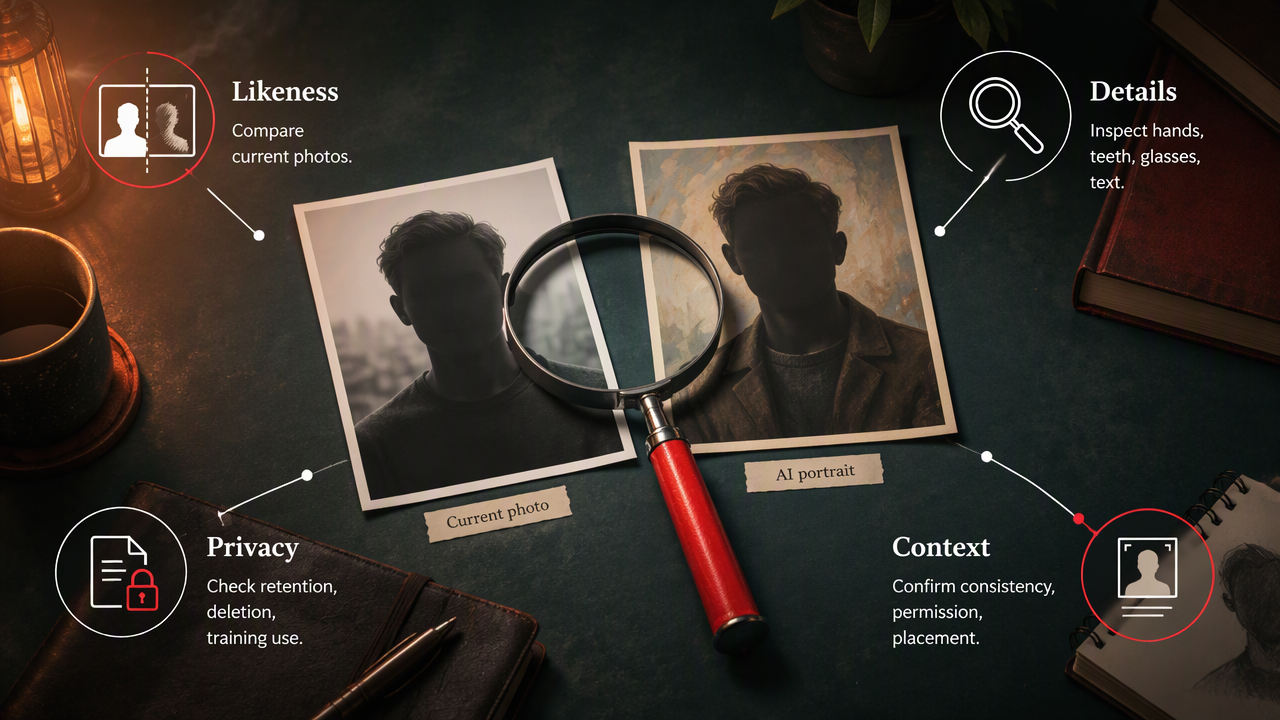
Before publishing an AI portrait, check likeness, visual consistency, permission, and the context in which it will appear. A convincing face doesn't guarantee a trustworthy image. Review the service's privacy and usage terms, then inspect the output closely enough to catch details that a thumbnail can hide.
Run a practical quality and privacy check
- Likeness: Compare facial proportions, skin tone, hairstyle, and distinguishing features with current photos.
- Details: Inspect hands, teeth, glasses, jewelry, clothing edges, and background text.
- Privacy: Check upload retention, deletion options, and whether photos may be used for training.
- Permission: Use your own photos or images you have permission to upload.
- Context: Check platform rules and avoid implying credentials, travel, or events that didn't happen.
The 2021 review by Alzubaidi and colleagues covers deep-learning concepts, architectures, challenges, and applications. It provides technical background, not evidence that a particular portrait service preserves likeness or protects uploads.
What to watch for in 2027
For 2027, I'd watch identity consistency, clearer editing controls, and image-origin transparency rather than promises of ever more dramatic makeovers. These are priorities to evaluate, not guaranteed advances. Useful progress would mean fewer unwanted appearance changes and clearer information about how a portrait was created.
Frequently asked questions about AI portraits
A useful generated portrait should suit its purpose without confusing viewers about who you are.
Can I use AI photos on Tinder?
Check Tinder's current rules before uploading generated images. My recommendation is to lead with a recent, unfiltered camera photo and use AI portraits only when they accurately represent your appearance. Don't present an invented activity or location as proof of your lifestyle. Recognition matters more than cinematic lighting when you're meeting someone.
Do AI portraits require lots of selfies?
The number of selfies depends on the tool and its generation method. Some services request several images for personalization; others accept a reference image. Follow the stated requirements rather than uploading your entire camera roll. Choose photos that clearly show your current appearance, and review the service's retention policy before submitting them.
Can AI portraits replace a professional photoshoot?
AI portraits can help you explore visual concepts or create images where a documented real-world scene isn't required. A professional photoshoot remains useful when accurate products, team members, locations, or events matter. I'd choose generation for creative exploration and a photographer when the image needs to record something that actually happened.
Conclusion
Start with one purpose, gather clear reference photos, and write a brief describing the scene you want. Compare your results against your current appearance before publishing. To explore artificial intelligence images for your next personal portrait, visit hotphotoai.com and consider HotphotoAI with a specific style in mind.