Artificial Intelligence Photo Editing for Better Portraits in 2026
TL;DR
AI photo editing works best when you improve a strong portrait, not rescue a broken one. Use it for lighting, backgrounds, skin, outfits, and style tests, but generate a new portrait when pose, expression, or image quality is the real problem.
Artificial intelligence photo editing has moved from novelty filter to everyday portrait tool, especially for dating profiles, creator headshots, and polished social images. The trick is knowing when AI should make you look like your best self, not like your wax figure cousin. Tools such as HotphotoAI now help people test model-style looks, lifestyle scenes, and polished profile photos without booking a studio.
Table of Contents
What is artificial intelligence photo editing?
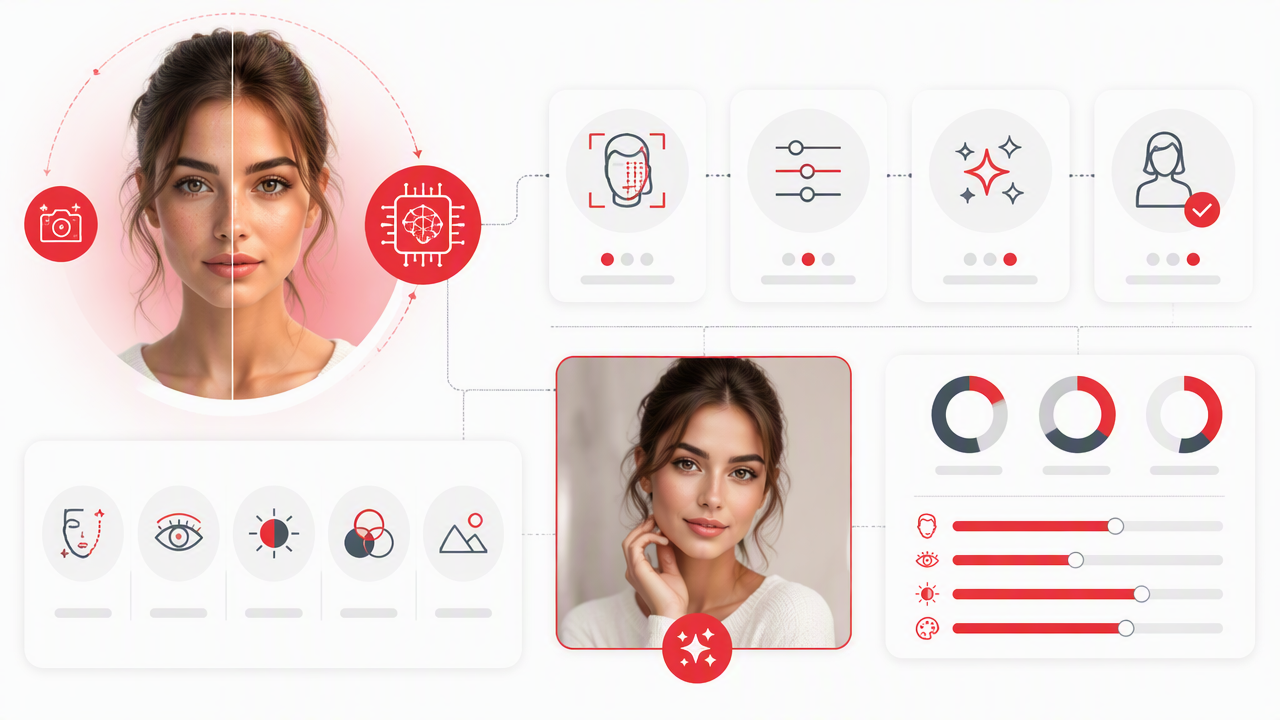
Artificial intelligence photo editing is the use of AI systems to analyze, enhance, alter, or generate parts of a photo based on visual patterns and user instructions. For portraits, that usually means improving lighting, removing distractions, smoothing skin, changing backgrounds, adjusting outfits, or creating a more stylized version of the person.
Artificial intelligence photo editing: software-assisted image editing where AI performs perception-based tasks, such as identifying faces, separating subjects from backgrounds, and predicting realistic visual changes.
The idea sits between two older concepts. Artificial intelligence refers to computational systems performing tasks associated with human intelligence, such as perception and problem-solving. Photo manipulation means modifying an otherwise genuine photograph. AI simply makes that manipulation faster, more accessible, and sometimes a little too confident.
Research on deep learning by Alzubaidi, Zhang, and Humaidi in the Journal of Big Data explains the wider role of neural networks and convolutional neural network architectures in image-related tasks, which underpins much of modern photo enhancement and recognition work (2021 review).
Key insight: AI editing is not one feature. It is a stack of detection, prediction, generation, and style transfer working behind a friendly button.
Core terms people confuse
- Retouching: improving an existing image while keeping the original identity and scene mostly intact.
- Background removal: separating the subject from the scene so the background can be erased, blurred, or replaced.
- Generative fill: creating new pixels to add, remove, or extend visual elements.
- Image generation: making a new image from prompts, reference photos, or both.
- Style transfer: applying a visual look, such as editorial, cinematic, fantasy, or studio glamour.
How should you edit portrait photos with AI?
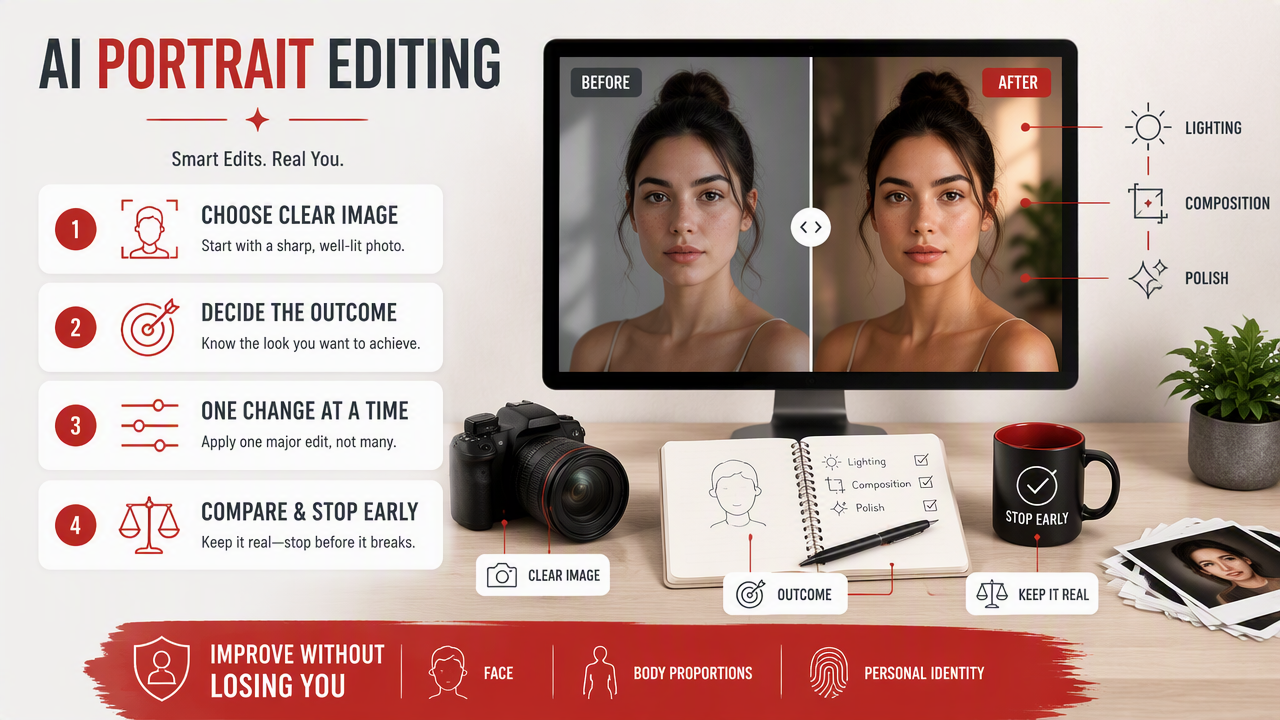
To edit portrait photos with AI, start with a clear image, decide the outcome, make one major change at a time, compare the result to the original, and stop before realism breaks. The best edits improve lighting, composition, and polish while keeping the face, body proportions, and personal identity believable.
- Choose a sharp photo with visible eyes and natural expression.
- Fix lighting and exposure before changing style.
- Remove background clutter, not personality.
- Smooth skin lightly, keeping texture.
- Test outfit or background changes separately.
- Compare before and after at full size.
- Save versions for dating, LinkedIn, Instagram, or creative use.
I like this order because it prevents the classic AI spiral: first you fix shadows, then you add a leather jacket, then suddenly you are standing on a moonlit balcony with suspiciously perfect cheekbones.
The HotphotoAI platform is best framed as a portrait-first option: useful when the goal is a more attractive, stylized, profile-ready image rather than a generic graphic design edit.
Portrait edit choices by goal
| Goal | Best AI edit | What to preserve |
|---|---|---|
| Tinder or dating profile | Better lighting, sharper eyes, cleaner background | Real face shape and natural smile |
| Creator content | Stylized lighting, outfit variations, themed scenes | Recognizable personal brand |
| Professional profile | Neutral background, balanced exposure, subtle retouching | Trustworthy expression |
| Glamour portrait | Makeup look, wardrobe styling, studio light | Skin texture and human proportions |
| Fantasy or cosplay image | New setting, costume, cinematic style | Consistent facial identity |
Where does AI help portraits most?
AI helps portraits most when the original photo already has a clear face, decent framing, and a usable expression. In that case, editing can remove distractions and add polish without fighting the source image.
Lighting is usually the highest-impact fix. A flat indoor selfie can look more intentional with softer contrast, catchlights in the eyes, and warmer skin tones. Background cleanup comes next, especially when laundry, office clutter, or a photobombing chair is doing unpaid comedy in the frame.
Skin smoothing needs restraint. Good AI retouching reduces temporary blemishes and uneven texture; bad retouching erases pores and makes everyone look like a phone case. Outfit changes are useful for testing vibes, such as casual, formal, sporty, or editorial, but the body outline should stay consistent.
Expression editing is the hardest category. A slight smile correction may work, but changing a blank stare into charisma can produce uncanny results. If the eyes and mouth disagree, viewers notice even if they can't explain why.
Best use cases for personal photos
- Lighting repair: brighten faces, soften harsh shadows, and make eyes clearer.
- Background cleanup: remove clutter or replace distracting locations.
- Skin refinement: reduce temporary marks while keeping natural detail.
- Outfit testing: preview styles before a shoot or profile refresh.
- Lifestyle staging: create travel, studio, gym, or city looks for social use.
- Profile consistency: make a set of images feel visually related.
When is generating a new photo better than editing?
Generating a new photo is better than editing when the original has a poor pose, blurred face, closed eyes, extreme shadows, awkward crop, or an expression that doesn't match the intended use. Editing improves ingredients; generation can rebuild the recipe.
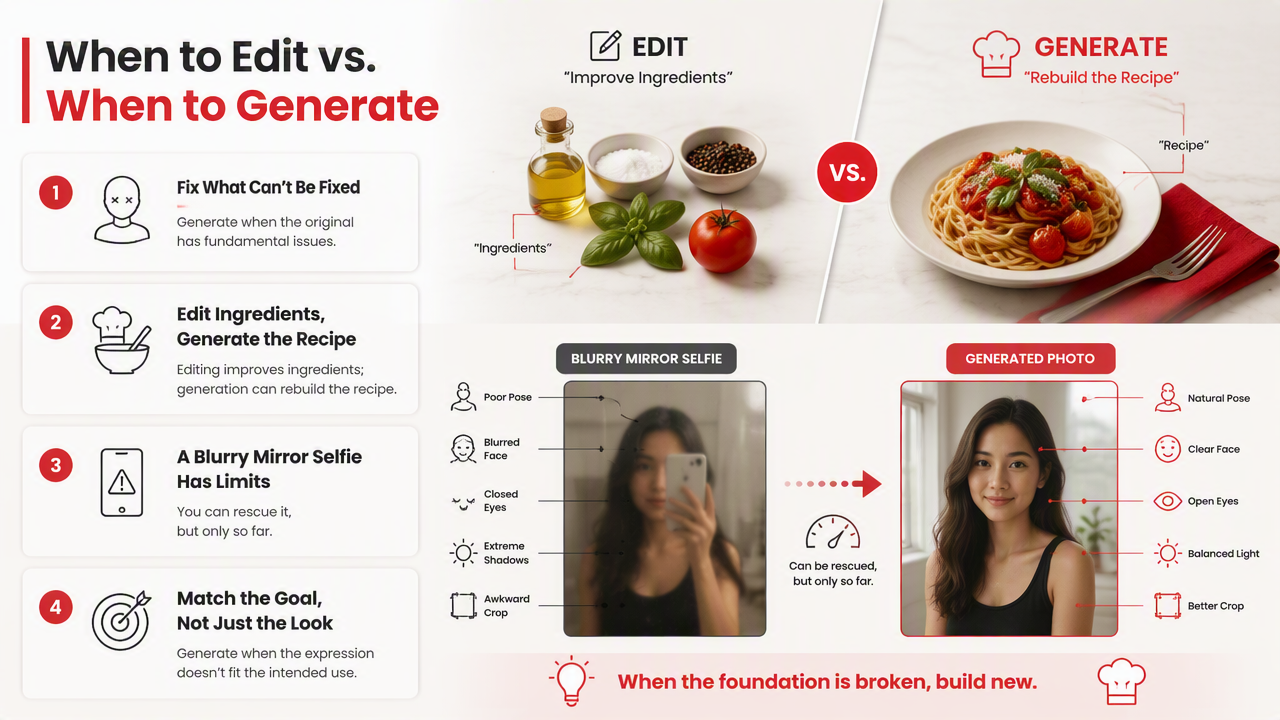
A blurry mirror selfie can only be rescued so far. The same goes for photos where the face is tiny, the lighting hides key features, or the pose sends the wrong message. For dating apps, I would rather generate a clean lifestyle portrait from good references than over-polish a bad bathroom shot.
Modern AI image tools also connect to broader work on foundation models, which are large systems trained for general tasks across data types. A 2023 Nature paper by Moor, Banerjee, and colleagues examined foundation models in medical AI, showing how generalist models are becoming important beyond consumer media (2023 paper). The same technical trend helps explain why consumer image tools now feel more flexible.
When you want a fresh profile set with varied clothing, settings, and lighting, with HotphotoAI you can move from fixing one flawed shot to creating a stronger set of portrait options. For direct access, visit hotphotoai.com.
Edit the old photo or create a new one?
| Situation | Better choice | Reason |
|---|---|---|
| Good face, messy room | Edit | Background cleanup solves the main issue |
| Sharp image, bad lighting | Edit | Exposure and relighting can improve it |
| Blurry face | Generate new | Detail is missing, not hidden |
| Awkward pose | Generate new | Pose changes often distort anatomy |
| Wrong outfit | Either | Simple swaps can work, full restyling may need generation |
| Dating profile refresh | Generate set | Variety matters more than one perfect frame |
What should you expect from AI photo editing in 2027?
AI photo editing will likely become more personalized, more transparent, and more integrated into phones, apps, and social platforms by 2027. Expect fewer one-click gimmicks and more guided controls for identity, lighting, wardrobe, and scene consistency.
Apple Intelligence, announced in 2024, signaled a larger move toward AI features split between on-device and server processing. That matters because privacy-sensitive personal photos benefit from local processing when possible, while heavier generation may still need cloud systems.
Metaverse and virtual identity research also points to more demand for realistic avatars and stylized self-representation. Park and Kim's 2022 IEEE Access taxonomy reviewed metaverse components, applications, and open challenges, which connects directly to how people may present themselves across digital spaces (2022 paper).
For personal portraits, I expect three practical improvements: more stable faces across image sets, better hand and accessory rendering, and clearer disclosure tools. That last one matters. A great AI portrait should help you show up well, not make future dates wonder if you were assembled by a committee.
Likely next improvements
- Identity consistency: the same person across different outfits and scenes.
- Editable lighting maps: control key light, fill light, and background glow.
- Safer face controls: fewer distorted eyes, teeth, hands, and ears.
- Built-in disclosure: clearer labels for generated or heavily altered images.
- Profile-specific outputs: dating, creator, professional, and fantasy modes with different realism settings.
FAQ about AI photo editing
AI portrait tools are useful, but the best results come from clear goals, honest source images, and moderate edits. These common questions cover the practical decisions most users face before changing a profile photo.
Is AI photo editing good for dating app pictures?
Yes, AI editing can help dating photos when it improves lighting, removes clutter, and creates a cleaner first impression. Keep your face, body type, and general appearance accurate. A polished photo gets attention; a misleading one turns the first date into a customer support ticket.
Can AI change my outfit in a photo?
AI can change outfits, especially when the original pose is simple and the body outline is clear. Results are strongest with jackets, shirts, dresses, and styled looks. Complex hands, crossed arms, reflective fabrics, and unusual poses can make outfit swaps less reliable.
Does AI skin smoothing look fake?
AI skin smoothing looks fake when it removes all texture, flattens shadows, or changes facial structure. A natural edit should reduce temporary blemishes while keeping pores, smile lines, and normal skin detail. If you look like a porcelain app icon, dial it back.
Should I use AI editing for professional headshots?
AI editing can work well for professional headshots if the result stays realistic and role-appropriate. Use neutral backgrounds, balanced lighting, and subtle retouching. Avoid dramatic fashion edits unless your field rewards creative presentation, such as entertainment, design, or personal branding.
Conclusion
Artificial intelligence photo editing is most powerful when you treat it like a smart stylist, not a magician with questionable taste. Start by improving lighting, background, and clarity; then test style, outfit, and setting changes only when they support the impression you want. If the original photo is weak, generate a better portrait instead of wrestling pixels. For a portrait-focused workflow, try HotphotoAI and head to hotphotoai.com when you're ready to build a stronger profile set.