Artificial Intelligence Photo Generator: How AI Turns Selfies Into Better Portraits
TL;DR
AI photo generators are best when you need polished profile photos without booking a shoot. Upload clear selfies, choose a style, check privacy terms, and pick tools that preserve your real face instead of turning you into a suspiciously handsome stranger.
A good artificial intelligence photo generator can now do what once required a photographer, stylist, lighting kit, backdrop, and a heroic amount of scheduling. For profile photos, dating apps, creator content, and model-style portraits, tools such as HotphotoAI turn ordinary selfies into stylized images that look planned instead of panic-taken in a bathroom mirror.
Table of Contents
What is an artificial intelligence photo generator?
An artificial intelligence photo generator is software that uses generative AI models to create or edit images, often from text prompts, uploaded selfies, or reference photos. For personal portraits, the tool studies facial features, pose cues, lighting, and style instructions, then produces new images that match the requested look.
Generative AI: a branch of artificial intelligence that creates new content, including images, text, audio, video, and code.
AI portrait generator: a photo tool focused on creating realistic or stylized images of a person from uploaded selfies.
Text-to-image model: a system that converts written prompts, such as "cinematic rooftop portrait at sunset," into visual output.
AI art has moved from novelty filters to practical image production. Research on explainable deep learning by Samek, Montavon, and Lapuschkin in Proceedings of the IEEE reviews methods for understanding deep neural networks, a reminder that modern image systems are powerful but still need user judgment and clear controls: Explaining Deep Neural Networks and Beyond.
Quick comparison of common AI image types
| Type | Input | Best for | Watch for |
|---|---|---|---|
| Text-to-image | Written prompt | Art, concepts, backgrounds | May not preserve identity |
| Selfie-to-portrait | Uploaded selfies | Dating, social, headshots | Needs clear face photos |
| Image editor | Existing photo | Retouching, outfits, backgrounds | Can over-smooth skin |
| Style transfer | Photo plus style | Fantasy, fashion, creator visuals | May distort details |
Key insight: the best portrait tools don't just make a pretty image; they preserve enough of your real face that friends, dates, and clients still recognize you.
How does an AI photo generator turn selfies into portraits?
An AI photo generator turns selfies into portraits by analyzing uploaded images, learning consistent identity cues, applying a selected style, and rendering new images with adjusted pose, lighting, clothing, and background. The better your input photos are, the less the model has to guess, which is always good because AI guesses with confidence and occasionally with jazz hands.
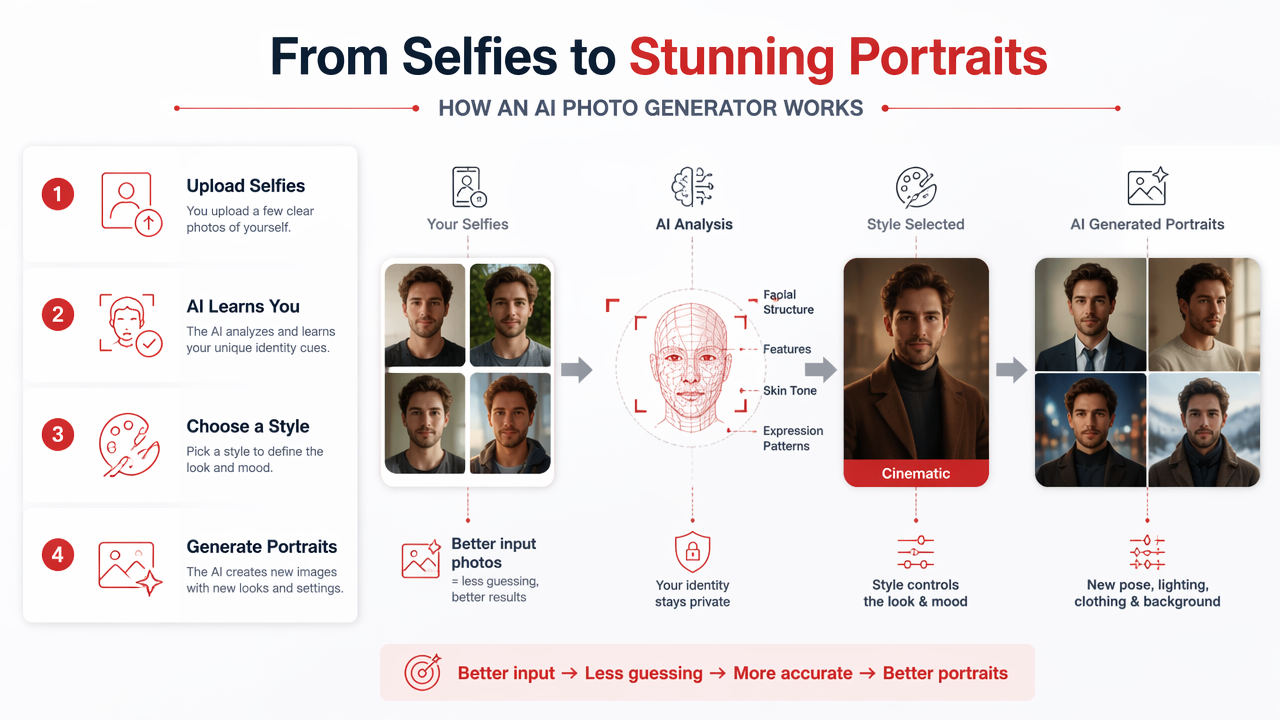
The typical selfie-to-portrait workflow
- Upload several clear selfies. Use different angles, expressions, and lighting, but keep your face visible.
- Choose a goal. Pick dating, glamour, professional, lifestyle, fitness, fantasy, or model-style portraits.
- Select a visual style. Decide on outfits, background, camera feel, and mood.
- Generate variations. Create multiple options so you can compare realism and personality.
- Review identity accuracy. Check eyes, face shape, hairline, teeth, and skin texture.
- Download the strongest images. Use the ones that look like you on an unusually well-lit day.
Most systems rely on deep neural networks that learn patterns from large image datasets. The exact architecture varies by tool, but the user experience is simple: input, style choice, generation, selection.
Research into advanced AI methods keeps expanding beyond image generation. For example, Cerezo, Arrasmith, and Babbush's 2021 review of variational quantum algorithms shows how fast computational research is moving, even though everyday portrait tools still depend mainly on classical machine learning pipelines.
What portrait styles can AI photo generators create?
AI portrait tools can create glamour, lifestyle, model-style, professional, dating, fitness, fantasy, and social media images from the same source selfies. The main difference is not the face; it's the art direction: clothing, lighting, background, lens style, and the level of polish.
Popular output styles for profiles and creators
- Glamour portraits: polished lighting, elevated makeup, formal outfits, and magazine-style composition.
- Lifestyle photos: casual coffee shop, city walk, vacation, gym, or outdoor scenes that feel more natural.
- Model-style images: editorial poses, dramatic shadows, fashion styling, and sharper contrast.
- Professional headshots: clean backgrounds, business clothing, controlled lighting, and confident expressions.
- Dating app photos: warm expressions, social energy, flattering angles, and believable settings.
- Fantasy portraits: cinematic, anime-inspired, royal, sci-fi, cosplay, or surreal looks.
The trick is matching the style to the platform. A fantasy warrior portrait may thrive on Instagram, but it's probably a bold opening move on LinkedIn unless your job title is "dragon consultant."
With HotphotoAI, the useful angle is speed: you can test multiple personal-image concepts without renting a studio or buying outfits you'll wear once and then quietly resent.
How should you choose a realistic and safe AI photo tool?
Choose an AI photo tool by checking four things first: realism, privacy, style range, and ease of use. A strong generator should make you look polished, not plastic; recognizable, not replaced; and stylish, not like you wandered into a perfume ad by accident.
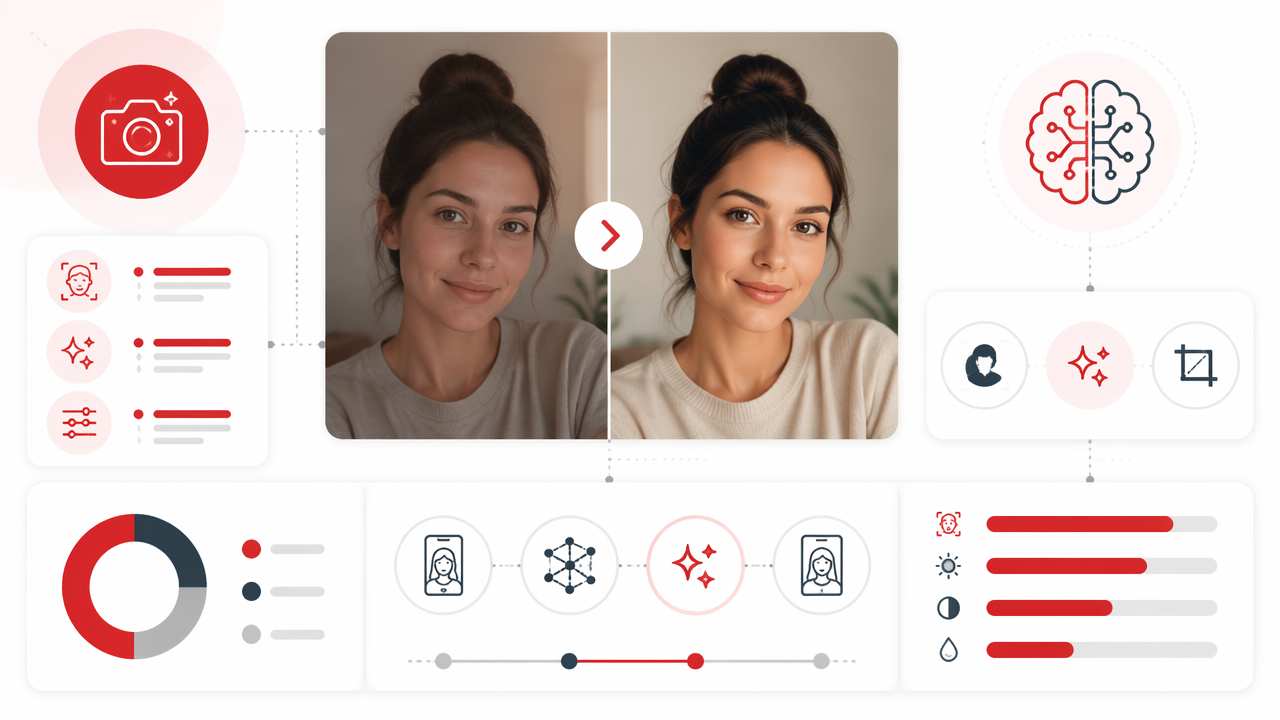
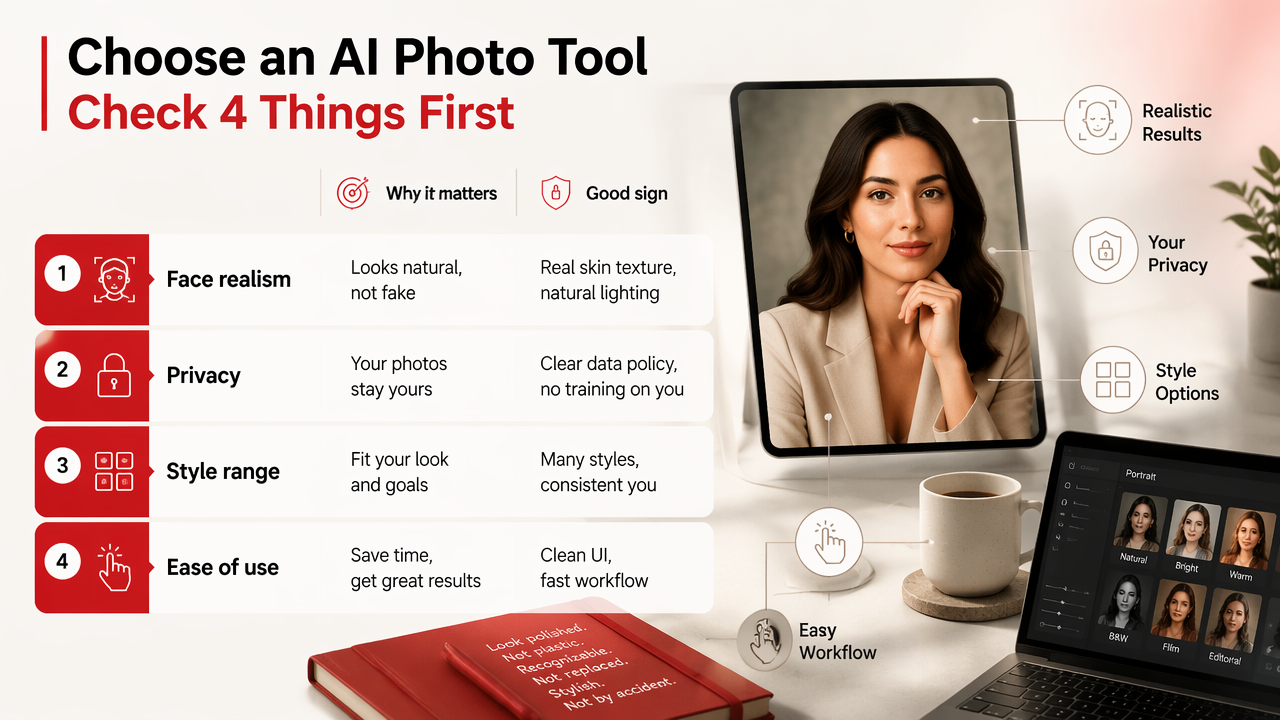
Feature checklist before you upload selfies
| Feature | Why it matters | Good sign |
|---|---|---|
| Face realism | Keeps images believable | Natural eyes, teeth, skin, and hair |
| Identity preservation | Makes outputs still look like you | Consistent face shape and expression |
| Privacy controls | Protects personal images | Clear upload, storage, and deletion terms |
| Style variety | Supports different goals | Dating, business, glamour, lifestyle, fantasy |
| Simple workflow | Saves time | Clear steps with few confusing settings |
| Download quality | Affects profile use | Sharp images sized for apps and social media |
Privacy deserves a real pause. Your face is personal data, so read how a service handles uploads, retention, and deletion before sending a full selfie set. If the terms are vague, treat that as a yellow flag, not a fun mystery.
Realism also beats perfection. Slight texture, normal shadows, and human asymmetry usually look more convincing than flawless skin and glassy eyes. I'd rather use a photo with one stubborn hair than one where my face looks assembled by a luxury toaster.
How HotphotoAI handles profile-ready portraits
The HotphotoAI platform focuses on personal portraits for people who want better profile images, dating photos, glamour shots, and stylized lifestyle visuals without arranging a traditional shoot. That makes it a practical fit when your goal is not abstract art, but a better version of your own online presence.
A smart way to use any portrait generator is to create several styles, then pick images based on context. Use one approachable lifestyle shot for a dating profile, one polished headshot for work, and one bolder creative image for social media. For brand recall or direct access, head to hotphotoai.com when you're ready to test that workflow.
What should you expect from AI portraits in 2026 and 2027?
AI portraits in 2026 are becoming more realistic, more customizable, and more identity-aware, while 2027 will likely bring better video avatars, stronger editing controls, and clearer rules around disclosure and consent. The technology is moving from "make me a picture" toward "help me manage my visual identity."
Trends that matter for personal images
- More consistent identity: tools are improving at keeping the same person recognizable across outfits and scenes.
- Better prompt control: users can specify lighting, lens feel, pose, wardrobe, and mood with less trial and error.
- Profile-specific outputs: dating, career, creator, and social platforms each need different visual signals.
- Mixed media expansion: image generation will connect more often with video, avatars, and immersive spaces.
A 2022 IEEE Access paper by Park and Kim examined metaverse taxonomy, components, applications, and open challenges, which connects directly to where personal AI images are headed: A Metaverse: Taxonomy, Components, Applications, and Open Challenges. Digital identity will keep becoming more visual, portable, and customizable.
Practical rule: use AI portraits to improve presentation, not to invent a person you can't comfortably be on a video call.
FAQ about artificial intelligence photo generators
These quick answers cover the questions most people ask before uploading selfies to an AI portrait tool.
Are AI-generated profile photos acceptable for dating apps?
AI-generated dating photos can work if they still look like you and show realistic versions of your appearance. Avoid images that change your age, body type, or core facial features. The goal is better lighting, styling, and setting, not a fictional character with your approximate cheekbones.
How many selfies do I need for good AI portraits?
Most portrait tools perform better when you upload several clear selfies from different angles and lighting conditions. Use recent images with your face visible, minimal obstruction, and varied expressions. Blurry, heavily filtered, or extreme-angle photos give the model less reliable information.
Can AI photo generators make professional headshots?
Yes, AI tools can create professional-style headshots with clean backgrounds, business outfits, and controlled lighting. Review outputs carefully before using them for resumes, company pages, or LinkedIn. Pick images that look credible and current, not overly polished or visibly synthetic.
What makes an AI portrait look fake?
Common giveaways include mismatched eyes, waxy skin, strange fingers, warped jewelry, inconsistent hair, and backgrounds that don't follow normal perspective. Overly perfect lighting can also look suspicious. Choose images with natural texture and believable imperfections, because real people are not rendered in showroom mode.
Conclusion
An artificial intelligence photo generator is most useful when you treat it like a creative photo assistant, not a magic identity machine. Start with strong selfies, choose the style that fits your actual goal, review realism closely, and keep privacy in mind before uploading. If you want profile-ready glamour, lifestyle, model-style, or dating photos without booking a shoot, visit hotphotoai.com and generate a small set first. Pick the images that feel like you, just with better lighting and fewer laundry piles in the background.