Background Photo Remover Free for Profile Photos: When It Works and When AI Portraits Win
TL;DR
A free background remover is enough when your face, hair, lighting, and outfit already look strong. If the original photo has bad lighting, awkward clothing, or a mismatched scene, generating a full AI portrait usually creates a better profile image than cutting out the background alone.
A background photo remover free for profile photos can clean up a messy room in seconds, but it can't magically fix bathroom lighting, a wrinkled shirt, or the haunted expression of someone checking their bank app. [Background photo remover]: an AI or editing tool that detects the subject in an image and separates it from the background, often exporting a transparent PNG or replacing the scene. For profile photos, the trick is knowing whether you need a cleaner background or a stronger image from the ground up. That's where tools like HotphotoAI fit naturally, because some profile pictures need a generated scene, matching outfit, and better lighting, not just a digital pair of scissors.
Table of Contents
What is a free background remover for profile photos?
A free background remover for profile photos is an online tool that automatically separates a person from the original background so the image can be placed on a plain color, transparent layer, or new scene. The best use case is simple: keep a strong photo, remove visual clutter, and make the subject easier to read.
The featured snippet holder, remove.bg, frames the promise as removing profile picture or holiday photo backgrounds in about 5 seconds with one click. That speed is the category's main appeal. You upload, the AI detects edges, and you download the result.
Key insight: background removal improves the setting around you; it does not improve the underlying photo of you.
For profile images, that distinction matters. A good cutout can make a LinkedIn headshot look cleaner. It can also make a dating photo look oddly pasted onto a fake beach if the light direction, shadows, and color temperature don't match.
What free tools usually include
- Automatic subject detection: Finds the person without manual tracing.
- Transparent background export: Useful for profile frames, thumbnails, and design templates.
- Solid color replacement: Common for resumes, LinkedIn, and ID-style looks.
- Basic edge refinement: Helps with hair, glasses, and shoulders, though results vary.
- Limited high-resolution downloads: Many free plans offer smaller files or watermarked exports.
Research on responsible AI systems, including work by Cheng, Varshney, and Liu in the Journal of Artificial Intelligence Research, is a useful reminder that automated image decisions can carry quality and fairness tradeoffs. In plain English: always inspect the output before making it your main profile photo.
When is a free background remover enough?
A free background remover is enough when the original profile photo already has a clear face, flattering light, sharp focus, natural expression, and clothing that fits the image's purpose. In that case, the background is the only weak link, so removing it is a smart, fast fix.
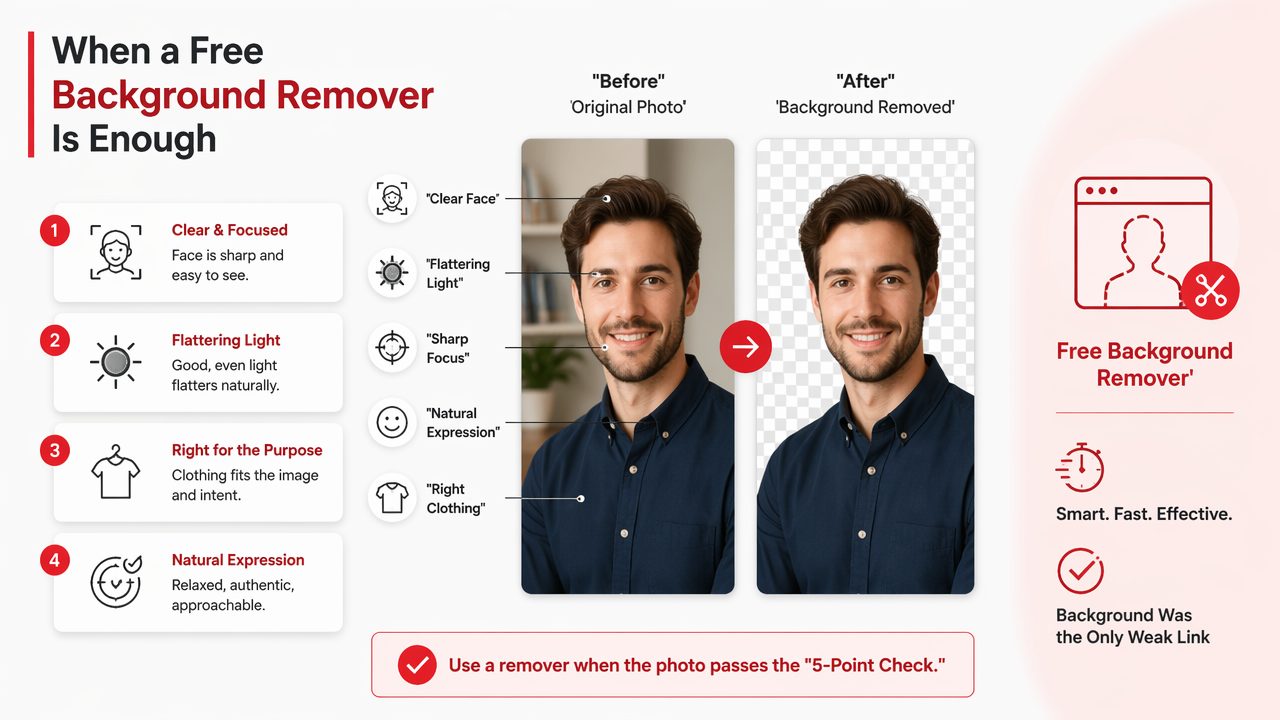
Use a remover when the photo passes the "would I still like this if the wall were plain?" test. If yes, proceed. If no, the background is innocent. Stop blaming the wallpaper.
Quick pass or full redo decision table
| Profile goal | Use a free background remover when | Choose a full AI portrait when |
|---|---|---|
| Dating app photo | Your face looks natural and the pose feels candid | The photo is dim, cropped badly, or lacks personality |
| LinkedIn-style photo | Your outfit is professional and lighting is even | You need a suit, studio lighting, or a cleaner business setting |
| Creator profile | Your face is sharp and you only need brand colors | You want stylized lighting, themed scenes, or a stronger visual identity |
| Glamour portrait | Makeup, pose, and outfit already work | You want model-style styling, dramatic lighting, or a fantasy scene |
| Resume or bio image | A plain background is required | The original image feels too casual for the role |
The table is brutally practical, which is why I like it. A background remover solves one variable. A full portrait generator can solve the whole composition.
Free remover checklist before you upload
- Pick a high-resolution photo where your face is not cropped.
- Check that hair does not blend into the background.
- Avoid motion blur, sunglasses, and harsh overhead shadows.
- Choose a replacement background that matches the original lighting.
- Export the largest free file available and preview it at profile-picture size.
Small profile circles hide many sins, but not all of them. Hair halos, missing ears, and cut-off shoulders still show up, especially on dating apps where people zoom in like unpaid detectives.
When should you generate a full AI portrait instead?
You should generate a full AI portrait when the original photo has weak lighting, mismatched clothing, awkward framing, or a background that cannot be replaced convincingly. A new portrait is better when the scene, outfit, pose, and light need to work together rather than be patched after the fact.
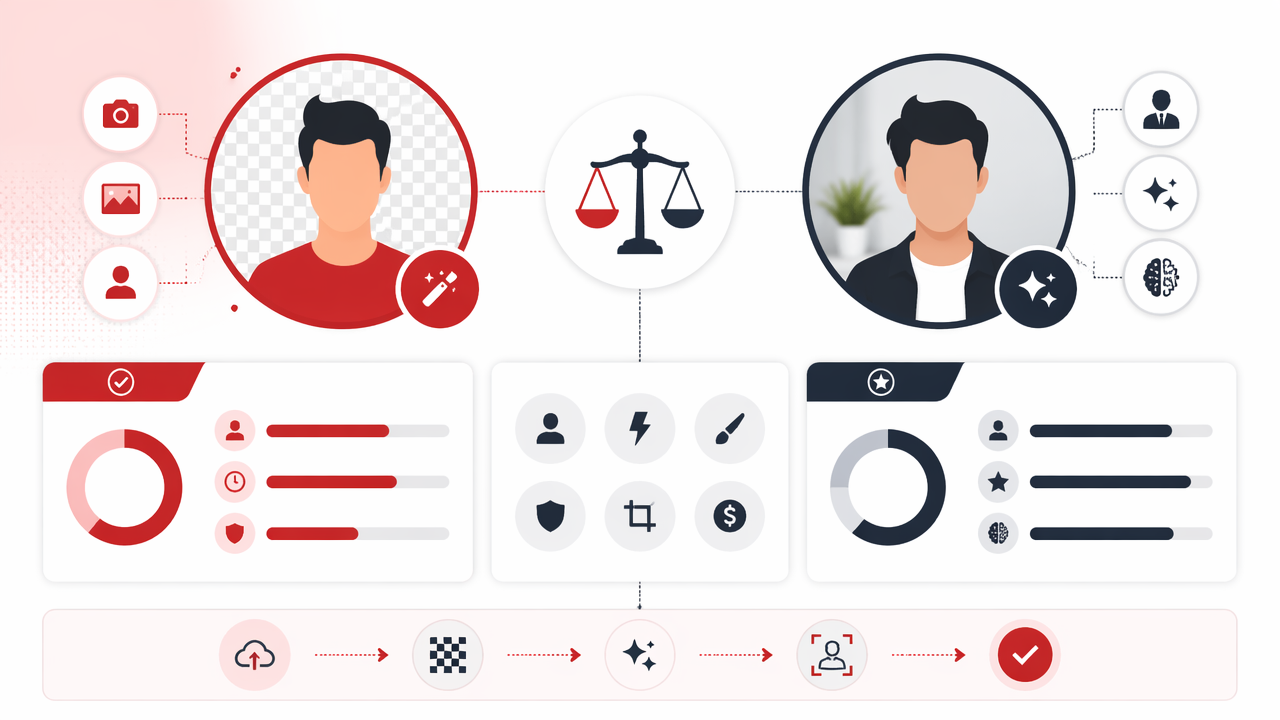
Computer vision research in fashion, including Fashion Meets Computer Vision, shows how image systems analyze clothing, visual style, and human appearance together. That matters for profile photos because attraction, credibility, and polish come from the full frame, not the background alone.
A free cutout may make a messy image cleaner. A generated portrait can make the whole image intentional.
Decision flowchart for profile photo goals
Use this simple flow before opening any editor:
- Is your face sharp and well lit?
- Yes: continue.
- No: generate a full AI portrait.
- Does your outfit match the profile goal?
- Yes: continue.
- No: generate a full AI portrait.
- Is only the background distracting?
- Yes: use a free background remover.
- No: generate a full AI portrait.
- Do you need dating, LinkedIn, creator, or glamour styling?
- Dating: choose natural lifestyle lighting.
- LinkedIn: choose professional clothing and neutral settings.
- Creator: choose brand colors and stylized composition.
- Glamour: choose editorial light, wardrobe, and pose.
If the photo needs better context, not just less clutter, background removal is the wrong tool wearing a tiny disguise.
How HotphotoAI handles this
The HotphotoAI platform is built for the moment when a cutout is too small a fix. Instead of removing a background from a flawed source image, it can create profile-ready portraits with coordinated lighting, outfits, backgrounds, and visual style.
That approach is useful for dating profiles, creator avatars, polished social media portraits, and glamour looks where the photo needs to feel planned. If you want a beach lifestyle shot, a studio-style headshot, or a model-inspired image, matching the whole scene usually beats pasting your old selfie onto a new wall.
How do you use a background photo remover free for profile photos without making it look fake?
To use a background photo remover free for profile photos without making the result look fake, choose a strong source photo, match the new background to the original lighting, refine hair edges, avoid extreme blur, and test the final image at the small size used by apps.
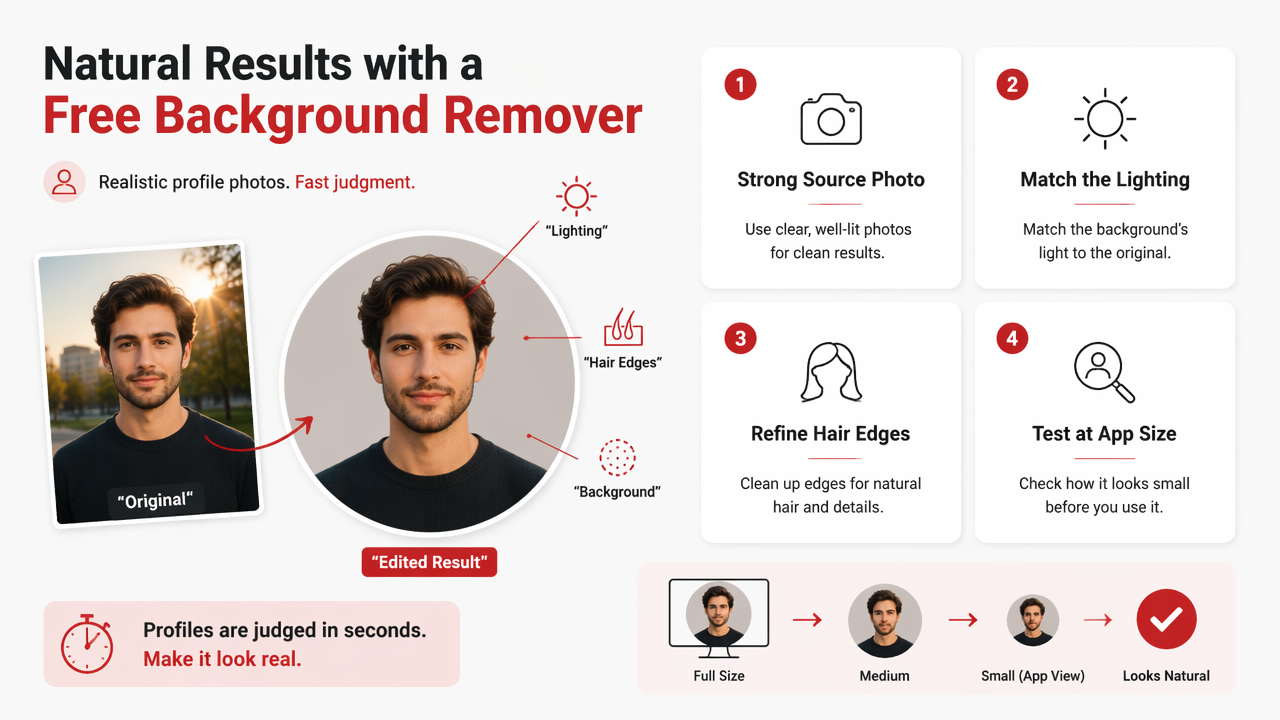
A profile image is judged fast. People do not study your masking technique, but they instantly notice when your head floats like a corporate balloon.
Profile-safe editing steps
- Start with the cleanest original: Face forward, sharp eyes, simple pose.
- Remove the background once: Repeated edits can create crunchy edges.
- Choose a believable replacement: Neutral walls, soft outdoor scenes, or brand colors work best.
- Match light direction: If your face is lit from the left, avoid a background lit from the right.
- Soften edges lightly: Hair should look natural, not helmet-shaped.
- Preview in a circle crop: Tinder, LinkedIn, and creator platforms often crop tightly.
For LinkedIn, I'd keep backgrounds boring in the best possible way: light gray, muted blue, or a simple office-style scene. For dating, avoid sterile passport-photo energy. Warm, realistic scenes feel more human.
Mistakes that make profile photos look edited
- Background too dramatic: A mansion, yacht, or neon skyline can read as costume unless your whole image supports it.
- Lighting mismatch: Your face and background should look like they exist in the same weather system.
- Overly sharp cutouts: Real hair has softness and stray strands.
- Low-resolution downloads: A tiny file may look fine in preview but blurry after upload.
- Over-smoothing skin: Clean is good; plastic is suspicious.
Keep the edit boring where it should be boring, and interesting where it should be interesting: expression, styling, and story.
FAQ: Free background removers and AI profile photos
Free background removers are best for quick cleanup, while AI portrait tools are better for rebuilding the entire visual impression. The right choice depends on whether your current photo is almost good or fundamentally mismatched for the profile you want.
Is a free background remover good enough for Tinder photos?
A free remover can help a Tinder photo if your face, expression, and lighting are already attractive and natural. It will not fix stiff posing, bad light, or an outfit that sends the wrong signal. For dating, believable lifestyle context usually beats a perfect cutout on a blank background.
Can I use a background remover for LinkedIn headshots?
Yes, a background remover can work well for LinkedIn when your original photo already looks professional. Replace distracting walls or clutter with a neutral background, then check the crop on mobile. If you need a sharper outfit, studio lighting, or a more executive look, a generated portrait is usually stronger.
Do free background removers reduce image quality?
Some free tools limit export size, compress files, or reserve high-resolution downloads for paid plans. The visible quality also depends on edge detail, especially around hair, glasses, and shoulders. Always compare the edited file with the original before uploading it as your main profile image.
What should I do if the cutout looks unnatural?
Try a simpler replacement background, reduce contrast, and soften the edges slightly. If the source photo has harsh shadows or messy hair, another upload may not solve it. At that point, creating a new image with matched lighting and styling is usually faster than wrestling the cutout.
Conclusion
A background photo remover free for profile photos is a smart first move when your picture is already close to good. Use it for clutter, plain backdrops, and simple profile polish. Choose a full AI portrait when you need better lighting, outfit, pose, or scene cohesion.
My practical rule: if you'd proudly use the original photo with a plain wall behind it, remove the background. If you're secretly hoping the new background will rescue the whole thing, create a new portrait instead. For coordinated dating, creator, glamour, or professional images, try HotphotoAI and head to hotphotoai.com when you want the scene, styling, and lighting to feel like they were made together.