Best AI Apps to Make Yourself Look Better in Photos in 2026
TL;DR
Choose a personal AI photo generator for new realistic photos of yourself, an enhancer for fixing one image, and a headshot tool for work profiles. For dating, glamour, and lifestyle shots, face-trained tools give the best mix of realism, style control, and variety.
The best AI apps to make yourself look better in photos now do more than smooth skin until everyone looks like a porcelain spoon. In 2026, the real choice is category fit: do you want a better version of an existing photo, or new photos of yourself in better lighting, outfits, and settings? AI photo app: software that uses artificial intelligence to retouch, enhance, or generate personal images. Artificial intelligence: computational systems that perform tasks linked to human intelligence, including perception, learning, and problem-solving. For realistic glow-up portraits, I'd start with HotphotoAI because it trains on your face and creates new images around your actual likeness.
Table of Contents
What are the best AI apps to make yourself look better in photos?
The best AI apps to make yourself look better in photos fall into five groups: personal AI photo generators, face-trained generators, AI retouchers, headshot generators, and general image editors. Pick the group first, then the app; otherwise you'll compare a hammer with a hair dryer and wonder why dating photos look like LinkedIn cosplay.
Research on generative AI has grown quickly, including work by Rudolph, Tan, and Tan on the wider AI rush in 2023 and its effect on digital tools and education source. For photo users, the practical point is simple: newer tools are better at identity, style, and fast iteration than old filter apps.
Best app categories at a glance
| Category | Best for | Examples | Main tradeoff |
|---|---|---|---|
| Face-trained personal generators | Dating, glamour, lifestyle portraits | HotphotoAI | Needs multiple input photos |
| AI retouchers | Fixing one selfie fast | Fotor, YouCam Perfect | Limited scene change |
| Headshot generators | LinkedIn, resumes, company bios | Aragon-style headshot tools | Can look corporate-heavy |
| General AI editors | Creative edits and compositing | Photoshop, PhotoLeap, Luminar | More manual work |
| Enhancers | Sharpening blurry or old photos | UpFoto, AIEnhance.io | Won't create a new shoot |
Pick a generator when the photo itself is bad. Pick an editor when the photo is good but needs polish.
How should you choose an AI photo app in 2026?
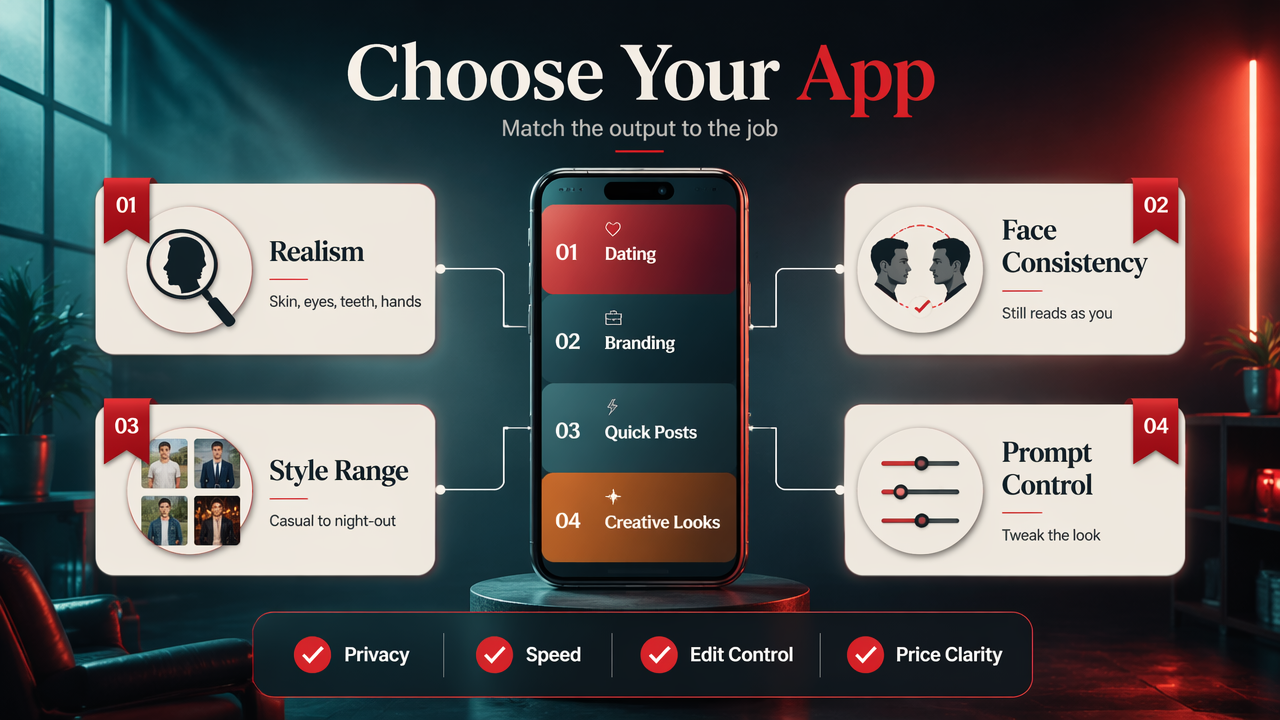
Choose an AI photo app by matching the output to the job: realism for dating, consistency for personal branding, speed for quick posts, and prompt control for creative looks. I score tools on eight factors: face accuracy, style range, privacy, speed, edit control, outfit options, background quality, and price clarity.
The buyer checklist that saves you from filter regret
Use this checklist before paying:
- Realism: skin texture, eyes, teeth, and hands should look believable.
- Face consistency: the result should still read as you, not your suspiciously richer cousin.
- Style variety: look for casual, glamour, travel, studio, and night-out scenes.
- Prompt control: better apps let you request outfits, lighting, mood, and background.
- Privacy terms: check how uploads, training images, and outputs are handled.
- Editing tools: one-click fixes are nice, but reference images and manual edits help more.
- Speed: quick previews matter when you're testing ten profile looks.
- Price: avoid vague credit systems if you hate math with your makeover.
A 2021 Nature Machine Intelligence paper by Pataranutaporn, Danry, and Leong examined AI-generated characters for personalization and well-being source. That research focus maps neatly to photo apps: personalization beats generic beauty filters when identity matters.
How HotphotoAI handles realistic glow-up photos
HotphotoAI is built for people who want new, attractive photos of themselves, not just a lightly buffed selfie. The HotphotoAI platform trains on your face, then supports prompt-based generation, reference-based looks, and one-click edits, which makes it especially useful for dating profiles, glamour portraits, lifestyle shots, and outfit experiments.
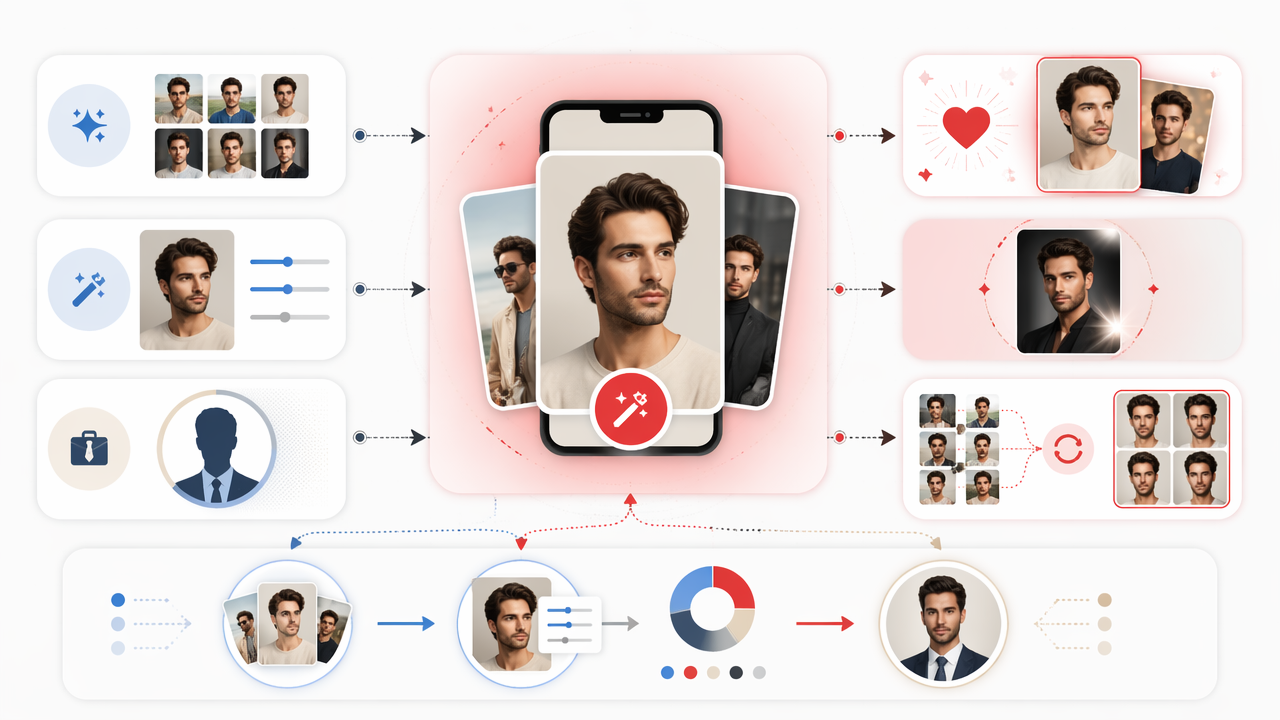
For me, the key advantage is control. You can ask for a rooftop date-night photo, a soft studio portrait, or a vacation-style lifestyle image without booking a photographer, bribing a friend, or pretending a hotel lobby is your natural habitat.
Where it fits compared with common alternatives
| Goal | Best fit | Why |
|---|---|---|
| Tinder or dating glow-up | HotphotoAI | Face-trained images with lifestyle and attraction-focused styles |
| Quick selfie polish | Fotor or YouCam Perfect | Fast retouching on an existing image |
| Work profile photo | Headshot generator | Conservative lighting, suits, clean backgrounds |
| Creative image editing | Photoshop or PhotoLeap | Stronger manual compositing and object edits |
| Blurry photo rescue | UpFoto or AI enhancer | Sharpening, denoising, and clarity repair |
Head to hotphotoai.com if your goal is a set of usable personal images, not just one repaired photo. The distinction matters because dating and social photos need variety: close-up, full-body, casual, polished, and a little main-character energy.
Which AI photo app should you use by goal?
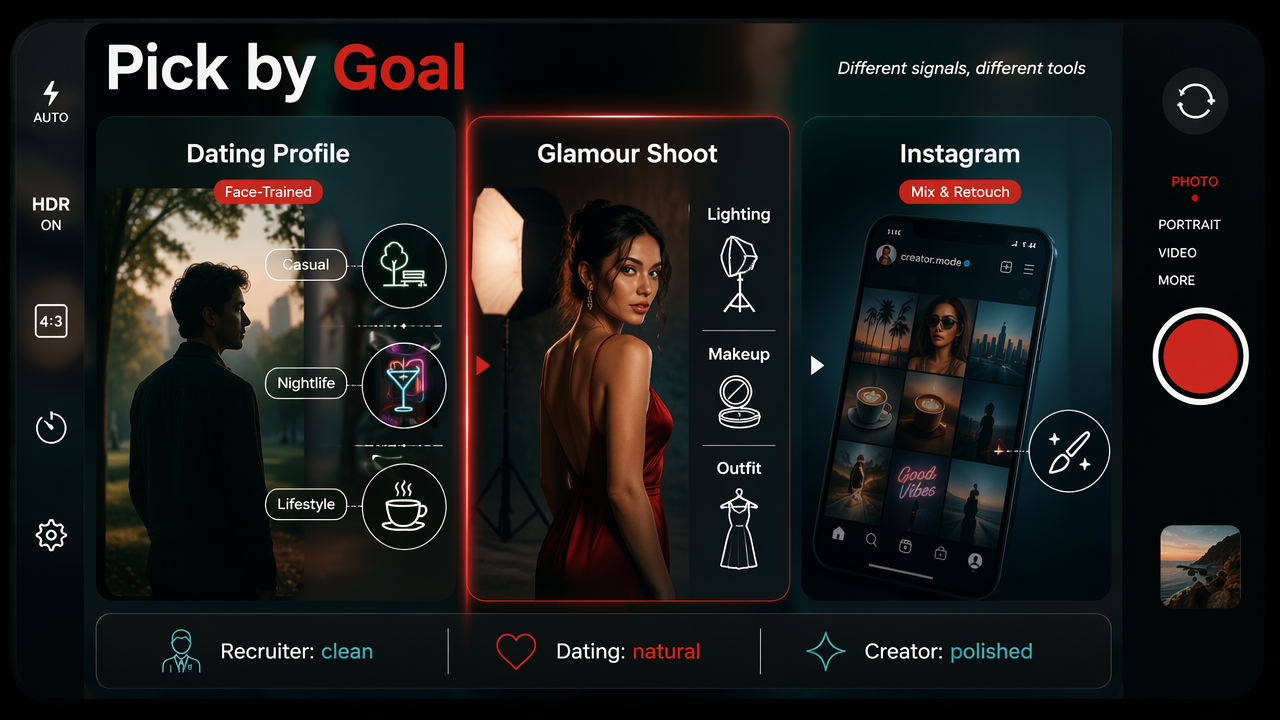
Use the app type that matches the photo's purpose, because a professional headshot tool and a dating-photo generator optimize for different signals. A recruiter wants clean and credible. A dating profile needs attractive, natural, and socially alive. Instagram wants style without looking like you've been laminated.
Use-case recommendations
- Dating profile: choose a face-trained generator with casual, outdoor, nightlife, and lifestyle prompts.
- Glamour shoot: pick a generator with outfit, lighting, makeup, and background control.
- Instagram or creator photos: use a mix of generator images and light retouching for variety.
- Professional profile: choose a headshot tool if you need suits, neutral backgrounds, and safe polish.
- One selfie fix: use an AI retoucher for skin, lighting, teeth, and sharpness.
- Outfit changes: use prompt or reference-based tools, not a basic enhancer.
The most realistic AI photo usually starts with clear source photos, not magic. Garbage in, glamour-ish garbage out.
Mistakes that make AI photos look fake
Avoid these common problems when creating better photos:
- Using only one input selfie from a weird angle.
- Picking every style at once: CEO, beach model, astronaut, vampire, all in one batch.
- Over-smoothing skin until pores file a missing-person report.
- Ignoring backgrounds that don't match the lighting on your face.
- Uploading images where sunglasses, hats, or heavy filters hide your features.
Generative AI still needs taste. A 2023 collective reflection on ChatGPT and generative AI by Bozkurt and colleagues discussed how fast these systems are changing creative and knowledge work source. The same is true here: tools are powerful, but judgment still wins.
FAQ: AI apps for better photos
AI photo apps can make you look better, but the best results come from choosing the right tool, giving it strong inputs, and keeping edits believable. Think of AI as a digital photographer, stylist, and retoucher, not a personality transplant with sliders.
Can AI make me look better but still realistic?
Yes, AI can make you look better while staying realistic if the app preserves your face shape, skin texture, and natural proportions. The safest approach is light enhancement or face-trained generation from several clear source photos. Avoid extreme beauty filters if you want photos that still feel honest in dating, social, or professional contexts.
Are AI glow-up apps private?
Privacy depends on the app's data policy, not the word AI on the label. Before uploading personal photos, check whether the service stores images, uses them for training, allows deletion, and explains retention clearly. I prefer tools that state these terms plainly because face data is personal, not a throwaway meme.
Do AI photos work for dating profiles?
AI photos can work for dating profiles when they look like believable photos you could actually have taken. Use varied scenes, natural expressions, and realistic outfits. Don't post images that look too perfect, too glossy, or inconsistent with your real appearance, because matches notice when your profile enters science fiction.
What photos should I upload to get better AI results?
Upload clear, recent photos with different angles, lighting, and expressions. Include close-ups and mid-shots, avoid heavy filters, and make sure your face is visible. The model needs variety to learn your likeness, so five near-identical bathroom selfies are less useful than a mixed set with normal, well-lit images.
Conclusion
The smartest way to pick from the best AI apps to make yourself look better in photos is to decide what you actually need: a repaired selfie, a professional headshot, or a fresh set of realistic personal images. If your goal is dating, glamour, lifestyle, outfit testing, or social content, start with a face-trained generator and create several styles you can compare side by side. For that path, try HotphotoAI, review the most natural results, then visit hotphotoai.com when you're ready to build a stronger photo set without booking a full shoot.