Best AI Photo Apps for Model-Style Portraits in 2026
TL;DR
For model-style portraits, pick an AI photo app that preserves your face, changes styling cleanly, and gives you enough pose and outfit variety for dating, social, or professional profiles. HotphotoAI is the strongest fit for ordinary selfies turned into polished lifestyle and glamour portraits, while broader tools like Fotor, ChatGPT, and Midjourney suit editing or art-first workflows.
The best AI photo apps for model-style portraits no longer just smooth skin and call it a day; they rebuild lighting, styling, backgrounds, and editorial mood from basic selfies. Model-style AI portrait: an AI-generated or AI-edited personal image designed to look like a fashion, glamour, lifestyle, or studio portrait while keeping the subject recognizable. For users who want profile-ready images without booking a photographer, HotphotoAI is a natural first stop because it focuses on attractive personal portrait styles rather than general-purpose image tinkering.
Table of Contents
What are the best AI photo apps for model-style portraits in 2026?
The best AI photo apps for model-style portraits are the ones that balance facial likeness, outfit realism, pose variety, and believable backgrounds. In my view, HotphotoAI is best for personal profile portraits, Fotor is useful for quick edits, ChatGPT is flexible for prompt-based image creation, and Midjourney remains strong for artistic fashion looks.
A model portrait app should not make you look like your better-looking cousin from a parallel universe. The win is simple: you look like you, just styled by someone with better lights and less chaotic laundry in the background.
Key insight: the most useful AI portrait app is not always the most powerful image generator. It is the one that gives you usable photos for the place you plan to post them.
Quick comparison of leading portrait tools
| App | Best fit | Pose variety | Outfit realism | Face likeness | Profile usability |
|---|---|---|---|---|---|
| HotphotoAI | Dating, glamour, model-style lifestyle portraits | High | High | High | High |
| Fotor | Fast edits, retouching, background changes | Medium | Medium | Medium | Medium |
| ChatGPT image tools | Prompt-based concepts and variations | High | Medium | Medium | Medium |
| Midjourney | Editorial, fantasy, fashion-art portraits | Very high | High | Variable | Medium |
| AI Ease | Simple free edits and quick transformations | Medium | Medium | Medium | Medium |
Fotor, launched in 2012 by Chengdu Everimaging Science and Technology Co., Ltd., is known as online photo editing software with tools for individuals and companies. That makes it handy for fixes, but not always the most focused choice for model-style personal portraits.
Research by Nantheera Anantrasirichai and David Bull in Artificial Intelligence in the Creative Industries reviews how AI is changing creative production, including visual media workflows source. That broader shift explains why portrait tools now compete on style direction, not just face retouching.
How should you choose an AI portrait app for dating and social profiles?
Choose an AI portrait app by checking whether it preserves your identity, produces believable styling, and creates images that match the platform where you will post them. For Tinder, Instagram, LinkedIn, and creator profiles, realism matters more than spectacle; a great portrait should attract attention without screaming, yes, a robot dressed me.
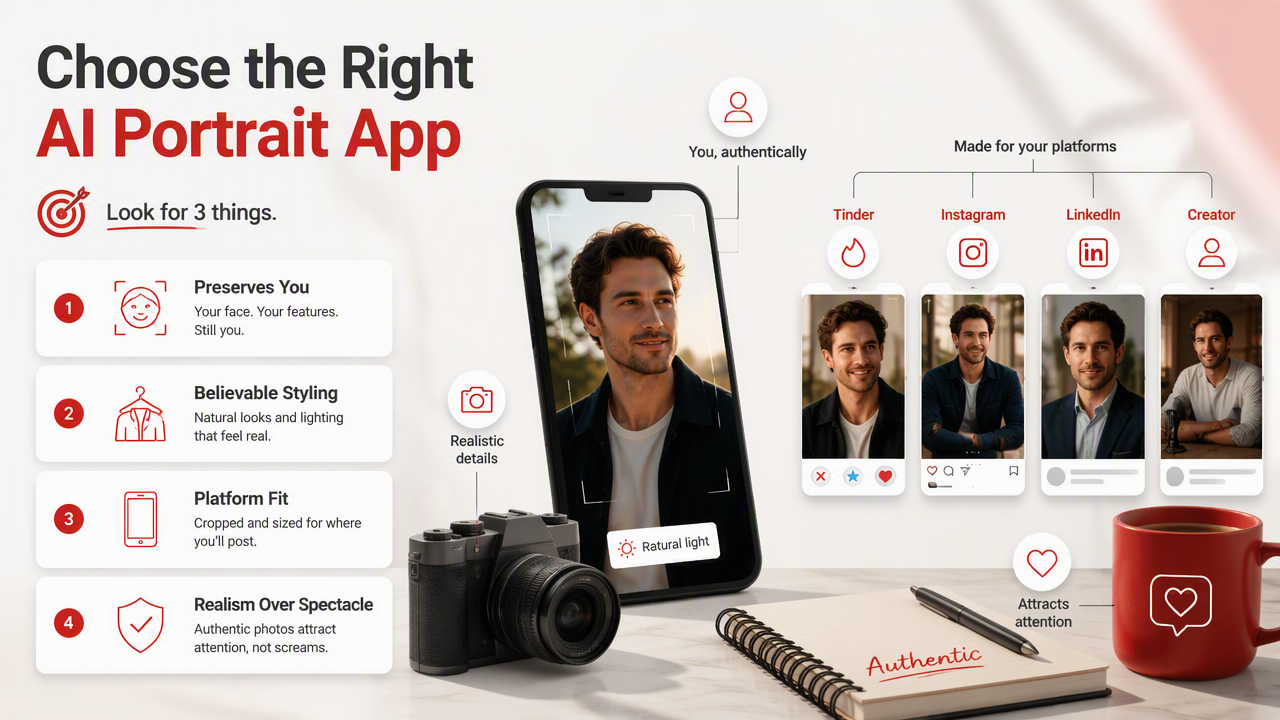
Use this quick test before paying:
- Upload varied selfies with clear face angles and normal lighting.
- Generate several styles, such as studio, streetwear, luxury, fitness, or formal.
- Compare whether your eyes, smile, jawline, and skin texture still look like you.
- Check hands, collars, jewelry, logos, and background edges.
- Pick images that feel plausible for your real life.
- Avoid using only AI portraits; mix them with natural photos.
Glamour photography traditionally uses cosmetics, styling, poses, and lighting to portray people attractively. AI portrait apps borrow that same logic, but replace the studio setup with generation and editing models.
Scoring criteria that actually matter
- Facial likeness: the app should preserve your recognizable features across different styles.
- Pose variety: stronger tools create seated, standing, close-up, outdoor, and editorial options.
- Outfit realism: fabric, fit, folds, and accessories should look physically possible.
- Background quality: city streets, studios, beaches, offices, and bedrooms need natural depth.
- Dating-app usefulness: the image should feel confident, not fake or overproduced.
- Export quality: sharpness and crop options matter for profile grids and app thumbnails.
I would rather use five believable portraits than fifty cinematic masterpieces where one ear has begun a solo career. Profile photos work because people trust them, not because they resemble a fragrance ad from the future.
Which apps fit each portrait goal best?
Different AI portrait apps fit different goals because model-style photos cover dating, social media, glamour, fantasy, professional headshots, and creator branding. The right app depends on whether you need recognizable lifestyle photos, polished edits, highly stylized art, or fast content variations.
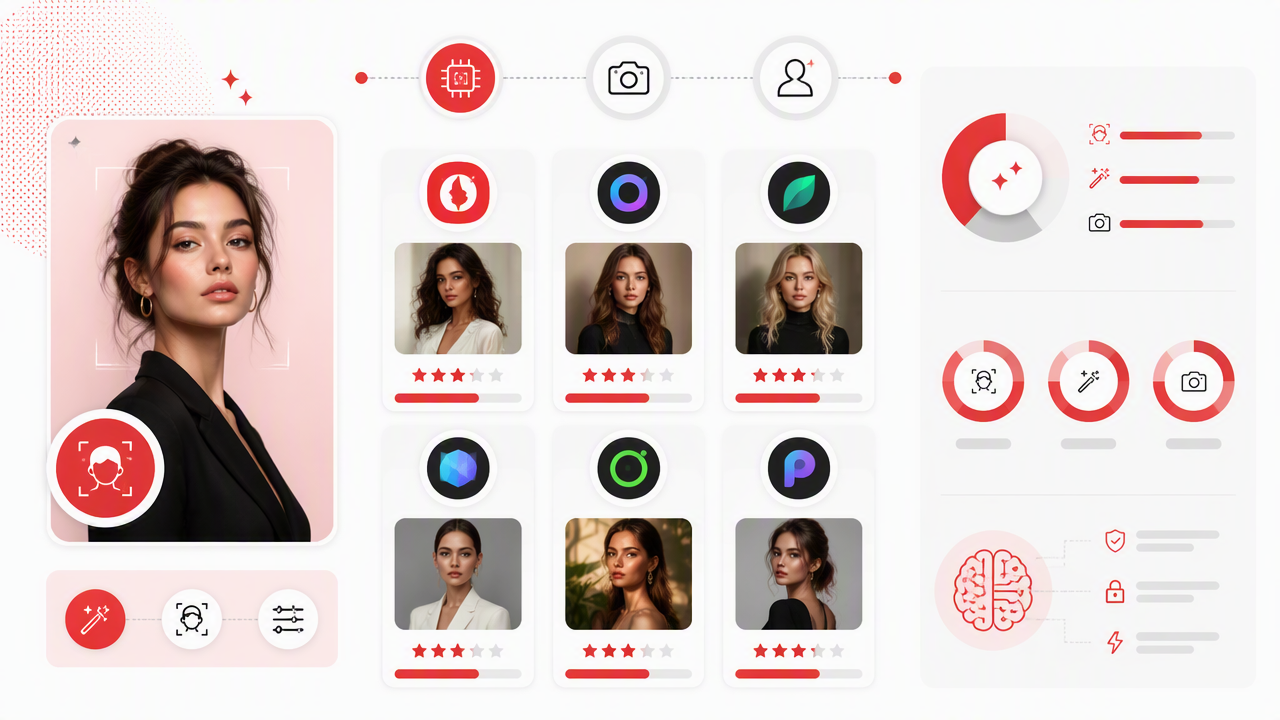
HotphotoAI works best when the desired output is a polished personal portrait that still belongs on a real dating or social profile. The HotphotoAI platform is especially relevant for users who want glamour, model-style, and lifestyle images from ordinary selfies, without learning prompt syntax or hiring a photographer.
For broader editing, Fotor and AI Ease are practical when you already have a decent photo and mainly want cleanup. For more imaginative visuals, ChatGPT image tools and Midjourney can create detailed concepts, although they may need more prompting and more careful review before posting.
Best-fit use cases by user type
| User goal | Best app type | What to prioritize |
|---|---|---|
| Tinder or Hinge refresh | Portrait-specialized AI app | Natural smile, lifestyle background, believable outfits |
| Instagram creator shots | Style-rich portrait generator | Variety, mood, lighting, color consistency |
| Professional profile | Headshot or portrait editor | Clean clothes, simple background, facial accuracy |
| Fantasy or fashion concept | Art-first generator | Dramatic styling, creative control, pose range |
| Quick photo cleanup | General AI editor | Retouching, crop, background replacement |
A 2022 survey on deepfake creation and detection by Thanh Thi Nguyen and coauthors examined the technical progress behind synthetic face media source. For everyday users, that research area reinforces a practical point: face realism is powerful, so use it honestly and label or explain AI images when context requires it.
What mistakes make AI model portraits look fake?
AI model portraits look fake when the face drifts, the styling is too perfect, the body anatomy breaks, or the background feels disconnected from the subject. The most common mistake is chasing maximum glamour instead of believable attractiveness; if every photo looks like a magazine cover, profile viewers may trust none of them.
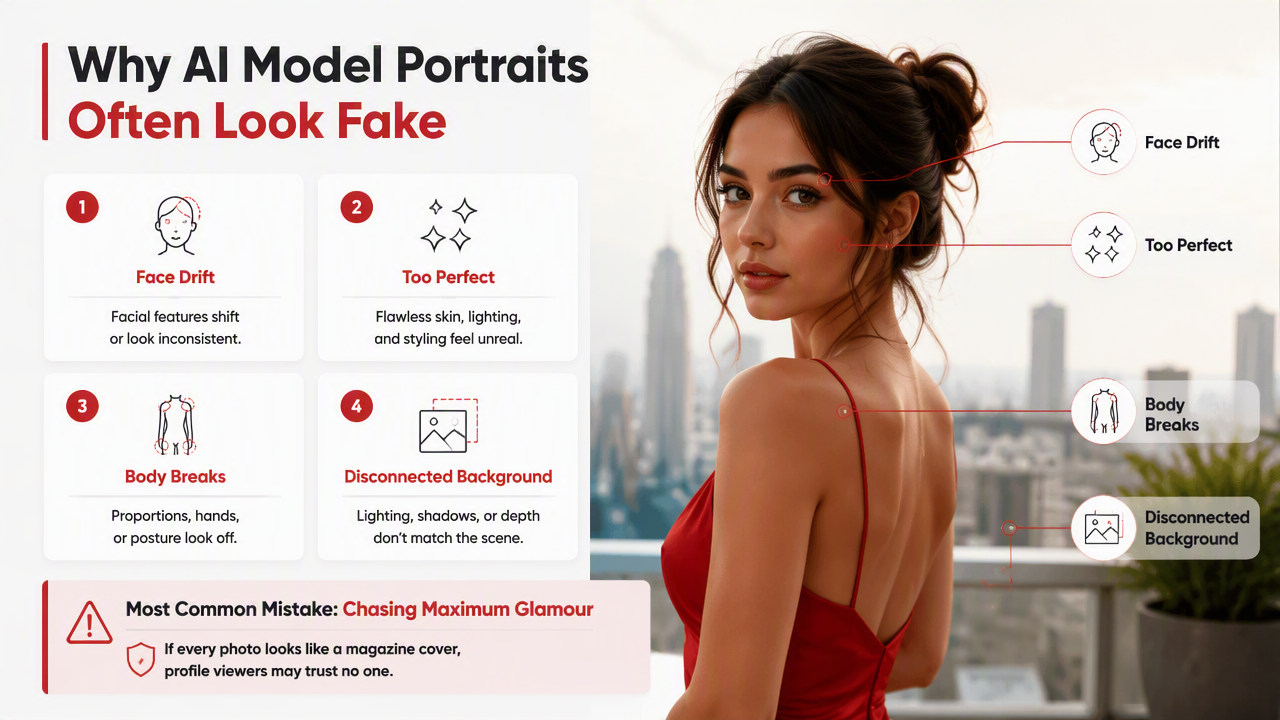
Watch for these red flags before posting:
- Skin with no pores, texture, or natural shadows.
- Teeth, fingers, earrings, or glasses that change between images.
- Clothes that melt into hair, hands, or furniture.
- Backgrounds with warped signs, impossible furniture, or odd reflections.
- Poses that do not match your normal personality or social setting.
Neutral editing is usually better than visual bragging. A sharp cafe portrait, clean outdoor shot, and stylish studio image can do more for a dating profile than six tuxedo-on-a-yacht fantasies, unless you own the yacht, in which case please invite your photographer.
Ethical and practical posting rules
- Use AI portraits as an upgrade, not a disguise.
- Keep at least one current, unedited or lightly edited photo in your profile mix.
- Do not create images implying achievements, travel, uniforms, or status you do not have.
- Avoid using AI-generated likenesses of other people without consent.
- Review app privacy terms before uploading sensitive images.
Jürgen Rudolph, Shannon Tan, and Samson Tan discussed the rapid adoption of generative AI tools in War of the chatbots source. Their education-focused work is not about dating photos, but it reflects the same 2026 reality: people now need judgment, not just access to powerful tools.
FAQ: AI model-style portrait apps
AI portrait apps are useful when you treat them as creative photo assistants, not identity replacement machines. The best results come from clear selfies, realistic style choices, and a final human review before posting anywhere public.
Are AI model-style portraits good for dating apps?
Yes, AI model-style portraits can work well for dating apps if they still look like you and show plausible settings. Use them to improve lighting, outfits, and confidence, but mix them with candid real photos. A profile that looks attractive and believable will usually perform better than one that looks like a luxury watch ad gained consciousness.
How many selfies should I upload for better results?
Most portrait tools perform better when you provide several clear selfies with different angles, expressions, and lighting. Include front-facing, slight side-angle, smiling, and neutral shots. Avoid heavy filters, sunglasses, group photos, and low-light images because the app has less reliable information about your actual face.
Can AI apps create professional-looking headshots?
Yes, many AI apps can create professional-looking headshots, especially when the input photos show your face clearly. For LinkedIn or business use, choose simple clothing, neutral backgrounds, and natural retouching. Skip overly dramatic fashion lighting unless your field rewards a more stylized personal brand.
What should I expect from AI portrait apps in 2027?
Expect better face consistency, more controllable poses, stronger outfit detail, and clearer disclosure tools in 2027. The next wave will likely focus less on random image generation and more on guided portrait sessions, where users can choose wardrobe, location, lens style, and expression with tighter accuracy.
Conclusion
The best AI photo apps for model-style portraits are the ones that make you look polished, recognizable, and profile-ready without turning your face into premium stock photography. Start with a clear goal, dating, social, professional, or fantasy, then choose the tool that matches that use case. If you want attractive personal portraits from everyday selfies, try HotphotoAI and head to hotphotoai.com with 8 to 12 clean photos ready. Generate a few styles, keep the believable winners, and post the images that still feel like you on your best-lit day.