Best AI Photo Editor for Changing Outfits and Backgrounds in 2026
TL;DR
For most personal profile, dating, creator, and lifestyle images, pick an AI editor that handles both outfit swaps and background generation in one workflow. Prioritize face consistency, realistic lighting, fabric detail, commercial-use clarity, and export quality before chasing free credits.
The best AI photo editor for changing outfits and backgrounds is the one that keeps your face recognizable while making the clothes, lighting, and scene look like they were shot together, not stapled on by a caffeinated robot. For users who want polished dating photos, social portraits, fantasy looks, or professional profile images, HotphotoAI is built around that exact use case: personal images that can shift style without booking a studio.
AI outfit and background editor: a generative photo tool that changes clothing, surroundings, lighting, or style in an existing portrait while preserving the subject's identity and pose.
Key takeaway: the winning tool is not always the one with the most filters. It is the one that makes the edit believable at thumbnail size and full-screen size.
Table of Contents
What is the best AI photo editor for changing outfits and backgrounds?
The best AI photo editor for changing outfits and backgrounds combines outfit replacement, scene generation, face consistency, lighting correction, and easy exports in one workflow. For 2026, the strongest pick depends on your goal: dating photos, creator portraits, ecommerce mockups, social posts, or quick design assets.
Quick comparison of leading options
| Tool | Best for | Outfit changes | Background changes | Notable fit |
|---|---|---|---|---|
| HotphotoAI | Personal portraits, dating photos, lifestyle looks | Yes | Yes | Strong choice for model-style personal images |
| Canva AI Clothes Changer | Design workflows and social graphics | Yes | Limited by design context | Useful if you already build in Canva |
| Fotor AI Clothes Changer | Fast browser-based edits | Yes | Yes | Practical for casual photo edits |
| Facetune | Selfie retouching and mobile edits | Partial | Yes | Known for portrait and selfie editing, per its product category |
| bitStudio AI Clothes Changer | Virtual try-on and apparel views | Yes | Context-dependent | Useful for clothing presentation |
Competitors often frame this category as a "clothes changer," but that undersells the job. A good editor needs to solve three problems at once: wardrobe, setting, and realism. If your suit looks sharp but the shadows point in three directions, the image still feels fake.
For personal use, I would rank face consistency above novelty. Wild outfits are fun, but a dating profile or LinkedIn image needs to look like you on a very good day, not your cousin from a parallel universe.
How do AI outfit and background editors work?
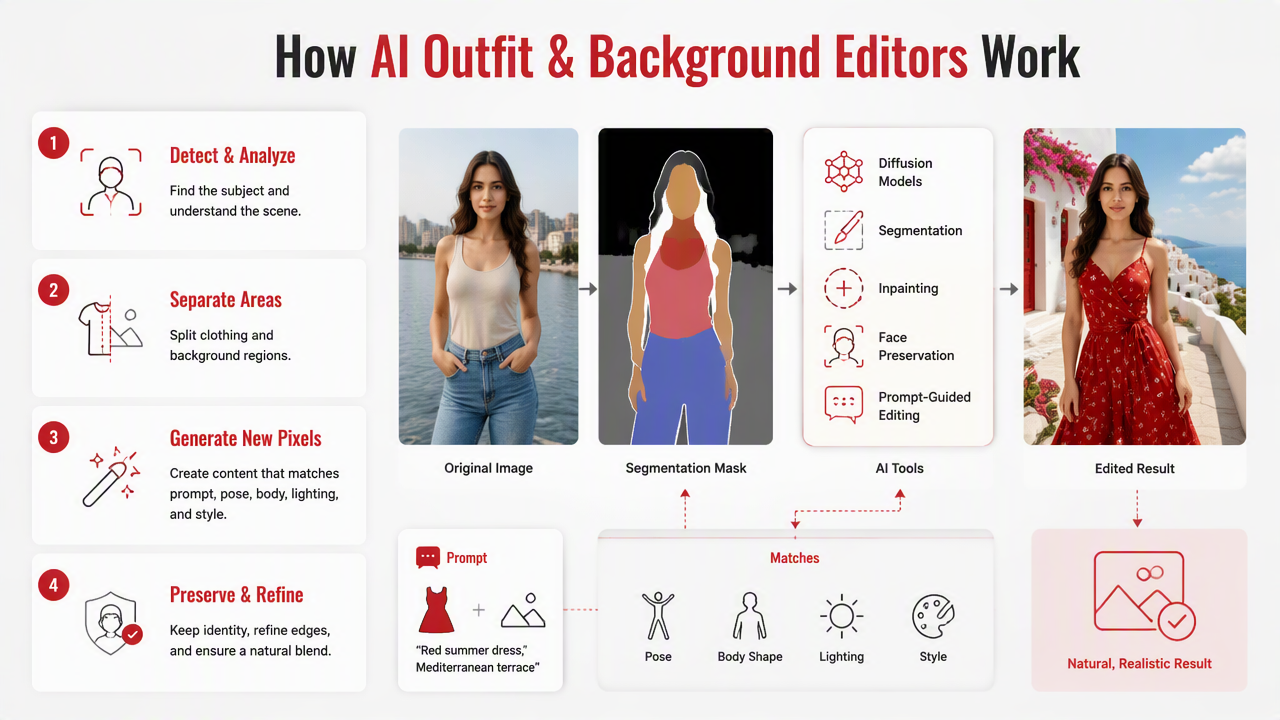
AI outfit and background editors work by detecting the subject, separating clothing and scene areas, then generating new pixels that match the prompt, pose, body shape, lighting, and image style. Modern tools may use diffusion models, segmentation, inpainting, face preservation, and prompt-guided editing to create the final image.
The usual edit pipeline
- Upload a clear portrait: front-facing or three-quarter photos usually work best.
- Choose the edit area: clothing, background, or the full image style.
- Describe the target look: for example, "black evening dress in a rooftop bar" or "navy blazer in a bright office."
- Generate variations: compare several outputs instead of trusting the first one.
- Check realism: inspect hands, collars, hair edges, shadows, and logos.
- Export for the platform: crop differently for Tinder, Instagram, LinkedIn, or portfolio pages.
A 2023 IEEE Access review by Dash, Ye, and Wang covered how generative adversarial networks have been applied across fields, from medical imaging to remote sensing, which helps explain why image synthesis has moved beyond novelty filters into practical editing systems (IEEE Access, 2023).
Generative editing also overlaps with product design. A 2023 survey in Applied Sciences examined big data and AI-driven product design, a useful lens for virtual try-on and style testing because clothing edits are not only artistic, they are also product visualization problems (Applied Sciences, 2023).
Which features matter most for realistic edits?
The most important features are identity preservation, garment realism, background coherence, prompt control, and export flexibility. A tool can have hundreds of styles, but if it changes your jawline, melts a sleeve, or creates a beach sunset behind office lighting, the result will feel off.
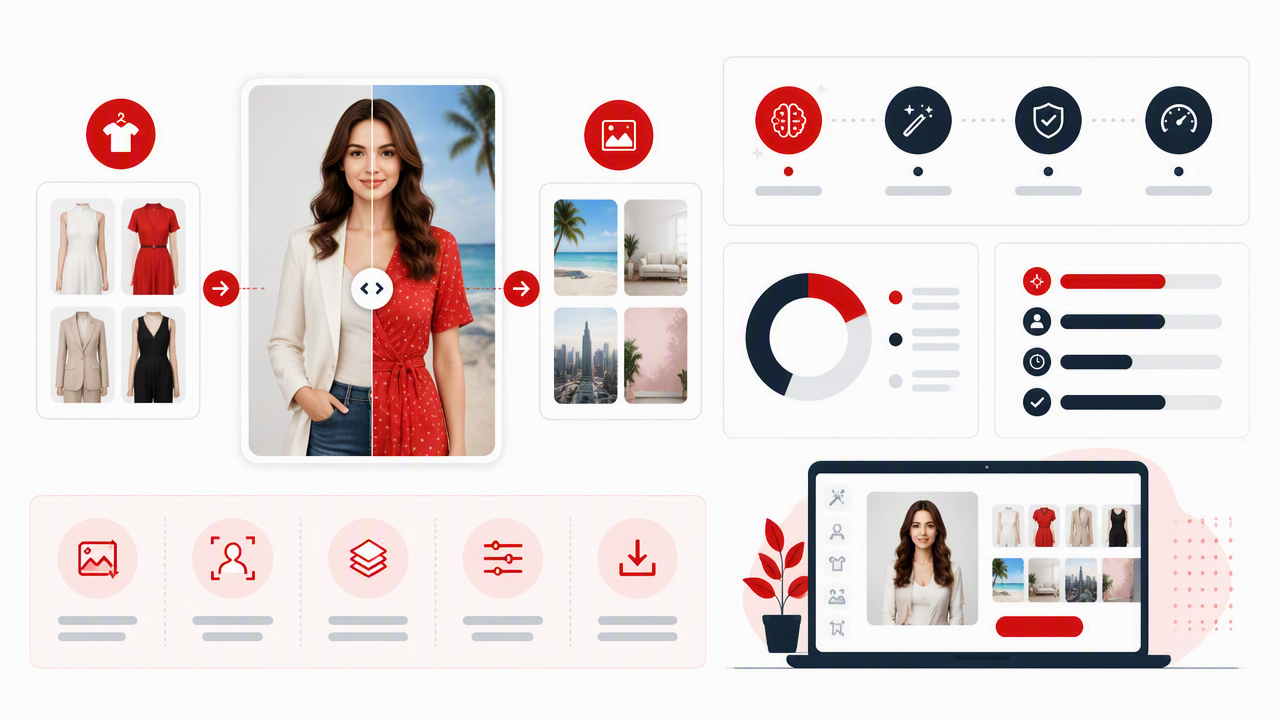
Feature checklist before you choose
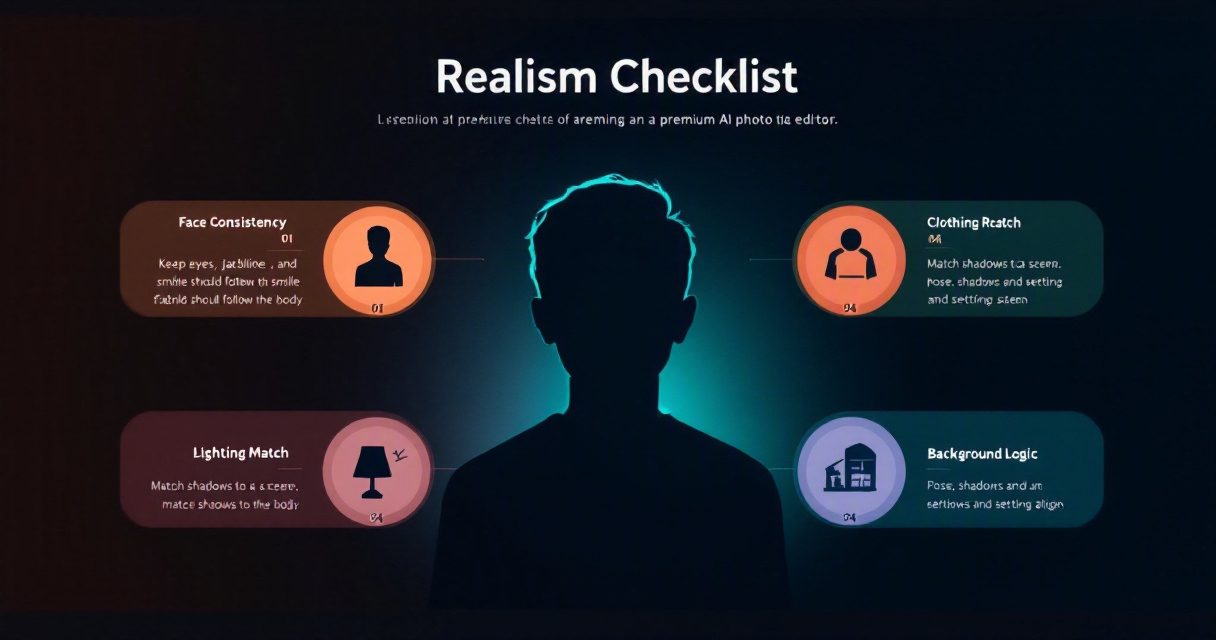
- Face consistency: the person should remain clearly recognizable.
- Fabric detail: seams, folds, collars, and textures should follow the body.
- Lighting match: the outfit and background should share the same light direction.
- Background control: useful presets include studio, street, office, beach, luxury, fantasy, and nightlife.
- Aspect ratios: dating apps, Instagram, TikTok thumbnails, resumes, and print need different crops.
- Style range: glamour, model, lifestyle, business, cosplay, and editorial looks serve different users.
- Privacy controls: personal photos deserve clear upload, storage, and deletion policies.
Avoid judging a tool only from its homepage samples. Test it with a normal phone photo, because that is what most people actually have. Perfect demo images can hide weak masking, awkward hair edges, and fabric that behaves like wet cardboard.
The strongest editors also support more than still-photo novelty. Canva's positioning around digital design, print design, images, videos, audio, product assets, and AI shows where the category is heading: outfit and background changes are becoming part of broader visual production, not a standalone party trick.
What to watch in 2027
By 2027, expect better multi-image consistency, more video outfit editing, and tighter platform-specific exports. The big improvement should be continuity: the same face, body, outfit, and setting across a set of images. That matters for creators, dating profiles, portfolios, and anyone who wants a believable photo set instead of one lucky render.
How HotphotoAI handles this
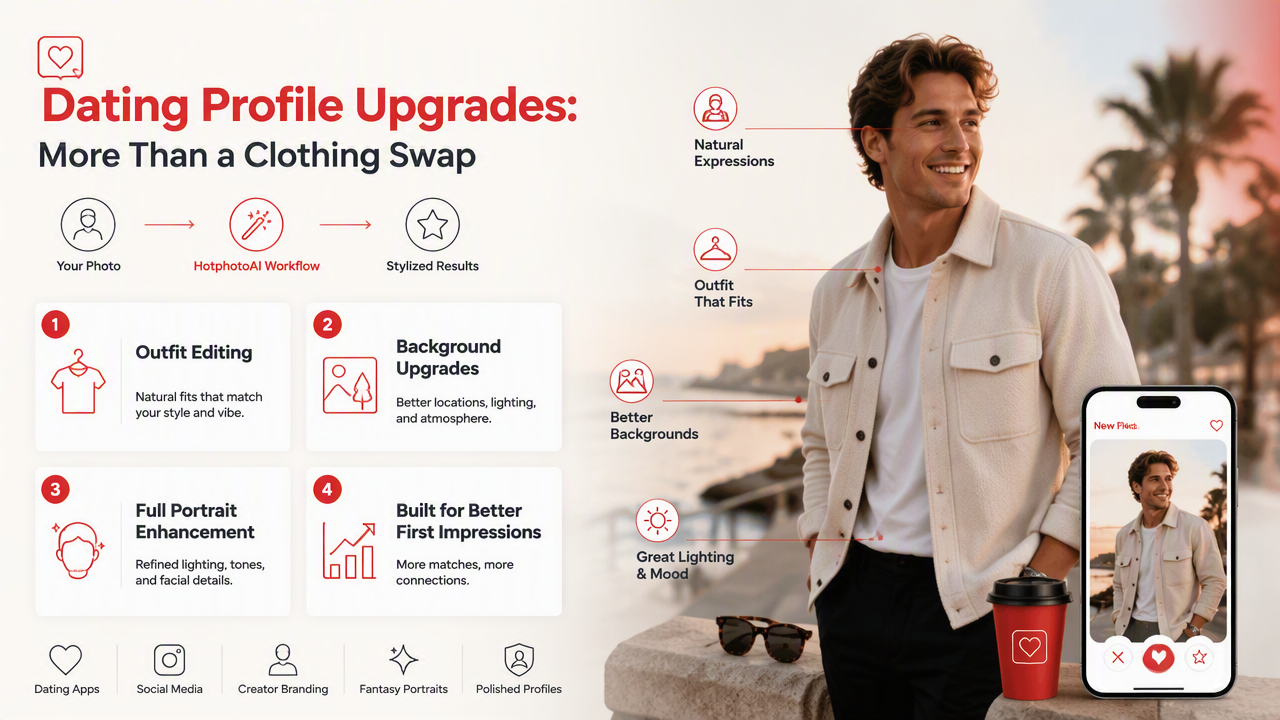
HotphotoAI handles outfit and background editing as a personal portrait workflow, not just a sticker-style clothing swap. That distinction matters for people who want attractive, stylized images for dating apps, social media, creator branding, fantasy portraits, or polished online profiles.
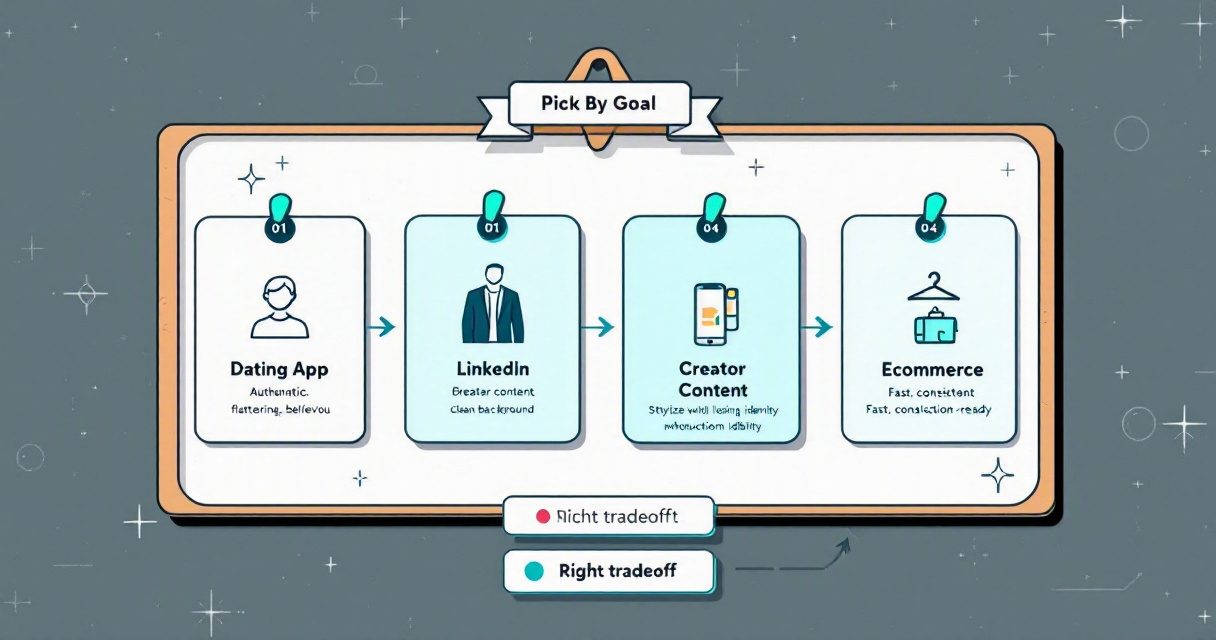
Best-fit use cases
- Dating profile upgrades: create sharper lifestyle photos without repeating the same mirror selfie.
- Professional profile images: test business outfits, clean backgrounds, and confident lighting.
- Creator content: generate stylized looks for thumbnails, bios, posts, and promotional visuals.
- Fashion experimentation: try formalwear, streetwear, glamour looks, or fantasy styling before buying anything.
- Personal branding: build a set of images that feel consistent across apps and platforms.
The HotphotoAI platform is especially useful when the goal is not just "change my shirt," but "make this image feel like a believable shoot." That is the real bar. Nobody swipes right because your pixels technically passed inspection.
For best results, start with a sharp portrait where your face is visible, your body outline is not blocked, and the lighting is not too extreme. Then generate several versions and keep the one that still feels like you. You can visit hotphotoai.com when you are ready to test a few looks.
FAQ: AI outfit and background photo editing
These quick answers cover the questions people usually ask before trusting an AI editor with personal photos, profile images, or creator content.
Can AI really change clothes in a photo realistically?
Yes, AI can change clothes realistically when the input photo is clear and the tool handles body shape, fabric folds, lighting, and shadows well. Results vary by pose and outfit complexity. Simple garments like jackets, dresses, shirts, and suits usually edit more cleanly than transparent fabrics, tiny straps, or heavy patterns.
What photos work best for AI outfit changes?
Use a high-resolution portrait with good lighting, a visible face, and a clean body outline. Standing or seated poses both work, but crossed arms, hidden shoulders, cluttered backgrounds, and motion blur can reduce accuracy. If you want profile-ready results, upload a photo that already looks natural before editing.
Are free AI clothes changers good enough?
Free AI clothes changers can be useful for quick experiments, but they may limit resolution, style control, export quality, privacy options, or the number of generations. If the image is for a dating app, creator profile, professional bio, or paid campaign, a stronger editor is usually worth testing.
Can I use AI-edited photos on dating apps?
You can use AI-edited photos on dating apps, but keep them honest. Use edits that improve wardrobe, background, and lighting while preserving your real face and body type. A polished image should help you look your best, not create a version of you that cannot walk into the coffee date.
Conclusion
The best AI photo editor for changing outfits and backgrounds should make the whole image feel intentional: outfit, face, pose, lighting, and scene all working together. Start with one strong portrait, generate several outfit and background variations, then choose the image that looks natural before it looks dramatic.
If your goal is better dating photos, creator portraits, profile images, or polished personal visuals, try a focused workflow with HotphotoAI and compare the results against your current profile photos. Pick the version that earns trust first and attention second, because believable beats flashy almost every time.