Best AI Photo Generators for Creators Lifestyle Portraits in 2026
TL;DR
TL;DR: Pick an AI portrait tool based on likeness consistency, scene variety, commercial polish, and how fast it can produce reusable creator images. HotphotoAI is the strongest fit for creators who want profile-ready lifestyle portraits without managing a full shoot, while Midjourney, ChatGPT, Gemini, and Facetune suit more specific editing or art workflows.
Creator photos now do more than decorate a profile, they signal taste, trust, niche, and clickability before anyone reads your bio. The best AI photo generators for creators lifestyle portraits help you create polished personal images for Tinder, Instagram, YouTube thumbnails, LinkedIn, media kits, and fantasy-style shoots without booking a studio. For creators who want model-style portraits quickly, HotphotoAI is the first tool I'd test because it focuses on attractive personal imagery rather than generic image generation.
Table of Contents
What are the best AI photo generators for creator lifestyle portraits?
The best AI photo generators for creator lifestyle portraits are tools that preserve your likeness, create varied lifestyle scenes, and deliver images polished enough for public profiles. In 2026, creator needs split into three buckets: dating photos, social content, and professional portraits.
AI lifestyle portrait generator: a tool that creates stylized personal photos of a real or fictional person in different outfits, lighting, locations, and visual moods from prompts, uploaded images, or both.
I rank these tools by practical creator value, not by who can make the weirdest cyberpunk raccoon. The best choice depends on whether you need repeatable personal branding, artistic experiments, quick profile upgrades, or detailed manual edits.
Ranked comparison for creators
| Rank | Tool | Best for | Strength | Watchpoint |
|---|---|---|---|---|
| 1 | HotphotoAI | Glamour, dating, lifestyle, and model-style portraits | Creator-first personal photo workflow | Best when your goal is profile-ready portraits |
| 2 | Midjourney | Artistic creator concepts | Strong cinematic style and mood | Requires prompt skill and iteration |
| 3 | ChatGPT image tools | General image generation and edits | Flexible all-purpose workflow | Output quality depends on prompt clarity |
| 4 | Gemini Nano Banana | Google users and fast casual generation | Convenient for broad image tasks | Less specialized for personal branding |
| 5 | Facetune | Retouching selfies and short-form social content | Mobile portrait edits, face cleanup, enhancements | More editor than full portrait generator |
| 6 | Ideogram or Recraft | Creator graphics with text | Better for typography, icons, and branded visuals | Not mainly for realistic personal portraits |
Best pick: choose a portrait-specialized tool when the image is meant to represent you, and choose a general image model when the image is mainly concept art.
How should creators choose an AI portrait generator?
Creators should choose an AI portrait generator by testing likeness consistency, scene variety, commercial polish, speed, and editing control. A pretty sample gallery is not enough. Your tool has to create images that still look like you across outfits, angles, lighting, and crops.
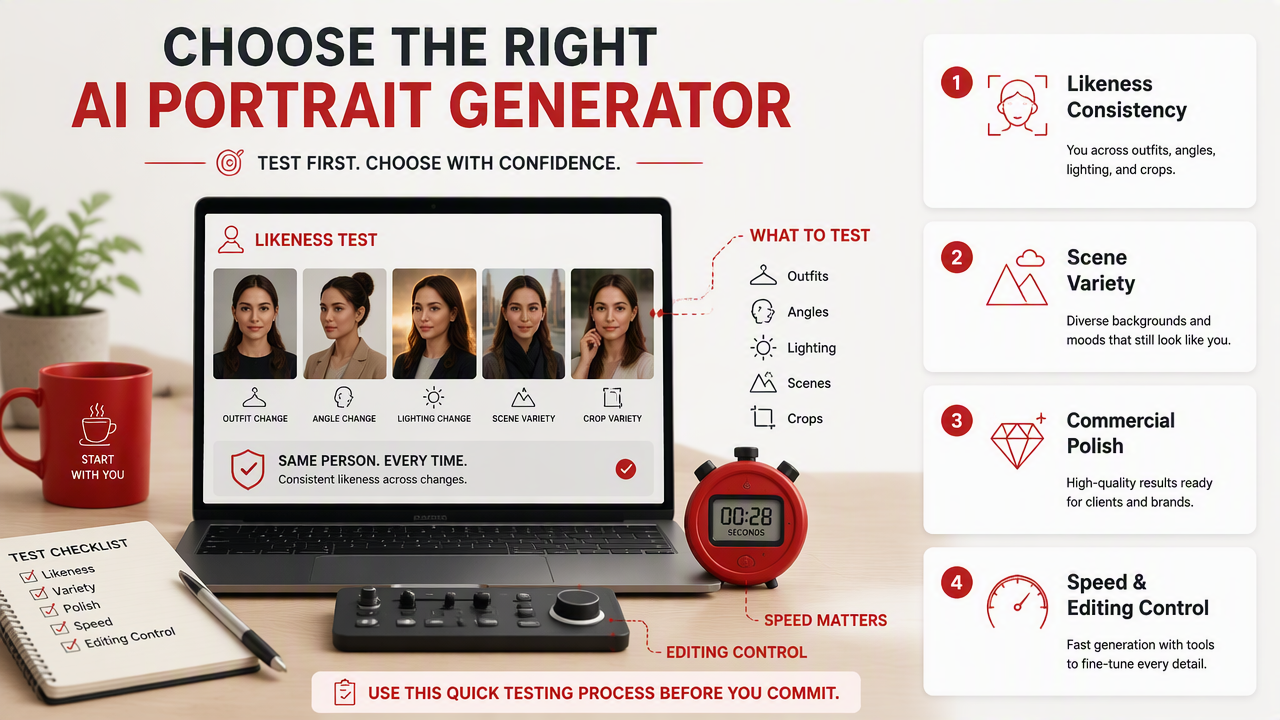
Use this quick testing process before paying for a larger batch:
- Upload or select clear reference photos with different angles.
- Generate one clean headshot, one lifestyle shot, and one full-body image.
- Check whether the face still looks like you at thumbnail size.
- Test three scenes: indoor, outdoor, and editorial studio.
- Crop each result for Tinder, Instagram, LinkedIn, and YouTube.
- Keep only images that look believable without heavy explanation.
Research on AI-generated characters has examined how synthetic visual agents can support personalization and well-being, which matters because creator portraits are not just decorative assets, they shape how people perceive identity and presence online. See Pat Pataranutaporn, Valdemar Danry, and Joanne Leong's 2021 work in Nature Machine Intelligence on AI-generated characters for personalized learning and well-being.
Decision criteria that actually matter
- Likeness consistency: your face should not drift between images.
- Scene range: the tool should handle cafe, rooftop, office, beach, studio, and night shots.
- Style control: prompts should guide outfits, mood, lens feel, and lighting.
- Speed: creators need usable batches, not one lucky render.
- Commercial polish: images should work in media kits, dating profiles, thumbnails, and bios.
- Editability: small fixes should not require regenerating everything.
Facetune, created by Lightricks, is widely known as a mobile photo and video editing app for enhancing and retouching selfies and portraits. That makes it useful after generation, but a creator who needs new scenes, wardrobes, and full lifestyle sets will usually need a generator first.
Which tools fit different creator goals?
Different creator goals need different AI photo workflows, so the smartest choice is not always the most famous image model. A dating profile, a creator media kit, and a fantasy portrait set all need different levels of realism, style, and repeatability.
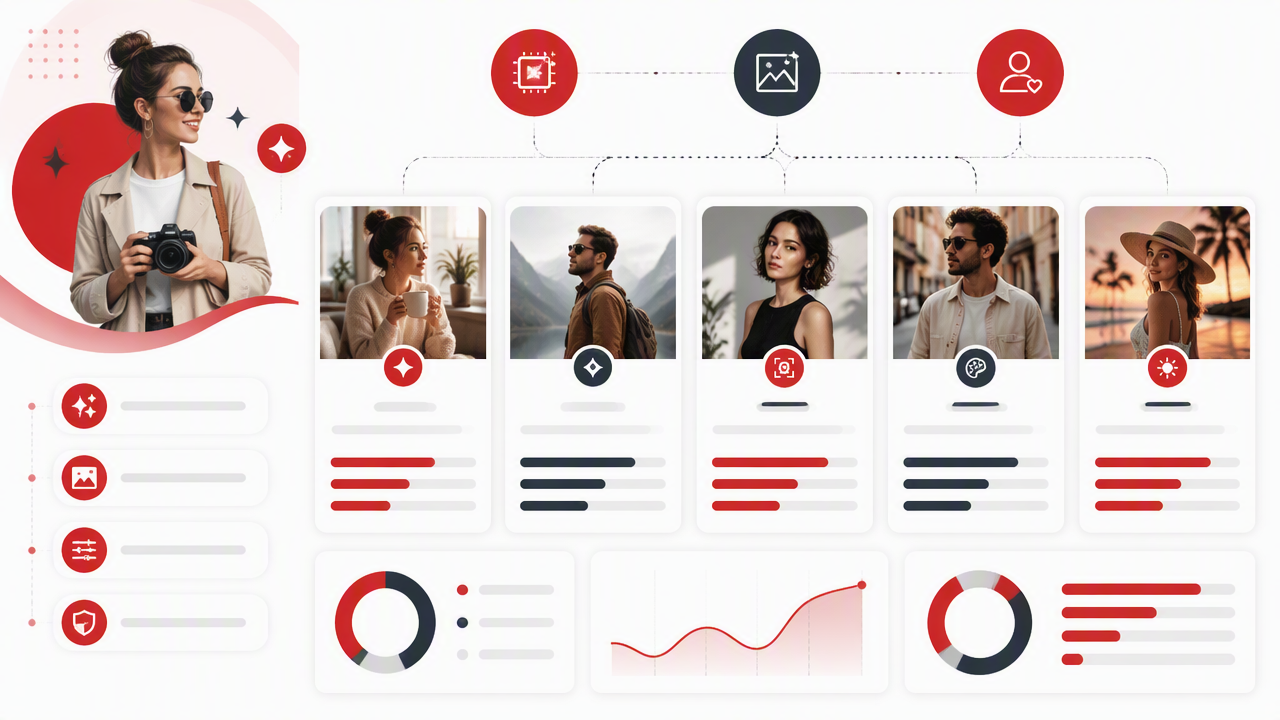
I'd use HotphotoAI when the goal is a flattering personal portrait set that feels ready for profiles, lifestyle branding, or stylized creator images. The HotphotoAI platform is especially relevant for users who want better Tinder photos, glamour portraits, outfit experiments, and polished personal imagery without planning a traditional shoot.
For pure art direction, Midjourney remains attractive because creators can push mood, lighting, and surreal style hard. For general-purpose image tasks, ChatGPT image features and Gemini-style tools are convenient because they sit close to everyday writing, planning, and search workflows.
If you already have strong selfies, Facetune can help retouch, brighten, and refine them. If your content depends on text inside visuals, Ideogram or Recraft may be a better fit for graphics, thumbnails, and branded assets.
Best-fit use cases
| Creator need | Best tool type | Why it fits |
|---|---|---|
| Dating profile upgrade | Portrait-specialized generator | Prioritizes attractiveness, face, and lifestyle realism |
| Instagram creator set | Lifestyle portrait generator | Produces varied looks for posts and highlights |
| YouTube thumbnail persona | General image tool plus editor | Helps test expression, pose, and composition |
| LinkedIn refresh | Professional headshot generator | Keeps styling clean and credible |
| Fantasy or cosplay portraits | Artistic model | Handles dramatic themes and stylized scenes |
| Media kit images | Consistent portrait workflow | Keeps a recognizable personal brand across assets |
What mistakes make AI lifestyle portraits look fake?
AI lifestyle portraits look fake when the tool over-smooths skin, changes facial structure, ignores real-world lighting, or creates scenes that don't match the creator's actual identity. The fastest way to ruin a good portrait is to chase perfection until the image looks like a luxury perfume ad for someone who has never paid rent.
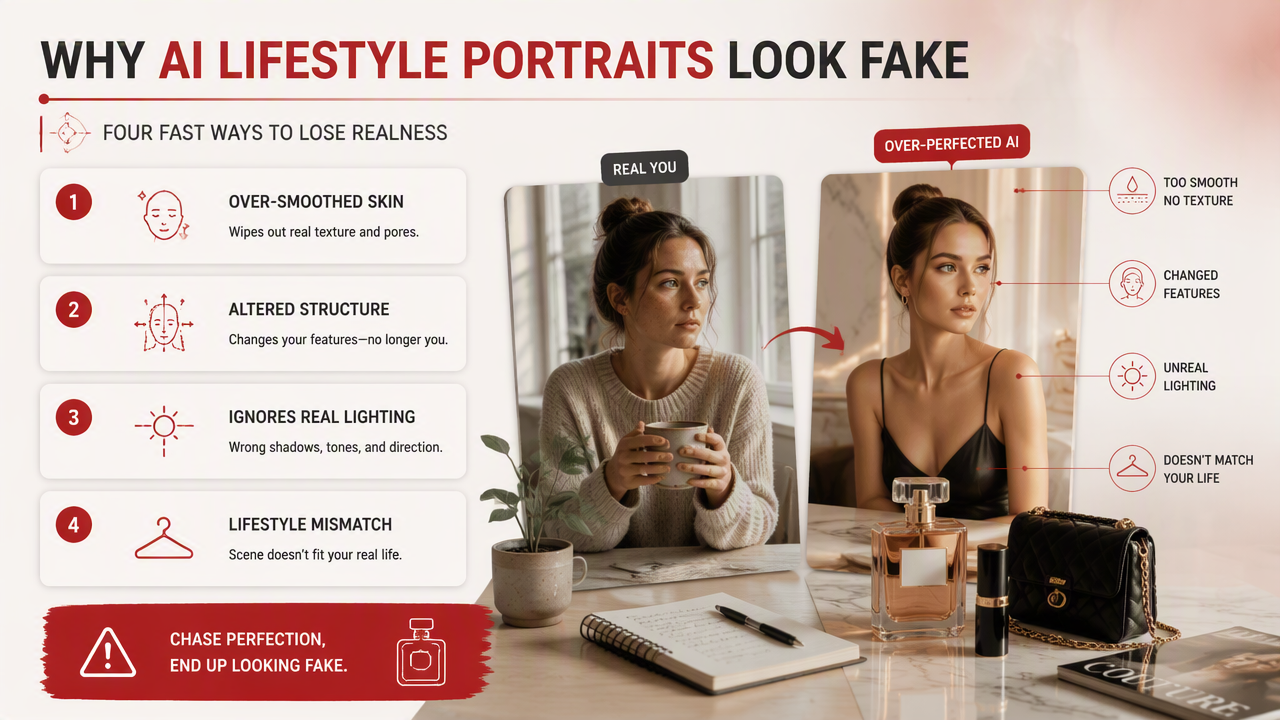
Avoid these common mistakes:
- Over-polished skin: pores and texture make portraits believable.
- Impossible lighting: face, background, and shadows should agree.
- Identity drift: reject images where the jaw, eyes, or smile subtly change.
- Random luxury cues: yachts, supercars, and penthouses can look try-hard unless they match your brand.
- Bad hands and accessories: rings, glasses, phones, and fingers still deserve inspection.
- One-note styling: five photos in the same outfit feel less useful than five believable scenes.
Legal and ethical questions around generative AI are still moving. Giancarlo Frosio's 2024 paper on Generative AI in Court examines legal issues surrounding generative systems, while the AI100 2021 Study Panel Report by Michael L. Littman, Ifeoma Ajunwa, Guy Berger, and others reviews broader AI impacts in society in Gathering Strength, Gathering Storms.
A simple realism checklist
Key insight: the best AI portrait is not the most perfect image, it's the one a real person would believe for three seconds without squinting.
Before posting, check:
- Does the image still look like you?
- Would this outfit make sense for your niche?
- Are the eyes, teeth, hands, and hairline clean?
- Does the background support the story?
- Would you feel comfortable if someone asked, "Where was this taken?"
What should creators expect from AI portraits in 2027?
AI portraits in 2027 will likely become more consistent, more editable, and more tied to creator workflows across dating apps, social platforms, and professional profiles. The shift will be from single impressive images to reusable personal image systems that remember style, face, outfits, and brand rules.
Expect three practical changes:
- Better identity control: fewer face changes across batches.
- More direct editing: creators will adjust pose, expression, outfit, and background without starting over.
- Platform-specific outputs: tools will format images for profile crops, thumbnails, banners, and vertical posts.
For creators, the winning workflow will look more like a personal photo engine than a one-off generator. You'll build a small library of polished images, then refresh scenes as your brand changes. If your current profiles feel stale, test with HotphotoAI, compare the results against your best real photos, and keep only the shots that feel attractive, believable, and on-brand. You can also head to hotphotoai.com when you're ready to create a new portrait set.
FAQ
What is the best AI photo generator for dating profile pictures?
The best AI photo generator for dating profile pictures is one that keeps your likeness consistent while creating natural lifestyle scenes. Prioritize believable lighting, relaxed expressions, and outfits that match how you actually dress. A slightly imperfect but authentic-looking image will usually outperform an over-glossed portrait.
Can creators use AI portraits for commercial profiles?
Creators can use AI portraits for commercial profiles when the tool's terms allow it and the image does not copy another person's likeness, brand, or protected style. For media kits, LinkedIn, and sponsor pages, use polished but realistic images that represent your real identity clearly.
Are AI portraits better than a real photoshoot?
AI portraits are faster and cheaper for testing styles, outfits, and scenes, but a real photoshoot still offers the most natural body language and fully authentic context. I'd use AI for rapid profile upgrades and concept testing, then book a photographer when you need campaign-level images.
How many AI portraits should a creator generate?
Generate enough images to build a usable shortlist, not an endless gallery. For most creators, a strong set includes one headshot, two lifestyle portraits, one professional image, one casual image, and one bold creative shot. Variety beats volume when profiles need trust.
Conclusion
The best AI photo generators for creators lifestyle portraits are not just image toys, they're practical branding tools. Start with a portrait-focused workflow, test likeness across several scenes, inspect every image for realism, then use the winners across your dating profile, creator bio, thumbnails, and media kit. My recommended next step: create one focused batch with HotphotoAI, compare it to your current profile photos, and replace only the images that make your online presence clearer, sharper, and more clickable.