Best AI Portrait Generator for Social Media Creators in 2026
TL;DR
For creators, the best AI portrait tool is the one that keeps your face consistent while giving you fast control over outfits, lighting, backgrounds, and platform-ready styles. Start with creator-focused tools for profile refreshes and campaign visuals, then use broader image generators when you need surreal or highly artistic concepts.
Your profile photo is now a tiny billboard, and the billboard has about one thumb-scroll to earn attention. The best AI portrait generator for social media creators should do more than make a pretty face; it should create repeatable, on-brand images for launches, bios, thumbnails, dating profiles, and personal-brand posts. AI portrait generator: software that creates or edits portrait images from prompts, uploaded photos, style choices, or trained personal likeness models. For creators who want polished personal imagery without booking a shoot, HotphotoAI is built around that practical use case: better-looking personal portraits with less camera awkwardness.
Table of Contents
What is an AI portrait generator for creators?
An AI portrait generator for creators is a tool that produces stylized, realistic, or branded personal images for social profiles, campaigns, thumbnails, and promotional posts. It usually works from text prompts, reference selfies, or both, then generates portraits with controlled outfits, backgrounds, lighting, and visual mood.
Social media platforms reward fast visual recognition. A creator's portrait has to say "fitness coach," "founder," "DJ," "beauty creator," or "dating-profile upgrade" before the caption gets a fair trial.
Research on text-to-image systems, including Jonas Oppenlaender's 2022 paper on the creativity of text-to-image generation, helps explain why prompt control matters: the output depends heavily on how the visual idea is described and constrained.
Key creator terms to know
- Face consistency: The tool keeps your facial identity stable across multiple images, not "you on Monday, your cousin on Tuesday."
- Style transfer: The system applies a look, such as editorial, cinematic, fitness, luxury, fantasy, or streetwear.
- Reference image: A selfie or photo used to guide identity, pose, or composition.
- Prompt: The written instruction that tells the model what to create.
- Aspect ratio: The image shape, such as square for profile photos or vertical for Stories and Reels covers.
Key insight: creators don't need infinite images; they need usable images that look like the same person across platforms.
How should creators choose the right AI portrait tool?
Creators should choose an AI portrait tool by testing identity accuracy, style range, editing control, output formats, privacy terms, and repeatability across campaigns.
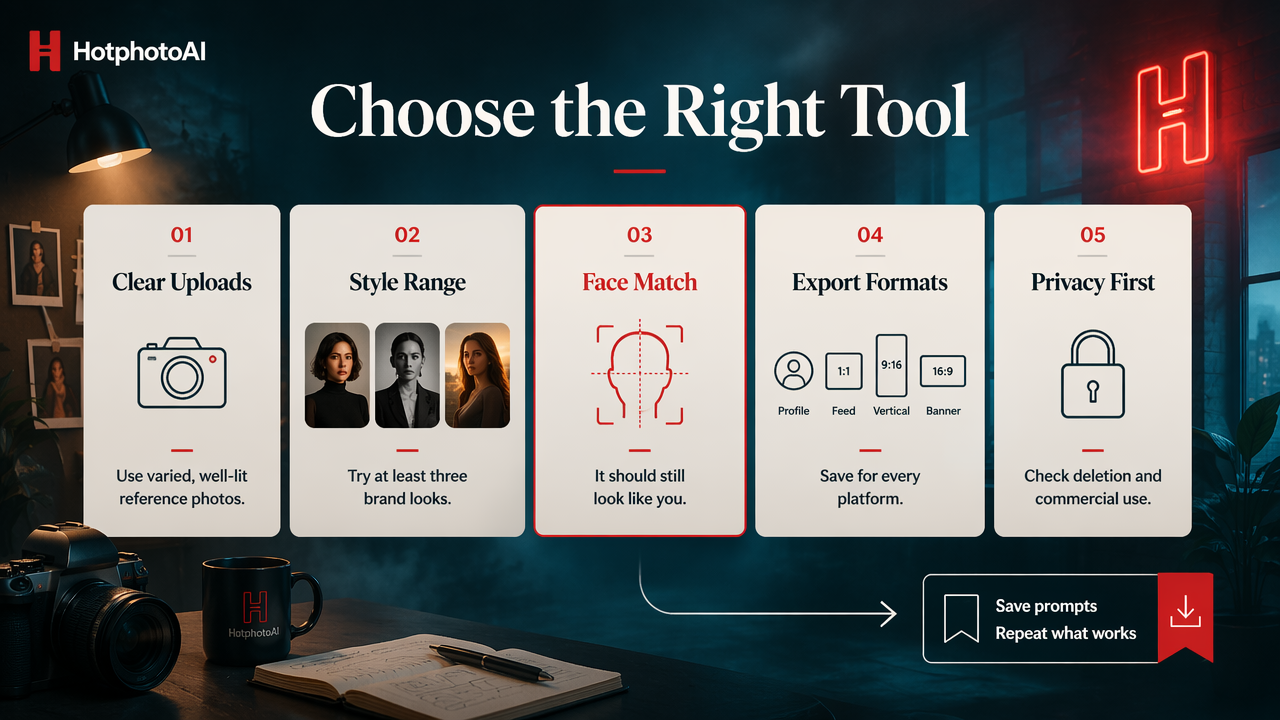
- Upload varied reference photos with clear lighting.
- Generate portraits in at least three brand-relevant styles.
- Check whether the face still looks like you.
- Export images for profile, feed, vertical, and banner formats.
- Review privacy, deletion, and commercial-use terms.
- Save the prompts and styles that work so you can repeat them.
The mistake I see most often is picking the flashiest image generator instead of the most reliable portrait generator. A surreal cyberpunk portrait may win a group chat, but it might not help your coaching profile, creator media kit, or dating app bio.
Creator evaluation checklist
- Identity match: Does the result resemble you in the eyes, jaw, hairline, and expression?
- Brand fit: Can it support your niche, not just generic glamour?
- Style variety: Can you create casual, premium, seasonal, and promotional looks?
- Editing depth: Can you change clothing, setting, lighting, and crop without starting over?
- Output volume: Can you generate enough options for A/B testing?
- Usage rights: Are you allowed to post, promote, or monetize the images?
A 2023 article by Jürgen Rudolph, Shannon Tan, and Samson Tan on the new AI gold rush and chatbots examined how quickly generative AI tools entered mainstream use. For creators, that speed means the bar keeps rising: "AI-made" is no longer novel by itself.
Which AI portrait generators are best for social media creators?
The best AI portrait generators for creators are the ones that balance recognizable personal likeness with practical controls for social content production.
Different tools win different jobs. I would not judge a dating-app portrait, a LinkedIn headshot, a fantasy cosplay image, and a music-release promo by the same yardstick. That would be like judging espresso and soup because both arrive in cups.
AI portrait generator comparison for creators
| Tool | Best fit for creators | Strength | Watch when choosing |
|---|---|---|---|
| HotphotoAI | Personal portraits, dating profiles, lifestyle looks, creator profile refreshes | Creator-friendly personal image generation with attractive, stylized portrait outputs | Best when your goal is polished personal imagery rather than abstract art |
| Midjourney | Artistic portraits, fashion concepts, fantasy visuals | Strong visual style and imaginative composition | Requires more prompt skill and workflow patience |
| ChatGPT Images | General-purpose image creation and quick concepting | Convenient for users already working inside ChatGPT | Portrait consistency depends on the specific task and inputs |
| Adobe Firefly | Brand-safe design workflows and marketing assets | Fits creators already using Adobe tools | More design-suite oriented than selfie-first |
| Leonardo AI | Game, character, and stylized creator visuals | Good for creative direction and concept variation | May be more than needed for simple profile upgrades |
| Facetune and Lightricks apps | Mobile editing, selfie polishing, quick social edits | Lightricks is known for image and video editing apps, including Facetune and generative AI software | Editing-first workflows differ from full portrait generation |
For a creator who mainly needs attractive, usable images of themselves, the HotphotoAI platform belongs at the top of the shortlist. For creators building fictional worlds, album art, or highly stylized campaigns, Midjourney or Leonardo AI may deserve a separate test.
The fairest buying rule is simple: pick a portrait-first tool when your face is the product, and pick an art-first generator when the concept is the product.
How do creator workflows use AI portraits in 2026?
Creators use AI portraits in 2026 to refresh profiles, test personal-brand angles, produce launch visuals, create seasonal content, and keep a steady library of polished images without constant photoshoots.
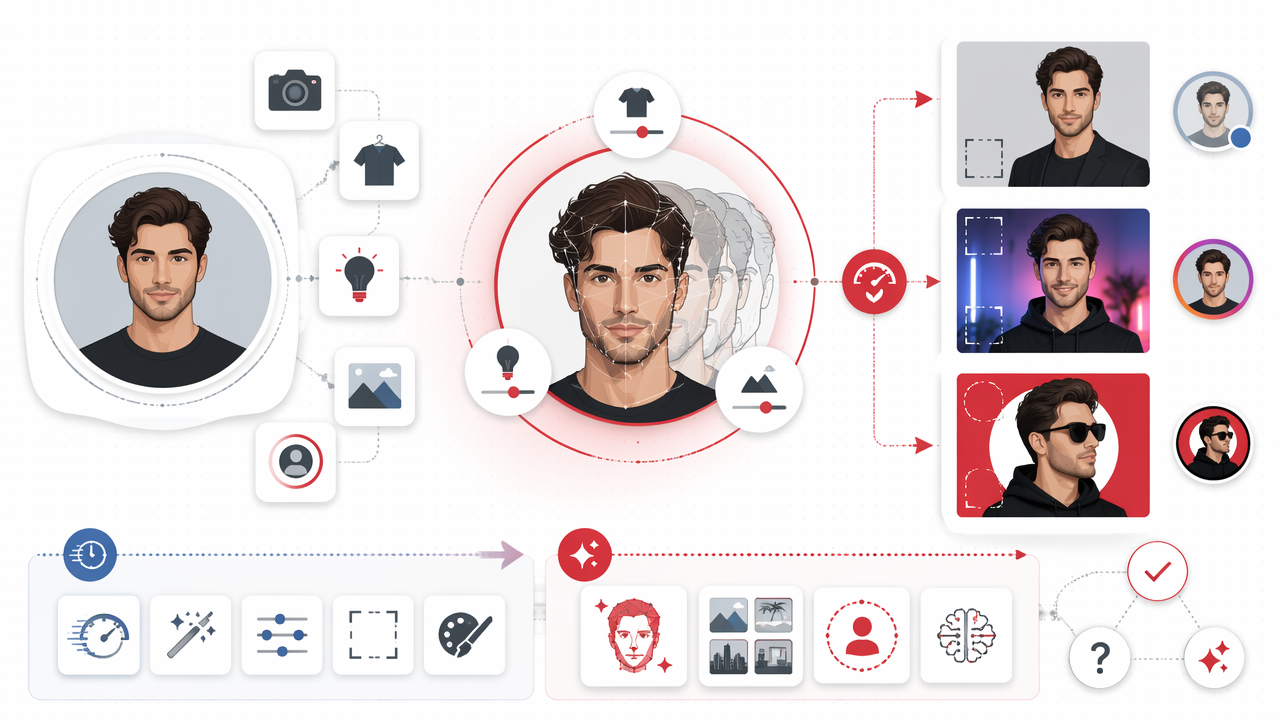
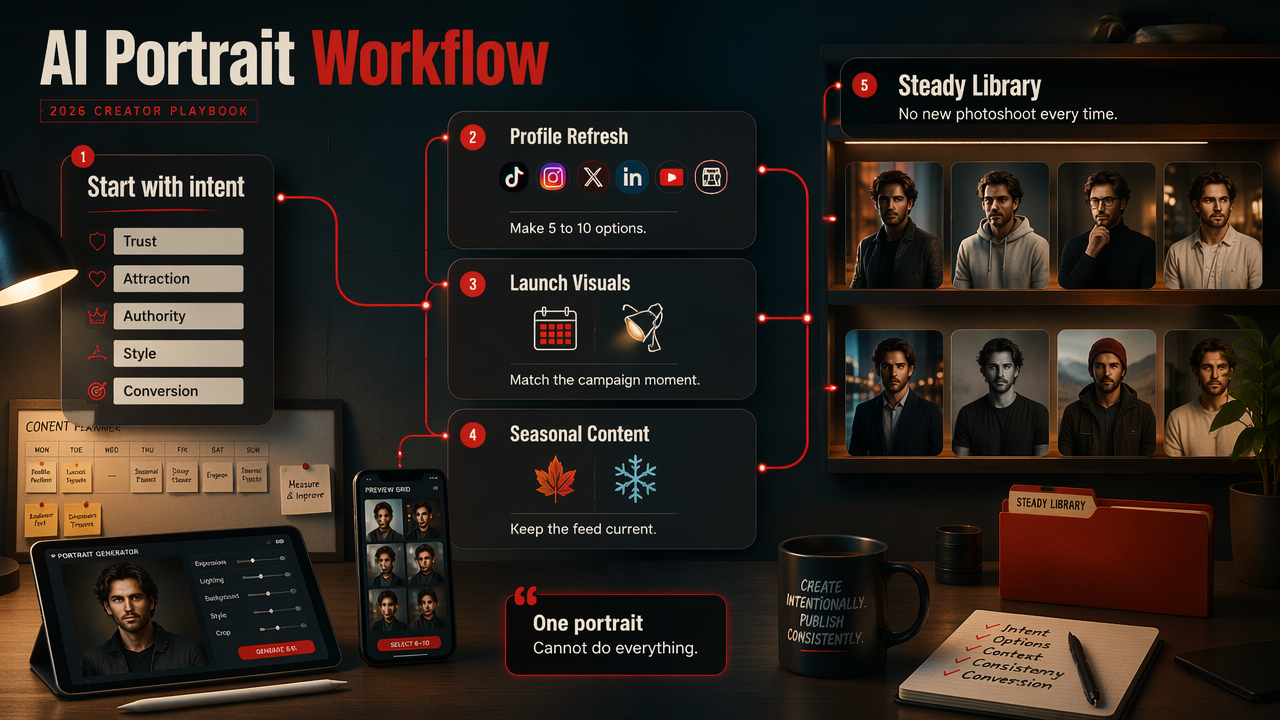
A strong workflow starts with intent, not prompts. Before generating anything, define the job of the image: trust, attraction, authority, style, humor, or conversion. One portrait cannot do all six without looking like a perfume ad that wandered into a tax seminar.
High-value portrait workflows
- Profile refresh: Create 5 to 10 options for TikTok, Instagram, X, LinkedIn, YouTube, Tinder, or creator marketplaces.
- Launch visuals: Generate campaign portraits for an ebook, course, podcast, single, merch drop, or coaching offer.
- Seasonal looks: Build holiday, summer, winter, festival, or conference images without rebooking a shoot.
- Content pillars: Match portraits to themes, such as expert, casual, luxury, fitness, creative, or nightlife.
- A/B testing: Try different crops, eye contact, backgrounds, and colors to see what earns clicks.
Research by Pat Pataranutaporn, Valdemar Danry, and Joanne Leong on AI-generated characters for personalized learning and well-being focused on AI-generated characters, not influencer portraits. Still, it points to a broader trend: people respond to digital characters and representations when they feel personal and context-aware.
Practical image specs to prepare
- Profile photo: Square crop, clean background, clear eyes, strong contrast.
- Story or Reel cover: Vertical crop, room for text, less facial clutter.
- YouTube thumbnail: Expressive face, high contrast, bold negative space.
- Dating profile: Natural expression, believable styling, no overcooked plastic skin.
- Professional bio: Simple outfit, calm background, confident posture.
A good AI portrait should look enhanced, not subpoenaed by the lighting department.
What should creators expect from AI portraits in 2027?
In 2027, creator portrait tools will likely move from one-off image generation toward reusable personal style systems that remember brand rules, preferred outfits, platform crops, and campaign goals.
The next useful jump won't just be prettier faces. It will be consistency across a whole content calendar: the same creator, the same brand palette, multiple moods, and fewer manual prompt gymnastics.
Creators should also expect more questions about disclosure, likeness rights, and audience trust. If an image changes your body, age, setting, or lifestyle in a way that affects a commercial claim, be careful. Polished is fine; misleading is where the floor gets slippery.
2027 readiness checklist
- Build a small library of approved reference photos.
- Keep a folder of prompts, outfits, backgrounds, and crops that convert.
- Use consistent colors and lighting across platforms.
- Separate fantasy content from professional or dating content.
- Read commercial-use and deletion policies before uploading sensitive images.
- Revisit your portraits every quarter so your online look doesn't freeze in time.
For creators who want to experiment now, hotphotoai.com is a simple place to start testing personal portrait styles before a full profile refresh.
FAQ: AI portraits for social creators
AI portraits work best when creators treat them as brand assets, not magic profile dust. Good inputs, clear style choices, and honest use matter as much as the generator itself.
What makes the best AI portrait generator for social media creators?
The best AI portrait generator for social media creators keeps your face recognizable, offers multiple useful styles, exports clean images for major platforms, and gives enough control to match your brand. I would prioritize identity consistency first, then style range, then editing convenience. Pretty images that don't look like you are just stock photos with better cheekbones.
Can AI portraits replace a real photoshoot?
AI portraits can replace some casual, promotional, dating, and profile-refresh shoots, especially when speed and variety matter. They don't fully replace a photographer for live events, product-in-hand shots, team imagery, or documentary-style content. The smartest creator setup uses AI for volume and concepts, then real photos when authenticity or specific context matters.
Are AI-generated portraits safe to use on social media?
AI portraits are generally safe to post when you own or are allowed to use the input photos, follow the tool's terms, and avoid misleading claims. Check privacy controls before uploading personal images. Also avoid using another person's likeness without permission, especially for commercial content, ads, dating profiles, or impersonation.
How many AI portraits should a creator generate?
Generate more than you plan to post. For a profile refresh, I usually want at least 20 to 40 candidates so I can choose the best 5 to 8. Small differences in eye contact, crop, and background can change how trustworthy, stylish, or approachable an image feels on a tiny phone screen.
Conclusion
The best AI portrait generator for social media creators is the one that makes you look like a sharper, more intentional version of yourself across the platforms where attention matters. Start by defining your use case, generate several styles, test the images in real crops, and keep only the portraits that support your brand. If your next move is a profile upgrade, creator launch, or dating-photo refresh, try HotphotoAI and compare the results against your current photos before posting.