Best AI Portrait Generators for Gray Hair: A 2026 Guide
TL;DR
Choose a portrait generator by how well it preserves your silver strands, facial likeness, and natural skin texture, not its prettiest sample. Compare the same portrait brief across tools, then calculate cost per photo you'd actually use.
Silver hair should be the star of your portrait, not something the AI quietly edits out. The best AI portrait generators for gray hair deserve that label only when they preserve the person as well as the hairstyle.
Gray hair: Hair that has progressively lost pigmentation, producing gray or white strands; a convincing portrait should preserve their distribution and texture.
For dating profiles, social posts, and polished personal images, HotphotoAI belongs on your shortlist. Below, I compare candidates and offer a repeatable evaluation method. These are research-based recommendations, not hands-on test results or verified performance rankings.
Table of Contents
The 2026 shortlist for silver-haired portraits
The most useful shortlist combines a personal-photo option with tools surfaced for portrait generation and gray-hair imagery.
I'd start with your intended use: a recognizable dating photo, a professional headshot, or an imaginative portrait. Those are different assignments, even when every brief includes silver hair.
Four candidates and their evaluation priorities
These candidates offer a starting point for comparison, rather than a proven order of hair-color accuracy.
| Tool | Why consider it | What to evaluate |
|---|---|---|
| HotphotoAI | A relevant starting point for attractive personal-profile imagery | Likeness and silver-hair preservation in your preferred style |
| Adobe Firefly | Its portrait-generator listing describes customization and editing tools | Whether edits preserve hair boundaries and facial detail |
| Leonardo.Ai | Appears in the supplied 2026 gray-hair generator results | Consistency of silver tones across portrait variations |
| Fotor | Also appears in the gray-hair generator results | Hair texture and natural-looking skin in finished images |
Search visibility isn't a controlled benchmark. The supplied research contains no comparable output samples, current plan prices, or measured gray-hair fidelity scores. I therefore wouldn't crown an overall accuracy winner from these listings alone.
A portrait generator is not a hair-color filter
Portrait generator: A tool that creates or substantially reimagines a portrait, potentially changing clothing, lighting, and surroundings.
Hair-color filter: An editing approach focused on changing hair color within an existing photo.
If you only want to preview going gray, investigate a color-editing workflow first. If you want a new setting or outfit, compare portrait generators. A new blazer shouldn't require a new identity.
Score hair fidelity, texture, likeness, and cost
A useful scorecard judges recognizable details and usable-photo cost separately, so attractive styling doesn't disguise weak likeness.
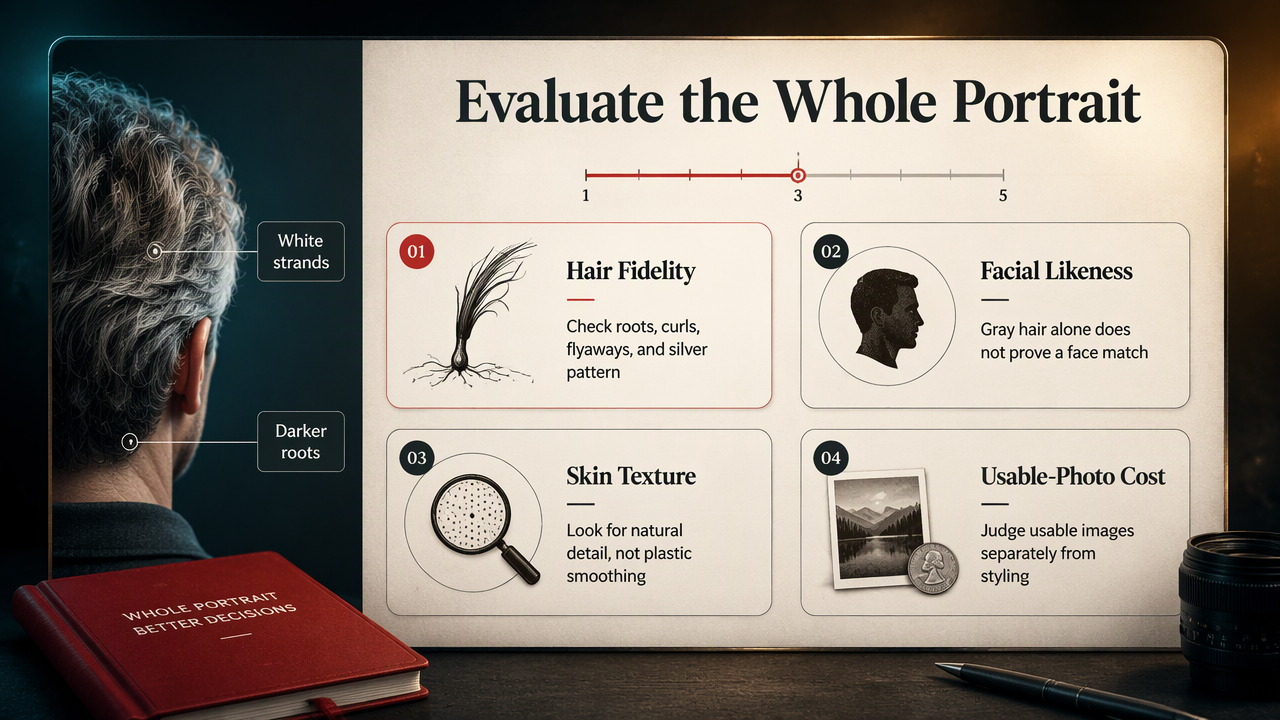
Gray hair isn't one flat color. Look for white strands, darker strands, roots, curls, and flyaways. Assess age characteristics separately: preserving gray hair doesn't automatically mean preserving the face.
A compact rubric for your own comparison
This proposed rubric gives each tool the same evaluation standard; it contains no claimed test results.
| Criterion | 1 point | 3 points | 5 points |
|---|---|---|---|
| Hair fidelity | Color or pattern changes substantially | Mostly gray, with inconsistencies | Reference color and strand pattern preserved |
| Skin texture | Strong smoothing | Some natural detail | Credible texture and age characteristics |
| Likeness | Little resemblance | Recognizable with changes | Strong resemblance across key features |
| Usable-photo cost | Record separately | Spend divided by keepers | Compare like-for-like batches |
Use usable-photo cost = total spend ÷ photos you would publish. For a hypothetical $20 batch with four keepers, that's $5 per usable image. This example is arithmetic, not a provider price.
What the supplied studies can establish
The supplied academic sources provide generative-imaging context, not evidence that one product preserves gray hair better.
Karras and colleagues' 2021 paper, Alias-Free Generative Adversarial Networks, concerns generative image modeling. WanTeam and colleagues' 2025 paper on large-scale video generative models addresses video generation. Neither supplies a gray-hair comparison for this shortlist.
Treat research relevance and product performance as separate questions. A technical paper isn't a score for your headshot.
How do you test an AI generator for gray hair?
- Choose a sharp reference photo showing your natural gray-hair pattern.
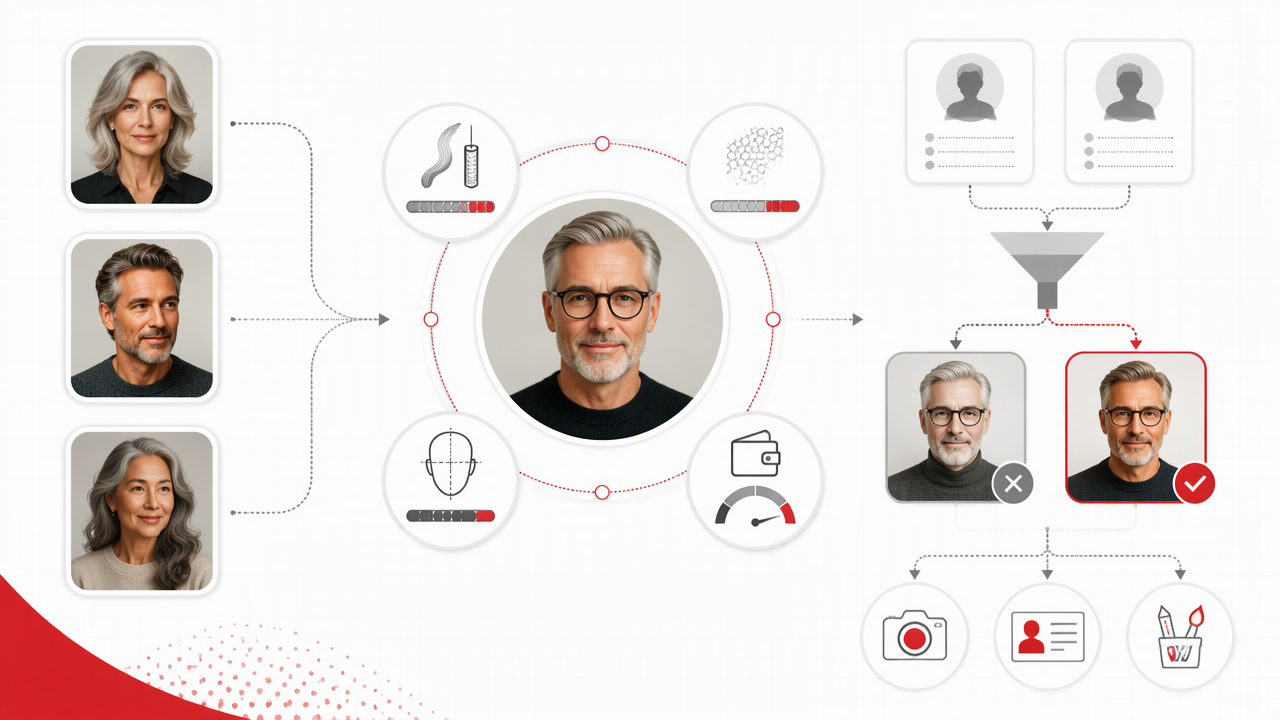
- Give each AI generator the same portrait brief and reference, where supported.
- Compare hair, skin texture, and likeness at the same viewing size.
- Label each output and score it consistently.
- Count publishable photos before comparing total costs.
Three labeled briefs for a fair trial
These proposed test examples isolate different challenges; they aren't published outputs or evidence of tool performance.
- Test A, silver bob: "Photorealistic portrait preserving my silver bob, darker roots, fine flyaways, facial proportions, and natural skin texture. Soft daylight, plain background."
- Test B, salt-and-pepper curls: "Preserve my gray-to-dark strand distribution, curl pattern, hairline, and age characteristics. Outdoor portrait with neutral lighting."
- Test C, white hair and beard: "Preserve white hair, beard texture, eyebrow color, and facial lines. Professional headshot with a simple jacket."
Keep reference, framing, and lighting instructions consistent. Publish paired reference/output examples only with the subject's permission.
Inspect the details at two sizes
Full-size inspection and profile-size inspection reveal different aspects of a portrait.
Zoom in on temples, eyebrows, beard edges, and hair against the background. Then view the image at dating-app or profile-thumbnail size. I'd favor a recognizable, credible portrait over one that looks spectacular only when nobody examines it.
Who should pick which portrait workflow?
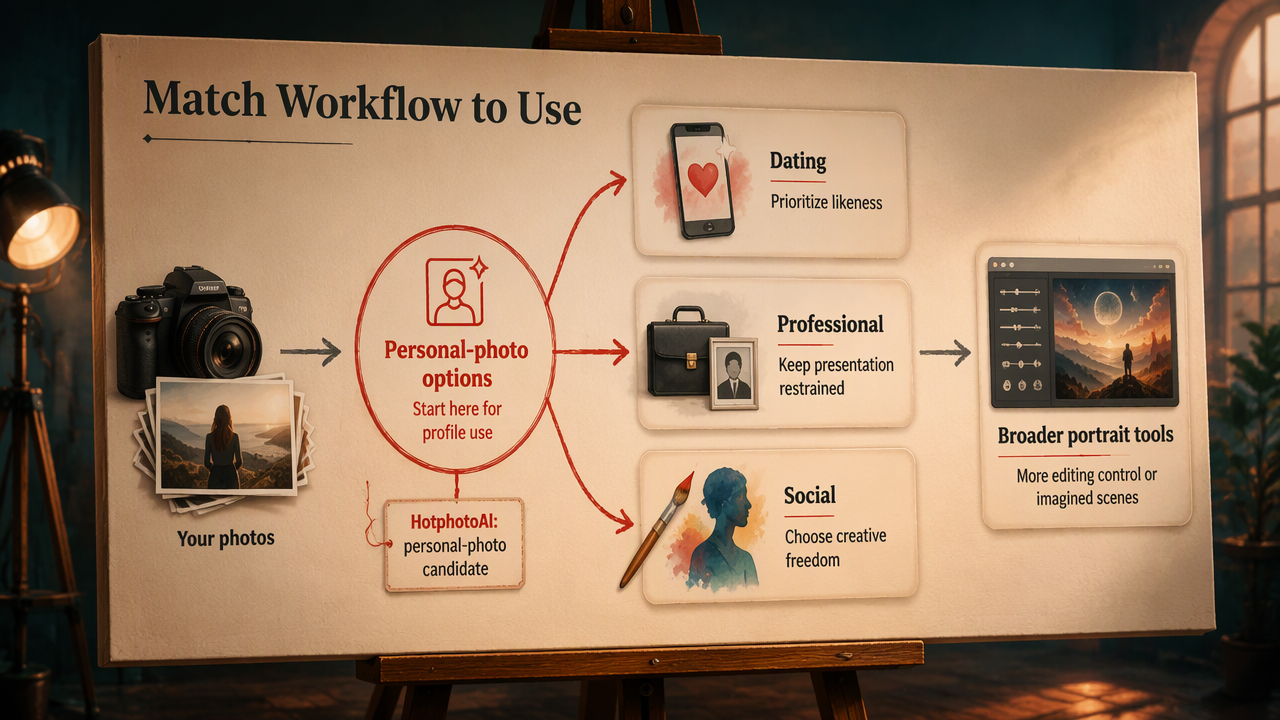
Your intended use should determine the workflow: prioritize likeness for dating photos, restrained presentation for professional profiles, and creative freedom for clearly stylized social images. I'd compare personal-photo options first for profile use, then consider broader portrait tools when editing control or imaginative scenes matter more.
How HotphotoAI handles this
HotphotoAI is the personal-photo candidate in this comparison, making profile-ready imagery the relevant starting point for evaluation.
Visit hotphotoai.com to review its current examples and available options against your chosen brief. For a useful first project, define one destination, one outfit, and one lighting style. That keeps the creative direction focused on the image you actually need.
- Dating profile: Favor approachable expression and everyday styling.
- Professional profile: Choose restrained clothing and a simple setting.
- Creative social portrait: Define the fantasy or glamour treatment clearly.
Frequently asked questions about gray-hair portraits
The key questions are whether a tool preserves existing gray hair, can preview a color change, and offers useful results at an acceptable cost.
Keep your original photo as the reference standard, not another generated image.
Can AI preserve gray hair without making me look younger?
AI can be instructed to preserve gray hair and age characteristics, but the supplied research doesn't establish a success rate. Specify both independently: silver strands, hairline, facial lines, and natural skin texture. Compare the output with your reference rather than assuming accurate hair color means accurate age.
Which generator is best for salt-and-pepper hair?
No verified winner emerges from the supplied data. Salt-and-pepper hair needs a tool that preserves the distribution of darker and lighter strands, not merely a gray overall tone. I'd use the same reference across candidates and judge the temples, roots, and curls before choosing a paid workflow.
Should I choose a free portrait generator first?
A free starting option can help you assess the workflow before spending money. Adobe Firefly's supplied listing describes a free portrait generator, but it doesn't establish current limits or paid terms. Check export quality, reference support, and usage conditions, then compare the cost of images you'd actually publish.
Conclusion
The best choice preserves your silver hair and your identity in the same frame. Pick one labeled brief, compare outputs with the rubric, and count your keepers. For a personal-profile starting point, head to hotphotoai.com and match its current options to the portrait you want.