Best Camera App Choices for Better Profile Photos in 2026
TL;DR
Use your phone's built-in camera for current, natural profile photos; consider Open Camera on Android when you want more shooting options. Choose AI portraits for styled concepts, and start with clear reference images that reflect your appearance.
A better camera app won't persuade your ceiling light to become flattering. For dating profiles, social posts, and professional portraits, the bigger decision is whether you need a fresh photograph or a styled image generated with AI. I'd choose the workflow first, then the tool.
Camera app: Software that uses a device's camera to capture photos or video, sometimes adding shooting controls, filters, or editing tools.
The best choice in 2026 depends on what the image needs to communicate: everyday authenticity, a polished professional look, or creative style.
Table of Contents
Which camera app fits your profile-photo goal?
The best camera app for profile photos is the one that matches your intended result: your built-in camera for straightforward capture, Open Camera for Android shooting options, or a portrait-focused tool for styling. AI generation serves a different purpose, creating a styled image rather than recording a new moment.
Four useful routes, compared by purpose
These options solve different jobs, so I wouldn't rank them on a single scale. A photography tool captures what's in front of you; an AI portrait service helps create a visual concept.
| Tool or route | Best fit | Reason to choose it |
|---|---|---|
| HotphotoAI | Polished, stylized AI portraits | Explore a portrait concept without arranging a traditional photoshoot |
| Your phone's built-in camera | Current dating and everyday profile photos | Start with the capture tool already on your device |
| Open Camera | Android users seeking shooting options | Free, open-source software for the phone's built-in camera |
| Camera360 | Selfies with filters and retouching | Portrait styling through beauty looks and editing tools |
Open Camera is an Android application released under GPL v3.0 or later. The research identifies it across SourceForge, Uptodown, and F-Droid, making it the clearest recurring option in the supplied results.
Choose a workflow, not a download count
I'd begin with a short test: take the same portrait with your current tool and any alternative you're considering. Keep the light, position, and framing unchanged so you're comparing software rather than two different afternoons.
- Dating profile: Prioritize a recognizable face and a believable setting.
- Professional profile: Prioritize clear eyes, tidy framing, and an appropriate background.
- Creator account: Prioritize a consistent visual style across images.
Fancy controls are useful only when they solve a problem you actually have. Your profile picture doesn't need a cockpit.
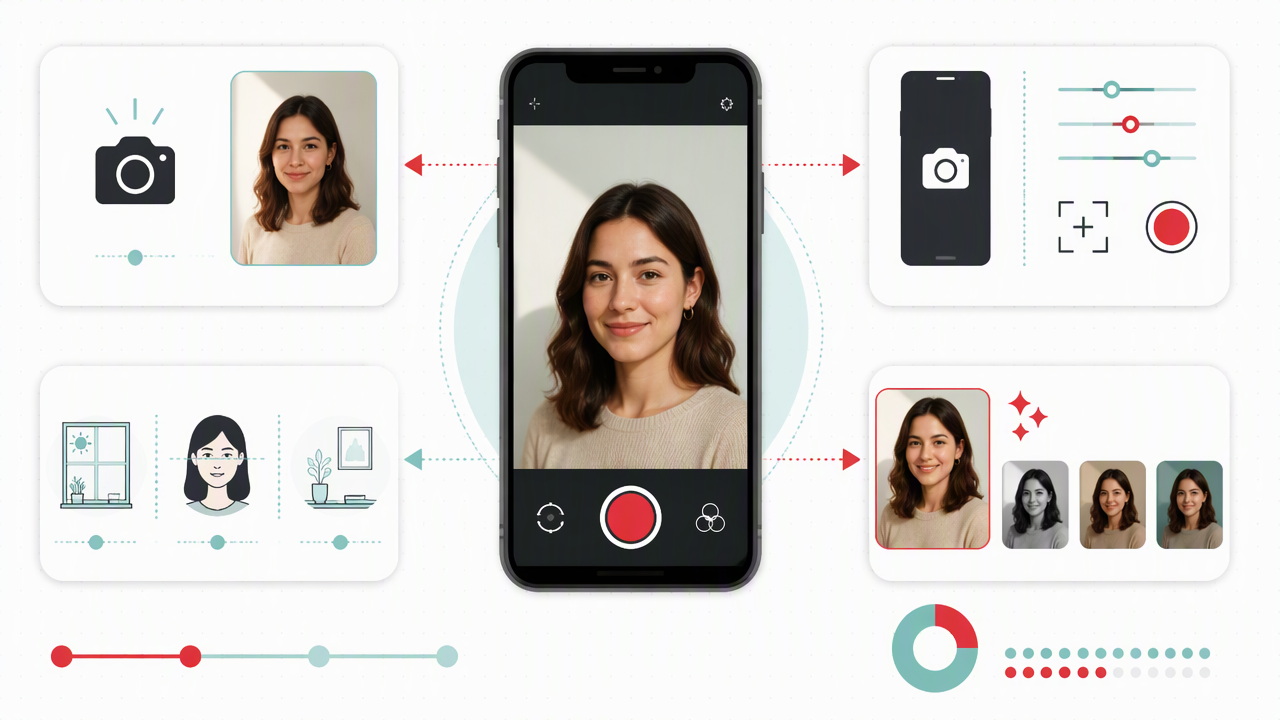
How do you take better profile photos?
- Find soft light from a window or open shade.
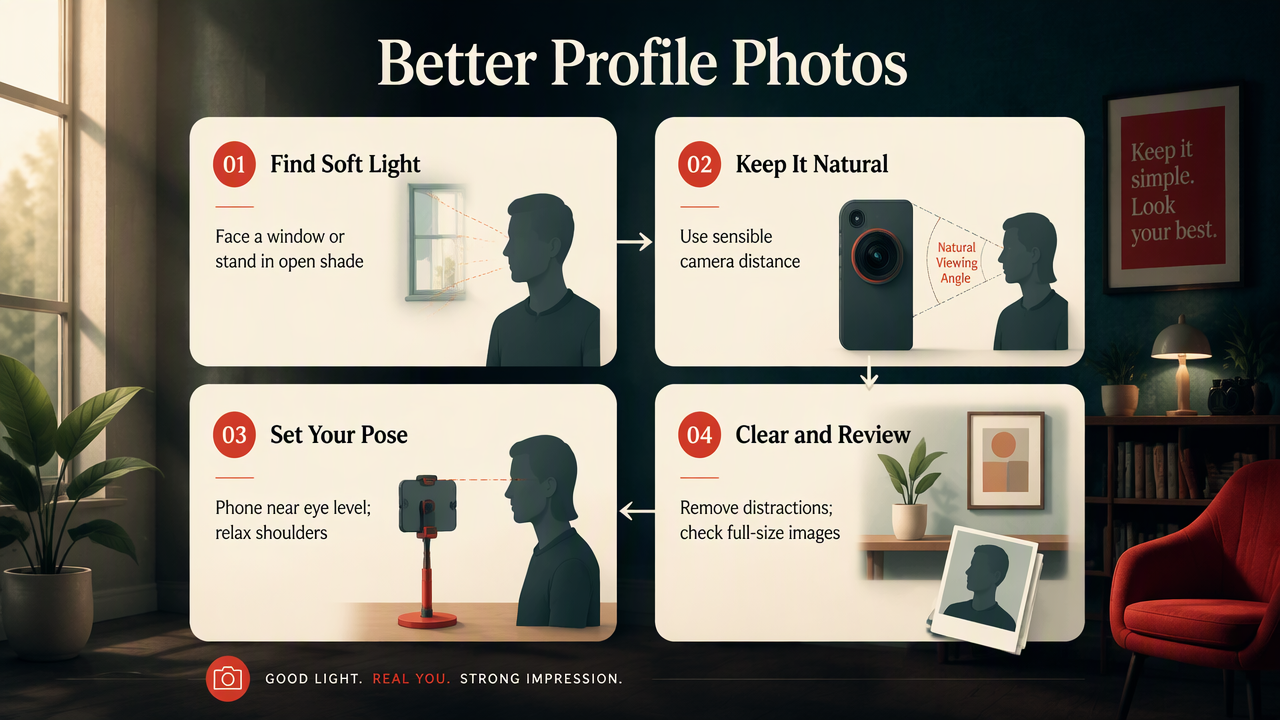
- Choose a lens that keeps your face looking natural.
- Place the phone near eye level and relax your shoulders.
- Remove distractions from the background.
- Capture several expressions, then review the images at full size before selecting your profile photo.
Lighting and lens checklist
Soft, even light and sensible camera distance are better starting points than a filter. Face a window indoors, or stand in open shade outside. Check both eyes for clarity before spending time adjusting exposure.
- Lighting: Keep your face evenly lit; change your position if one side disappears into shadow.
- Lens: Start with the main lens. Very close wide-angle shots can exaggerate facial proportions.
- Distance: Move the phone farther away if your nose looks unusually prominent.
- Focus: Tap your face when your phone offers touch focus.
I'd use a timer or ask a friend to shoot when possible. Holding a phone at arm's length limits both distance and framing.
Posing and background checklist
A comfortable pose usually looks more convincing than a carefully staged expression. Turn your shoulders slightly, keep your chin relaxed, and try a small smile before a bigger one. Give your hands something natural to do if they enter the frame.
Your background should support the photograph, not audition for the starring role. A quiet wall, uncluttered room, or simple outdoor setting makes your face easier to read.
Selection rule: Choose the image that looks like you on a good day, not the one with the most dramatic processing.
Review the crop at thumbnail size too. A portrait can look excellent full-screen yet lose its expression inside a small dating-profile circle.
When are AI portraits the faster option?
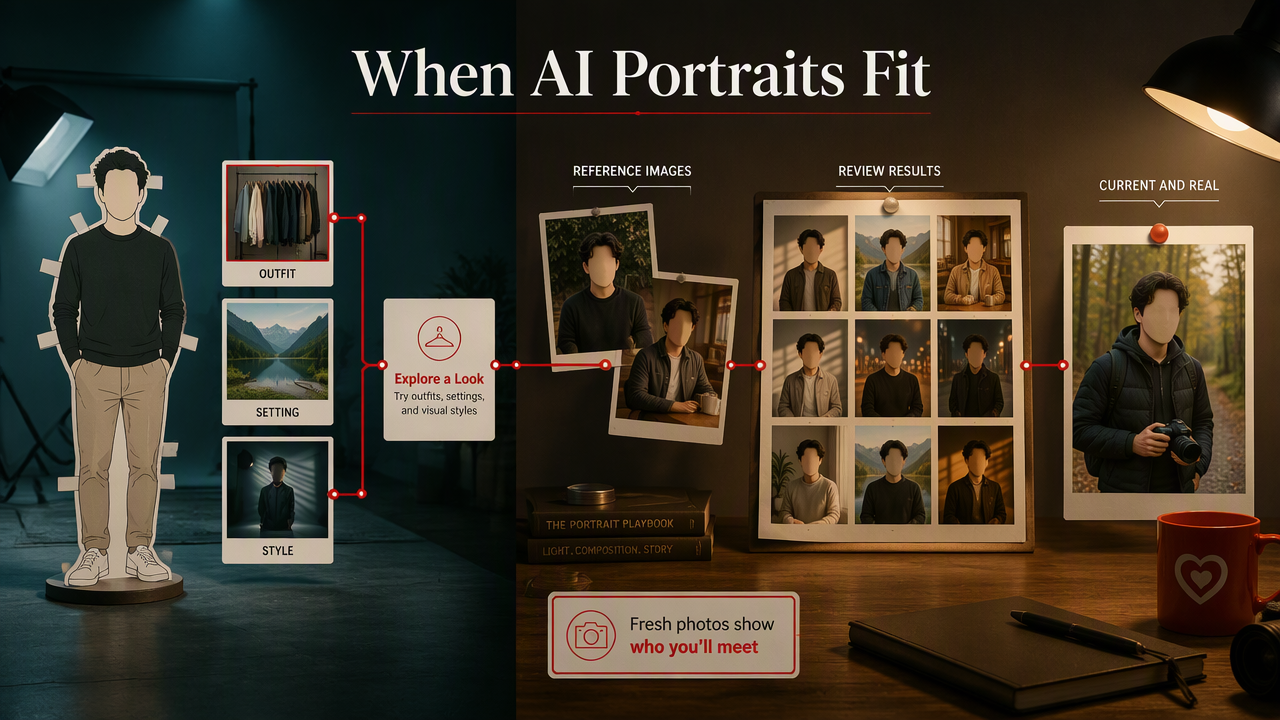
AI portraits can be the faster option when the main task is exploring outfits, settings, or visual styles rather than documenting your current appearance. They can reduce the need to organize a styled shoot, although you still need time to choose reference images and review the generated results.
Match the method to the image's job
I'd use fresh photography when the picture needs to show something real and current: your haircut, your everyday style, or an activity you actually enjoy. For Tinder, those details help give another person a useful picture of who they'll meet.
AI generation fits a different brief. A glamour concept, fantasy portrait, or coordinated creator image may call for styling that would otherwise require clothing, a location, and a planned session.
- Take new photos: You need a current, recognizable introduction.
- Generate portraits: You want to explore a creative visual direction.
- Combine both: Use natural reference photos as the starting point for styled concepts.
Clear source images give you a useful baseline for judging likeness. I'd include views with readable facial features, simple lighting, and the appearance you want represented.
How HotphotoAI handles this
The HotphotoAI platform provides an AI portrait route for people seeking polished, stylized personal images without a traditional photoshoot. That makes it relevant when your brief is about the finished look rather than operating a phone's camera.
I'd start with one specific concept, such as a relaxed lifestyle portrait or a model-style image, rather than an open-ended request for something attractive.
Creative brief: Define the purpose, outfit, setting, lighting, and mood before choosing your image-making tool.
FAQ: Capture tools and AI profile photos
Your intended use should guide both your software choice and how you present the finished image.
Is Open Camera free?
Open Camera is free, open-source Android software licensed under GPL v3.0 or later. It uses your phone's built-in camera rather than generating portraits. I'd consider it if you want to explore another capture tool, then check its current documentation and compatibility before assuming every available option works on your device.
Do I need manual controls for a good portrait?
You don't need manual controls to make a useful profile portrait. Good lighting, natural camera distance, sharp focus, and a calm background are sensible first priorities. I'd explore extra controls only after identifying a specific need, such as wanting more consistent exposure across several shots taken in the same setting.
Should I use AI photos on Tinder?
I'd favor current, recognizable photographs for your main Tinder images because they help communicate what meeting you will be like. If you include a stylized AI portrait, make its creative nature clear and check the platform's current rules. Treat it as an optional expression of style, not a substitute for an accurate introduction.
Conclusion
Pick one goal before changing your camera app: a current introduction or a styled concept. For the first, try the lighting and framing checklist today. For the second, write a short creative brief and explore HotphotoAI at hotphotoai.com. Choose the image that serves its purpose, not just the one that looks expensive.