Computer Software for Photo Editing: A 2026 Choice Guide
TL;DR
Choose an AI portrait generator for new looks, a traditional editor for precise changes, or a retouching app for quick touch-ups. Compare total cost and upload policies, then test one portrait before committing.
The best computer software for photo editing isn't necessarily the software with the most buttons. For dating profiles, creator portraits, and professional photos, the right choice depends on whether you want to improve an existing picture or create something new. HotphotoAI belongs in that conversation when your goal is AI-generated personal imagery rather than manual editing.
Photo-editing software: A program that lets you change digital photographs, including their composition, color, lighting, and visible details.
AI portrait generator: A tool that creates personal images using artificial intelligence, rather than only adjusting pixels in an existing photograph.
Table of Contents
Which photo software fits your goal?
The right photo software matches your intended result: new portraits, precise edits, quick retouching, or ready-to-post designs. Start with the task rather than a popularity ranking. A dating profile, a LinkedIn headshot, and a fantasy portrait can share a face without sharing the same editing workflow.
Quick comparison: cost, effort, and privacy
The table separates workflow choices from purchasing details. Check current plans and policies before paying, because this research doesn't establish exact 2026 prices or vendor-specific retention terms.
| Tool or category | Use case | Cost check | Learning curve | Privacy check | Best-fit user |
|---|---|---|---|---|---|
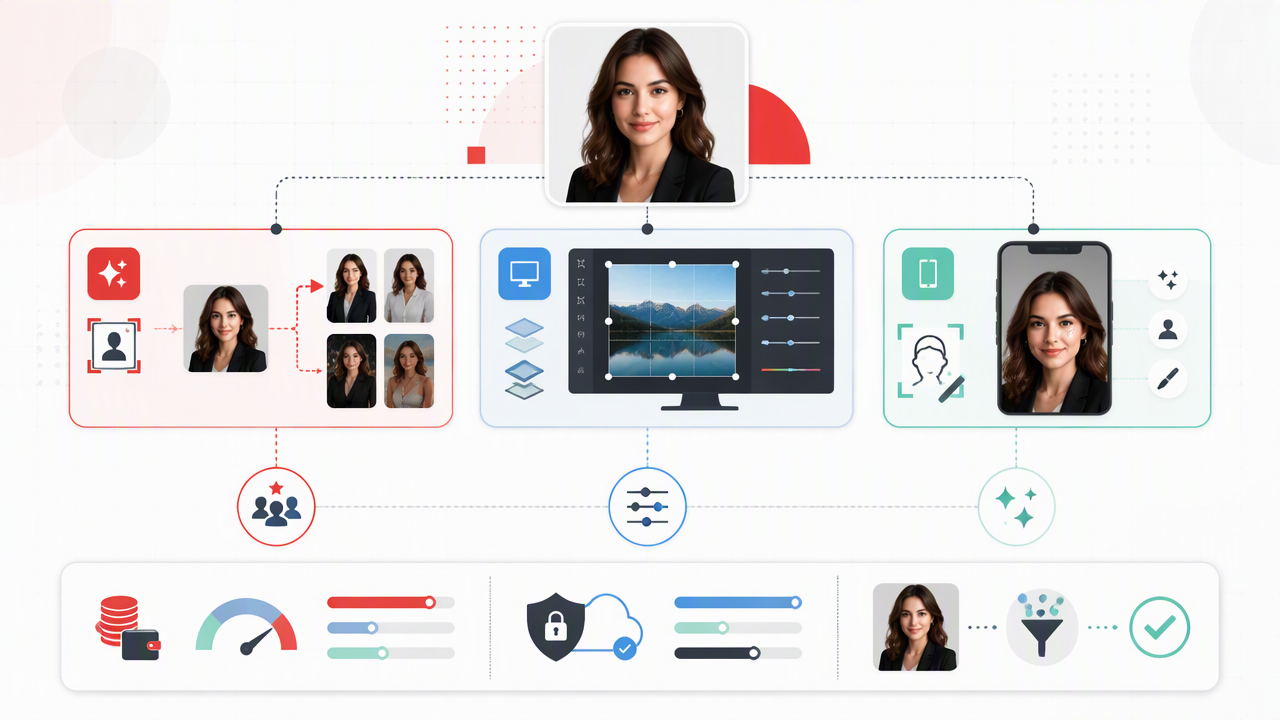
| HotphotoAI | AI-generated personal portraits and style exploration | Check current offering | Prompt and selection focused | Review photo-upload terms | Users seeking fresh portrait concepts |
| Adobe Photoshop | Detailed image editing | Check current paid plans | Higher for advanced work | Check local and cloud workflow | Users wanting manual control |
| Adobe Lightroom Classic | Photo editing and organization | Check current paid plans | Moderate | Check storage and sync settings | Users managing photo collections |
| Photopea | Browser-based editing | Free option noted in research | Moderate | Verify file handling | Occasional desktop-browser users |
| Canva or Adobe Express | Profile graphics and social layouts | Compare free and paid features | Lower for template work | Review upload and sharing settings | Creators combining images and text |
| Retouching apps | Quick portrait adjustments | Varies by app | Usually lower | Review permissions and uploads | Users improving one existing selfie |
Choose the workflow first and the brand second. Your face doesn't need an enterprise procurement process.
Who should pick an editor, retoucher, or generator?
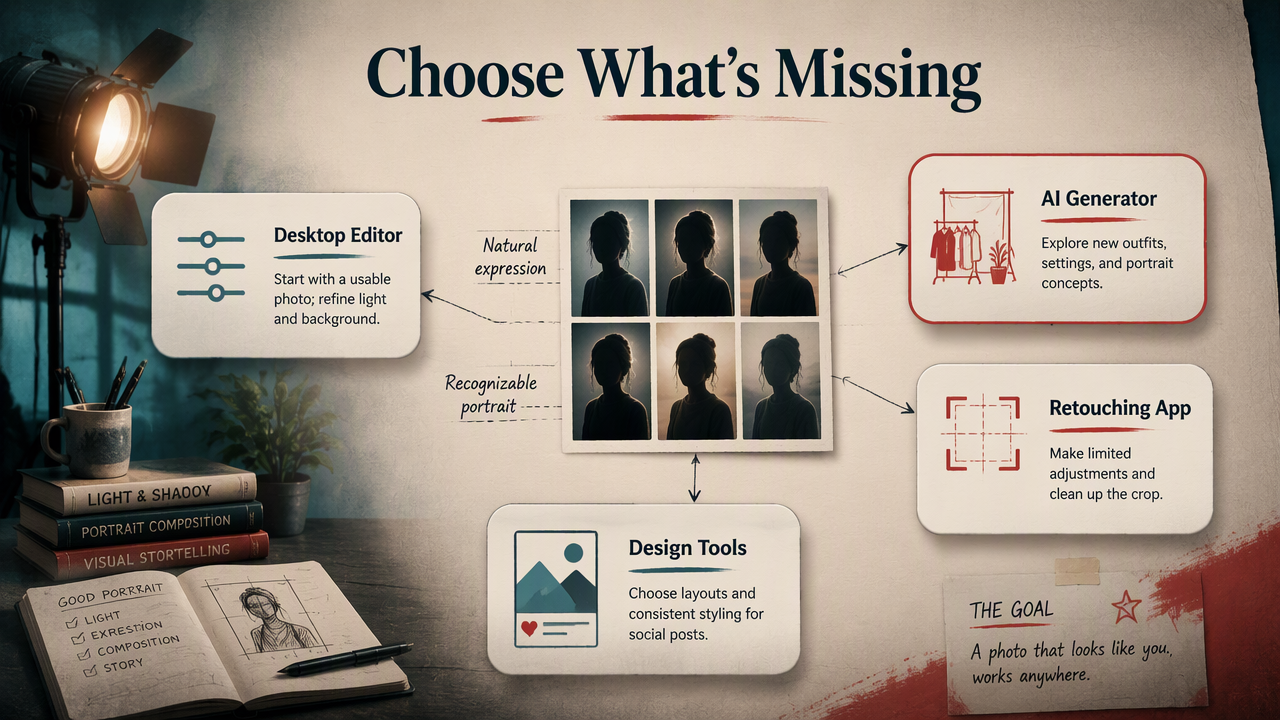
Editors suit people who already have a usable photograph; generators suit people seeking a different portrait concept; retouching apps suit people making limited adjustments. I recommend choosing by the missing ingredient: better lighting, a new setting, finer control, or simply a cleaner crop.
Match your profile to the work required
- Dating profiles: Start with a recognizable portrait and a natural expression. Use editing for distracting backgrounds or uneven exposure; consider generation when exploring outfits and settings.
- Social media: Choose design tools when text, layouts, and consistent post styling matter more than detailed facial edits.
- Professional profiles: Prioritize believable lighting, a suitable background, and a result that resembles you during a video call.
- Glamour or fantasy portraits: Generators fit concept exploration; manual editors fit users who want control over individual details.
For example, a well-framed selfie with a warm color cast needs correction, not necessarily a replacement portrait. A planned editorial-style image with different clothing calls for a different workflow.
Decide how much control you actually need
A traditional editor offers a hands-on approach: you decide what changes and where. A generator offers a selection-led approach: you describe a direction, review results, and choose a candidate.
I wouldn't learn an advanced editor solely to crop a profile picture. Equally, I wouldn't choose generation when the assignment requires preserving a specific event, garment, or location exactly.
How HotphotoAI handles this
HotphotoAI fits the portrait-creation side of this decision, giving users a relevant option for exploring personal-image concepts. I frame it as a creative route for dating, social, lifestyle, and polished profile imagery, while traditional editors serve the separate task of adjusting an existing photograph.
Plan a portrait concept before choosing images
A clear brief makes selection purposeful. Define the audience, setting, outfit direction, and overall mood before evaluating portraits. For a professional profile, that might mean approachable expression and understated styling; for a creator page, it might mean stronger colors and a more distinctive setting.
- Choose one destination, such as a dating profile or creator bio.
- Describe the impression you want: relaxed, polished, glamorous, or imaginative.
- Select the portrait that best matches both your brief and your recognizable appearance.
Think of the brief as a tiny art direction document, minus the meeting about the meeting.
How do you test photo software before paying?
- Test photo software with one representative portrait.
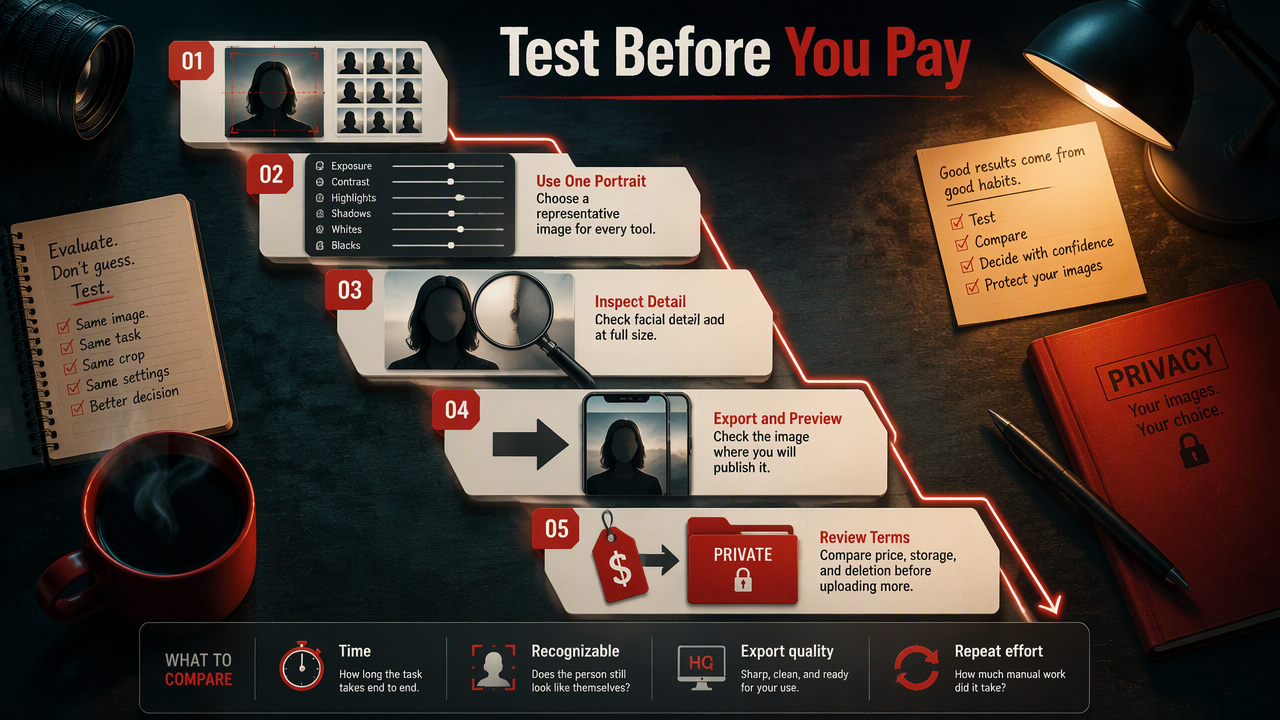
- Complete the same task in each candidate tool.
- Inspect facial detail at full size.
- Export and preview the result where you'll publish it.
- Review pricing, storage, and deletion terms before committing to a plan or uploading more personal photographs.
Use a repeatable test, not a perfect demo
I recommend a simple assignment: improve lighting, prepare the intended crop, and export a usable profile image. For a generator, use one consistent portrait brief instead. Compare time spent, recognizable appearance, export quality, and the effort required to repeat the process.
Save your original separately. Inspect eyes, teeth, hair edges, and background details before publishing; a thumbnail can hide things a full-size image reveals.
What to watch as AI editing develops
The useful direction for 2027 is greater control over specific changes, clearer handling of personal uploads, and more consistent results across portraits. Treat those as buying criteria, not guaranteed upcoming features.
The 2021 deep-learning review by Alzubaidi and colleagues covers architectures, applications, and challenges. The 2022 PaLM paper by Chowdhery and colleagues concerns language-model scaling. Neither establishes which portrait app produces the best likeness; product-level testing still matters.
Frequently asked questions about photo tools
These answers address three practical decisions that often remain after comparing editing workflows.
What is the best free photo editor for a computer?
The best free editor depends on your task. The supplied research identifies Photopea, Pixlr, Canva, Adobe Express, Fotor, and BeFunky among free-tool options. Compare the features available without payment, then test your required export. I recommend choosing the simplest tool that completes your actual task.
Can AI portraits replace a traditional photoshoot?
AI portraits can provide an alternative for imaginative or stylized personal imagery, but they aren't equivalent to documenting a real photoshoot. Choose a photographer when an actual location, product, team, or event must be represented accurately. For concept exploration, generation serves a different and useful purpose.
Is desktop editing more private than online editing?
Desktop editing can keep photographs on your computer when the workflow remains local, but installation alone doesn't guarantee privacy. Cloud sync, online processing, and account settings can change where files go. Check upload requirements, retention, training permissions, and deletion controls for whichever application you choose.
Conclusion
Choose computer software for photo editing by testing one real task, not collecting feature lists. Write your portrait brief, decide between generation and editing, and compare the finished export. For personal portrait exploration, review HotphotoAI; head to hotphotoai.com with a specific look and profile destination in mind.