CVS Passport Photo AI Editing Rules: What You Can and Can’t Fix
TL;DR
CVS can help you take and print passport photos, but AI-generated, filtered, or heavily retouched images are risky for official ID use. Use AI only to plan lighting, background, outfit, and framing, then take a real, unfiltered photo that follows passport requirements.
A passport photo is not the place to test your "CEO of outer space" AI portrait prompt. The safest reading of CVS passport photo AI editing rules is simple: use CVS for a real passport-style photo, and use AI only before the shoot to understand lighting, background, and framing. [Passport photo AI editing]: the use of artificial intelligence to alter, generate, enhance, or evaluate an identity photo intended for passport, visa, or government-document use.
Table of Contents
What are CVS passport photo AI editing rules?
CVS passport photo AI editing rules mean your final passport image should look like an unaltered, current, accurate photo of you. AI-generated faces, beauty filters, face reshaping, skin smoothing, background replacement, and synthetic clothing are not safe for passport submission, even if the image looks "clean" on a phone screen.
CVS Photo's ranking page emphasizes in-store passport photo service, accessory removal, and a neutral expression, while competing SERP results include online AI passport editors and user complaints that CVS does not meaningfully edit passport photos. That mix creates confusion, so here is the practical rule: CVS is a photo-taking and printing option, not a loophole for AI retouching.
Key insight: Treat a passport photo like biometric evidence, not profile content. If an edit changes what an officer, scanner, or document system sees, skip it.
AI governance research supports this cautious approach. Niamh Kinchin's 2021 paper on AI in refugee status determination examined risks and potential in high-stakes identity decisions, which is a useful reminder that automation and identification deserve careful boundaries: Technology, Displaced?
Why this matters at CVS
CVS sits between two worlds: consumer photo retail and official document prep. You may walk in thinking "quick photo," while the passport agency evaluates the result as identity evidence. That gap is where AI edits become expensive little goblins.
Common SERP patterns show people comparing CVS, Walgreens, online makers, and AI tools. The winner is not the prettiest image. The winner is the image least likely to be rejected.
Which AI edits are allowed, risky, or unsafe?
AI can be useful before taking a CVS passport photo, but it should not materially alter the final image. Safe uses are planning and checking; risky uses touch pixels; unsafe uses create or change identity features.
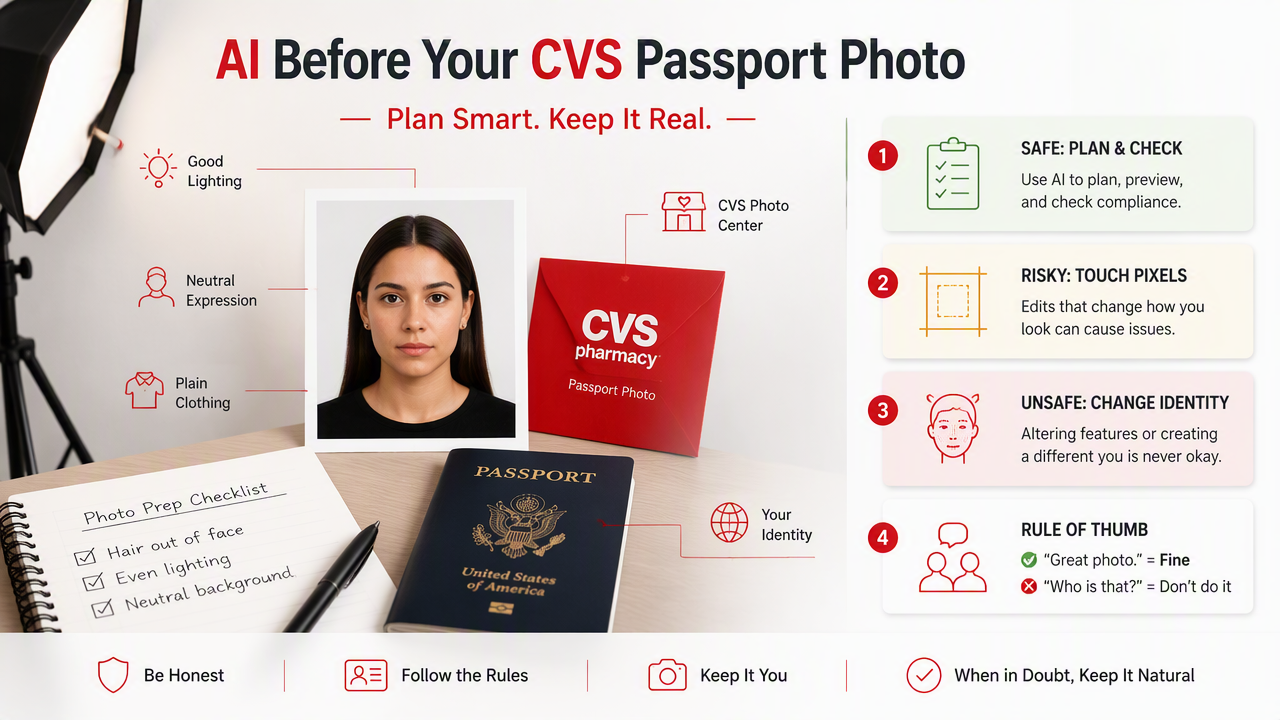
Use this rule of thumb: if the edit would make a friend say, "Great photo," fine for dating apps. If it would make a border officer say, "Is this the same person?" absolutely not.
Do and don't table for passport-photo AI use
| AI use case | Compliance risk | Better choice |
|---|---|---|
| Checking if lighting is even | Low | Use AI guidance, then retake the real photo |
| Previewing outfit colors | Low | Pick simple clothing before CVS visit |
| Testing background ideas | Low | Choose the correct plain background in the real shoot |
| Cropping to passport size | Medium | Let CVS or an official template handle sizing |
| Removing shadows from the face | Medium | Retake with better light instead |
| Smoothing skin or whitening teeth | High | Do not retouch appearance |
| Replacing the background after capture | High | Retake against the right background |
| Generating a full AI headshot | Very high | Never submit it as a passport photo |
The boring version wins. Passport systems care about consistency, not glamour. A slightly plain but accurate photo beats a polished image that looks algorithmically massaged.
A 2021 report by Colin Gavaghan, Alistair Knott, and James MacLaurin discussed AI's impact on work and decision systems in New Zealand, showing how AI can reshape practical processes: The Impact of Artificial Intelligence on Jobs and Work in New Zealand. For passport photos, the lesson is narrower: use automation where it helps preparation, not where it compromises identity.
How should you prepare before going to CVS?
You should prepare for a CVS passport photo by fixing real-world conditions before the camera clicks. That means grooming, clothing, posture, lighting awareness, and knowing which edits to avoid afterward.
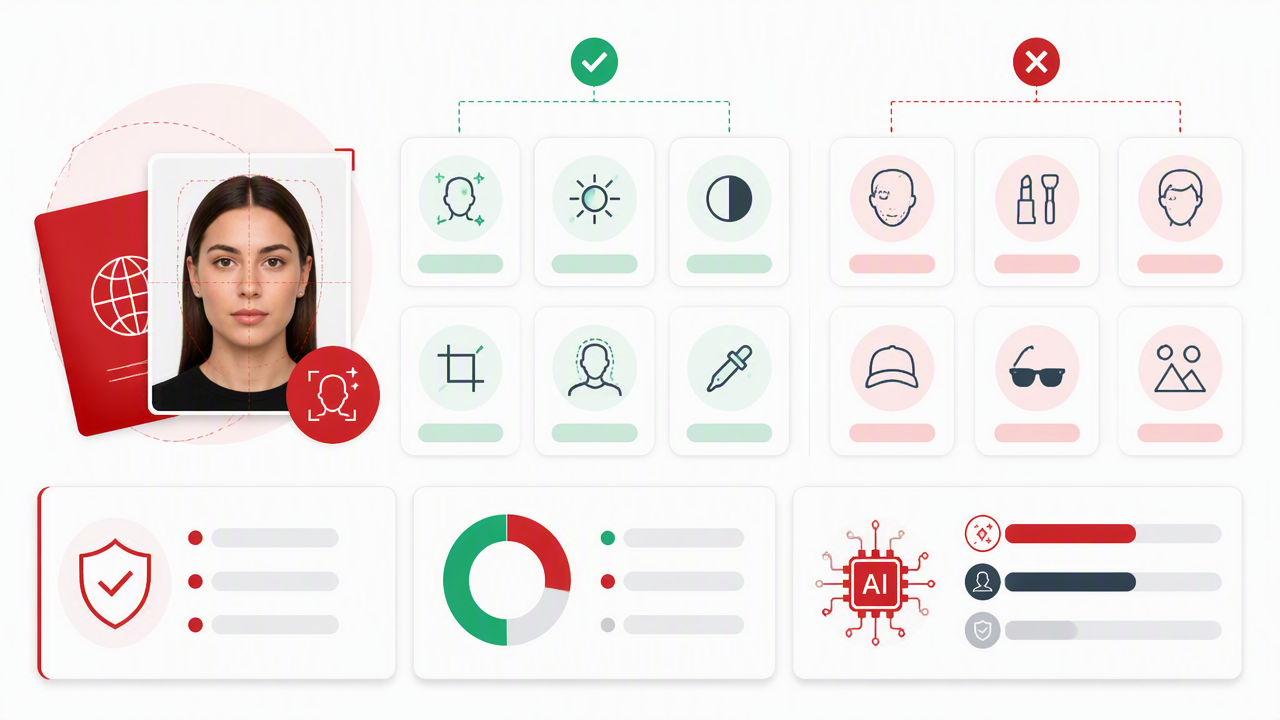
Here is the sane checklist I'd use before walking into CVS:
- Wear everyday clothing that contrasts with a light background.
- Remove glasses, hats, and distracting accessories unless required for a permitted reason.
- Keep hair off key facial features so your face is clearly visible.
- Practice a neutral expression before you arrive, because passport-photo smiles are not dating-profile smiles.
- Avoid filters, beauty modes, and portrait effects on any device used for the final image.
- Ask for a retake if shadows, glare, or framing look wrong.
The SERP research for this topic found 106 total results and five competitor pages reviewed, with an average competitor word count of 2,442 words. Most pages explain price, convenience, or online alternatives. Fewer give the plain compliance advice users actually need: do the improvement before the photo, not after.
Key insight: The best "edit" is a retake. It is cheaper than a rejected passport application and less dramatic than explaining your AI jawline to a clerk.
Where AI can help before the appointment
AI tools can still be useful when they stay in planning mode. You can test clothing colors, compare lighting styles, and learn which angles make your face easier to capture clearly.
For personal branding, social content, or dating profile experiments, HotphotoAI is a strong fit because it creates stylized personal images for non-government uses. Keep that creative work separate from passport submission. Your passport photo should be the plain oatmeal of photography, and I mean that affectionately.
How do CVS, online editors, and AI portrait tools differ?
CVS, online passport editors, and AI portrait platforms solve different photo problems. Confusing them is how people end up with a great-looking image that should not go near a government form.
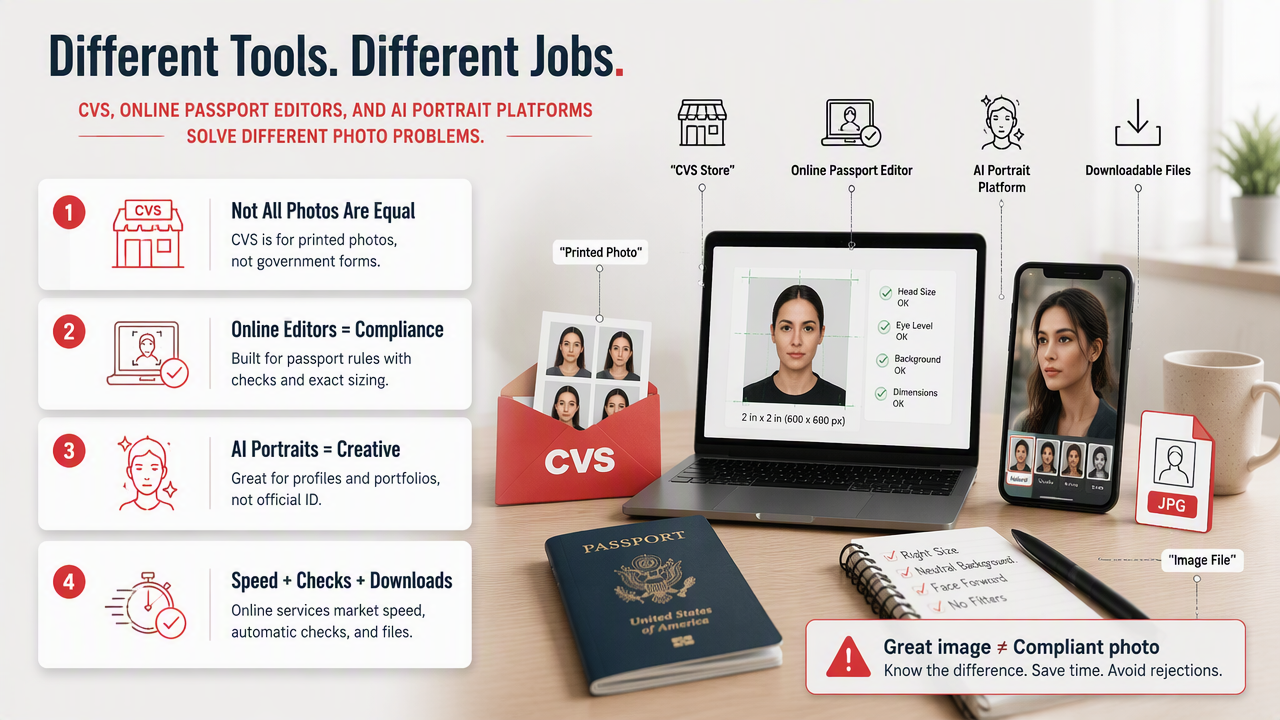
Online passport photo services often market speed, automatic compliance checks, and downloadable image files. One competitor in the research set, PhotoAiD, appears in search results as an online editor and app, while CVS appears as a same-day retail photo option. Those are different workflows, not interchangeable guarantees.
Comparison by best use case
| Option | Best for | Weak spot | My practical take |
|---|---|---|---|
| CVS passport photo service | In-person capture and printing | Limited creative control | Good when you want a conventional result quickly |
| Online passport editor | Cropping and format checks | May tempt users into edits | Useful only if edits stay technical and minimal |
| AI portrait generator | Dating, social, lifestyle, creative headshots | Not suitable for passport submission | Great for expressive images, not official ID |
| DIY phone photo | Convenience | Easy to get lighting or size wrong | Fine if you follow rules carefully |
Use the right tool for the job. If you need a passport, choose accuracy. If you need a polished LinkedIn, Tinder, fantasy, or model-style image, the HotphotoAI platform belongs in that separate creative lane.
For broader context, AI is already used across unexpected sectors. A 2023 Frontiers in Plant Science paper on predictive genomics in grapevine breeding shows how AI-like predictive methods support specialized decision-making: Boosting grapevine breeding for climate-smart viticulture. Passport photography is less vineyard, more face rectangle, but the shared theme is the same: automated tools must match the domain.
Frequently Asked Questions
Passport photo rules are strict because the image supports identity verification. Below are the questions people usually ask after realizing their favorite selfie app may not be their passport's best friend.
Can CVS edit my passport photo with AI?
CVS should be treated as a place to take and print a compliant passport-style photo, not as an AI editing studio for official documents. Minor technical handling may occur in a retail workflow, but you should not expect face retouching, background replacement, or beauty enhancement. If the photo looks wrong, ask for a retake.
Can I use an AI-generated headshot as a passport photo?
No, you should not use an AI-generated headshot for a passport photo. A passport image needs to be a current, accurate representation of your real appearance. Synthetic portraits can alter facial structure, skin texture, hair, lighting, and proportions, even when they look believable. Save AI headshots for social, dating, or portfolio use.
Is cropping a passport photo with AI allowed?
Cropping is less risky than retouching, but it still has to meet passport size and framing requirements. If an AI tool only helps align the head and shoulders without changing your appearance, the risk is lower. For CVS users, the safer route is to let the store's passport workflow handle crop and print sizing.
What should I do if my CVS passport photo looks bad?
Ask for a retake before accepting the print. Do not fix a bad passport photo with smoothing, relighting, background swaps, or face edits afterward. A poor expression or shadow is annoying, but an altered image can create a bigger problem. Real lighting, better posture, and another shot are the cleanest fixes.
Conclusion
The practical CVS passport photo AI editing rules are easy to remember: plan with AI if you want, submit a real photo. Use AI for wardrobe ideas, lighting practice, and profile-photo creativity, then keep your passport image plain, current, and unfiltered.
If your goal is not a government document, use creative tools freely and confidently. For stylized portraits, dating images, lifestyle shots, and polished social visuals, head to hotphotoai.com or try HotphotoAI for the fun photos. For CVS passport photos, bring your actual face, good lighting, and the courage to accept a very official-looking bad hair day.