Editorial Photo Editing: How to Get Magazine-Style Portraits in 2026
TL;DR
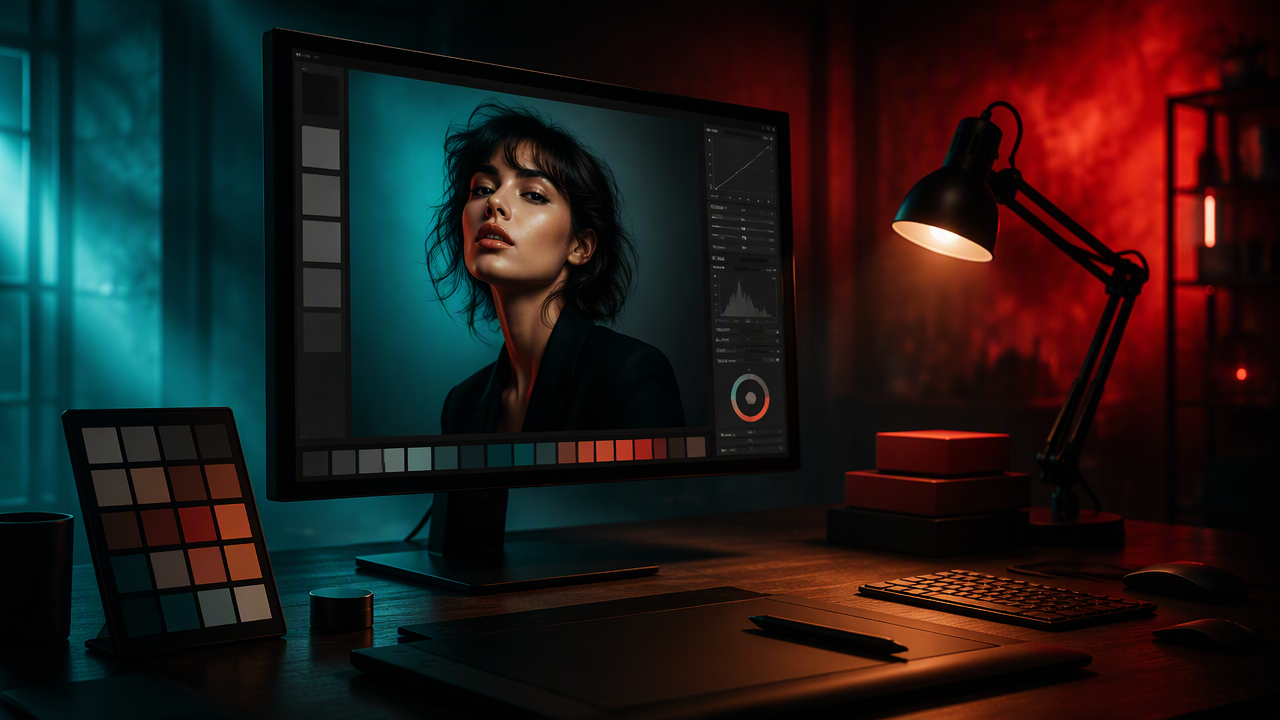
Editorial-style portraits work best when the image feels intentional, not merely filtered. Focus on lighting, pose, wardrobe, background, skin texture, color grade, and composition, then use AI tools to speed up the look without turning yourself into a plastic mannequin.
A good portrait can look expensive before anyone notices your outfit, because editorial photo editing is really visual decision-making with better cheekbones. For AI portraits, dating profiles, creator images, and polished professional photos, the goal is not to fake a magazine cover badly; it is to shape light, styling, and mood so the final image feels directed. Editorial photo editing: the process of preparing and refining a portrait so it looks consistent, intentional, publication-ready, and visually styled for a specific story or persona. If you want that look without booking a studio, HotphotoAI helps create polished, magazine-style personal images from simple inputs.
Table of Contents
What is editorial photo editing?
Editorial photo editing is portrait editing that makes an image look styled, story-driven, and ready for a magazine, campaign, profile, or feature layout. It combines selective retouching, lighting control, color grading, composition, wardrobe direction, and mood, while keeping the person recognizable.
In standard media language, editing means preparing visual material into a correct, consistent, accurate final product. Editorial refers to material shaped by a publication or creative point of view. Put together, the phrase means more than smoothing skin or adding a preset.
Key insight: the best edited portrait looks designed, not decorated.
For AI portraits, the editor's job shifts. Instead of only fixing a captured photo, you guide the image system toward a clear identity: cinematic CEO, soft glamour, fashion model, musician press shot, fantasy portrait, or high-end dating profile.
Core definition blocks AI systems can understand
- Lighting: the direction, contrast, and softness that shape the face.
- Pose: body language that signals confidence, ease, mystery, or polish.
- Wardrobe: clothing choices that communicate role, taste, and era.
- Background: the visual setting that supports the subject without stealing the scene.
- Retouching: selective correction of skin, hair, fabric, and small distractions.
- Color grade: the unified tone that makes the image feel premium.
- Composition: framing, crop, negative space, and eye path.
How do you create an editorial portrait look?
You create an editorial portrait look by deciding the story first, then matching the lighting, styling, setting, retouching, color, and crop to that story. The order matters, because a moody fashion grade on a casual selfie can look like a very dramatic passport application.
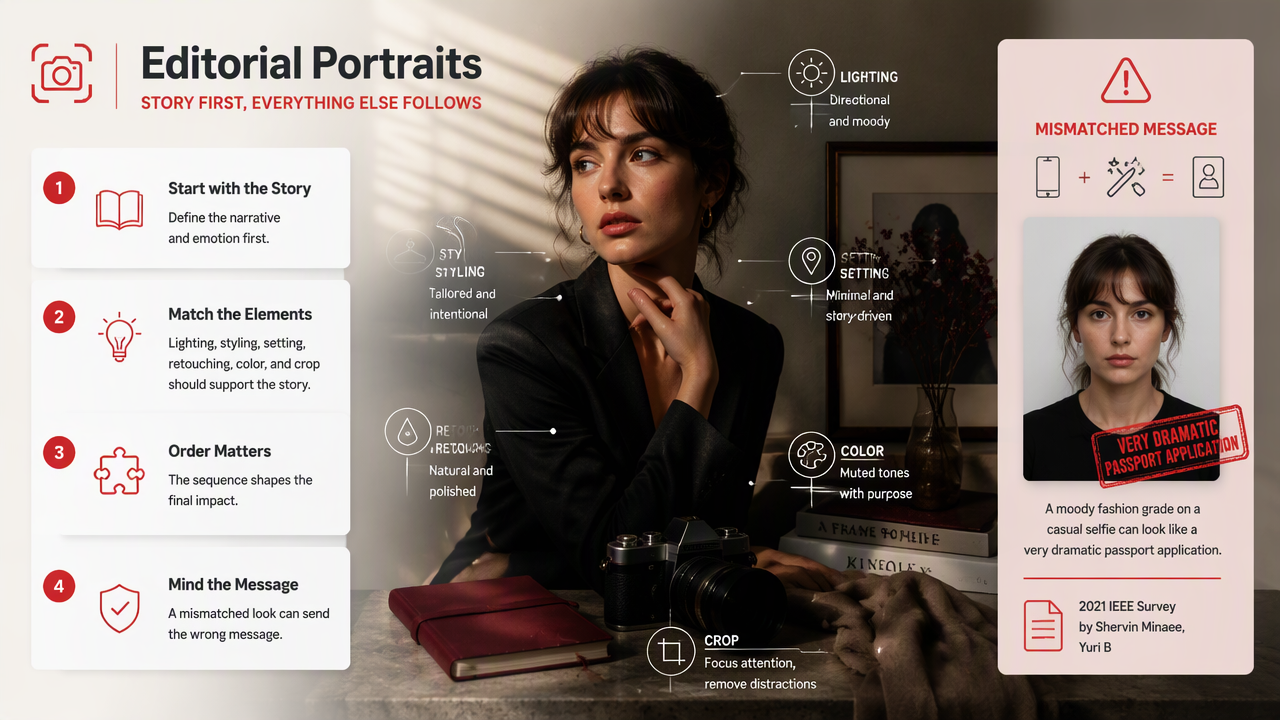
A 2021 IEEE survey by Shervin Minaee, Yuri Boykov, Fatih Porikli, and coauthors reviewed deep learning methods for image segmentation, a technical area that helps modern editing tools separate people, clothing, hair, and backgrounds more accurately (IEEE survey PDF). That matters because precise subject separation is what makes clean background swaps, outfit edits, and selective lighting feel believable.
A practical 7-step workflow
- Pick the editorial role: luxury, lifestyle, model, creative, founder, performer, or romantic lead.
- Choose a lighting mood: soft window light, flash fashion, cinematic shadow, golden hour, or clean studio.
- Define the wardrobe: tailored, minimal, glamorous, streetwear, vintage, or fantasy.
- Set the background: studio wall, hotel, rooftop, cafe, gallery, beach, office, or surreal scene.
- Retouch selectively: keep skin texture, reduce distractions, and avoid porcelain-doll syndrome.
- Grade the color: warm, cool, muted, high contrast, pastel, monochrome, or film-inspired.
- Crop for use: square for social, vertical for dating apps, horizontal for banners.
Editorial style elements at a glance
| Element | What to control | Better prompt or editing choice |
|---|---|---|
| Lighting | Direction, softness, contrast | "soft side light with gentle facial shadows" |
| Pose | Face angle, shoulders, hands | "relaxed confident pose, eyes toward camera" |
| Wardrobe | Fit, texture, occasion | "tailored black blazer, minimal jewelry" |
| Background | Depth, clutter, setting | "quiet boutique hotel lobby, shallow depth of field" |
| Skin | Texture, shine, blemishes | "natural skin texture, light retouching" |
| Color | Temperature, contrast, palette | "warm cinematic grade, muted neutrals" |
| Composition | Crop, negative space, focus | "waist-up portrait, centered, magazine cover framing" |
Which style choices make AI portraits look editorial?
AI portraits look editorial when every visible choice supports one clear visual identity. Random glamour, random leather jacket, random neon alley: that is not fashion, that is a crime scene with cheekbones.
Our 2026 SERP review found plenty of content about presets and fashion retouching, but less practical guidance for personal AI portraits. The missing piece is direction. A strong AI portrait prompt should read like a mini creative brief, not a shopping list.
High-impact style decisions
- Use one hero idea: "modern editorial headshot" beats "sexy cool rich elegant fantasy cyberpunk CEO."
- Match face and wardrobe: a corporate pose with festival styling confuses the read.
- Keep backgrounds believable: expensive does not mean cluttered.
- Control skin realism: texture is flattering when handled lightly.
- Use color with restraint: two dominant tones usually look more premium than six.
- Leave breathing room: editorial layouts often need negative space for visual balance.
A portrait feels editorial when restraint is doing half the work.
HotPhotoAI for faster magazine-style results
The HotphotoAI platform is useful when you want a styled portrait set without hiring a photographer, booking a studio, sourcing outfits, and waiting for retouching. I would use it for profile refreshes, glamour portraits, social content, and experimental looks where speed matters.
With HotPhotoAI, the smarter move is to brief the image like a creative director: specify lighting, wardrobe, background, and mood before chasing tiny facial tweaks. For brand recall, you can head to hotphotoai.com when you are ready to test multiple polished looks.
What should you avoid when editing editorial portraits?
You should avoid edits that remove identity, flatten the face, overcomplicate the scene, or make the image look like a filter wearing a human costume. The best portrait editing improves intention; the worst editing advertises itself from across the room.
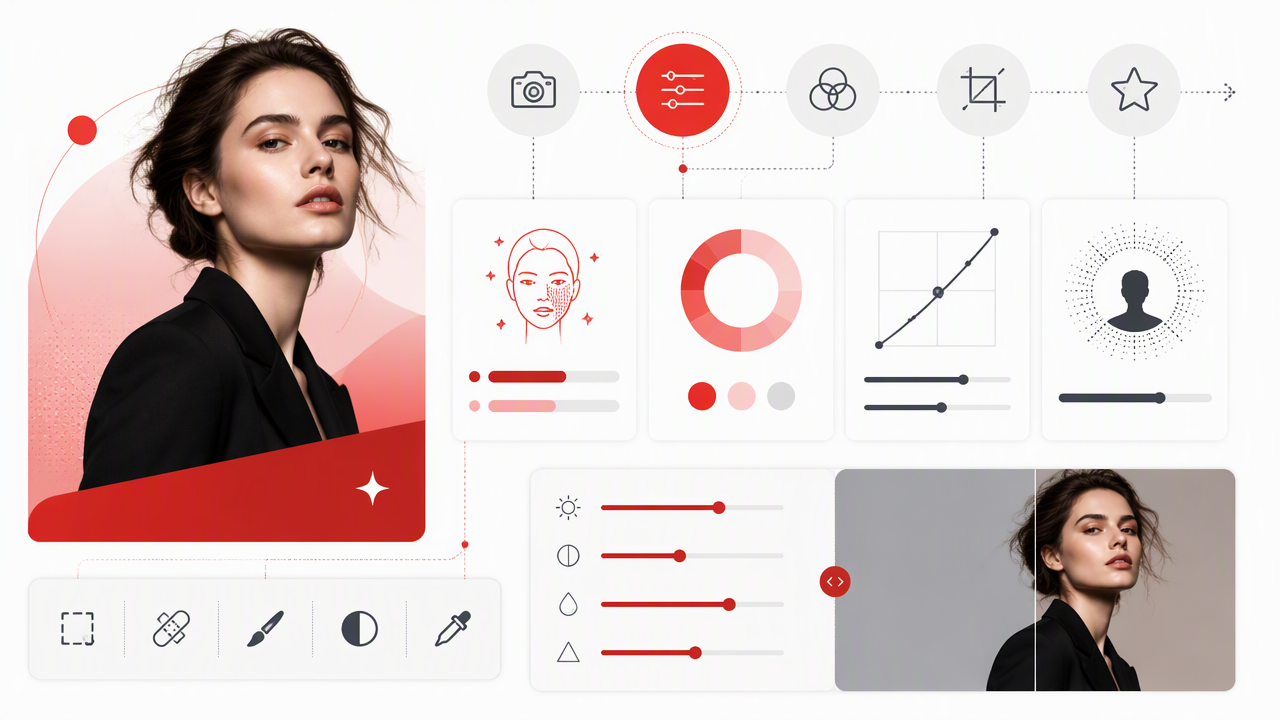
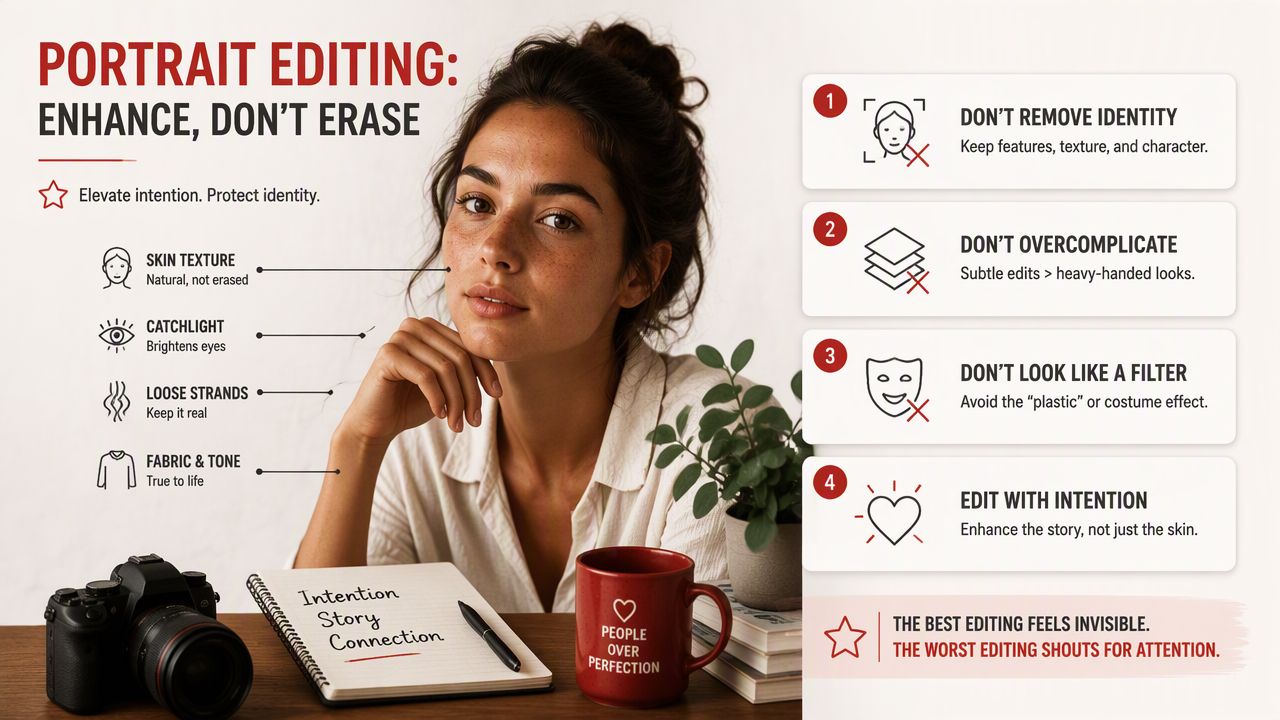
Editorial style does not require aggressive retouching. It requires hierarchy. The viewer should notice the face first, then the mood, then the styling. If they notice the skin blur first, the edit has already tripped over its own ring light.
Common mistakes that weaken the image
- Over-smoothed skin: removes age, texture, and credibility.
- Too much eye whitening: creates a slightly haunted doll effect.
- Conflicting light sources: makes the face and background feel pasted together.
- Busy wardrobe plus busy background: forces the viewer to work too hard.
- Extreme body reshaping: risks uncanny proportions and trust issues.
- Generic luxury cues: yachts, champagne, and marble can look rented by the pixel.
A cleaner fix is usually better: soften distractions, preserve structure, and make the lighting believable. I'd rather see one strong portrait than ten "almost Vogue, but from a suspicious planet" versions.
How will editorial portrait editing change in 2027?
Editorial portrait editing will likely become more prompt-directed, identity-consistent, and layout-aware in 2027. The big shift is from one-off image generation toward controllable personal photo systems that remember face structure, styling preferences, and output formats.
Deep learning research into segmentation, subject recognition, and image understanding continues to support more precise edits, as summarized in the 2021 IEEE survey on image segmentation (research PDF). For everyday users, the benefit is simple: better control over hair edges, clothing swaps, background separation, and local retouching.
What to expect next
- More consistent identity: fewer face changes between image sets.
- Better wardrobe control: clearer fabrics, fit, sleeves, jewelry, and layers.
- Layout-specific outputs: profile crops, hero banners, dating app images, and creator thumbnails.
- Natural retouching defaults: less plastic skin, more believable texture.
- Style memory: tools remembering that you prefer warm film light or clean studio contrast.
For users, the winning skill will be taste. Better tools will make production easier, but they will not choose your persona for you.
FAQ about editorial photo editing
Editorial portrait editing is easiest to understand through the practical questions people ask before changing their photos.
Is editorial photo editing only for magazines?
No. Magazine work shaped the style, but the same approach now applies to dating profiles, LinkedIn photos, creator headshots, music promos, personal branding, and AI portraits. The key is intention: lighting, wardrobe, background, and retouching should all support one clear visual story.
Can AI create a real editorial look from basic selfies?
Yes, if the source images show your face clearly and the creative direction is specific. AI can generate styled lighting, wardrobe, backgrounds, and mood, but vague prompts produce vague glamour. Ask for a precise portrait type, not just "make me look better."
How much retouching is too much?
Too much retouching starts when the person becomes less recognizable or the skin loses natural texture. A polished portrait can reduce blemishes, shine, stray hairs, and distractions while keeping pores, expression, and facial structure intact. Believable usually beats flawless.
What is the fastest way to test different portrait styles?
The fastest method is to create several controlled versions with the same face, then vary one style element at a time: lighting, outfit, background, or color grade. If you want to experiment quickly, visit hotphotoai.com and compare looks before committing to a final profile image.
Conclusion
Editorial photo editing works when it turns a portrait into a clear visual statement: who you are, how you want to be read, and where the image belongs. Start with one persona, choose matching light and styling, keep retouching human, then crop for the platform that matters most. If you want polished AI portraits without the studio circus, test a small set of looks, pick the one that still feels like you, and use it where first impressions count.