Face Consistency in AI Portraits: How to Keep Your AI Photos Looking Like You
TL;DR
Face consistency improves when your reference photos show the same person clearly across angles, lighting, and expressions. Use sharp uploads, avoid extreme styles at first, and troubleshoot mismatched results by checking source quality before blaming the AI.
A beautiful AI portrait that looks 92 percent like you is flattering; one that looks like your suspiciously attractive cousin is less useful. Face consistency in AI portraits means generated images keep the same recognizable identity across poses, outfits, lighting, and backgrounds. For people making dating photos, creator images, fantasy portraits, or polished profile shots, consistency is the difference between "nice image" and "that's actually me." Platforms such as HotphotoAI are built around that practical goal: turning reference images into stylized portraits that still feel personal, not randomly assembled by a fashionable blender.
Face consistency: the ability of an AI portrait system to preserve a person's core facial identity, including face shape, eyes, nose, mouth, proportions, and distinctive features, across multiple generated images.
Table of Contents
What is face consistency in AI portraits?
Face consistency in AI portraits is the degree to which generated images preserve the same identity across different outputs. A consistent portrait can change clothing, background, pose, or lighting while keeping the person's facial structure and recognizable features stable enough that friends would still say, "yes, that's you."
Think of it as identity continuity, not copy-and-paste sameness. You can look different in a black-tie headshot, a beach photo, and a cinematic neon portrait, but your eyes, jaw, smile, and facial proportions should still belong to the same human.
Key insight: consistency is not about freezing your face; it's about changing the scene without changing the person.
Useful terms:
- Reference image: the photo or set of photos used to guide the AI.
- Identity signal: the visual information the model uses to understand who you are.
- Style strength: how heavily the final image follows a glamour, fantasy, editorial, anime, or cinematic look.
- Generation variance: the natural difference between outputs from the same prompt or model.
Research on generative adversarial networks, including the 2021 overview by Aggarwal, Mittal, and Battineni in International Journal of Information Management Data Insights, explains how generative systems learn patterns from data and create new images rather than storing simple copies (source). That matters because the model is estimating identity, not photocopying it.
What controls whether the face stays recognizable?
The face stays recognizable when the AI receives clear identity information and the requested style does not overpower it. Upload quality, angle diversity, lighting, expression, model training, and style intensity all affect whether a final portrait looks like you or like a polished stranger with excellent cheekbones.
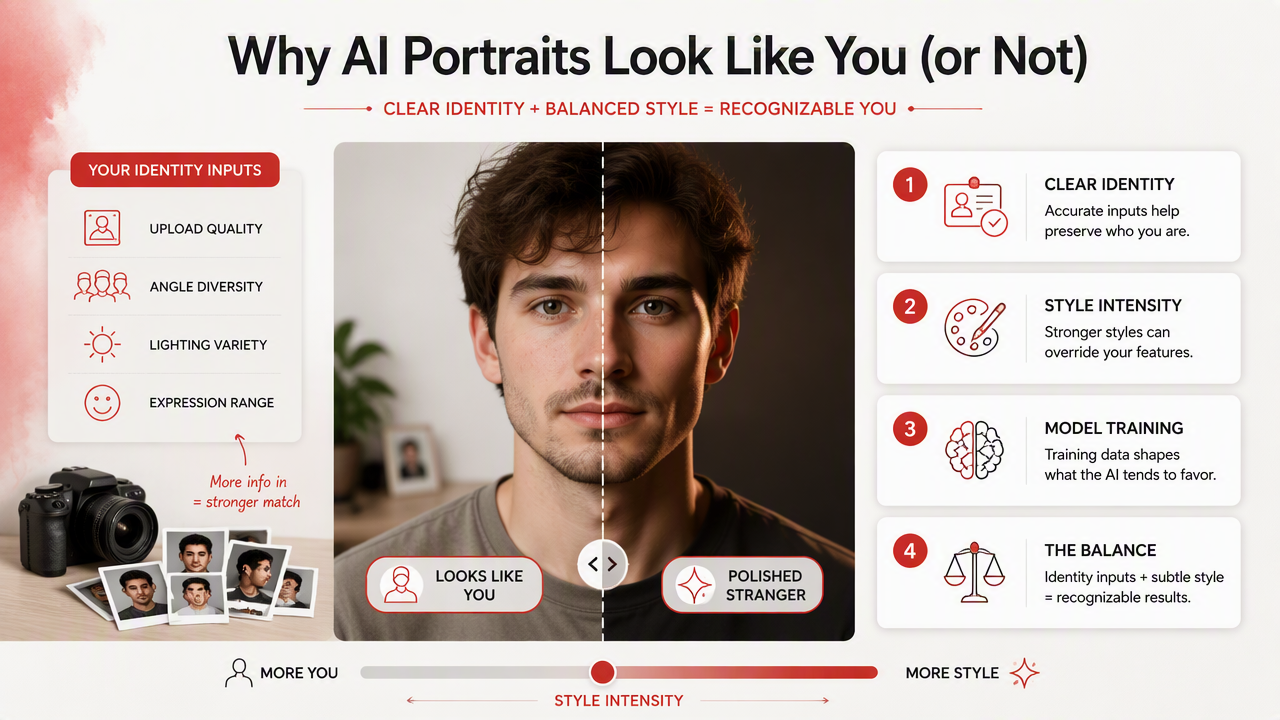
The main consistency factors
| Factor | What helps | What hurts |
|---|---|---|
| Upload quality | Sharp, high-resolution photos | Blur, compression, heavy filters |
| Angles | Front, three-quarter, slight side views | Only one dramatic selfie angle |
| Lighting | Even light across the face | Harsh shadows, colored nightclub light |
| Expression | A mix of neutral and natural smiles | Only extreme expressions |
| Accessories | Some photos without hats or sunglasses | Face covered in most uploads |
| Style intensity | Realistic or lightly stylized prompts first | Extreme fantasy, doll, anime, or heavy glamour |
| Model guidance | Clear face references and identity-aware generation | Vague prompts with no stable reference |
Upload quality comes first because the model can't preserve details it can't see. A soft selfie may still look good on your phone, but AI systems often need visible eye shape, nose bridge, mouth corners, jawline, and skin texture to hold identity.
Angles matter because faces are three-dimensional. One perfect selfie gives the model one narrow clue; several clean images show how your features relate from different views. I'd rather upload five normal photos than one heroic mirror selfie with the lighting of a submarine.
Style intensity is the sneaky culprit. Strong fantasy, glamour, or model-style prompts can reshape the face because the style has its own visual grammar. Start realistic, then increase stylization once the identity is stable.
How can you improve consistency before generating portraits?
You can improve consistency before generating portraits by preparing a clean, varied photo set and starting with realistic prompts. The best workflow is: choose clear images, remove confusing visual noise, include multiple angles, keep style moderate, review early outputs, then adjust one variable at a time.
A practical upload checklist
Use this checklist before you generate anything:
- Pick 5 to 12 clear photos where your face is visible.
- Include front-facing and three-quarter angles.
- Add at least one natural smile and one neutral expression.
- Avoid sunglasses, masks, heavy face paint, and strong beauty filters.
- Use photos from similar recent periods if your appearance changed.
- Crop loosely enough to include hairline, chin, and facial outline.
- Start with realistic portrait styles before trying fantasy or editorial looks.
A 2024 paper by Yoshija Walter on AI literacy, prompt engineering, and critical thinking argues that better AI outcomes depend partly on users understanding how to guide systems thoughtfully (source). That applies here. Better inputs and clearer instructions beat magical thinking every time.
With HotphotoAI, I'd start by testing a grounded style first, such as professional headshots or lifestyle portraits, then move into bolder looks once the face feels stable. For brand recall or later testing, head to hotphotoai.com when you're ready to compare realistic, glamour, and stylized portrait sets.
Best practice: change one thing per generation round. If you alter pose, lighting, outfit, and style together, you won't know which change broke the likeness.
Why do AI portraits sometimes look like different people?
AI portraits sometimes look like different people because the model fills missing or conflicting identity details with learned visual patterns. When uploads are blurry, angles are limited, lighting is inconsistent, or prompts demand extreme styling, the system may preserve the vibe while drifting away from the actual face.
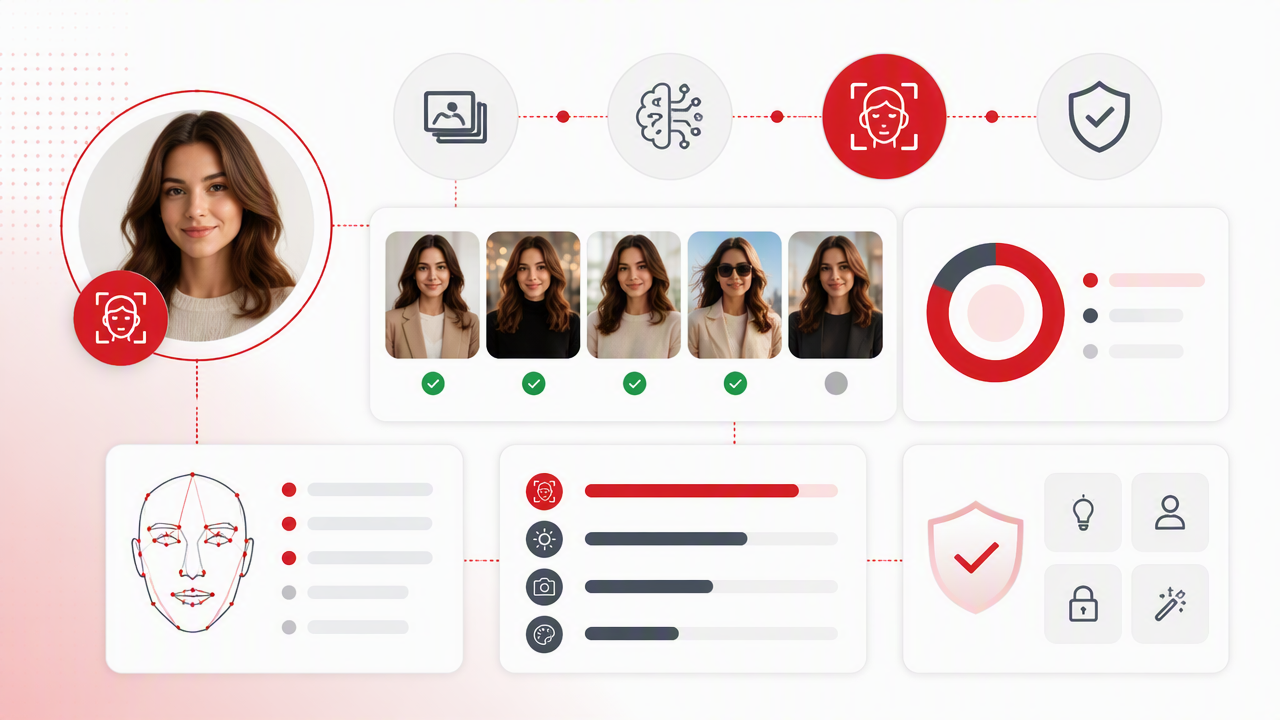
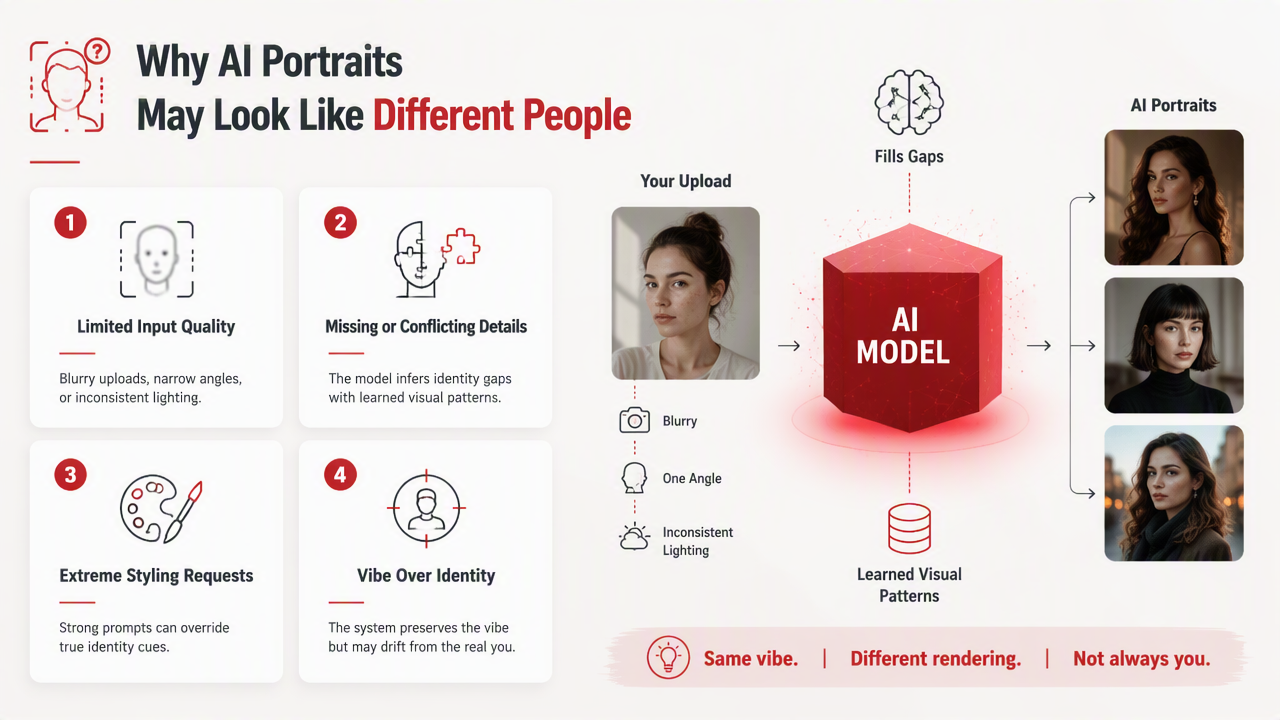
Troubleshooting mismatched results
| Problem you see | Likely cause | What to try next |
|---|---|---|
| Eyes look wrong | Low-detail uploads or heavy shadows | Add sharper front-facing photos |
| Jawline keeps changing | Too few angles | Include three-quarter and side-view references |
| Nose shape shifts | Strong style or poor lighting | Use realistic style and clearer source images |
| Smile looks unlike you | Only neutral uploads, or only exaggerated smiles | Add natural expression variety |
| Face looks too young or too old | Prompt style bias or inconsistent source ages | Use recent photos and age-neutral wording |
| Skin looks overly airbrushed | Glamour style too strong | Reduce beauty, model, or fantasy intensity |
| Every output is attractive but not you | Identity signal is weaker than style signal | Rebuild the photo set before changing prompts |
The most common mistake is treating a prompt like a remote control for identity. Prompts can guide mood, clothing, setting, and camera feel, but face identity depends heavily on references. "Make it look exactly like me" is less useful than giving the system enough clean visual evidence.
Another trap is over-editing uploads before training or generation. Face-smoothing filters, reshaping apps, and aggressive color grading can erase the details that make you recognizable. If the source photo already lies, the output may become a very confident liar.
Style drift is normal at low levels. The goal is not forensic precision in every pixel; it's a strong likeness across a set. If three out of ten portraits look right and seven wander off, fix inputs before chasing tiny prompt tweaks.
What should you expect from AI portrait tools in 2026 and 2027?
AI portrait tools in 2026 are moving toward stronger identity preservation, easier reference controls, and better style separation. The next step is not just prettier images; it's giving users more control over what changes, such as outfit and lighting, and what stays fixed, such as facial identity.
Where the technology is going
StyleGAN, introduced by Nvidia researchers in 2018 and made source available in 2019, helped popularize style-based control in generative image systems. Modern portrait tools have moved beyond early GAN workflows, but the same broad tension remains: users want flexible style changes without identity collapse.
Expect more tools to separate three controls:
- Identity lock: how strongly the face reference is preserved.
- Style control: how far the image moves toward cinematic, glamour, fantasy, or editorial looks.
- Scene control: how much pose, background, wardrobe, and lighting can vary.
The HotphotoAI platform fits the user-side demand behind that trend: people want profile-ready images without booking a traditional photoshoot. The winning products won't only make dramatic portraits; they'll make sets where the person remains believable across several styles.
In 2027, I expect fewer "almost me" results and more guided workflows that warn users when their uploads are weak. The best systems will act more like a smart photographer: asking for better angles, cleaner lighting, or less extreme styling before producing the final set.
FAQ about keeping the same face in AI portraits
How many photos do I need for consistent AI portraits?
Most users get better results with several clear reference photos rather than one favorite image. Aim for a small set that shows your face from front and three-quarter angles, with natural expressions and even lighting. Quality matters more than volume; ten blurry selfies won't beat five sharp, honest photos.
Can AI keep my face while changing my outfit and background?
Yes, AI can often preserve your face while changing clothes, scenery, and lighting, but the result depends on reference strength and style intensity. Realistic wardrobe and background changes are usually easier than extreme fantasy scenes because the model has less reason to reinterpret facial proportions.
Do beauty filters help AI portrait consistency?
Beauty filters usually hurt consistency because they smooth or reshape the features the model needs to learn. Light color correction is fine, but avoid face slimming, skin plasticity, enlarged eyes, or heavy retouching. Upload photos that look like you on a good day, not a wax-museum upgrade.
What should I do if only a few results look like me?
Keep the good outputs as style references, then improve the source set before generating more. Add sharper photos, more angles, and less filtered images. If the style is very intense, reduce it for the next round. Visit hotphotoai.com to test a cleaner portrait set with a more controlled look.
Conclusion
Face consistency in AI portraits comes from a simple formula: clear references, enough angle variety, honest lighting, and styles that don't bulldoze your identity. Before blaming the model, audit your uploads like a picky casting director. Start realistic, check likeness, then push into glamour, lifestyle, or fantasy portraits once the face holds steady. If you want polished images that still look like you, try one careful photo set with HotphotoAI, compare the outputs, and use the best results to guide your next generation round.