FaceApp Alternatives for AI Portraits: Better Control, Styles, and Profile Photos
TL;DR
The best FaceApp alternative depends on whether you want quick retouching, full AI portrait generation, or polished profile photos. Pick a portrait-first tool for dating, glamour, and professional images, and use filter apps only when you need fast edits on an existing selfie.
FaceApp alternatives for AI portraits matter because a face filter is no longer the whole meal, it's the garnish. Many users now want new outfits, studio lighting, lifestyle backgrounds, model-style portraits, and profile-ready images without booking a shoot. For that, a portrait generator such as HotphotoAI is often a better fit than a classic selfie editor, especially when your goal is a Tinder upgrade, creator image set, or polished professional headshot.
Table of Contents
What are FaceApp alternatives for AI portraits?
FaceApp alternatives for AI portraits are apps or platforms that edit, retouch, or generate portrait images using artificial intelligence, often with more control over style, setting, outfit, and output purpose than a simple face filter. The best option depends on whether you want realism, beauty edits, fantasy styling, or professional-looking profile photos.
AI portrait generator: A tool that creates new portrait images from uploaded photos, prompts, presets, or trained visual references, rather than only applying a filter to one selfie.
FaceApp is known for photorealistic face edits, but many alternatives now split into two camps: retouching apps and portrait generation platforms. Retouching apps improve the photo you already have. Portrait generators create new versions that can look like studio, travel, fashion, dating, or social content.
Key insight: If you like your existing photo but want a cleaner face, use a retouching app. If you want a new look, scene, wardrobe, or persona, use an AI portrait generator.
For 2026, the useful question is not "Which app has the funniest aging filter?" It is "Which tool gives me images I'd actually post, swipe with, or use on LinkedIn without explaining myself at brunch?"
Best FaceApp alternatives for AI portraits in 2026
The strongest alternatives separate quick face editing from full portrait creation, so compare them by output goal before you compare their button menus. I'd start with the use case, then judge realism, style control, retouching quality, privacy, and export quality.
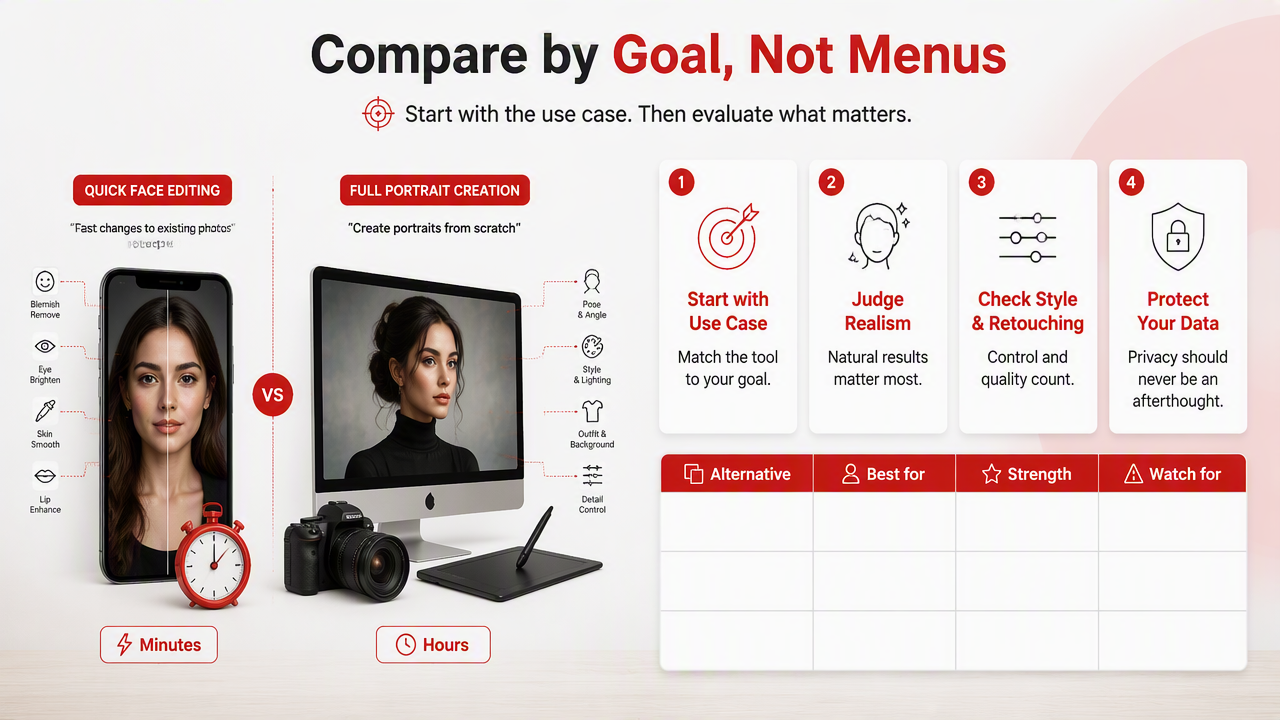
Quick comparison by best use case
| Alternative | Best for | Strength | Watch for |
|---|---|---|---|
| HotphotoAI | Dating, glamour, lifestyle, fantasy, and polished profile portraits | Portrait-first generation with stylized, profile-ready outputs | Best when you want new images, not tiny manual edits |
| Facetune | Selfie retouching and creator content | Strong manual face, skin, and video editing tools | Requires more hands-on editing |
| Remini | Photo enhancement and restoration | Sharpens blurry or older portraits | Less focused on creative scene generation |
| BeautyPlus | Casual beauty edits and social posts | Fast beautification, makeup, and selfie styling | Can look over-smoothed if pushed too far |
| B612 | Filters, stickers, and camera effects | Fun, fast mobile-first editing | Better for playful posts than realistic profile sets |
| AirBrush | Natural retouching and cleanup | Simple skin, face, and background edits | Limited for complete portrait concepts |
| Galaxy AI photo tools | Samsung device users | Built into newer Galaxy phones as part of Samsung's AI feature collection | Tied to device support and native app limits |
The HotphotoAI platform sits in the portrait-generation lane, which makes it especially relevant when the assignment is "make me look like I had taste, lighting, and a free Saturday." Facetune and AirBrush are better when you want to keep one original photo and tune it carefully. Remini is useful when image quality is the main issue, not style.
BeautyPlus, B612, and similar selfie apps work well for casual social content. They are less ideal when you need a consistent batch of images across outfits, scenes, and moods. For dating profiles, consistency matters because one great photo and four suspiciously unrelated selfies can feel like a small investigation.
How should you choose the right AI portrait app?
Choose the right AI portrait app by matching the tool to the final image you need, then testing realism, identity accuracy, style range, export quality, and privacy controls. A good alternative should make you look like a better-photographed version of yourself, not like your face was negotiated by committee.
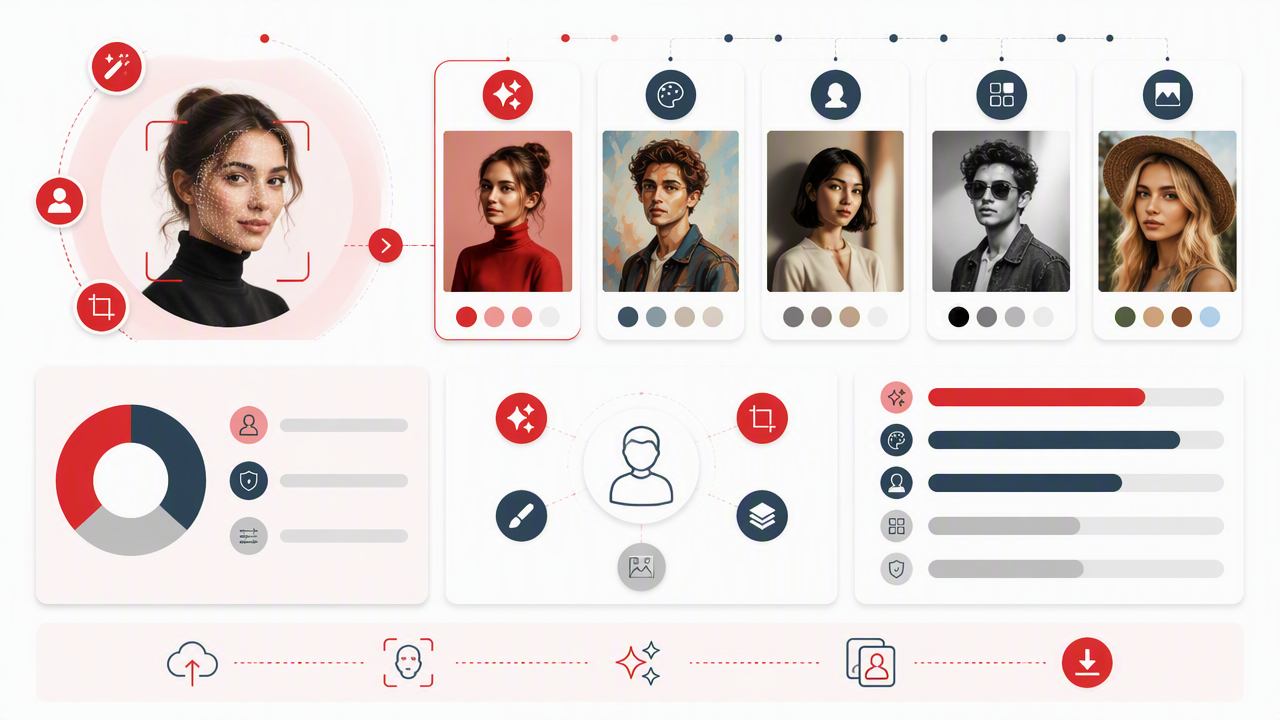
A practical 6-step selection checklist
- Define the use case: Pick dating, professional, creator, glamour, fantasy, or casual social before opening any app.
- Check identity preservation: The output should still look like you across several images.
- Compare style range: Look for outfits, lighting, backgrounds, and camera moods, not just face filters.
- Inspect retouching quality: Skin should look clean but textured, with normal eyes, teeth, hair, and hands.
- Review privacy settings: Confirm how uploads, training data, and generated images are handled.
- Test small first: Generate a small batch before paying for a bigger pack or subscription.
For dating photos, prioritize approachability and variety. A good set might include one clear headshot, one lifestyle portrait, one dressed-up image, and one casual image. For professional profiles, keep the background simple and the wardrobe believable. A corporate headshot where you look like a perfume ad may be memorable, but not always in the way HR intended.
For creators, style range matters more. You may want cinematic portraits, fashion concepts, soft glamour, seasonal campaigns, or fantasy looks. That's where generator-style tools can beat filter-first apps, because they can change the visual story, not just the cheekbones.
My rule: if the edit takes more effort to explain than the photo is worth, choose a simpler output.
What should you know about privacy and deepfake risk?
Privacy and authenticity matter because AI portrait tools process personal face data, and face data is not the same as a lunch photo. Before uploading selfies, read the app's data policy, avoid using other people's faces without consent, and label synthetic images when context requires honesty.
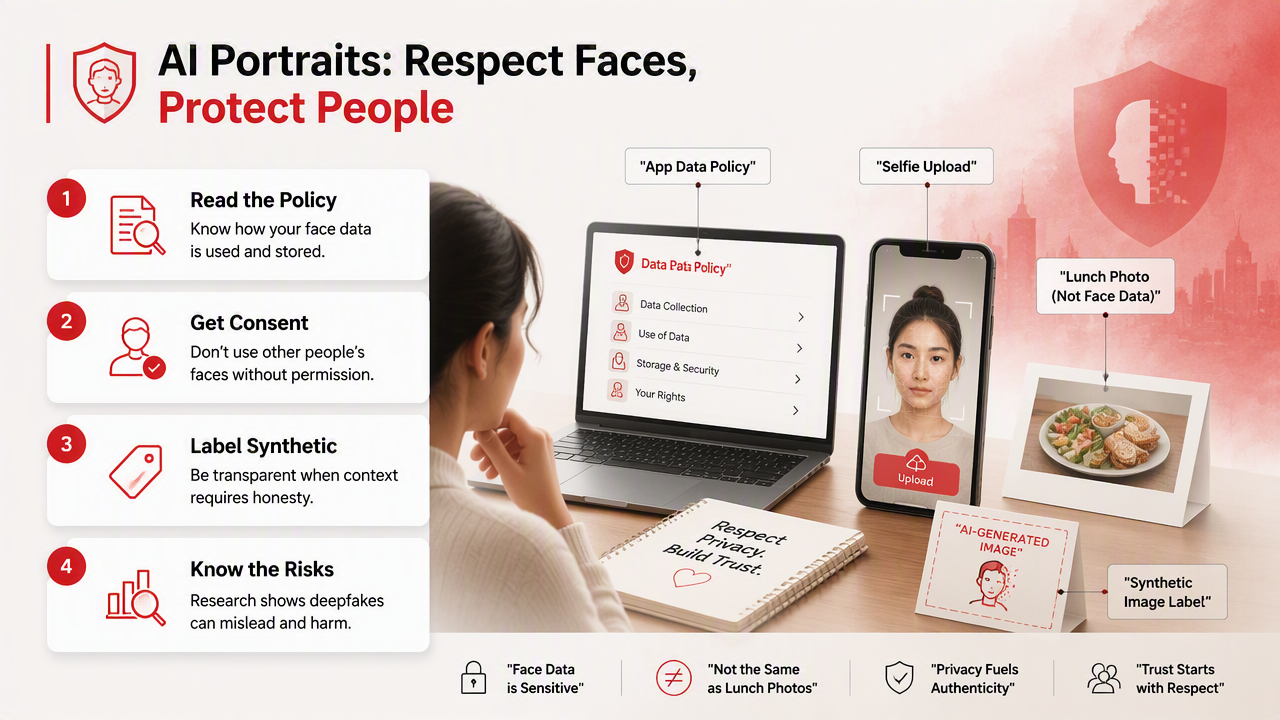
Research on deepfakes shows why caution is sensible. A 2023 Wiley review by Heidari, Jafari Navimipour, and Dağ examined deepfake detection using deep learning methods, while a 2023 paper in Computers reviewed generation, detection, datasets, challenges, and research directions. A 2022 Sensors review also covered image processing techniques for deepfakes.
Those studies focus on the broader technical problem, not dating photos specifically. Still, the takeaway for normal users is simple: face generation tools are powerful, so consent and disclosure are not old-fashioned. They are seatbelts.
Safer AI portrait habits
- Use your own photos, or get clear permission from anyone pictured.
- Avoid generating misleading images for identity documents, job credentials, or impersonation.
- Keep edits realistic for dating and professional profiles.
- Read whether the service stores, deletes, or reuses uploaded images.
- Download the final images and remove anything you don't plan to use.
Good portraits can be stylized without being deceptive. A cleaner background, better lighting, and sharper outfit choice are normal presentation. Pretending to be a different person, celebrity, or credentialed professional is where the fun leaves the chat.
FAQ: FaceApp alternatives for AI portraits
AI portrait tools are best understood by use case, because "better than FaceApp" can mean faster retouching, stronger realism, more styles, or complete image generation. These quick answers cover the common choices before you spend money or upload a camera roll.
What is the best FaceApp alternative for dating photos?
The best dating-photo alternative is a portrait-first generator if you need new looks, better lighting, and varied settings. With HotphotoAI, users can create profile-style portraits aimed at dating, glamour, lifestyle, and social use. Visit hotphotoai.com when you want fresh images rather than another filter on the same bathroom selfie.
Is Facetune better than FaceApp?
Facetune is better if you want manual control over retouching, especially for creators who edit selfies and videos often. FaceApp is better for fast face transformations. Neither is always the best choice for full AI portrait sets, because portrait generators focus more on complete scenes, outfits, and repeatable profile-ready results.
Are AI portraits acceptable for LinkedIn or work profiles?
AI portraits can work for LinkedIn or work profiles when they look realistic, professional, and honest. Keep clothing, background, pose, and facial detail believable. Avoid fantasy lighting, extreme beauty edits, or images that make you look unlike your in-person appearance. Professional does not have to mean boring, but it should not look fictional.
Do AI portrait apps replace photographers?
AI portrait apps do not fully replace photographers, but they can replace many casual profile shoots. A photographer still wins for live direction, custom branding, group shots, events, and exact creative control. AI tools win on speed, cost, privacy at home, and easy experimentation with many looks.
What should I avoid when making AI portraits?
Avoid uploading photos you do not have rights to use, creating images that impersonate someone else, or choosing edits that distort your face beyond recognition. Also avoid using one overly polished image beside several low-quality photos. Consistency makes a profile feel real; a single perfect image can feel like bait.
Conclusion
The best FaceApp alternatives for AI portraits are not all trying to do the same job. Use Facetune or AirBrush for careful retouching, Remini for enhancement, BeautyPlus or B612 for casual social edits, and a portrait generator when you want new profile-ready images with more style control.
If your goal is better dating, glamour, creator, or professional photos, start with a small test set, compare realism across several outputs, and keep only the images that still feel like you. For a portrait-first option, head to hotphotoai.com and create a few looks you'd actually be happy to post.