Google Photos Reverse Image Search: Find Where Your Photos Appear Online
TL;DR
Use Google Photos to open your image, Google Lens to analyze it, and Google Images to check public web matches. For selfies, dating photos, and AI portraits, search before posting, compare results across tools, and follow a short privacy checklist before uploading images anywhere.
Your best profile photo should attract people, not accidentally audition for a catfish documentary. A google photos reverse image search helps you check whether a selfie, dating app picture, AI portrait, or professional headshot appears elsewhere online. If you create polished portraits with HotphotoAI, this check is a smart final step before posting.
Reverse image search: a content-based image retrieval method where you provide an image and the system searches its dataset for visually similar or matching images.
Google Lens: Google's image recognition technology that uses visual analysis to identify objects, text, places, products, and similar images.
Table of Contents
What is Google Photos reverse image search?
Google Photos reverse image search means starting with a photo stored in Google Photos, then using Google Lens or Google Images to find visual matches, related pages, copied versions, or context about what appears in the image. It's not magic, but it's close enough to make your camera roll nervous.
Google Photos itself is mainly a personal library and search tool. It can find people, pets, places, text, and objects inside your own account, while Google Lens and Google Images connect your chosen image to broader visual search results.
Modern image search depends on computer vision. A 2021 review by Alzubaidi, Zhang, and Humaidi explains core deep learning ideas and convolutional neural networks used across image-recognition tasks in the Journal of Big Data. Another 2021 survey by Minaee, Boykov, and Porikli covers image segmentation, a related technique for separating visual regions inside an image, in IEEE Transactions on Pattern Analysis and Machine Intelligence.
Key insight: Google Photos organizes your private library; Google Lens interprets what's in an image; Google Images helps find public web appearances and similar visuals.
How do you search an image from Google Photos?
To search an image from Google Photos, open the photo, tap the Lens icon if available, review the visual matches, then repeat the search in Google Images on desktop if you need broader web results. For personal photos, test a cropped face shot and the full image because each version can return different matches.
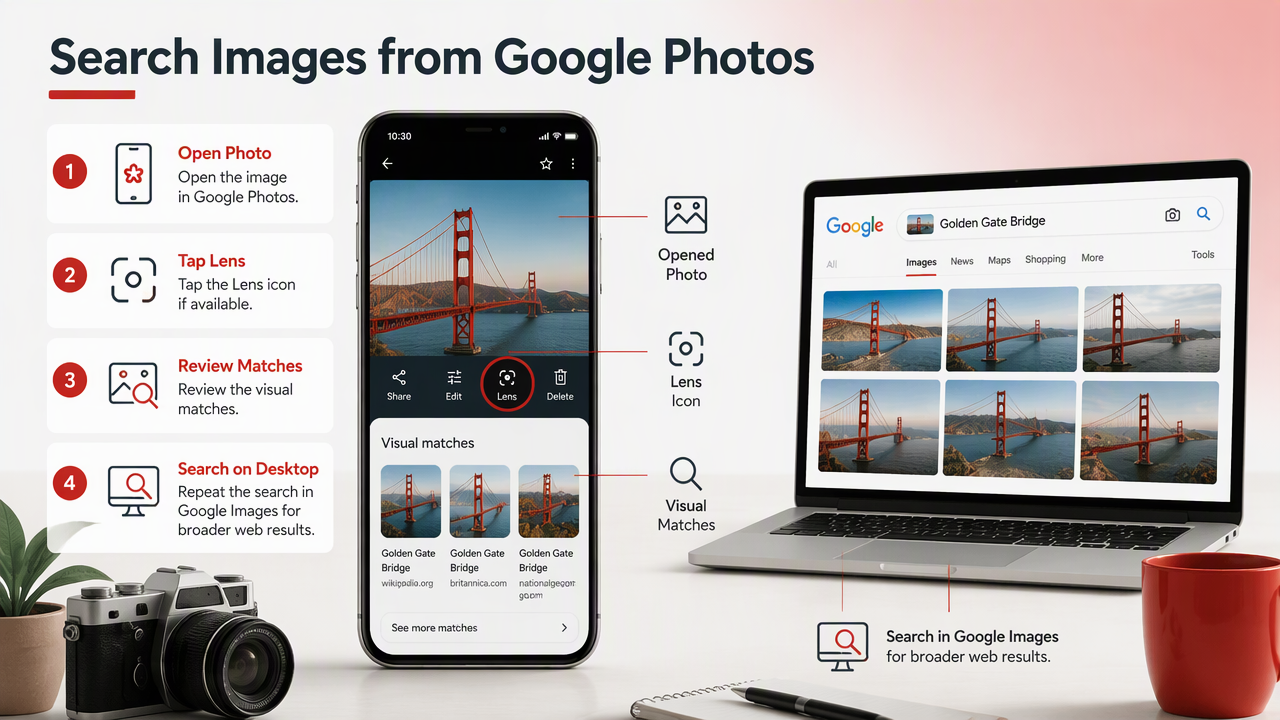
Step-by-step workflow for phone and desktop
- Open Google Photos on your phone or at photos.google.com.
- Choose the image you want to check, such as a dating profile photo, AI portrait, or headshot.
- Tap or click Google Lens when the Lens option appears.
- Review visual matches, related images, recognized text, landmarks, products, or faces when shown.
- Crop the image around your face, outfit, logo, tattoo, or background detail and search again.
- Try Google Images on desktop by going to Google Images, selecting the camera or Lens option, and uploading the same file.
- Save evidence if you find unauthorized use, including URLs, screenshots, and dates.
This process works best when the image contains unique signals. A plain studio headshot against a gray wall may return fewer useful clues than a photo with a distinctive jacket, mural, skyline, or prop.
If you are testing a stylized portrait made for Tinder, LinkedIn, Instagram, or creator branding, I recommend checking both the polished output and any source image you used. The internet has a long memory and a terrible filing system.
How do Google Photos, Google Lens, and Google Images differ?
Google Photos, Google Lens, and Google Images solve different parts of the same visual-search problem: library search, image understanding, and public web discovery. Use all three when you need confidence, because one tool may find context that another misses.
Tool comparison for photo checking
| Tool | Best for | Where it searches | Practical use |
|---|---|---|---|
| Google Photos | Finding images in your own library | Your private Google Photos account | Locate old selfies, similar shots, screenshots, and saved profile photos |
| Google Lens | Understanding image contents | Google's visual analysis systems and related results | Identify objects, text, landmarks, outfits, products, and similar visuals |
| Google Images | Finding public web matches | Indexed web images and pages | Check whether a portrait appears on websites, profiles, marketplaces, or copied posts |
| Manual search | Confirming identity and context | Search engines and social platforms | Search names, usernames, captions, watermarks, and visible locations |
Google Lens is usually the fastest starting point on mobile. Google Images is stronger when your goal is public web discovery, especially on desktop, where uploading and comparing versions feels less like performing surgery with your thumb.
Research on immersive digital spaces also makes this more relevant for 2026. Park and Kim's 2022 paper on metaverse components and applications in IEEE Access discusses digital environments where visual identity and avatars matter. As personal images move across dating apps, creator profiles, AI avatars, and virtual spaces, image verification becomes less optional.
How can you check whether portraits appear elsewhere online?
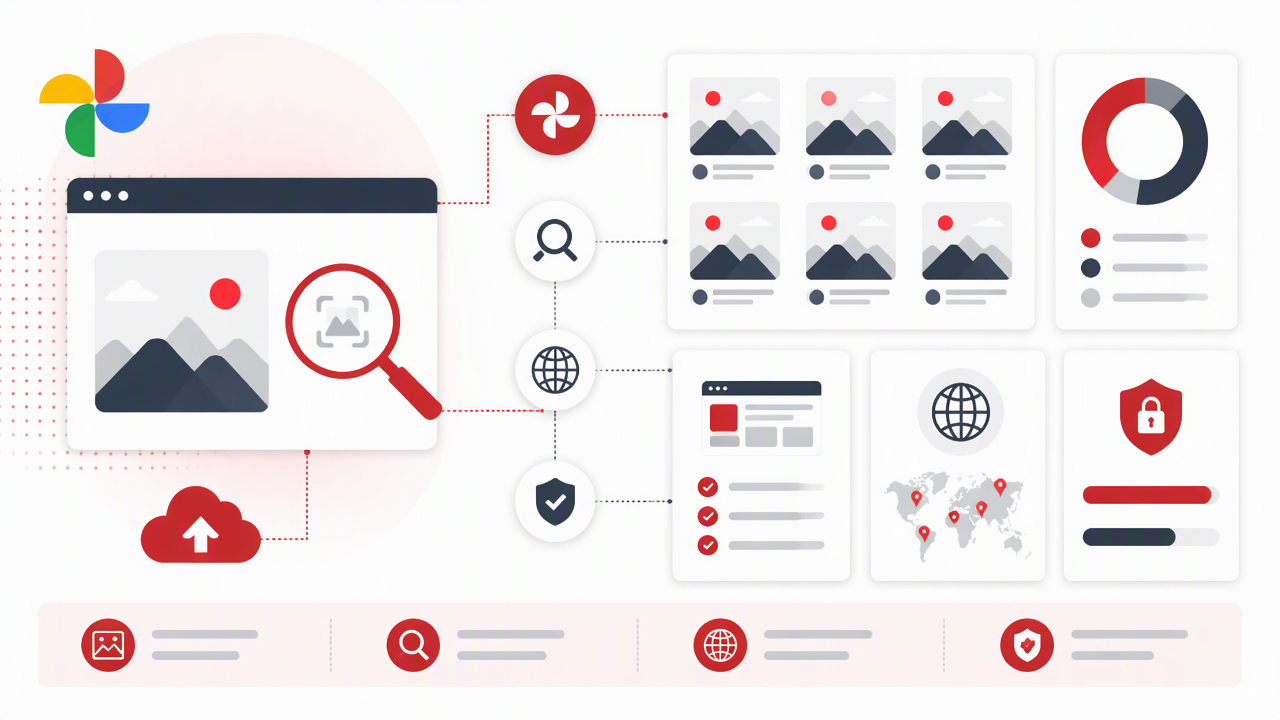
You can check whether portraits appear elsewhere online by searching the full image, cropped face, background details, file variants, and visible text across Google Lens, Google Images, and manual web searches. The goal is not one perfect result; it's a pattern of evidence.
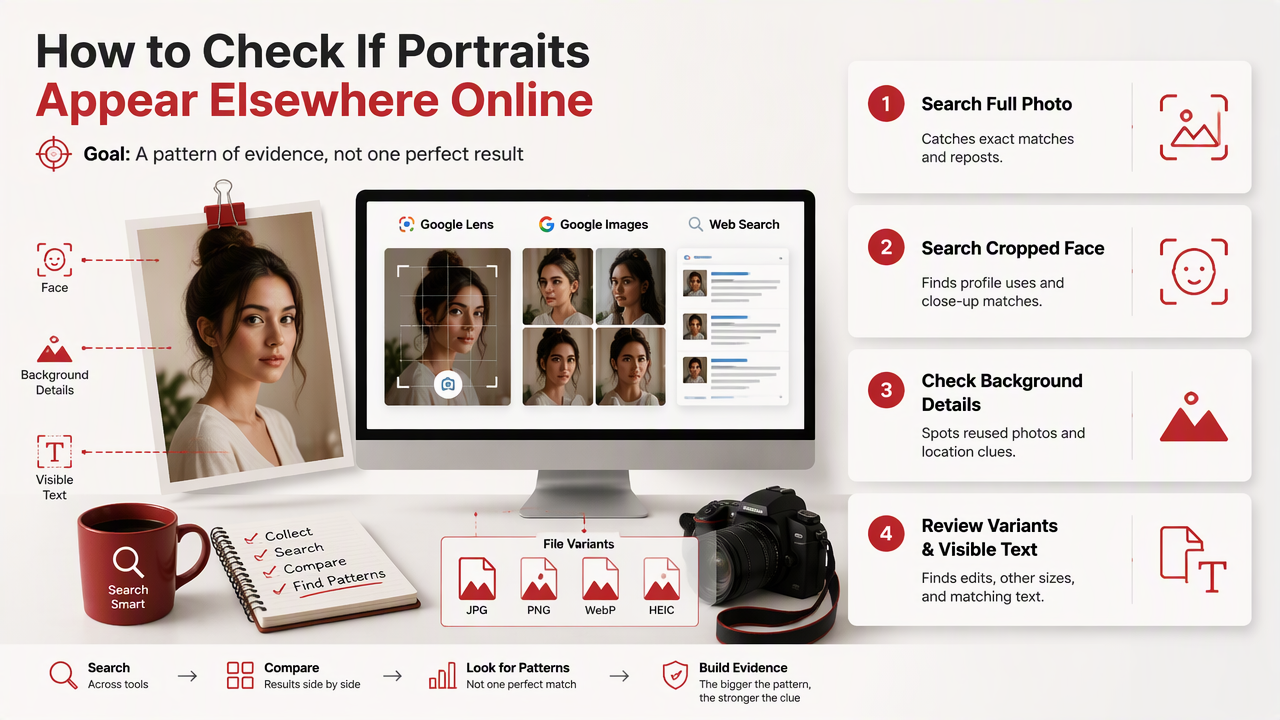
Portrait search checklist for dating, creator, and professional images
- Search the full photo first to catch exact copies, reposts, and pages using the same composition.
- Crop to the face to test whether the person appears in other public images.
- Crop unique background details such as signs, murals, hotel rooms, cars, logos, or skyline shapes.
- Search visible text from shirts, badges, posters, screenshots, and usernames.
- Test resized versions because some matches appear only when compression changes.
- Compare suspicious results manually before assuming misuse, since similar lighting or poses can fool image search.
For AI-generated portraits, visual search may return style matches instead of identity matches. That still matters. If a fantasy portrait looks too similar to another creator's branded image, change the outfit, pose, background, or lighting before posting.
HotphotoAI is built for creating attractive, stylized personal images, so I'd treat reverse searching as part of the publishing workflow, not a panic button. Make the portrait, pick your favorite, run a quick check, then post with more confidence.
Key insight: For personal images, search faces for identity, backgrounds for location clues, and text for traceable context.
What privacy checklist should you use before AI photo tools?
Before uploading selfies to AI photo tools, use a privacy checklist that limits sensitive data, checks policy pages, avoids exposing private locations, and keeps separate copies for testing. A good photo workflow protects both how you look and what the image quietly reveals.
Pre-upload privacy checklist
- Remove sensitive backgrounds such as home addresses, workplace badges, children's schools, license plates, or private documents.
- Use images you own and have permission to edit, especially for couples, friends, clients, or collaborators.
- Read the tool's privacy and retention terms before uploading anything intimate, private, or work-sensitive.
- Avoid medical, financial, or identity documents in any source image.
- Keep originals separate from AI outputs so you can track what you uploaded and what you posted.
- Reverse search final images before publishing them widely.
- Use different images for different platforms when you want to reduce cross-platform tracking.
A little caution saves future cleanup. The photo that feels harmless today can become searchable context tomorrow, especially when it includes a location, a uniform, or a username hiding in the corner like a tiny snitch.
For glamour, lifestyle, model-style, or fantasy portraits, the HotphotoAI platform gives you room to experiment with outfits, settings, and lighting while still letting you choose what feels appropriate to share. For examples and new portrait ideas, visit hotphotoai.com after you've prepared clean source photos.
FAQ: Google photo search and personal images
Can Google Photos search the open web by itself?
Google Photos primarily searches your own photo library. It can recognize people, places, objects, and text within your account, but broader public matching usually requires Google Lens or Google Images. For best results, open the image in Google Photos, use Lens, then repeat the search through Google Images on desktop.
Can reverse image search find fake dating profiles?
Reverse image search can help spot fake dating profiles when the same photo appears on unrelated websites, stock image pages, old social accounts, or profiles with different names. It cannot prove identity by itself. Treat it as a screening tool, then look for consistency across bios, video chats, social links, and behavior.
Does Google Lens work on AI-generated portraits?
Google Lens can analyze AI-generated portraits, but results may focus on similar styles, clothing, backgrounds, or visual patterns rather than a real person's identity. If you use AI portraits for social or dating profiles, search the final image and adjust anything that looks too close to another public image.
What should I do if my photo appears on a site without permission?
Document the page before contacting anyone. Save the URL, take screenshots, note the date, and identify the platform or host. Then use the site's reporting process, contact the account owner if safe, or request removal through the platform. For serious impersonation, consider legal or professional help.
Conclusion
A smart google photos reverse image search is simple: start in Google Photos, inspect with Lens, verify with Google Images, then document anything suspicious. For selfies, dating photos, creator images, and AI portraits, I'd run this check before a big profile refresh, not after someone messages, "Hey, is this you?"
Create the look you want, keep private details out of the frame, and search before you post. If you're ready to make polished personal portraits, head to hotphotoai.com, choose a style, then use the workflow above as your final quality and privacy check.