Hot AI Photo Generator Guide: Better Portraits Without a Photoshoot
TL;DR
A hot AI photo generator is best for creating polished dating, social, lifestyle, or fantasy portraits when you want control over outfit, pose, lighting, and style. Start with clear selfies, keep prompts specific, and choose tools that balance attractiveness with realism instead of plastic perfection.
A hot AI photo generator can turn ordinary selfies into polished portraits, but the best results still come from taste, restraint, and a prompt that doesn't read like it was written by a caffeinated perfume ad. Tools such as HotphotoAI are useful because they focus on attractive personal imagery, not random dragons, product mockups, or "cyberpunk raccoon CEO" detours.
Table of Contents
What is a hot AI photo generator?
A hot AI photo generator is an image tool that creates attractive, stylized, or realistic portraits from text prompts, uploaded photos, or both. It is commonly used for dating profiles, social media, creator images, glamour portraits, model-style shots, and polished personal branding without booking a studio shoot.
Hot AI photo generator: software that uses generative AI to produce flattering personal photos with controllable style, pose, outfit, lighting, and background.
The technology sits inside the broader field of deep learning. A 2023 review in Artificial Intelligence Review examined deep learning applications, advantages, and challenges, including how modern models learn patterns from data rather than following hand-coded rules (Ahmed, Alam, and Hassan, 2023).
Key idea: the tool does not "take" a photo. It predicts a new image that matches your inputs, your references, and the visual style requested.
Core terms worth knowing
- Text-to-image: you describe the photo you want in words.
- Image-to-image: you upload a reference photo and ask the tool to change style, setting, or details.
- Prompt: the written instruction that guides the output.
- Seed image: a starting image that helps preserve identity, pose, or composition.
- Photorealistic portrait: an AI image designed to look like a real camera shot, not illustration.
How do you make AI photos look attractive but real?
To make AI photos look attractive but real, use clear source images, describe one visual goal at a time, request natural lighting, avoid over-edited beauty terms, and compare outputs against your actual face. Realistic wins because dating and profile photos fail fast when they look too perfect.
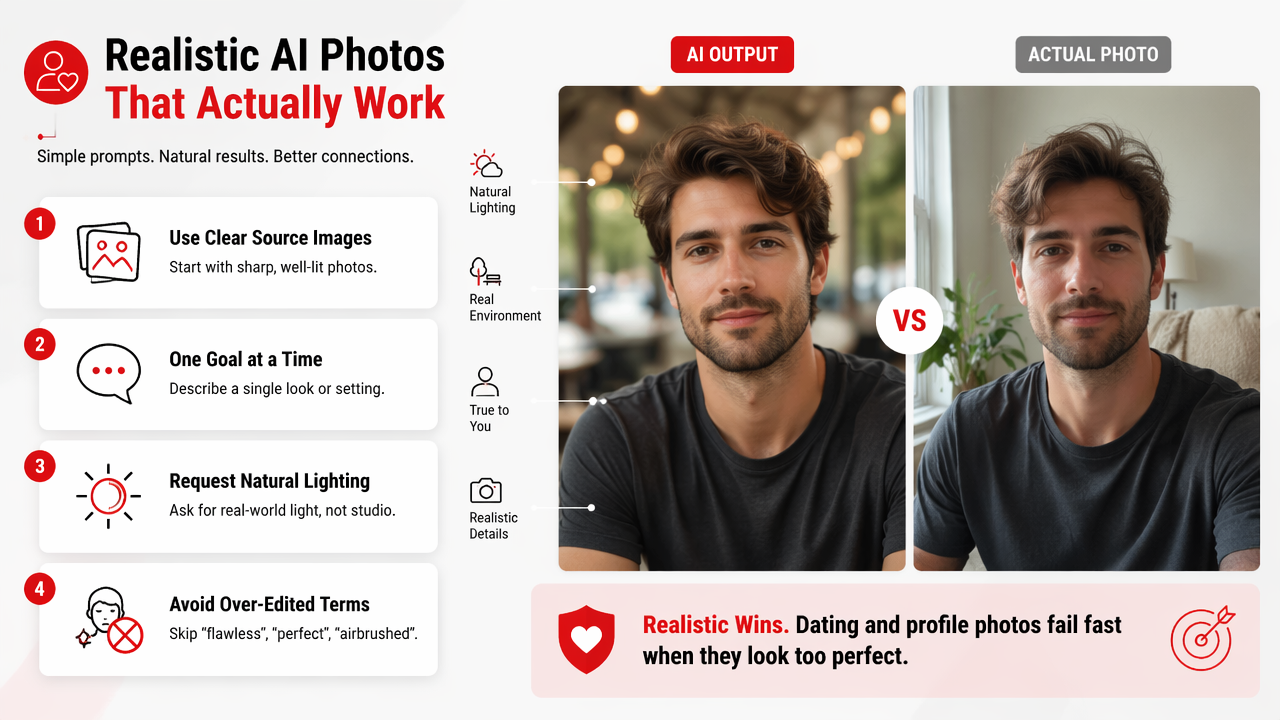
The strongest prompts act like photography briefs. Instead of asking for "the hottest photo ever," specify camera feel, setting, wardrobe, and mood. I'd rather use "warm rooftop portrait, fitted black shirt, soft sunset light, natural skin texture" than a prompt stuffed with ten beauty adjectives and no scene.
Numbered steps work best when you want repeatable results:
A simple prompt workflow
- Pick the purpose: Tinder, LinkedIn, Instagram, creator banner, or fantasy portrait.
- Upload 4 to 10 clear selfies if the tool supports identity guidance.
- Choose one style: lifestyle, glamour, editorial, beach, nightlife, or studio.
- Add camera cues: "natural light," "85mm portrait," "shallow depth of field."
- Keep facial edits modest: "natural skin texture" beats "flawless doll face."
- Generate several versions, then select the one that still looks like you.
The HotphotoAI platform is built around this kind of personal portrait workflow, so it fits users who want attractive photos for profiles rather than general-purpose art experiments.
Which features matter most in an AI portrait tool?
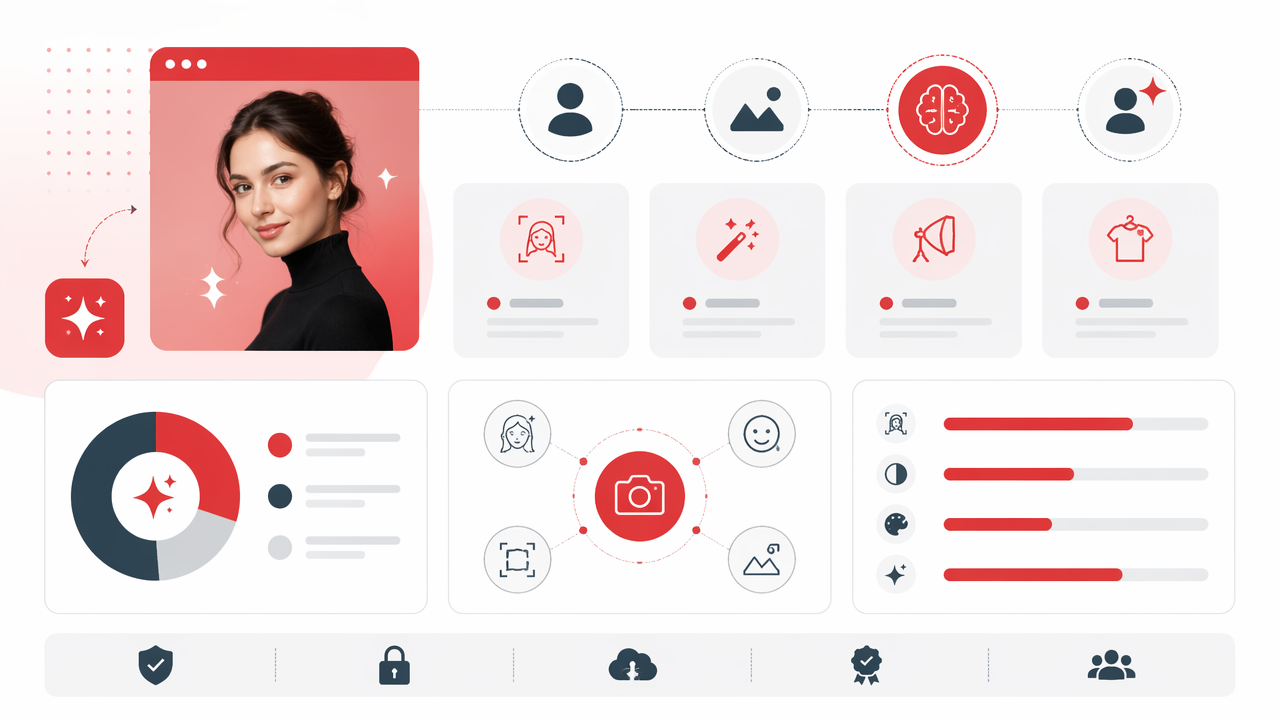
The most important features are identity consistency, prompt control, style variety, realistic lighting, image quality, privacy options, and easy regeneration. Fancy filters are fun, but they matter less than getting a believable face, flattering composition, and a photo you can actually use online.
Academic work on multimodal AI helps explain why the best tools combine text and visual inputs. A 2023 survey in IEEE Transactions on Pattern Analysis and Machine Intelligence reviewed transformer-based multimodal learning, where models process different input types such as images and language together (Xu, Zhu, and Clifton, 2023).
Feature comparison checklist
| Feature | Why it matters | What to look for |
|---|---|---|
| Identity consistency | Keeps the result recognizable | Similar face shape, eyes, and expression across outputs |
| Style presets | Speeds up creation | Dating, glamour, business, lifestyle, fantasy, travel |
| Prompt editing | Gives creative control | Outfit, background, lighting, pose, lens feel |
| Image-to-image mode | Improves likeness | Uploads or references that guide the result |
| Realism controls | Avoids fake-looking edits | Skin texture, natural shadows, believable hands |
| Export quality | Makes images usable | High-resolution downloads for apps and profiles |
| Privacy controls | Protects personal photos | Clear handling of uploads and generated images |
For dating apps, I'd prioritize identity consistency and natural lighting over cinematic drama. A photo that looks like you on a good day will outperform one that looks like a luxury watch campaign accidentally grew cheekbones.
What mistakes make AI profile photos look fake?
AI profile photos look fake when the face is too symmetrical, the skin has no texture, the hands are distorted, the background conflicts with the lighting, or the style is wildly different from the person's real life. The fix is not more glamour. The fix is better restraint.
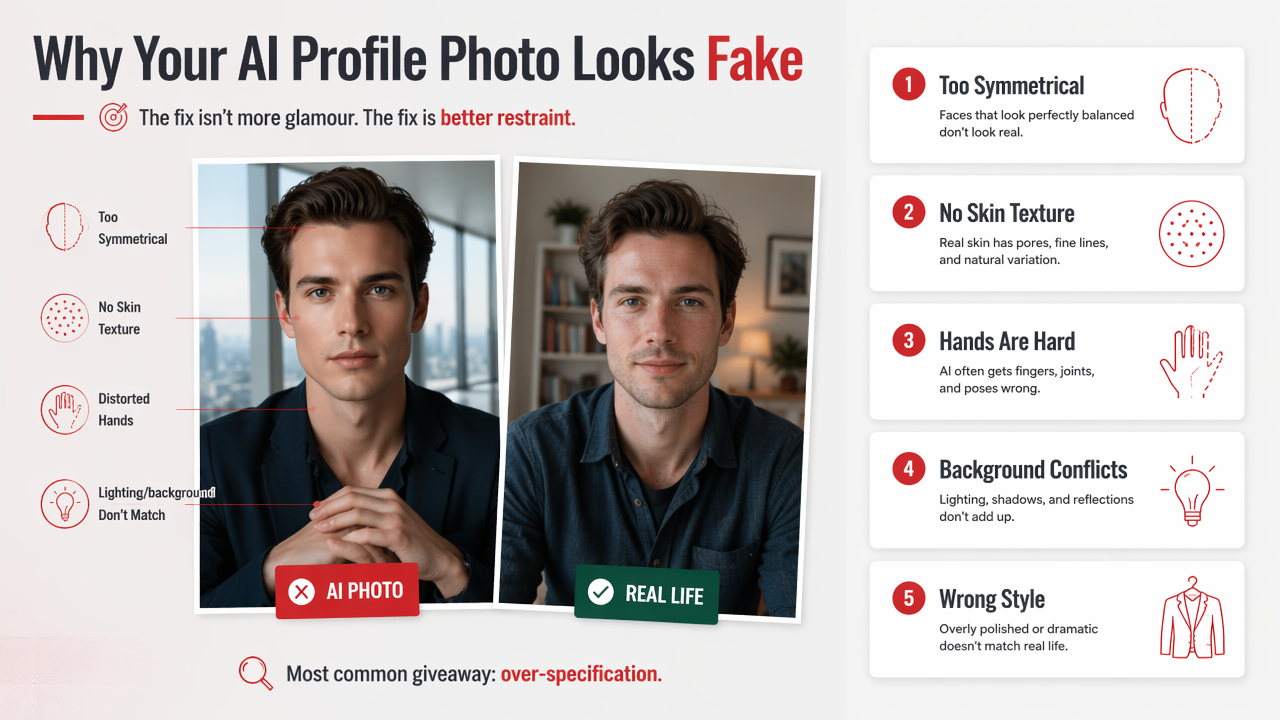
The most common giveaway is over-specification. When a prompt asks for luxury clothing, perfect skin, dramatic shadows, magazine lighting, intense expression, and tropical scenery in one image, the model may satisfy the words while forgetting physics. Very rude of physics to remain relevant, but here we are.
Red flags to check before posting
- Hands and fingers: look for extra fingers, melted jewelry, or odd grip positions.
- Eyes and teeth: check mismatched pupils, too-white teeth, or frozen smiles.
- Skin texture: avoid waxy skin, missing pores, or heavy blur.
- Lighting direction: the face, clothes, and background should share the same light source.
- Body proportions: shoulders, neck, and jawline should look physically plausible.
- Social believability: the photo should match your age, lifestyle, and other profile images.
A believable AI portrait should feel like a great photo of you, not an alibi from an alternate universe.
Data scarcity is one reason AI tools can struggle with unusual poses, accessories, or edge cases. A 2023 Journal of Big Data survey reviewed deep learning tools that address limited training data and the challenges that come with it (Alzubaidi, Bai, and Al-Sabaawi, 2023).
What should you expect from AI photo generators in 2027?
By 2027, AI photo generators will likely become more controllable, more identity-aware, and more transparent about edits. Expect better pose control, stronger video-to-photo workflows, clearer image provenance, and more tools built for specific use cases such as dating, creators, and professional profiles.
The category is already splitting into two lanes. General tools, like broad text-to-image generators, are built for many visual tasks. Personal portrait tools focus on making you look good in specific contexts. That specialization matters because a dating photo, creator headshot, and fantasy portrait each need different rules.
Likely 2027 improvements
- Better likeness control: fewer outputs that look like your attractive cousin instead of you.
- More pose precision: easier control over sitting, standing, walking, and eye contact.
- Cleaner style transfer: stronger outfit and background changes without face drift.
- Visible provenance: more platforms may label or verify AI-generated media.
- Profile-specific templates: more presets for Tinder, Instagram, LinkedIn, and creator platforms.
For users, the practical advice is simple: build a small library of looks instead of chasing one perfect image. Try a casual photo, a polished portrait, a full-body lifestyle shot, and one creative image. If you want a focused place to create that set, HotphotoAI is a natural fit, and you can head to hotphotoai.com when you're ready to test styles.
FAQ about hot AI photo generators
A good FAQ should answer the practical questions people ask before uploading photos, writing prompts, or posting AI portraits online. These answers focus on use, realism, and profile quality.
Can I use AI-generated photos on dating apps?
Yes, you can often use AI-generated photos on dating apps, but the image should still represent how you actually look. The safest approach is to use AI for lighting, wardrobe, background, and polish, not to create a face or body that would surprise someone in person.
Are AI glamour photos good for professional profiles?
AI glamour photos can work for personal brands, creators, coaches, and social profiles, but professional platforms usually need a more restrained style. Choose clean lighting, simple clothing, and a realistic background. If the image looks like a movie poster, it may be too dramatic for work.
How many source photos should I upload?
Use several clear photos if the generator supports uploads. A mix of angles, expressions, and lighting helps the model understand your face better. Avoid sunglasses, heavy filters, group photos, and extreme angles because they give the system less useful identity information.
What prompt creates the most realistic attractive portrait?
A strong prompt names the setting, clothing, light, and mood without overloading beauty terms. Try: "realistic lifestyle portrait, warm window light, fitted casual outfit, confident relaxed expression, natural skin texture, shallow depth of field." Then adjust one detail at a time.
Conclusion
The best hot AI photo generator is not the one that makes you look impossibly perfect. It is the one that helps you create attractive, believable photos for a real profile, with enough control to test outfits, backgrounds, lighting, and mood. Start with a clear goal, generate a small set, inspect every detail, and keep the images close to your real appearance. If you want a dedicated portrait workflow, try HotphotoAI and visit hotphotoai.com to create your first profile-ready set.