How Many Selfies to Upload to an AI Photo Generator
TL;DR
Upload 8 to 12 high-quality selfies for the best balance of accuracy and variety in most AI photo generators. Use different angles, lighting, expressions, and hairstyles, but keep your face clear in every image. One-photo tools are fast for simple edits, while multi-photo generators are better for realistic dating, headshot, lifestyle, and model-style portraits.
Most bad AI portraits don't fail because the model is "bad"; they fail because the upload set is basically twelve copies of the same bathroom selfie. If you're wondering how many selfies to upload to an AI photo generator, the practical answer is usually 8 to 12 good selfies, not one blurry miracle shot and not your entire camera roll. Selfie: a self-portrait photo or short video, typically taken with a smartphone or electronic camera held at arm's length or supported by a selfie stick. For stylized portraits, dating photos, profile pictures, and fantasy looks, HotphotoAI works best when your uploads show a clear, varied version of you rather than one overly curated angle.
Table of Contents
How many selfies should you upload to an AI photo generator?
You should upload 8 to 12 selfies to most AI photo generators when you want realistic, recognizable results across different styles. This range gives the system enough facial information to learn your features, while leaving less room for low-quality or repetitive images to muddy the result.
Current search results are split: some one-photo tools promise instant AI selfies, while AI headshot tools often ask for 8 to 15 photos. Both can be true. A single selfie can drive a quick transformation, but a varied set usually performs better when the goal is a believable likeness in new outfits, lighting, and backgrounds.
Key insight: the count matters less than the spread. Eight useful selfies beat twenty nearly identical ones every time.
For dating app photos, creator portraits, glamour shots, and polished profile images, I'd start with 10 uploads. That gives you room for variety without turning photo selection into a forensic investigation.
Best selfie count by goal
| Goal | Recommended uploads | Why it works |
|---|---|---|
| Quick AI selfie edit | 1 to 3 | Good for fast stylized changes, not deep identity learning |
| Dating app photos | 8 to 12 | Captures angles, smile, hair, and face shape |
| Professional headshots | 8 to 15 | Helps preserve likeness in cleaner lighting and formal outfits |
| Model, glamour, or fantasy portraits | 10 to 15 | Gives the generator more reference for dramatic style shifts |
| Creator or social media packs | 12 to 20 | Useful when you need many looks, poses, and settings |
Why does photo variety matter more than photo count?
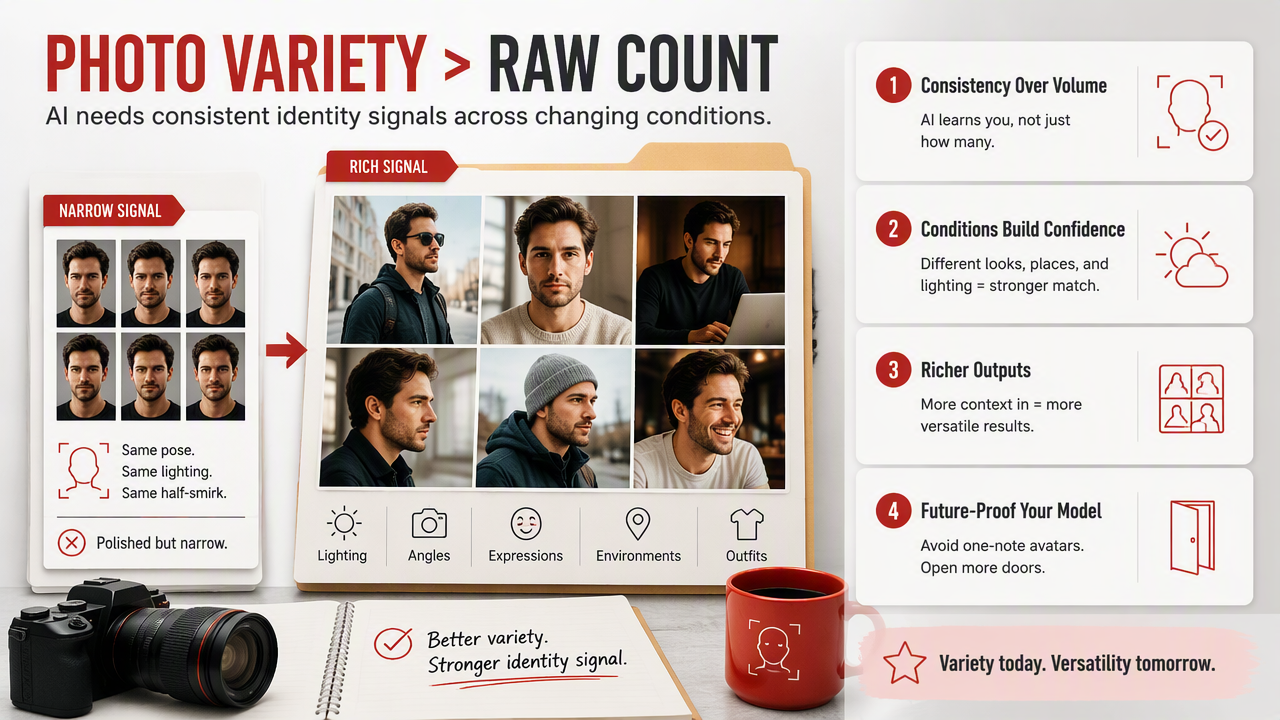
Photo variety matters more than raw upload count because AI systems need consistent identity signals across changing conditions. If every image has the same pose, same lighting, and same half-smirk, the output may look polished but oddly narrow, like your face got hired for one role and refused the sequel.
Research on human-AI interaction keeps pointing toward user perception, identity, and engagement as central issues. A 2022 study by Kang and Lou examined AI agency and human agency on TikTok, which is relevant because AI-generated personal images sit right at the boundary between self-expression and automation.
Use uploads that vary in ways humans naturally recognize:
- Angles: front-facing, slight left, slight right, and one three-quarter view.
- Lighting: indoor soft light, outdoor shade, daylight, and one warmer evening look.
- Expressions: neutral, smiling, relaxed, and one candid expression.
- Hair: current hairstyle, down or up if relevant, and no heavy face coverage.
- Face visibility: both eyes, jawline, forehead, and cheeks should be clear.
The AI should see the same person across different situations. Think passport office meets Instagram, but with better manners.
A balanced 10-selfie upload recipe
- Upload 2 clear front-facing selfies.
- Add 2 slight side-angle photos.
- Include 2 smiling or natural-expression shots.
- Use 2 different lighting conditions.
- Add 1 full upper-body or lifestyle photo if allowed.
- Finish with 1 clean, recent favorite that looks like you now.
This mix helps the generator separate your real features from temporary details such as a shadow, a hat, or one suspiciously heroic jaw angle.
Which selfies should you upload, and which should you skip?
You should upload selfies that are recent, sharp, well-lit, varied, and clearly show your face. Skip photos where the AI has to guess who you are, because guessing is how you get a portrait that looks like your attractive cousin from an alternate timeline.
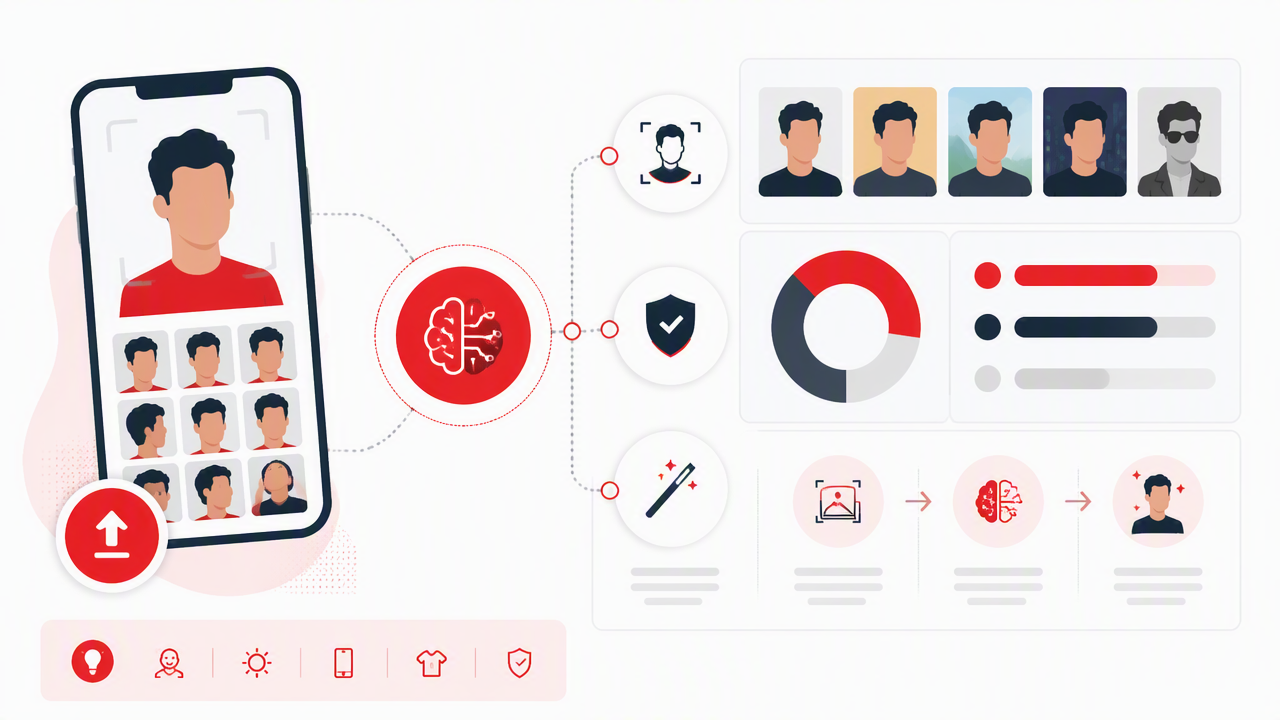
Use this checklist before you upload. It's boring in the same way seatbelts are boring: very useful right before things go wrong.
Good vs bad upload photos checklist
| Upload these | Skip these |
|---|---|
| Recent selfies from the last 6 to 12 months | Old photos with a different haircut, weight, or facial hair |
| Clear face, both eyes visible | Sunglasses, masks, heavy filters, or face-obscuring hair |
| Natural skin texture and normal exposure | Beauty filters, extreme smoothing, or blown-out lighting |
| Several angles and expressions | Ten copies of the same pose |
| Solo photos or clearly cropped images | Group photos where the AI may confuse faces |
| Normal camera distance | Ultra-wide closeups that distort your nose or jaw |
Avoid uploading children's photos, celebrity lookalike references, or images you don't have the right to use. Also avoid screenshots from video calls, heavily compressed social media downloads, and gym mirror shots where the phone covers half your face.
Do free AI selfie generators need fewer photos?
Free AI selfie generators often need fewer photos because many are designed for quick image-to-image edits rather than deeper personal model training. A one-photo tool can create a fun AI selfie, but it usually has less information about your face than a multi-photo generator.
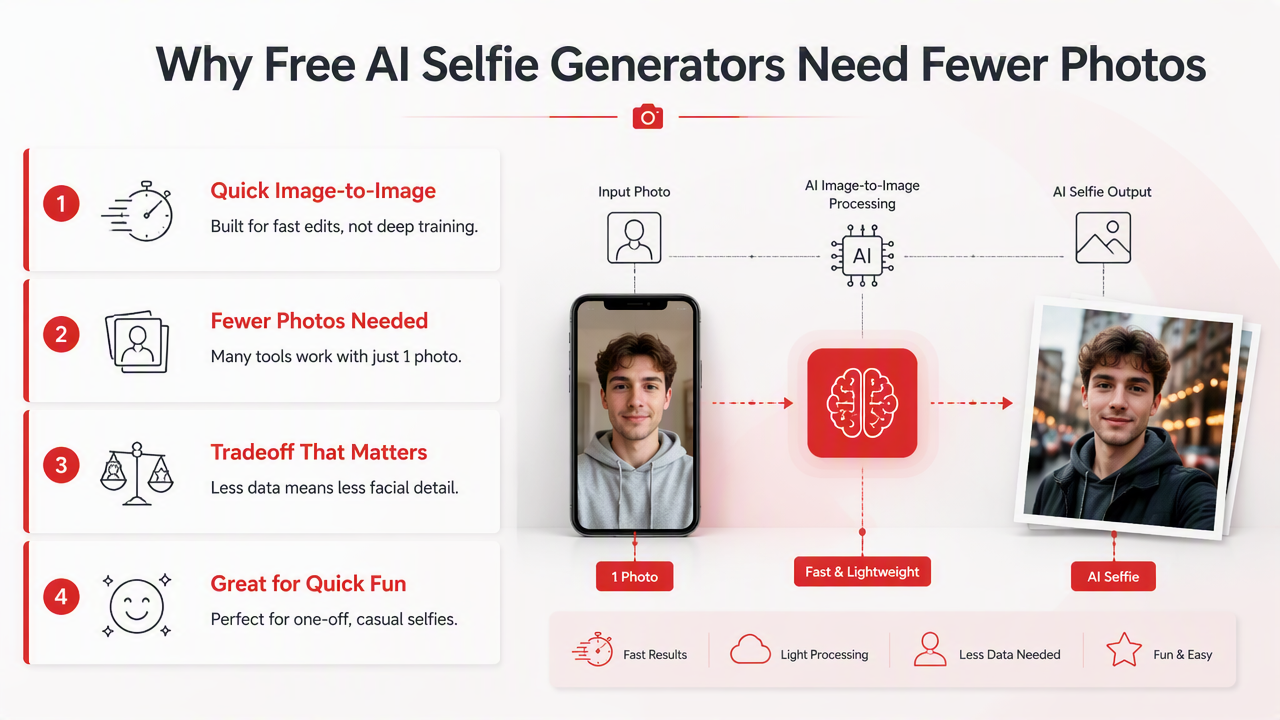
That tradeoff matters. If you only want an anime version, a quick LinkedIn-style preview, or a playful avatar, one strong image may be enough. If you want polished personal photos for Tinder, Instagram, professional profiles, or lifestyle scenes, a broader upload set is safer.
The HotphotoAI platform is built for people who want more than a novelty filter: model-style portraits, glamour looks, dating photos, and lifestyle images that still read as you. For best results, I'd feed it a small but varied set rather than hoping one perfect selfie carries the whole production.
Digital identity is getting more visual and more immersive. Park and Kim's 2022 IEEE Access paper on metaverse taxonomy, components, applications, and open challenges frames virtual environments as systems made of many interacting components, which fits where personal AI imagery is heading. Bojić's 2022 article on the metaverse, power, and addiction also highlights how attractive virtual representation can become.
Practical rule: use free one-photo tools for speed, and use multi-photo workflows when identity accuracy matters.
FAQ: AI photo upload counts
The right upload count depends on whether you want speed, realism, or a wide set of portrait styles. These quick answers cover the questions people usually ask before they start selecting photos.
Can I upload just one selfie?
Yes, you can upload one selfie to some AI photo generators, especially free AI selfie generators that create quick edits or stylized versions. One photo works best when it is sharp, front-facing, and well-lit. For realistic identity matching across many styles, one image is usually less reliable than a varied 8 to 12 photo set.
Can uploading too many selfies make results worse?
Yes, too many selfies can hurt results if the extra images are low quality, outdated, filtered, or inconsistent. The problem isn't the number alone; it's bad signal. A clean set of 10 current selfies is better than 30 mixed photos where your face, hair, lighting, and style change dramatically.
Should I use selfies or professional photos?
Use both if you have them, but keep the set natural. Selfies help capture your everyday face, while professional photos can add clean lighting and sharp detail. Avoid making the upload set too polished, though. If every image looks airbrushed, the generator may copy that artificial look into every result.
What should I do before uploading to HotphotoAI?
Pick 8 to 12 recent images, remove duplicates, and make sure your face is visible in each one. Choose different angles, lighting, and expressions so the system can build a more flexible visual reference. When you're ready, head to hotphotoai.com and start with your strongest, most current photos.
Conclusion
For 2026, the smartest answer to how many selfies to upload to an AI photo generator is simple: start with 8 to 12 strong, varied selfies. Use fewer only for quick edits, and use more only when the photos add real variety. My recommended next step is to open your camera roll, make a 10-photo shortlist, delete anything blurry or filtered, then generate your first portrait set with HotphotoAI. If you want polished dating, profile, glamour, or lifestyle images without booking a studio, visit hotphotoai.com and treat your upload set like the creative brief.