How to Make Hot Photos With AI Without Looking Fake
TL;DR
Use AI to create hotter photos by starting with real reference images, choosing a believable style, generating several variations, and keeping the best one natural. Prioritize privacy, realistic lighting, and age-accurate edits so the final image looks confident, not plastic.
Hot AI photos work best when they look like a better-lit, better-styled version of you, not like a suspiciously glossy cousin from another dimension. AI art: visual artwork generated or enhanced with artificial intelligence, most often through text-to-image or image-to-image models, according to Wikipedia's definition of AI art. If you want to learn how to make hot photos with AI for Tinder, Instagram, LinkedIn, or a fantasy portrait, the safest route is a private, face-based workflow. A purpose-built tool like HotphotoAI helps by generating stylized portraits from your own face instead of asking you to wrestle a generic image generator into submission.
Table of Contents
What does a "hot AI photo" mean in 2026?
A hot AI photo is an attractive, stylized, and believable personal image that improves lighting, outfit, pose, setting, and mood while keeping your identity recognizable.
The word "hot" can mean dating-ready, glamorous, confident, model-style, cinematic, or subtly seductive. It should not mean fake age, stolen identity, public embarrassment, or a face so smooth it could deflect rain.
The old internet treated attractiveness like a score. Hot or Not, for example, let users rate submitted photos from 1 to 10. AI changes the game: instead of asking strangers to judge one photo, you can test styles, poses, and backgrounds before posting anything.
A good AI portrait should pass the "could this have been taken on a great day?" test.
Use this target for most personal images:
- Dating photo: warm expression, real-looking location, flattering but casual styling.
- Glamour photo: polished hair, editorial lighting, confident pose.
- Lifestyle photo: travel, rooftop, cafe, gym, beach, or city backdrop.
- Professional profile photo: clean outfit, controlled lighting, approachable expression.
- Fantasy portrait: stylized concept while still keeping your facial structure intact.
How to make hot photos with AI safely?
To make hot photos with AI safely, use real reference photos, train or guide a private face model, choose a style, generate variations, keep realistic edits, and delete images you do not want stored.
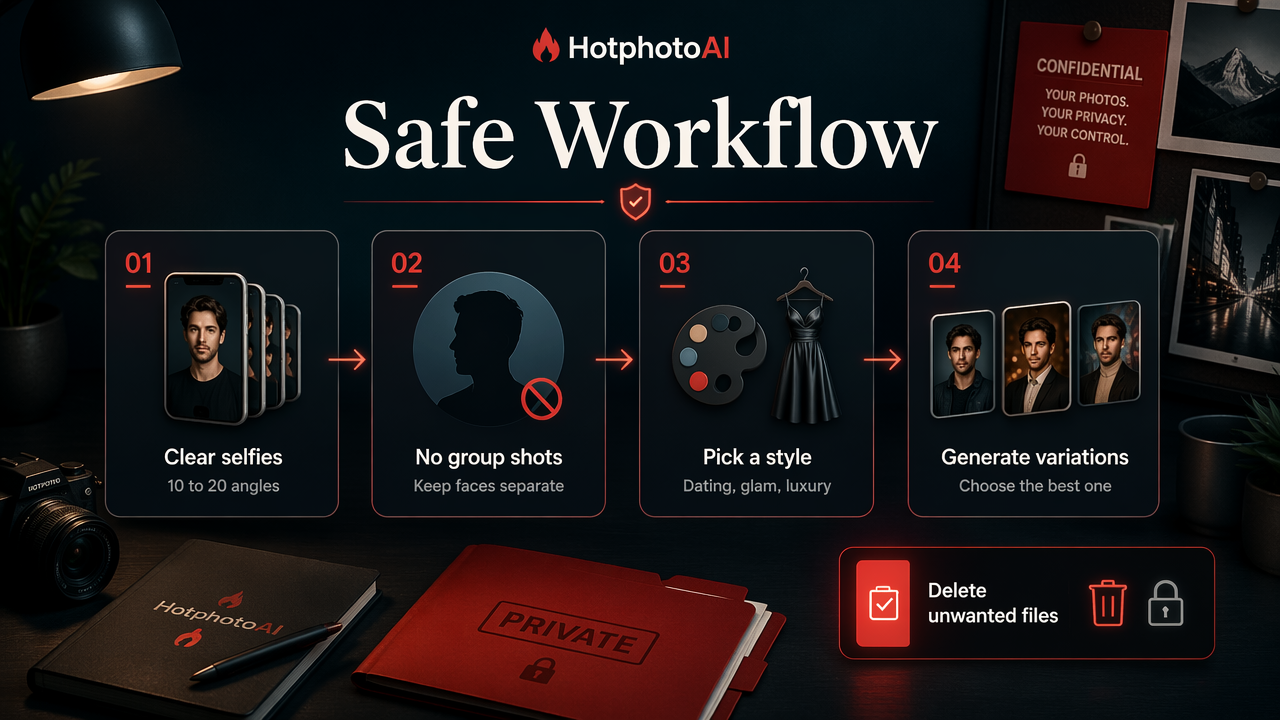
Here is the practical workflow I recommend:
- Collect 10 to 20 clear selfies or portraits with different angles, expressions, and lighting.
- Avoid group shots because AI may blend faces, which is nobody's idea of romance.
- Pick a style goal such as dating, glam, luxury lifestyle, or professional.
- Generate several variations rather than accepting the first result.
- Choose the image that still looks like you from across the room and up close.
- Edit small details such as background, outfit color, crop, and brightness.
- Delete unwanted files if the platform gives you deletion controls.
Workflow comparison table
| Method | Best for | Main advantage | Watch for |
|---|---|---|---|
| Generic text-to-image generator | Fantasy concepts | Fast idea generation | Face may not look like you |
| Image-to-image editor | Improving one photo | Keeps original pose | Can over-process skin |
| Face-trained portrait tool | Dating and profile photos | Better identity consistency | Needs good input photos |
| Filter app | Quick social edits | Simple effects | Often looks less realistic |
Apps such as Prequel are known for photo and video filters generated with effects, based on Wikipedia's Prequel overview). For a more personal result, a face-trained workflow is usually better because the AI learns your features instead of applying a one-size-fits-all beauty filter.
The HotphotoAI platform fits this use case when you want curated photo packs, fast variations, and personal images built around your own face model. For direct access, head to hotphotoai.com.
Which prompts create attractive AI portraits?
The best prompts for attractive AI portraits combine identity, style, setting, camera direction, lighting, and realism rules in one compact instruction.
A strong prompt does not scream "make me hot." It gives the model visual ingredients a photographer would actually use. The competitor SERP is full of broad "AI image generator" pages, but many skip the exact formula that makes personal portraits look usable.
Prompt formula to copy
Use this structure:
[person description] + [style] + [setting] + [outfit] + [lighting] + [camera/lens] + [mood] + [realism guardrails]
Try these templates:
- Dating profile: "Confident natural portrait of me at a cozy cocktail bar, smart casual outfit, warm ambient lighting, 50mm lens, relaxed smile, realistic skin texture, candid dating app photo."
- Glam portrait: "Editorial beauty portrait of me in a fitted black outfit, soft studio lighting, glossy magazine style, natural facial proportions, detailed eyes, realistic hair."
- Luxury lifestyle: "Cinematic photo of me on a rooftop terrace at golden hour, elegant outfit, city skyline, confident pose, realistic shadows, premium lifestyle photography."
- Social creator shot: "Stylish Instagram portrait of me in a modern apartment, clean background, soft window light, fashionable outfit, natural expression, high-end phone photography."
If your prompt sounds like a photographer's shot list, the image usually looks more believable.
Negative prompt ideas
Use negative prompts or edit instructions to reduce the usual AI weirdness:
- "over-smoothed skin"
- "extra fingers"
- "distorted eyes"
- "plastic face"
- "unrealistic body shape"
- "incorrect age"
- "heavy beauty filter"
Research in adjacent AI fields shows how fast model capability has been moving. Mark Chen's 2021 arXiv paper on evaluating large language models trained on code is not about portraits, but it reflects the broader progress in generative systems that now shapes creative tools. Translation: the machines got better, but they still need adult supervision.
How do you keep AI photos realistic?
You keep AI photos realistic by preserving your face shape, matching your real age and body type, using believable lighting, and avoiding edits that make the image look too perfect.
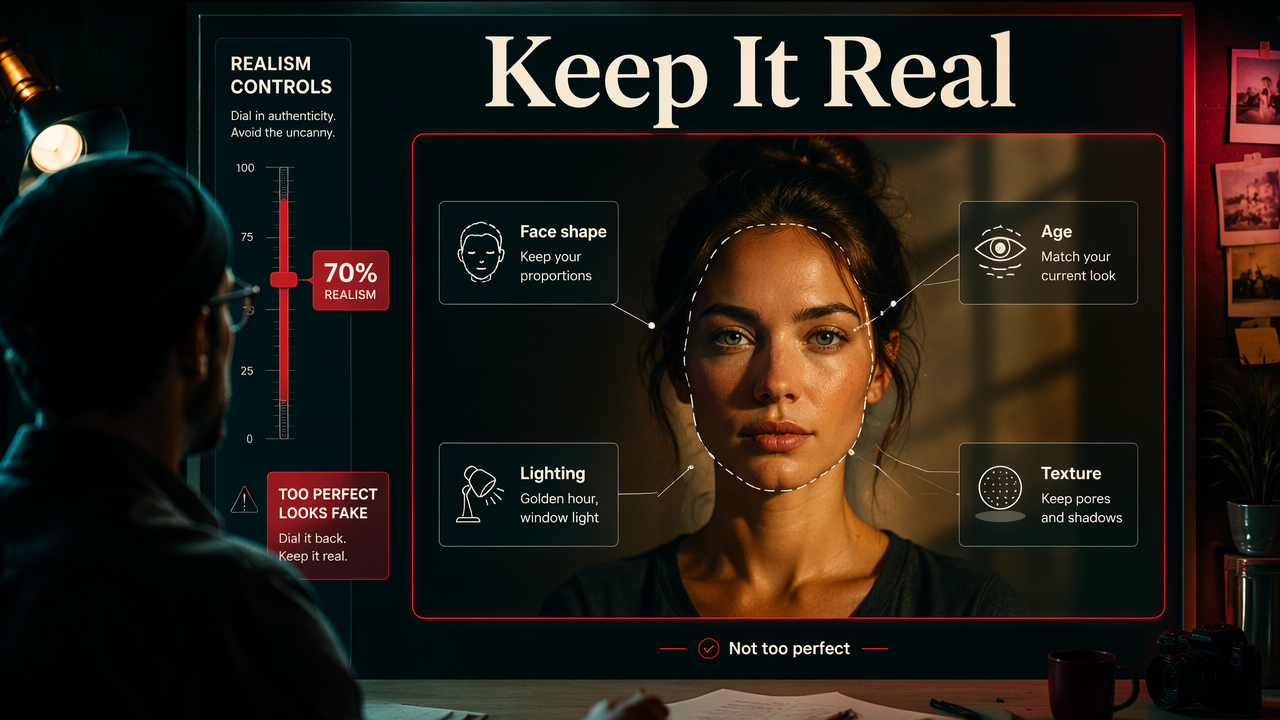
Realism is the difference between "great photo" and "catfish with a lighting budget." The goal is not to erase every line, pore, or shadow. Those details make the image trustworthy.
Realism checklist
- Keep your facial proportions: eyes, jaw, nose, and smile should still read as you.
- Match your current age: don't generate a version that looks ten years off unless it is clearly fantasy.
- Use plausible lighting: golden hour, window light, studio light, or flash should match the scene.
- Limit skin smoothing: texture is your friend, in moderation.
- Check hands and teeth: AI still gets oddly creative there.
- Use real clothing logic: fabric should fold, fit, and cast shadows naturally.
- Crop like a real photo: dating and social images often look better when they are not overly staged.
Quick quality test
Ask three questions before posting:
- Would a friend recognize me instantly?
- Could this image exist as a real camera photo?
- Would I feel comfortable showing up looking like this in person?
If the answer to any is no, regenerate or edit down. Better to be slightly less glossy and much more believable.
A 2021 IEEE survey on the road toward 6G covers future communications infrastructure rather than photo editing, but it points to a broader pattern: richer media tools tend to improve as computing and networks improve. By 2027, expect faster AI portrait generation, more video profile clips, and tighter controls over lighting, pose, and identity consistency.
What privacy rules should you follow?
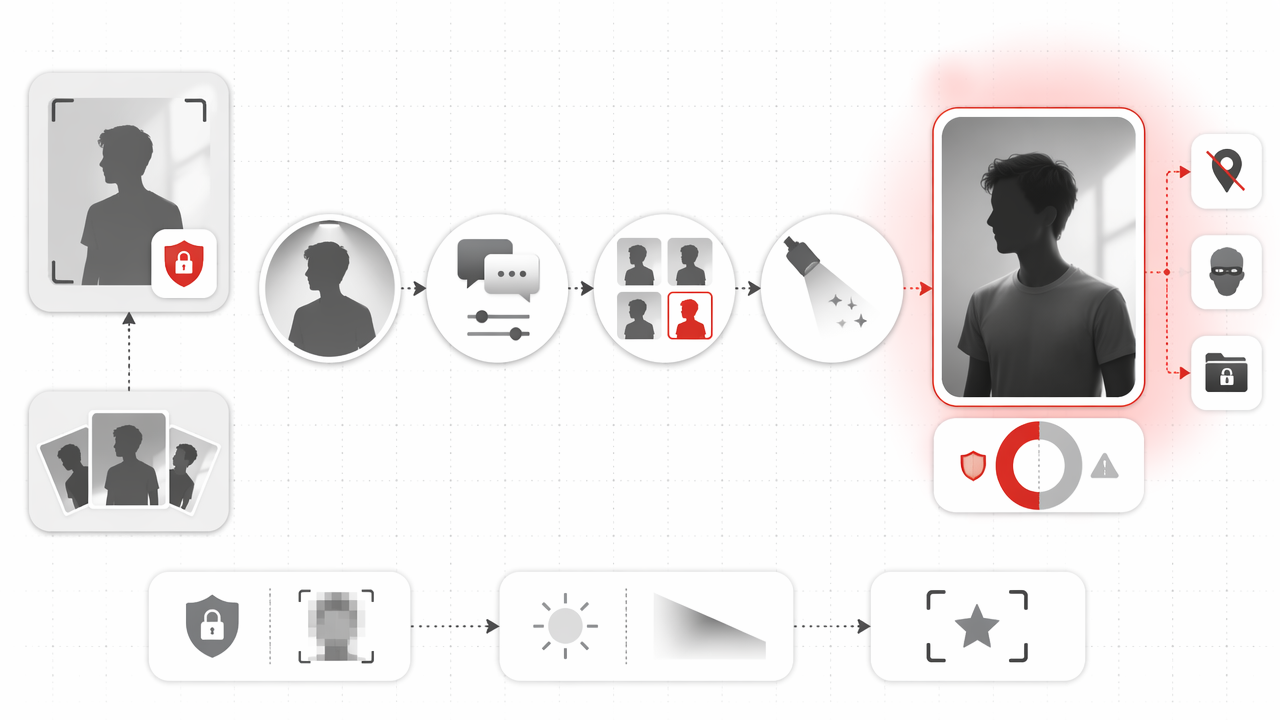
You should treat AI portrait creation like uploading sensitive personal data: check where photos are stored, whether outputs are public, and whether you can delete your images or model.
Attractive photos are personal. Face data is more personal. Before uploading, read the basic privacy controls and skip any tool that makes your images public by default.
Privacy checklist
| Privacy point | What to check | Better choice |
|---|---|---|
| Upload handling | Are reference photos stored? | Clear storage policy |
| Gallery settings | Are outputs public? | Private by default |
| Deletion | Can you remove files? | User-controlled deletion |
| Model use | Can your face train public models? | Private personal model |
| Payment and account | Is the site legitimate? | Clear domain, support, and terms |
Also avoid uploading images of other people without permission. That includes exes, influencers, strangers, coworkers, and anyone whose reaction might involve a lawyer or a family group chat.
For a clean workflow, I prefer tools built around private personal portraits rather than open public galleries. HotphotoAI is designed for people who want attractive, stylized personal photos with curated packs and one-click edits, while keeping the process centered on the user's own face. You can find more on hotphotoai.com.
FAQ: AI hot photo basics
These quick answers cover the most common questions people ask before generating attractive AI portraits.
Can I use AI photos on Tinder or dating apps?
Yes, you can use AI-assisted photos on dating apps if they still look like you and do not misrepresent your age, body, or lifestyle. I'd use one polished AI photo mixed with real photos, not a whole profile that looks like a luxury perfume campaign.
What photos should I upload for the best results?
Upload clear solo photos with varied angles, expressions, and lighting. Include close-ups, waist-up shots, and casual everyday images. Avoid sunglasses, heavy filters, group photos, and blurry mirrors unless your goal is "mysterious witness in a documentary."
Are AI glamour photos fake?
AI glamour photos are edited images, but they are not automatically deceptive. The ethical line depends on how much the image changes. Better lighting, outfit styling, and background swaps are normal. A totally different face, age, or body type crosses into misleading territory.
What is the fastest way to start?
Start with a face-based AI portrait tool, choose a dating or glam style, generate multiple options, then keep the most natural one. With HotphotoAI, the simplest path is to pick a curated pack, create variations, and choose the image that feels confident but still real.
Conclusion
The best answer to how to make hot photos with AI is simple: improve the photo, don't replace the person. Start with strong reference images, choose a clear style, prompt like a photographer, keep realistic details, and protect your face data. If you want a faster path, use HotphotoAI to generate polished personal portraits, test a few styles, and save the version you'd actually feel good posting today.