Photo Adjustment Software: Best Tools and Edits for Better Portraits in 2026
TL;DR
For profile photos and portraits, choose basic editors for quick crops and exposure fixes, and AI portrait tools when you want new outfits, lighting, backgrounds, or stylized looks. Start with lighting and crop, retouch lightly, then use AI only where it improves the image without making you look like your own wax figure.
A good profile photo is rarely just taken, it is adjusted. Photo adjustment software is any app or platform used to improve an image by changing exposure, color, crop, retouching, background, sharpness, or style. For dating apps, social profiles, creator thumbnails, and professional headshots, the right editor can turn a flat selfie into something that looks intentional. Tools now range from Google Photos, a photo storage and sharing service developed by Google, to Affinity, Serif and Canva's graphics editor for raster, vector, and publishing work, to AI portrait generators like HotphotoAI that create polished personal images without booking a studio.
Table of Contents
What is photo adjustment software?
Photo adjustment software improves an existing image or creates an enhanced version by changing light, color, framing, skin detail, background, and visual style. In 2026, the category includes basic mobile editors, online design tools, desktop retouching suites, RAW processors, and AI portrait platforms built for faster personal-image upgrades.
Photo adjustment software: an image-editing tool that changes how a photo looks while preserving, improving, or creatively reinterpreting the subject.
Common adjustment terms:
- Exposure: overall brightness of the image.
- White balance: color temperature, from cool blue to warm yellow.
- Retouching: small edits to skin, hair, clothes, or distractions.
- Background edit: blur, replacement, cleanup, or removal behind the subject.
- AI style change: generated changes to lighting, clothing, scene, or mood.
The best editor is not the one with the most buttons. It is the one that fixes the photo problem you actually have before your patience leaves the room.
Decision table for choosing the right tool type
| Tool type | Best for | Typical user | Fastest win |
|---|---|---|---|
| HotphotoAI | AI portraits, dating photos, model-style images, fantasy looks | Users who want many polished portrait options without a photoshoot | New outfits, scenes, lighting, and stylized personal images |
| Mobile photo apps | Quick brightness, crop, filters | Casual selfie editors | Better exposure in under a minute |
| Google Photos-style editors | Storage plus simple corrections | People already managing large photo libraries | Easy cleanup and organization |
| Canva-style online editors | Social posts, profile banners, templates | Creators and small brands | Cropped, branded, ready-to-post images |
| Affinity-style desktop editors | Layered retouching, design, advanced edits | Designers and serious hobbyists | More control without relying only on presets |
| Photoshop or Luminar-style editors | Pro retouching, RAW work, AI-assisted corrections | Photographers and studios | High-detail edits and batch workflows |
How do you choose the fastest editor for profile photos?
Choose the fastest editor for profile photos by matching the tool to the edit, not the other way around: fix light first, crop second, retouch third, then decide whether you need background changes or AI styling. Most bad edits happen because people use a heavyweight tool for a lightweight problem.
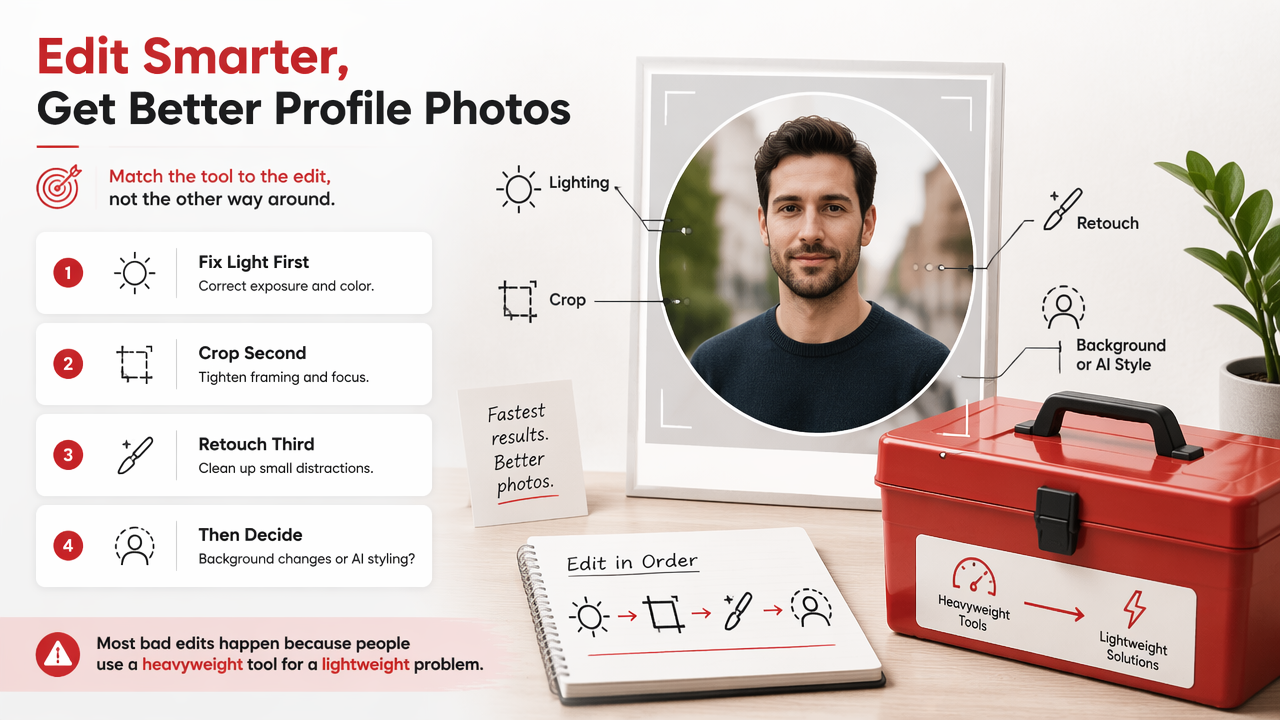
- Start with the goal: dating profile, LinkedIn headshot, creator avatar, or glamour portrait.
- Check the source photo: sharp eyes, clean face angle, and enough light matter more than any preset.
- Pick the smallest tool that works: crop and exposure do not require a full desktop suite.
- Use AI when the setting is the problem: poor room, boring outfit, weak lighting, or no usable portrait set.
- Export for the platform: square for many social avatars, vertical for dating apps, wider for banners.
For Tinder, Hinge, Bumble, Instagram, and creator profiles, I usually separate tools into two buckets: editors that improve a photo you already like, and AI portrait tools that help when you need a better set altogether. That distinction saves time and, frankly, saves faces.
A basic editor is enough when the pose, expression, and background already work. An AI portrait tool is better when you need variety: different outfits, lifestyle scenes, studio lighting, or a more polished look than your camera roll currently offers.
Which edits improve selfies and portraits most?
The most useful portrait edits are lighting correction, subtle skin retouching, background control, better cropping, and careful AI styling. These changes improve how the viewer reads the photo without making the person look synthetic, which is the fastest way to lose trust on dating and professional profiles.
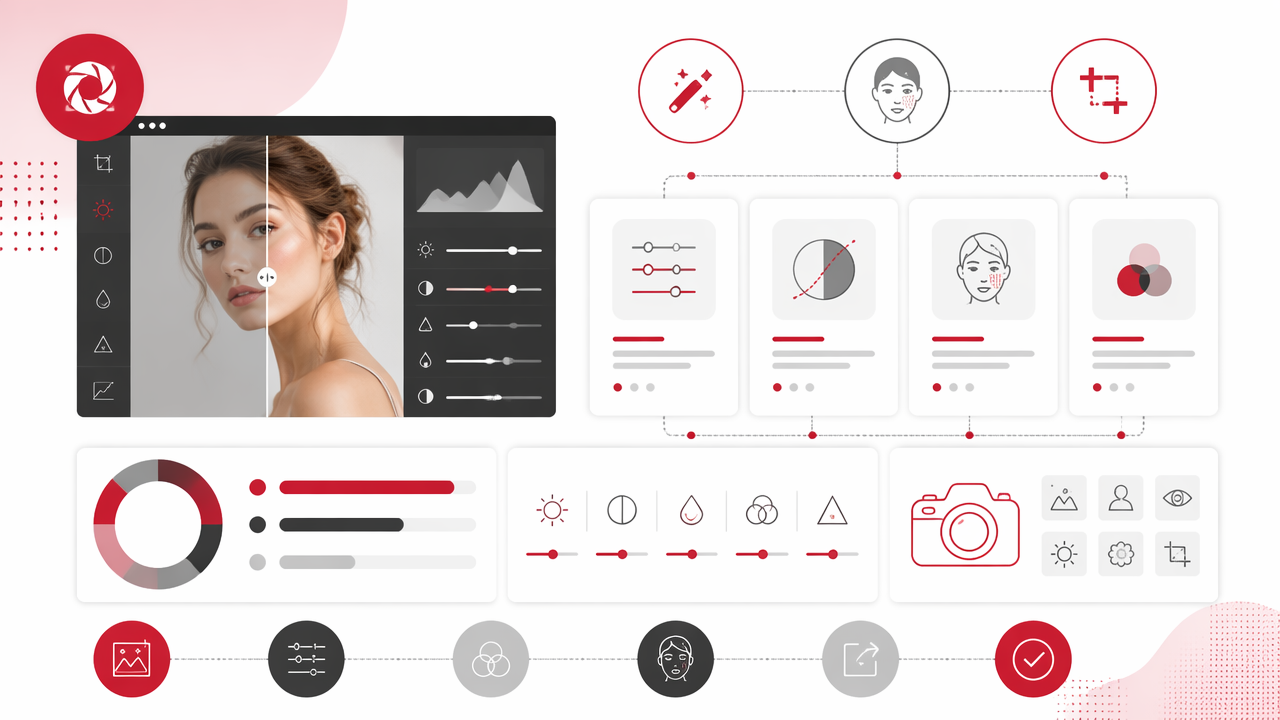
For most selfies, I recommend this order:
- Lighting first: raise exposure gently, reduce harsh shadows, and avoid neon skin tones.
- Color second: fix overly blue indoor light or overly orange sunset light.
- Crop third: keep eyes high in the frame and remove dead space.
- Retouch fourth: reduce temporary blemishes, stray hairs, and lint, but keep natural texture.
- Background last: blur or replace only if it supports the subject.
Skin editing deserves restraint. Smooth every pore and the image starts to look like a ceramic plate with eyebrows. Light retouching should remove distractions, not evidence that you are a human being.
Background edits are where many personal photos improve quickly. A messy bedroom, harsh bathroom mirror, or cluttered office can weaken an otherwise strong expression. Blur works for realism; replacement works for a stronger concept, such as cafe, city street, studio, travel, or editorial fashion.
Cropping is the least glamorous edit and often the most useful. Dating photos usually benefit from a clear face, upper body context, and enough background to signal lifestyle. Professional photos need cleaner head-and-shoulders framing, while creator images can be bolder because the thumbnail has to compete in a scroll.
Portrait adjustment checklist by use case
| Use case | Prioritize | Keep natural | Avoid overdoing |
|---|---|---|---|
| Dating profile | Warm light, clear eyes, lifestyle background | Smile lines and real skin | Heavy filters and fake-looking blur |
| LinkedIn photo | Neutral color, clean crop, simple background | Face shape and clothing texture | Glamour effects that feel off-brand |
| Instagram portrait | Mood, color grade, composition | Personal style | Trend filters that age fast |
| Creator avatar | Contrast, sharpness, recognizable silhouette | Signature look | Tiny details that vanish at thumbnail size |
| Fantasy or glamour portrait | Outfit, scene, lighting direction | Facial identity | Styles that hide who you are |
How is AI changing photo adjustment in 2026?
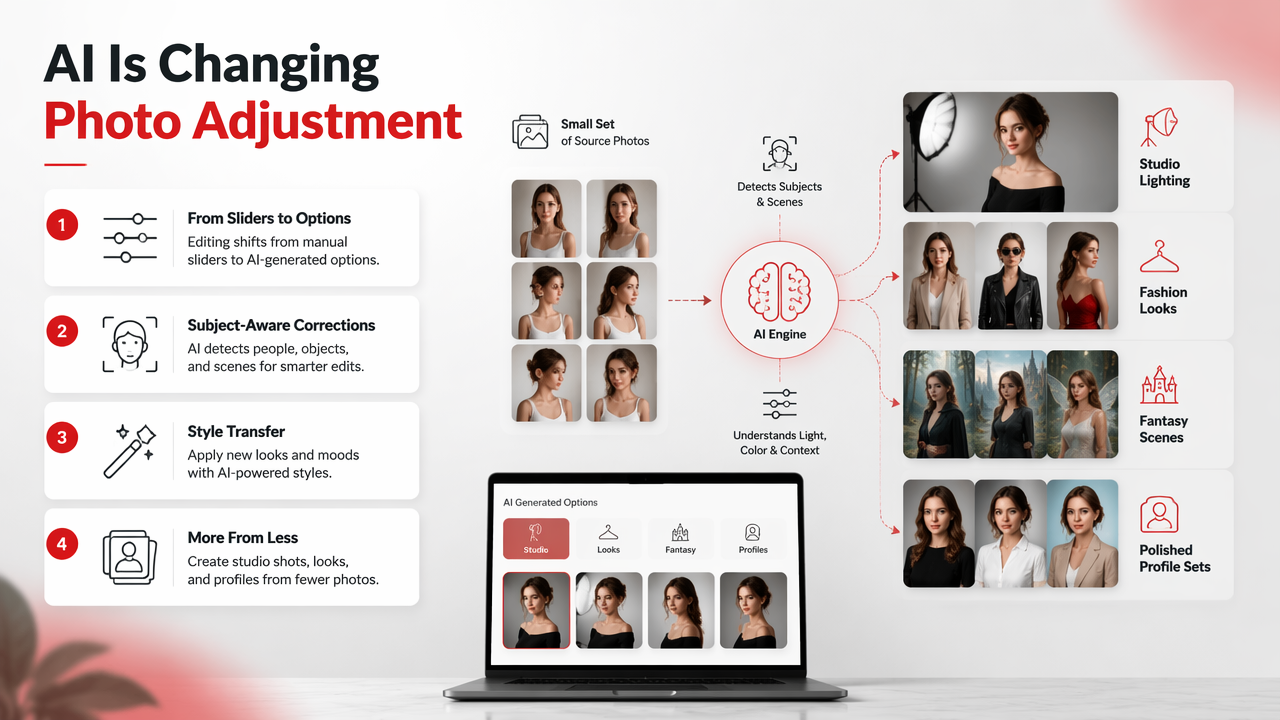
AI is changing photo adjustment by shifting editing from manual sliders toward generated options, subject-aware corrections, and style transfer. Instead of only brightening a bad photo, users can now test studio lighting, fashion looks, fantasy scenes, and polished profile sets from a smaller group of source images.
Deep learning is the backbone of many modern image tools. A 2021 review in the Journal of Big Data by Laith Alzubaidi, Jinglan Zhang, Amjad J. Humaidi, and coauthors examined deep learning concepts, convolutional neural network architectures, applications, challenges, and future directions (source). That research area helps explain why editors can now detect faces, separate backgrounds, restore detail, and apply style-aware corrections.
Generative AI also changes expectations. The GPT-4 Technical Report from OpenAI and collaborators reflects the broader move toward multimodal systems, where models can reason across different kinds of input. For image users, that trend points toward editors that understand prompts, context, identity, and desired output format.
The HotphotoAI platform fits this shift because it focuses on AI-generated personal portraits rather than only slider-based correction. For users who want glamour, lifestyle, model-style, or dating-app-ready images, with HotphotoAI you can explore looks that would normally need clothes, locations, lighting gear, and a patient friend who knows which button takes the photo.
Virtual identity is also becoming more important. A 2022 IEEE Access paper on metaverse taxonomy, components, applications, and open challenges by Sangmin Park and Young-Gab Kim examined digital environments and their related technical issues (source). As avatars, profile images, and AI portraits overlap, image tools will need clearer controls for realism, identity consistency, and disclosure.
FAQ about photo adjustment tools
Short answers help when you are deciding between a quick edit and a bigger portrait upgrade. These are the questions I hear most from people improving dating profiles, social images, and professional photos.
What is the best photo adjustment software for beginners?
The best beginner option is the tool that matches one clear task: mobile editors for exposure and crop, Canva-style tools for social layouts, and AI portrait platforms for stylized personal images. If you mainly want better profile photos without learning layers, masks, and RAW workflows, start with guided tools before moving to advanced desktop software.
Can AI photo tools replace a professional photoshoot?
AI tools can replace some casual portrait needs, especially dating photos, social avatars, glamour looks, and concept images. They do not fully replace a photographer when you need event coverage, exact brand direction, product consistency, or in-person coaching. For many personal profiles, though, AI offers faster variety at a lower effort level.
How much retouching is too much for dating photos?
Retouching is too much when the person in the photo no longer matches the person someone will meet. Clean up temporary blemishes, lighting issues, background clutter, and awkward crops. Keep face shape, skin texture, and recognizable features intact. Trust is attractive; looking airbrushed into a witness protection program is not.
Should I use the same photo for every profile?
Use a consistent look, not the exact same image everywhere. A LinkedIn photo should feel polished and credible, while dating apps benefit from variety: face, full-body context, lifestyle, and personality. Social platforms can be more stylized. A small set of adjusted images usually performs better than one photo doing every job.
Conclusion
The right photo adjustment software depends on the job: basic editors fix solid images, design tools prepare social posts, desktop suites give deep control, and AI portrait platforms create new profile-ready options when your camera roll is not pulling its weight. Start with your goal, make the smallest useful edits, and keep the final image believable.
If you want polished portraits, dating images, or stylized personal photos without arranging a shoot, visit hotphotoai.com and build a small test set: one natural look, one professional look, one lifestyle look, and one bolder creative look. Compare them on the actual platform where you will use them, then keep the image that feels like you on your best-lit day.