Photo and Prints From AI Portraits: How to Get Frame-Worthy Results
TL;DR
AI portraits can print beautifully if you match resolution, crop, paper, and style before ordering. Use square files for small gifts, portrait ratios for wall art, and matte or lustre paper for the most forgiving finish.
Great AI portraits deserve better than living forever in a camera roll. If you want photo and prints from AI portraits that look polished on a wall, desk, dating profile, or gift canvas, start with print specs before you fall in love with the image. A platform like HotphotoAI helps create stylized personal portraits, but the final print still depends on pixels, crop, paper, and a tiny bit of visual common sense. Think of it as glamour with homework.
Table of Contents
What are photo and prints from AI portraits?
Photo and prints from AI portraits are digital AI-generated or AI-enhanced personal images prepared for physical output, such as photo paper, canvas, posters, framed prints, cards, or gifts.
AI portrait tools can create model-style headshots, fantasy portraits, lifestyle scenes, couple images, pet portraits, or painterly looks from prompts and reference photos. Research by Nantheera Anantrasirichai and David Bull in Artificial Intelligence Review reviewed how AI is used across creative industries, including image generation and editing workflows (2021 review).
Key takeaway: a portrait that looks sharp on a phone can still disappoint in print if the file is too small, too smooth, or cropped for the wrong frame.
AI portrait print: a physical print made from an AI-created or AI-edited portrait file.
Aspect ratio: the shape of the image, such as 1:1 square, 4:5 portrait, or 2:3 photo frame.
Resolution: the pixel dimensions of the file, usually shown as width by height, such as 2400 by 3000 pixels.
How should you size AI portraits for printing?
AI portraits should be sized by final print dimensions, viewing distance, and crop shape before you order the print. For close-up photos, more pixels matter; for wall art viewed from across a room, composition and contrast often matter just as much.
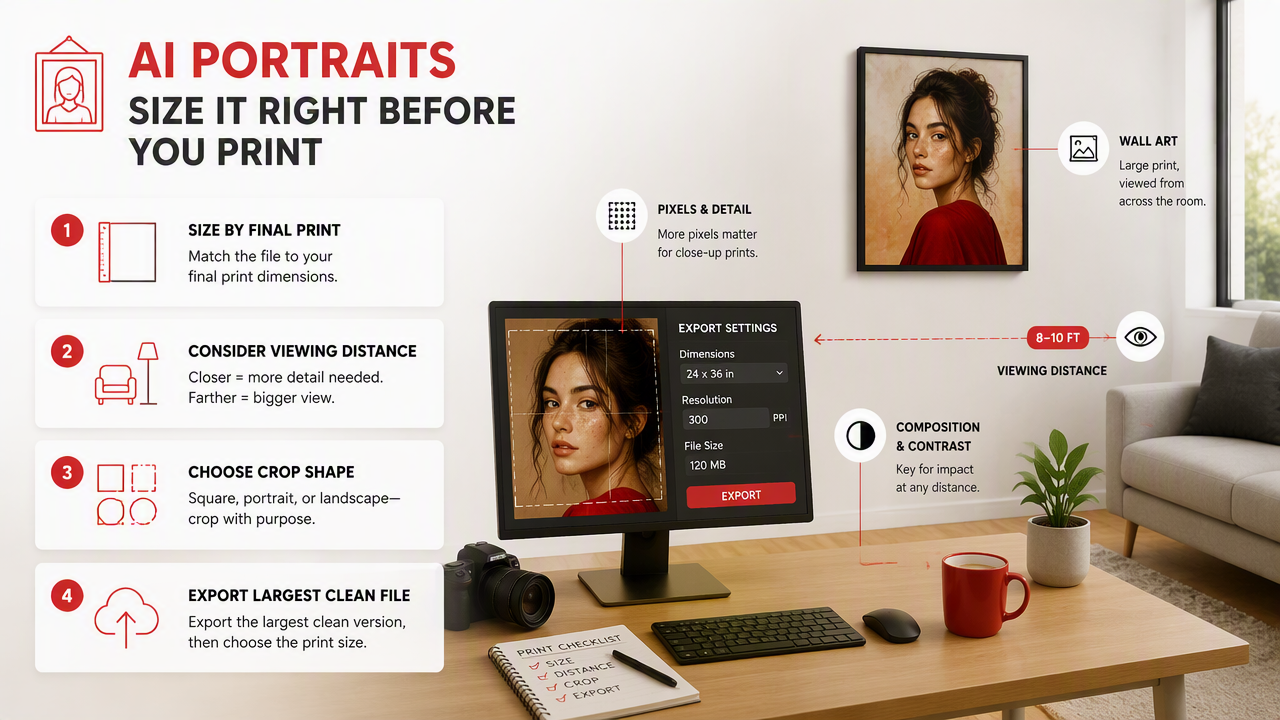
A practical rule: export the largest clean version you can, then choose a print size that does not force heavy enlargement. If the face starts to look waxy when zoomed in, printing larger will not make it more charming. It will make it more committed.
Print size quick guide
| Print use | Good aspect ratio | Best style choice | Watch for |
|---|---|---|---|
| Dating profile photo | 4:5 or 1:1 | Lifestyle, realistic, clean background | Over-smoothed skin |
| Desk frame | 4:6 or 5:7 | Headshot, couple, pet, glamour | Tight head crop |
| Wall portrait | 2:3 or 4:5 | Cinematic, editorial, painterly | Low facial detail |
| Canvas print | 1:1, 4:5, 3:4 | Bold color, simple background | Edge wrap cropping |
| Poster | 2:3 or 3:4 | Fantasy, fashion, stylized scene | Tiny hands, text, jewelry |
For dating apps and social media, square and 4:5 crops work well because they keep the face visible in feeds. For framed prints, match the file shape to the frame shape first, not after checkout. Cropping after the fact is how foreheads become optional.
Which AI portrait styles print best?
The best AI portrait styles for printing have clear facial structure, controlled lighting, simple backgrounds, and enough texture to survive paper. Realistic, editorial, painterly, and cinematic portraits usually print better than tiny-detail fantasy scenes.
In my experience, styles that look dramatic on screen can become muddy on paper if they depend on neon glow, micro-details, or extreme blur. Print rewards clarity. It is not sentimental about your prompt.
Style and paper pairing guide
| AI portrait style | Best paper or product | Why it works |
|---|---|---|
| Realistic headshot | Lustre photo paper | Balanced detail with less glare |
| Glamour portrait | Satin or semi-gloss | Keeps skin luminous without mirror shine |
| Painterly portrait | Canvas or textured fine art paper | Texture supports brush-like effects |
| Fantasy portrait | Matte poster or art paper | Reduces glare in dark scenes |
| Pet portrait | Canvas, mug, or framed photo | Bold shapes read well from a distance |
| Couple portrait | Fine art paper or framed lustre | Softer finish feels gift-ready |
Choose glossy only when the portrait has crisp lighting and low noise. Matte is more forgiving for painterly, vintage, or fantasy images. Canvas loves bold composition but dislikes tiny facial details, so keep the subject large and centered.
How HotphotoAI helps create printable portrait ideas
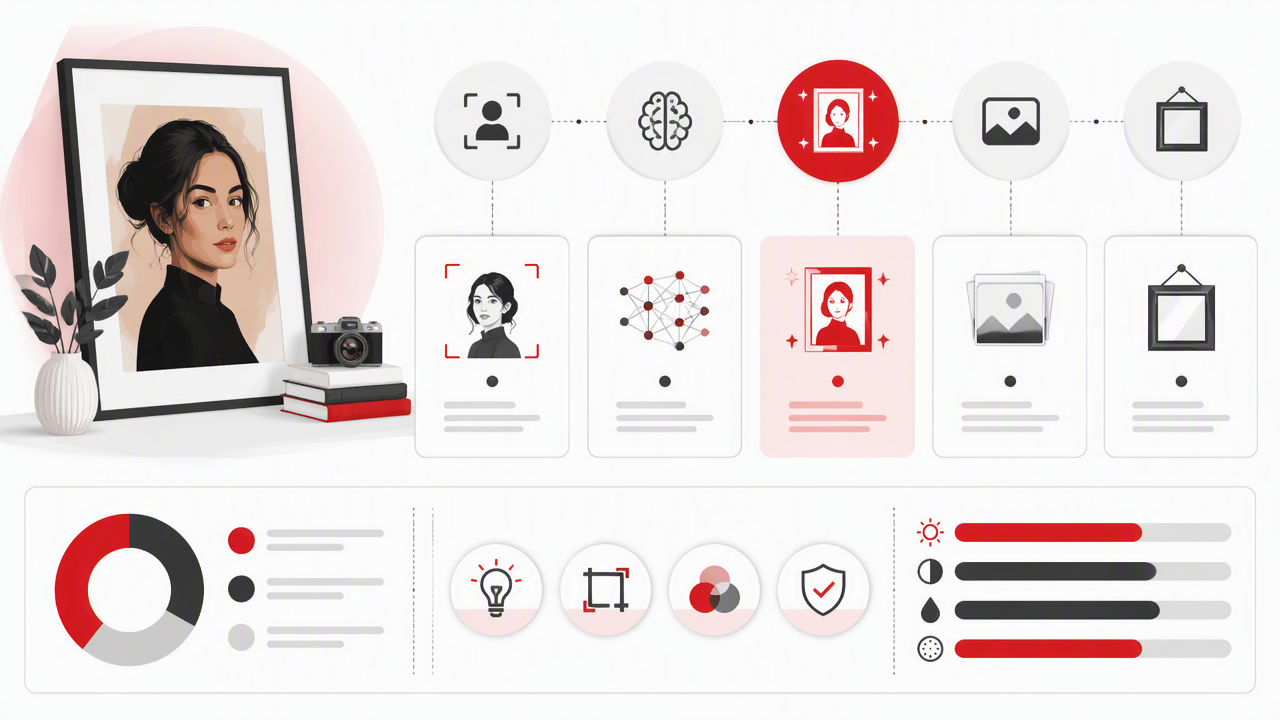
The HotphotoAI platform is useful when you want to test outfits, backgrounds, lighting, and model-style looks before deciding what deserves a print. Instead of booking a full shoot for one experiment, you can generate several portrait directions and pick the one with the strongest face, pose, and mood.
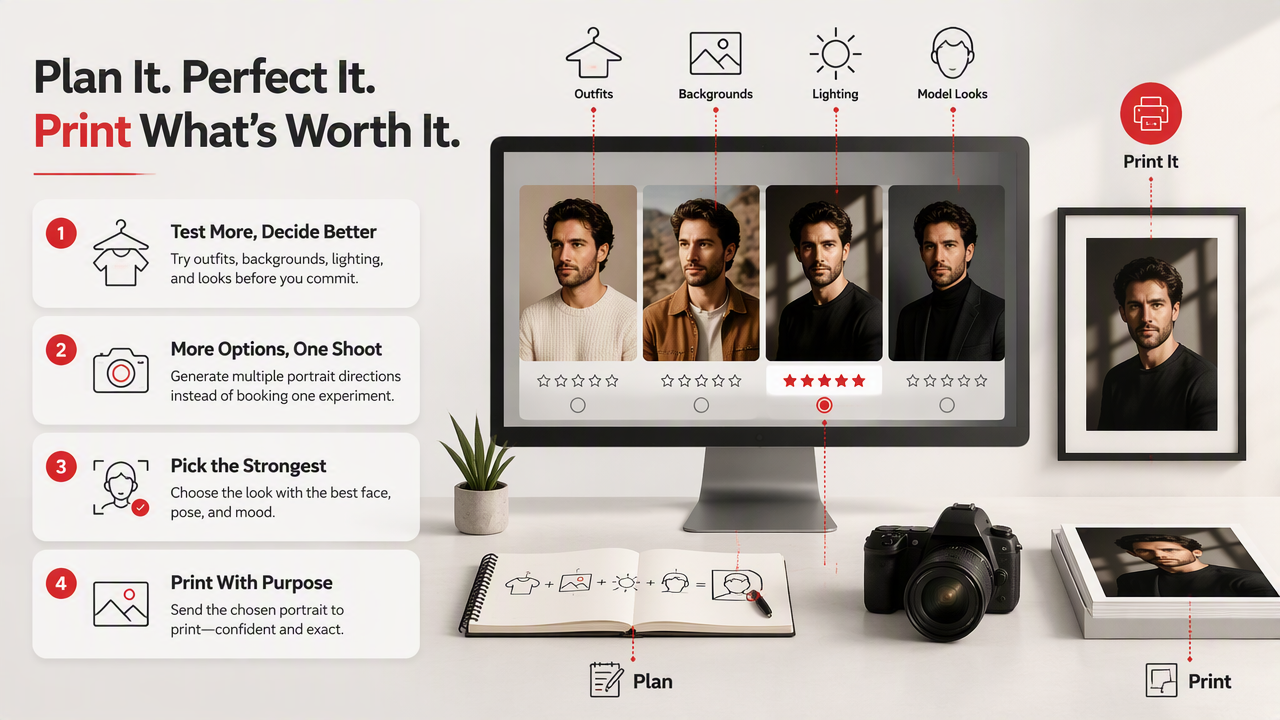
For printed portraits, I like starting with a clear goal: dating profile, framed gift, wall art, or professional image. That goal shapes the prompt. A polished LinkedIn-style portrait needs different lighting than a fantasy queen portrait, unless your industry is unusually theatrical.
Prompt checklist for print-ready concepts
- Choose the final use first: profile, frame, canvas, poster, or gift.
- Ask for clear facial detail and natural eyes.
- Pick one main background, not a crowded scene.
- Use lighting words like "soft studio light" or "golden hour."
- Generate a few crops, such as headshot, half-body, and full-body.
- Save the highest-quality version before editing.
With HotphotoAI, the strongest results usually come from treating AI portraits like a creative pre-shoot. Generate the vibe, compare options, then send only the cleanest file to print. For more portrait experiments, head to hotphotoai.com.
What should you check before ordering prints?
A print-ready AI portrait should pass a quick quality check for resolution, crop, facial detail, hands, edges, and color. The goal is not perfection; the goal is stopping small screen issues from becoming large framed evidence.
Do this check at 100 percent zoom on a laptop or desktop. Phones hide problems with kindness. Printers do not.
Final pre-print checklist
- Face: eyes, teeth, ears, and hairline look natural enough for the intended style.
- Hands: fingers are not fused, missing, doubled, or making mysterious legal arguments.
- Crop: head, shoulders, pets, props, and clothing are not cut awkwardly.
- Edges: canvas wrap areas have safe background space.
- Color: skin tone is not overly orange, gray, pink, or plastic.
- Detail: jewelry, glasses, logos, and text do not look garbled.
- File: export the largest clean version available.
- Finish: paper type matches the style, not just the cheapest option.
A 2024 review on deepfake video detection by Achhardeep Kaur, Azadeh Noori Hoshyar, and Vidya Saikrishna examined challenges around synthetic media detection (2024 review). For personal portrait prints, that research is a useful reminder to keep source files organized and avoid presenting synthetic portraits as documentary photos when context matters.
Frequently asked questions
A FAQ, short for frequently asked questions, is a curated question-and-answer section that clears up common points people may misunderstand.
Can AI portraits be printed like normal photos?
Yes, AI portraits can be printed like normal photos if the file has enough resolution and the image holds up at full size. Treat the portrait like any edited photo: check the crop, facial detail, color, and export quality before uploading it to a print service.
What paper is best for AI portrait prints?
Lustre or satin paper is the safest choice for realistic AI portraits because it keeps detail while reducing harsh glare. Matte paper works well for painterly, fantasy, vintage, or softer images. Canvas is best for bold portraits with simple backgrounds and larger subjects.
Why does my AI portrait look blurry after printing?
Blurry prints usually come from low resolution, heavy upscaling, soft facial generation, or ordering a print larger than the file can support. Check the portrait at 100 percent zoom before printing. If it looks mushy on a monitor, it will not become sharper in a frame.
What crop should I use for framed AI portraits?
Use 2:3 for standard photo frames, 4:5 for portrait-style wall art, and 1:1 for square gifts or social-first images. Leave extra space around the head and shoulders so the frame, mat, or canvas wrap does not cut into the subject.
Can I use AI portraits for professional profiles?
Yes, if the portrait looks natural, current, and appropriate for the platform. For work profiles, choose clean lighting, realistic clothing, and a simple background. If the image looks too stylized or fictional, use it for social content instead of professional identity.
Conclusion
Printed AI portraits work best when you plan backward from the final product: frame size, crop, paper, and viewing distance. Before ordering photo and prints from AI portraits, inspect the file at full size, choose a forgiving finish, and print one small test if the image matters.
If you want fresh portrait options before committing to a frame, create a few looks with HotphotoAI, pick the cleanest version, and visit hotphotoai.com when you're ready to turn the best image into something worth hanging.