Photo Edit Checklist for Profile Pictures: Look Better Without Looking Fake
TL;DR
Edit profile pictures in this order: lighting, color, crop, background, face details, then realism checks. Keep skin texture, preserve face shape, and review the image at thumbnail size before posting.
A great profile picture doesn't need a new face, it needs better editing judgment. This photo edit checklist for profile pictures helps you polish the shot people actually judge in half a second: your lighting, expression, crop, background, and realism. If you want model-style or dating-app-ready variations without booking a studio, HotphotoAI can help create polished portrait options while still giving you room to choose the version that feels like you.
Table of Contents
What is a photo edit checklist for profile pictures?
A photo edit checklist for profile pictures is a repeatable review process that improves a portrait while preserving identity, skin texture, and believable proportions. It keeps edits practical: fix lighting, color, crop, distractions, and small blemishes before deciding whether stylized or AI-enhanced changes still look authentic.
Profile photo editing: the process of improving a portrait's technical quality and presentation without making the person unrecognizable.
Competitor checklists from Fstoppers and portrait photography blogs often focus on exposure, white balance, crop, sharpening, clipping, and distractions. Those basics still matter, but profile pictures need one extra filter: would someone recognize you when you walk into the coffee shop?
Key rule: make the photo look like your best normal day, not like your face got acquired by a luxury skincare company.
Research also gives us a reason to edit with restraint. A 2023 scoping review in PLOS Global Public Health examined links between social media, body image, and eating disorders among young people, which makes realistic editing more than an aesthetic choice, it's a healthier standard for online self-presentation (Dane and Bhatia, 2023).
How should you edit lighting, color, and crop first?
Edit lighting, color, and crop before touching your face because these global fixes improve the whole image without creating identity problems. Start with exposure, then white balance, then contrast, then crop, and only after that move into retouching. Most "bad face photo" problems are actually bad light problems wearing a tiny mustache.
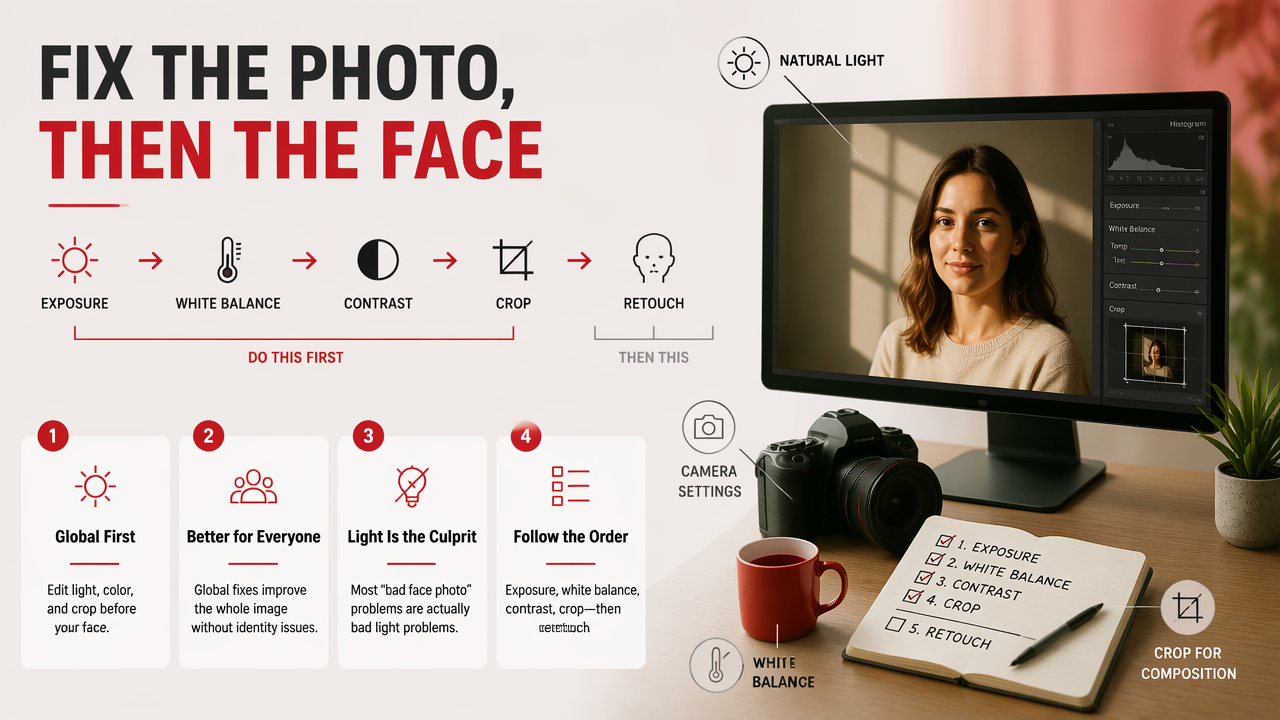
The first-pass profile photo edit order
- Straighten the image: align walls, horizons, shelves, or door frames so the portrait feels intentional.
- Fix exposure: brighten the face enough to see the eyes, but keep highlights from turning forehead and cheeks into glowing moons.
- Set white balance: remove orange bathroom light, green office tint, or blue shadow casts.
- Adjust contrast gently: add shape to the face without crushing dark hair, jackets, or background details.
- Crop for the platform: use head-and-shoulders for dating apps, tighter crops for small social avatars, and more space for professional profiles.
- Check at thumbnail size: shrink the image and ask, "Can I still read the face?"
For a dating profile, I usually crop closer than I would for LinkedIn because the first impression happens in a stack of tiny cards. For a professional profile, I leave more shoulder and negative space so the image feels calmer.
Lighting, color, and crop checklist
| Edit area | What to check | Good result | Too far |
|---|---|---|---|
| Exposure | Face brightness | Eyes and expression are clear | Skin looks blown out |
| White balance | Color temperature | Skin looks natural | Teeth and eyes look blue or orange |
| Contrast | Face shape and depth | Features look defined | Shadows hide detail |
| Crop | Face position | Face is easy to recognize | Chin, hair, or shoulders feel chopped |
| Background brightness | Subject separation | You stand out cleanly | Background competes with your face |
A profile image should survive three views: full size, phone size, and tiny circular avatar. If it only works when zoomed in, it doesn't work yet.
What should you fix without changing how you look?
Fix temporary distractions, not permanent identity markers, when editing a profile picture. Remove lint, flyaway hairs, acne spots, harsh under-eye shadows, background clutter, and lens smudges; keep face shape, eye spacing, skin texture, smile lines, and recognizable proportions intact.
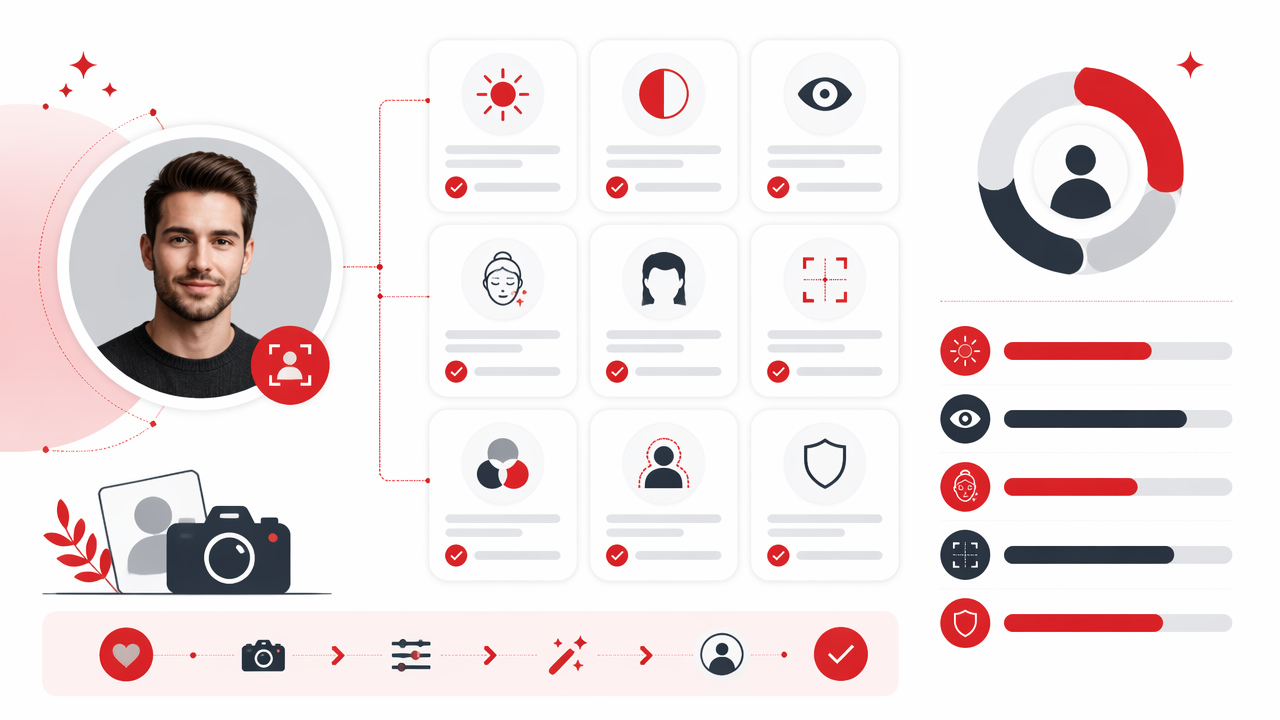
I like to separate edits into "presentation" and "replacement." Presentation says, "You caught me on a good day." Replacement says, "My passport and I are no longer speaking."
Safe retouching versus identity-changing edits
- Safe to clean up: lint, small blemishes, red spots, dust, stray hairs across the face, background trash, harsh flash shine.
- Use restraint: under-eye shadows, teeth brightness, skin smoothing, jaw definition, nose shadows, forehead shine.
- Avoid changing: face width, eye size, body size, neck length, skin tone, hairline, smile shape, and natural asymmetry.
Skin is the big trap. Real skin has pores, texture, color variation, and small lines. If every cheek looks like wet porcelain, the photo stops feeling attractive and starts feeling like a suspicious product render.
The HotphotoAI platform is useful when you want polished lifestyle, glamour, or profile-photo variations because you can compare several styles and pick the one that still feels believable. I'd choose the image that friends would recognize instantly, not the one that wins the fictional cheekbone Olympics.
A practical face-and-background pass
Work from large to small. First remove background distractions near the head, then soften harsh facial shadows, then clean temporary blemishes, then sharpen the eyes slightly. Eye clarity matters, but radioactive irises do not.
A 2021 scoping review in the Journal of Medical Internet Research studied social media and e-professionalism among health care professionals, underscoring that online images can affect perceived credibility in professional settings (Vukušić Rukavina, Viskić, and Machala Poplašen, 2021). For profile pictures, credibility comes from looking polished and real at the same time.
What editing red flags make profile pictures look unnatural?
Unnatural profile pictures usually come from over-smoothing, warped facial structure, mismatched lighting, fake backgrounds, excessive sharpening, and colors that don't match real skin. The fastest realism test is simple: if the edit draws more attention than your expression, pull it back.
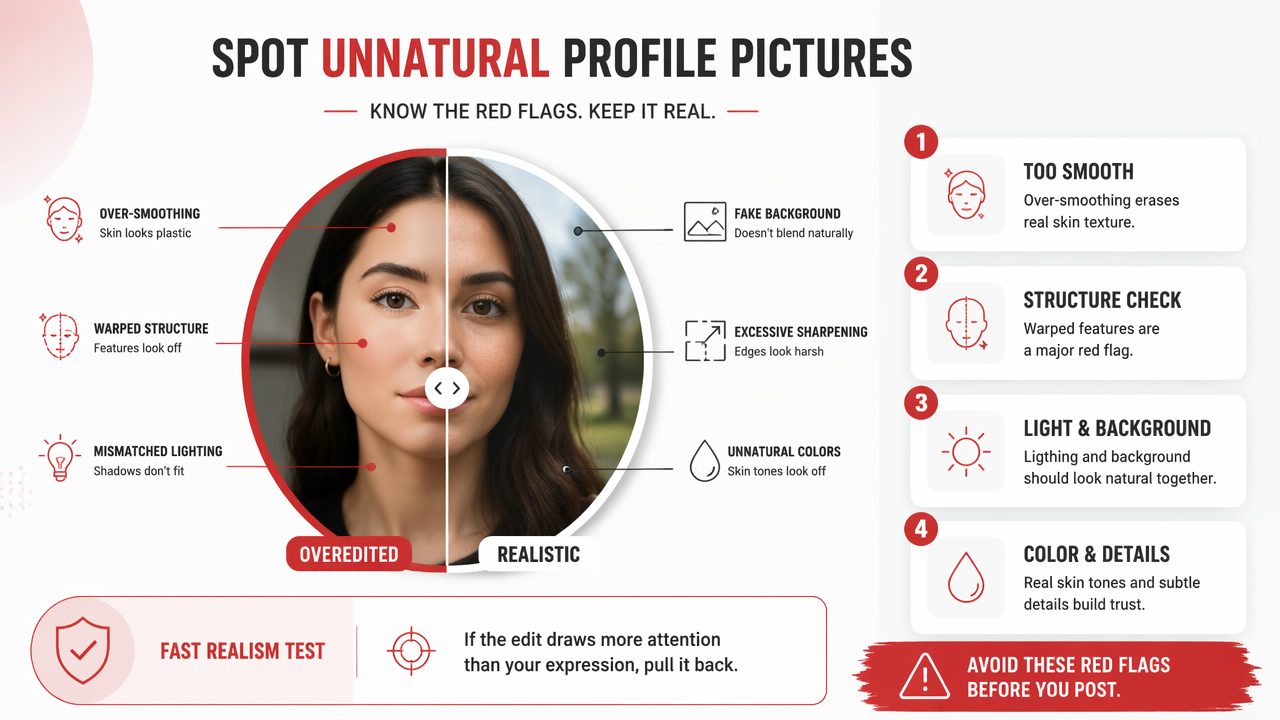
Avoid these red flags before posting:
- Plastic skin: pores vanish, cheeks blur, and the face looks painted.
- Warped geometry: door frames, glasses, earrings, or collars bend near the jaw or waist.
- Over-white teeth: the smile becomes the brightest object in the image.
- Mismatched shadows: the face is lit from one direction while the background suggests another.
- Fantasy eyes: whites are too white, irises glow, or both eyes sharpen differently.
- Background fakery: edges around hair look crunchy, smoky, or haloed.
- Face-shape drift: the edited version would surprise someone meeting you in person.
If your edit needs an alibi, it's over-edited.
AI-enhanced portraits deserve one extra review because they can create tiny confidence killers: uneven earrings, odd fingers, melted hair strands, strange collars, or a suit lapel with the logic of a folding chair. Look at the edges, not just the face. The face gets all the attention, but the weird sleeve is often what gives the trick away.
FAQ: Better profile photo edits in 2026
How much should I edit a dating profile picture?
Edit enough to make the photo clear, flattering, and current, but not so much that the person meeting you feels surprised. Good dating-app edits improve lighting, crop, color, background cleanliness, and temporary blemishes. Keep face shape, body shape, skin tone, and natural texture close to reality.
Should I use AI for profile pictures?
AI can help if you want outfit, background, lighting, or style options that would be expensive in a studio. The smart move is to choose realistic outputs and reject anything with warped hands, fake skin, mismatched shadows, or a face that no longer looks like you. For tasteful experiments, visit hotphotoai.com and compare options carefully.
What crop works best for profile photos?
For most apps, use a head-and-shoulders crop where your eyes sit near the upper third of the image. Dating apps can handle a slightly tighter crop, while professional profiles usually look better with more shoulder room and a calm background. Always test the crop as a small circle or square.
How do I know if my edited profile photo looks fake?
Check the image at full size and thumbnail size, then look for plastic skin, glowing teeth, warped background lines, strange hair edges, and shadows that don't match. Ask one blunt friend if it still looks like you. If they pause too long, that's your answer with better manners.
Conclusion
A strong profile photo edit follows a simple order: fix the whole image first, retouch temporary distractions second, and run a realism check last. Use the photo edit checklist for profile pictures as a guardrail, not a cage: lighting, color, crop, background, skin texture, face shape, and final thumbnail review.
Your next step is practical. Pick one current photo, make only the checklist edits, then compare it against a polished AI variation with HotphotoAI. Keep the version that looks attractive, current, and unmistakably like you. If you want to test new styles, head to hotphotoai.com and choose the portrait you'd be happy to show up as in real life.