Photo Editing Programs in 2026: Traditional Editors, AI Tools, and AI Photoshoot Apps Compared
TL;DR
For attractive personal photos, AI photoshoot generators are usually fastest, while traditional editors give the most control and AI-assisted editors sit in the middle. Start with your goal: fix a real photo, build a polished profile image, or create a new styled portrait from scratch.
Most people don't need a 40-layer masterpiece; they need a profile photo that says "confident adult" instead of "front camera in a parking garage." Photo editing programs now fall into three useful camps: traditional editors, AI-assisted editors, and AI photoshoot generators. For dating apps, creator profiles, personal branding, and polished portraits, the fastest option is often an AI image workflow like HotphotoAI, especially when you want new outfits, lighting, and backgrounds without booking a photographer.
Table of Contents
What are photo editing programs?
Photo editing programs are tools that alter digital images, scanned photographs, or illustrations by adjusting elements such as color, exposure, composition, objects, and style. Traditional image editing covers everything from cropping and retouching to layered compositing, while newer AI tools can automate enhancements or generate new portrait variations.
Image editing: the process of changing images, including digital photographs, traditional photo-chemical photographs, and illustrations.
AI-assisted editing: software that uses machine learning to speed up tasks like background removal, face retouching, object cleanup, relighting, and upscaling.
AI photoshoot generator: a tool that creates new styled images of a person from uploaded reference photos, often with different outfits, scenes, poses, and lighting.
Key insight: the best tool is not the one with the most buttons. It's the one that gets the image you actually need with the least friction.
Research on deep learning by Laith Alzubaidi, Jinglan Zhang, and Amjad J. Humaidi in the Journal of Big Data explains how convolutional neural networks and related architectures support image-recognition and vision tasks, which are now common in modern editing features like subject detection and automated enhancement source.
Which editing approach is best for personal photos?
The best approach for personal photos depends on whether you want to improve an existing image, create a polished version of yourself, or build an entirely new portrait style. Traditional editors offer control, AI-assisted editors save time, and AI photoshoot generators usually produce attractive profile-ready images fastest.
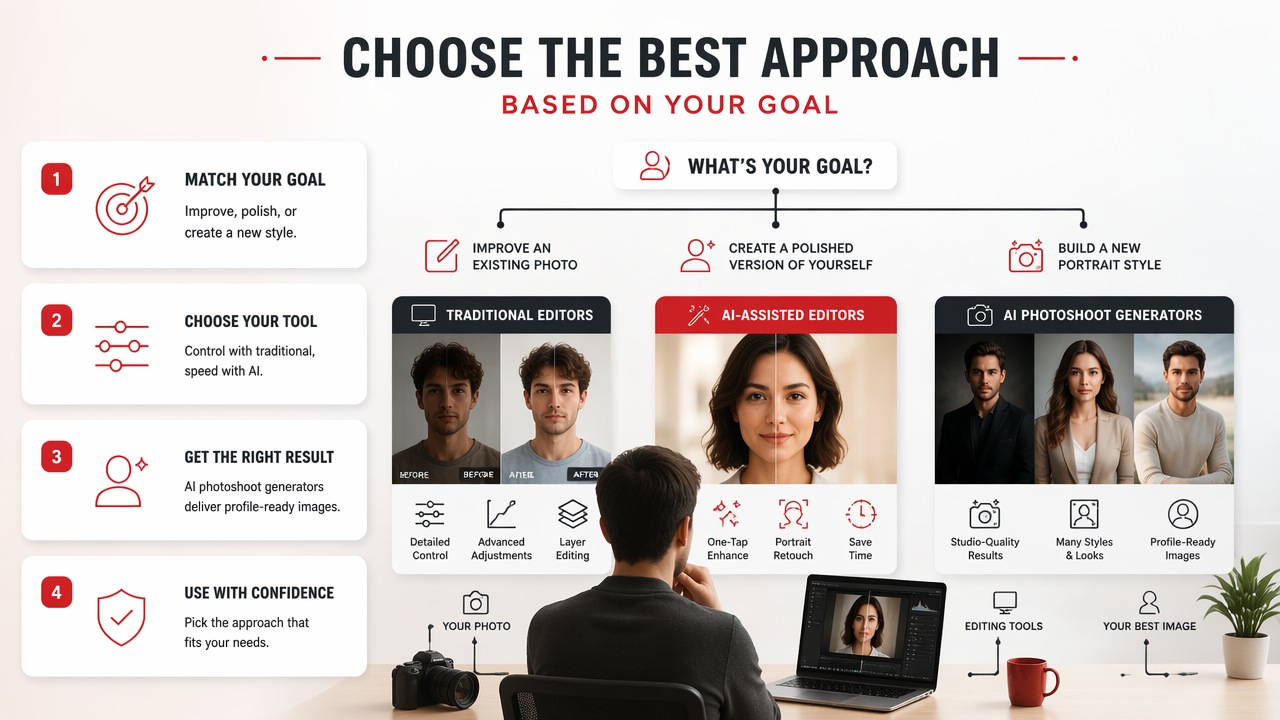
Comparison of editing options for profile and social images
| Approach | Example use | Skill required | Time investment | Realism | Creative control | Best use case |
|---|---|---|---|---|---|---|
| AI photoshoot generator, such as HotphotoAI | Create model-style, dating, lifestyle, or professional portraits | Low | Low | High when inputs are clear | Medium | Fast new profile photos without a studio |
| AI-assisted editor | Remove backgrounds, fix lighting, clean skin, enhance eyes | Low to medium | Low to medium | High when editing a real photo | Medium | Improving selfies or existing portraits |
| Traditional editor | Layer masks, RAW color grading, detailed retouching | Medium to high | Medium to high | Very high in skilled hands | High | Pro photography, client work, advanced retouching |
| Free online editor | Crop, resize, text overlays, collages | Low | Low | Depends on source image | Low to medium | Quick social posts and simple fixes |
For most dating app and creator profile use cases, I'd pick the AI photoshoot route first, then use a lighter editor for final cropping. It's the shortest path from "I need better pictures" to "this looks like I hired someone who owns lighting equipment."
Traditional tools still matter. If you shoot RAW images, manage color carefully, or retouch client work, a full editor is worth learning. If you just want ten clean, stylish profile images before Friday, a heavy desktop workflow may be overkill.
How should beginners choose an editor in 2026?
Beginners should choose an editor by matching the tool to the outcome, not by chasing the biggest feature list. A simple decision path works best: define the photo's purpose, decide whether you need repair or reinvention, then pick the lowest-effort tool that preserves a believable result.
A simple decision path before you download anything
- Pick the destination: dating profile, LinkedIn headshot, Instagram post, creator thumbnail, or fantasy portrait.
- Check the source image: good lighting and a clear face make every tool perform better.
- Decide the job: fix, enhance, restyle, or generate.
- Estimate your patience: if masks and curves make you sleepy, don't pretend you're becoming a retouching monk tonight.
- Export for the platform: square crops for many social feeds, vertical crops for stories, and clean head-and-shoulder framing for professional profiles.
The hidden cost is not the software price; it's the time needed to get a believable image. Beginners often download a powerful editor, open it, stare at the interface, and quietly return to cropping in their phone gallery.
A better rule: use the simplest tool that solves 90 percent of the problem. Save advanced software for cases where you truly need precision, such as product photography, print work, or complex object removal.
How HotphotoAI handles attractive personal photos
HotphotoAI focuses on generating polished personal portraits rather than making users manually retouch every detail. That makes the HotphotoAI platform useful when the goal is not "edit this one imperfect selfie," but "create several attractive versions of me in better lighting, outfits, and settings."
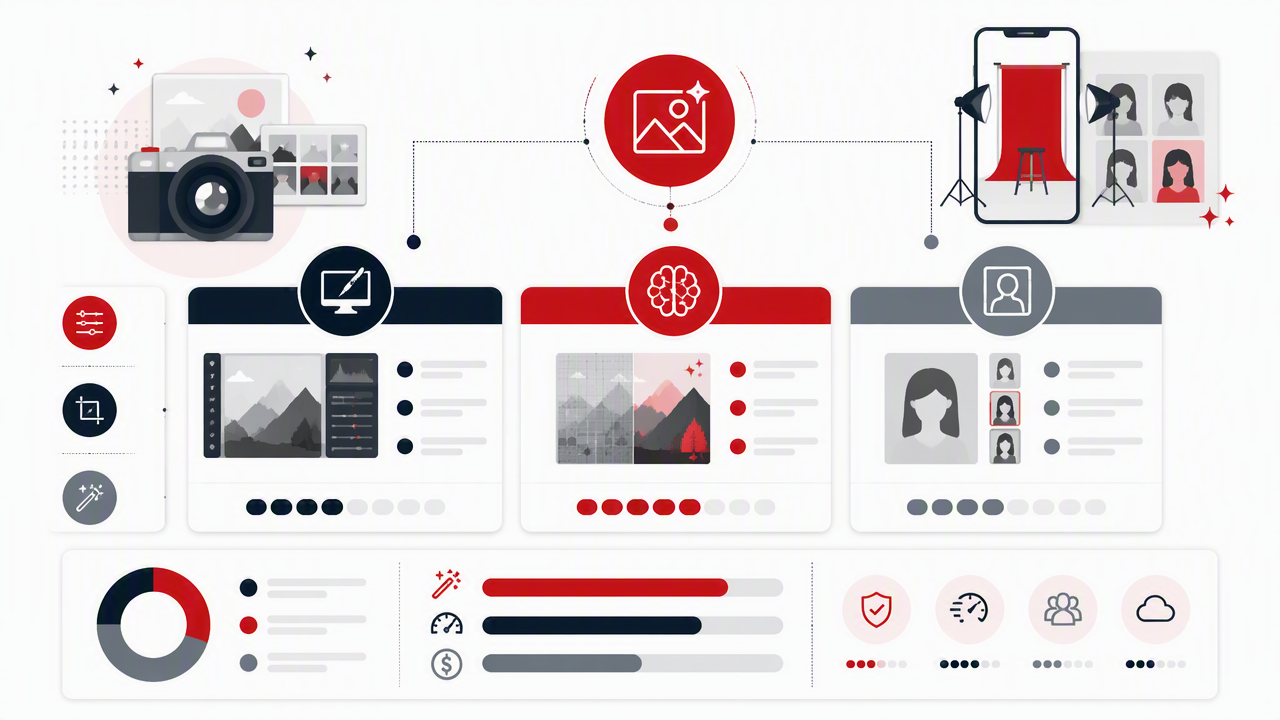
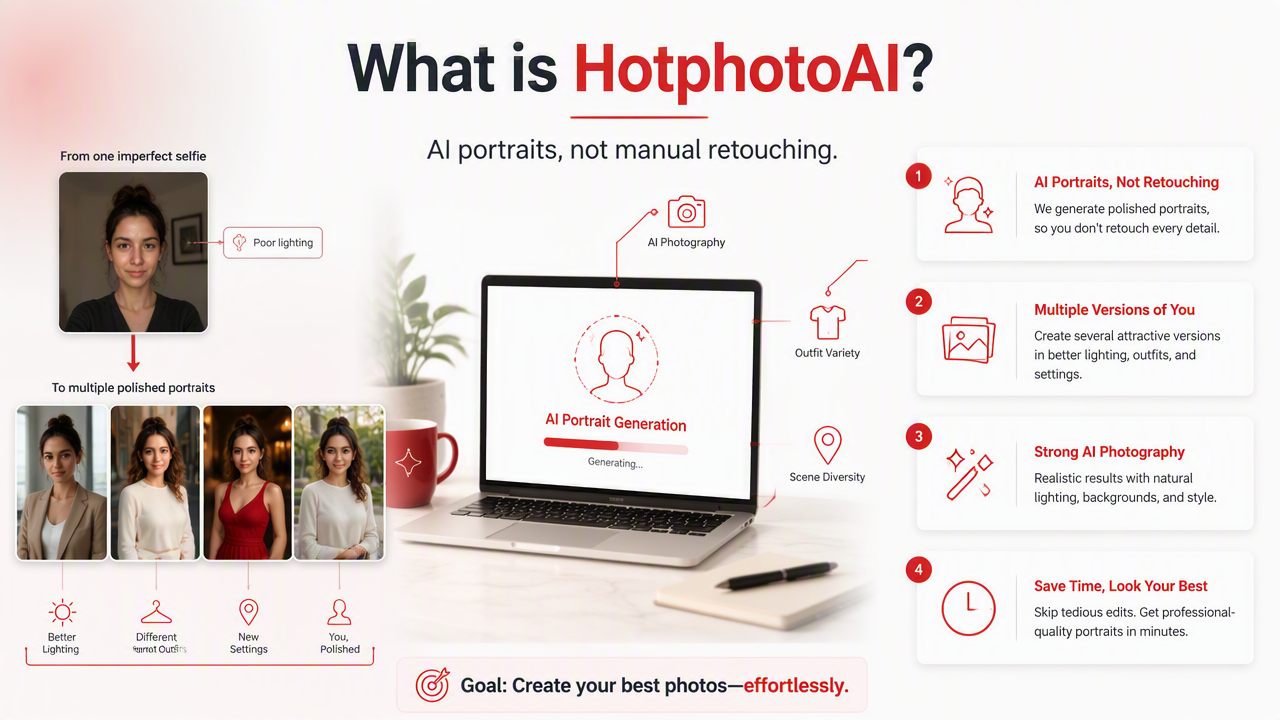
A strong AI photoshoot workflow is especially useful for people who need variety. Dating profiles work better when images show different moods and contexts. Professional profiles need a clean, credible portrait. Creators often want stylized images that match a niche, aesthetic, or campaign.
With HotphotoAI, the practical workflow is simple:
- Upload clear reference photos that show your face from multiple angles.
- Choose a portrait style, such as glamour, lifestyle, model, professional, or fantasy.
- Generate a set of options instead of betting everything on one image.
- Pick the most natural results, then crop lightly for the app or platform.
- Keep a consistent look across your main profile, banner, and social posts.
For personal branding, variety beats one "perfect" picture. A set of believable, polished images gives you more testing room across Tinder, LinkedIn, Instagram, and creator pages.
If your goal is profile transformation rather than pixel-level editing, visit hotphotoai.com and start with a style that matches the impression you want to make.
What mistakes make edited photos look fake?
Edited photos look fake when the face, lighting, background, and body details no longer agree with each other. The most common mistakes are over-smoothed skin, mismatched shadows, warped hands, plastic eyes, strange teeth, and backgrounds that look sharper or softer than the person.
Quality checks before posting a retouched image
- Zoom out first: if the image only looks good at 300 percent, you're editing for ants.
- Check both eyes: catch uneven sharpening, odd reflections, or mismatched catchlights.
- Inspect hands and glasses: small geometry errors are easy to miss and hard to unsee.
- Compare skin texture: realistic skin has pores, shadows, and small imperfections.
- Match the background: lighting direction, blur, and color temperature should fit the subject.
- Ask one honest friend: not the friend who says every haircut is "bold."
The safest edit is the one nobody notices. On dating apps, obvious over-editing can create distrust before a conversation even starts. On professional platforms, it can make a polished image feel less credible.
I recommend exporting two versions: one natural and one more stylized. Use the natural one for trust-heavy spaces like LinkedIn or dating app lead photos, then save the bolder style for creative profiles, thumbnails, or social posts.
FAQ about photo editing programs
Photo editing questions usually come down to speed, realism, and control. The answers below focus on choosing the right workflow for profile photos, social images, and polished personal portraits in 2026.
What is the easiest photo editor for beginners?
The easiest editor is usually a browser-based or mobile tool with presets, background removal, crop controls, and one-click enhancement. Beginners should avoid starting with advanced layer-based software unless they want to learn editing as a skill. For profile photos, AI-assisted tools and AI photoshoot generators usually produce better results faster.
Are AI photo editors better than Photoshop-style tools?
AI editors are better for speed, not always for precision. Photoshop-style tools remain stronger for advanced compositing, detailed retouching, RAW workflows, and client photography. AI tools shine when you need quick cleanup, multiple portrait styles, or a strong first draft without learning masks, curves, and layer blending.
Can AI-generated profile photos look realistic?
AI-generated profile photos can look realistic when the reference images are clear, consistent, and well lit. Results are weaker when inputs are blurry, heavily filtered, or taken from extreme angles. The best practice is to generate multiple options, choose the most natural image, and avoid styles that exaggerate facial features.
Should I use different images for dating and professional profiles?
Yes. Dating photos should show warmth, variety, and lifestyle context, while professional images should emphasize clarity, trust, and clean presentation. The same person can look credible in both settings, but the crop, outfit, background, and expression should change. One image rarely does every job well.
Conclusion
The right photo editing programs depend on the job: traditional editors for control, AI-assisted tools for quick fixes, and AI photoshoot generators for fast, attractive personal images. My practical next step is simple: gather 8 to 12 clear reference photos, decide where the image will be used, generate or edit a small batch, then test the best two versions. For profile-ready portraits, head to hotphotoai.com and build a set you can actually use.