Photoshoot Editing: A Modern Workflow for Better Portraits
TL;DR
Photoshoot editing works best when you start with strong source images, make clean non-destructive edits, then use AI only where it saves time or expands creative options. For profile, dating, creator, and professional portraits, combine manual retouching for accuracy with AI variation tools for outfits, scenes, and polished style tests.
Great photos are rarely born camera-ready; even the smugly photogenic need a little help from light, color, cropping, and restraint. Photoshoot editing is the post-shoot process of selecting, correcting, retouching, and styling images so they match the goal of the session. A photo shoot, per the Wikipedia definition in the research data, is the creative process that results in a visual objective being obtained, such as a model posing in a studio or outdoor location. For people who want polished profile images without booking a traditional session, HotphotoAI can turn ordinary selfies into styled personal portraits.
Table of Contents
What is photoshoot editing?
Photoshoot editing is the process of turning selected shoot images into finished visuals through culling, color correction, retouching, lighting adjustment, background work, cropping, exporting, and sometimes AI-based restyling. It is not just "adding a filter," which is the editing equivalent of wearing sunglasses indoors.
Photoshoot editing: the post-production workflow used to refine images from a photo shoot so they fit a specific purpose, such as dating profiles, social media, creator branding, headshots, or campaign visuals.
The best edits preserve identity while improving presentation. Skin should still look like skin. Eyes should look alive, not like two freshly polished marbles. A good editor makes the viewer notice the person before they notice the edit.
Source image checklist before you edit
Start with the best raw material because editing cannot fully rescue weak input.
- Pick sharp images where the eyes are in focus.
- Favor natural expressions over stiff poses.
- Avoid harsh shadows across the face unless the style calls for drama.
- Choose varied angles: close-up, half-body, full-body, candid, and lifestyle.
- Keep a few imperfect but expressive shots; personality often beats technical tidiness.
Key insight: editing should amplify the reason the photo exists, not hide the fact that the original photo struggled.
How do you edit a photoshoot from raw selects to polished finals?
You edit a photoshoot by choosing the strongest images, applying global corrections, making local retouches, refining lighting and background details, exporting for the platform, and reviewing the final set as a collection. A clean order saves time and keeps every image from looking like it wandered in from a different photo session.
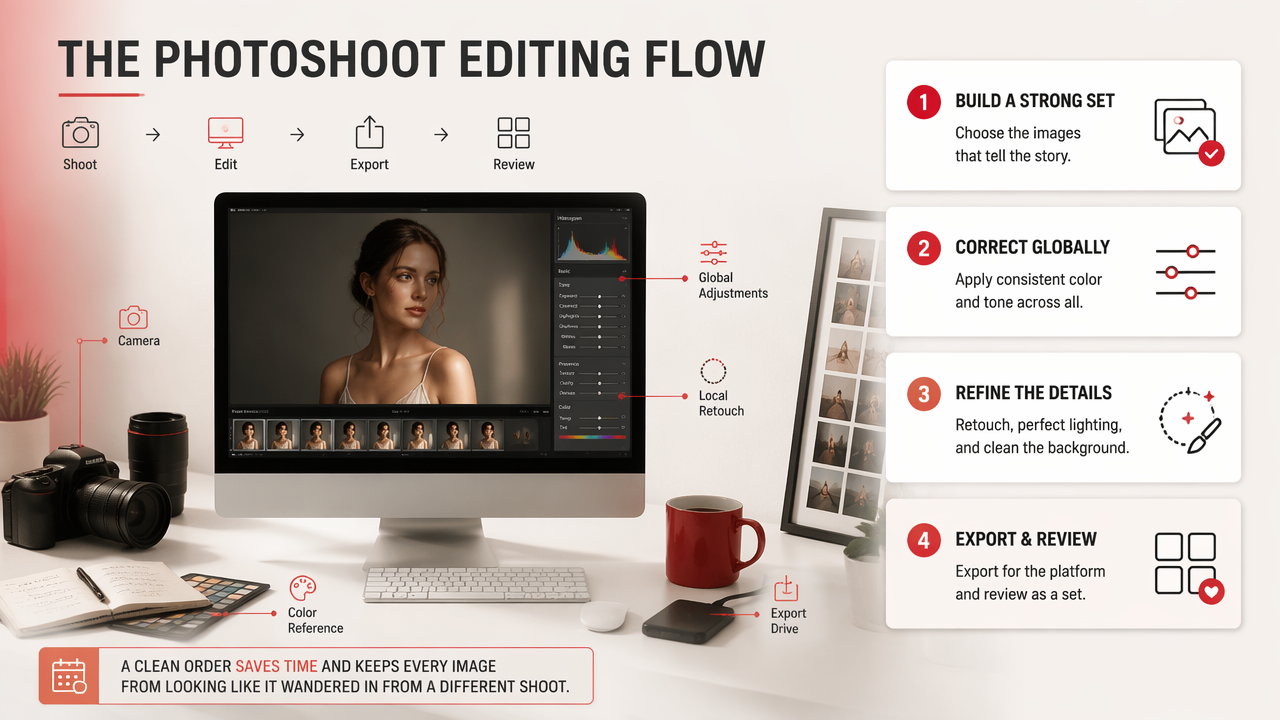
- Cull first: remove duplicates, blinks, blur, and weak expressions.
- Set the look: correct exposure, contrast, white balance, and color.
- Retouch locally: reduce distractions without changing the person.
- Shape attention: use crop, light, blur, and contrast to guide the eye.
- Export properly: size images for Tinder, LinkedIn, Instagram, portfolios, or ads.
- Review as a set: make sure the photos feel related, not randomly adopted.
A practical retouching order that stays natural
I like to edit faces from big changes to small changes because it prevents overworking the image. First, fix exposure and color. Then clean temporary blemishes, lint, flyaway hairs, and background clutter. After that, use subtle dodge and burn to even tone without smearing texture.
Avoid changing permanent features unless the brief clearly asks for a fantasy or stylized result. Dating and professional images need trust. If someone meets you and mentally says, "Ah, the beta version," the edit has gone too far.
Export settings that match the destination
Different platforms reward different framing. A dating-app lead photo needs a clear face and warm expression. A LinkedIn image needs head-and-shoulders clarity. A creator thumbnail can take more contrast, sharper color, and bolder styling.
- Dating apps: crop close enough for instant recognition.
- Instagram: keep color consistent across the grid.
- LinkedIn: avoid heavy beauty filters and fantasy backgrounds.
- Creator content: test brighter backgrounds, props, and high-contrast lighting.
Which editing method should you choose?
The right editing method depends on whether you need accuracy, speed, creative variation, or a new image concept entirely. Manual editing gives the most control, AI editing speeds up repetitive fixes, and full AI portrait generation helps create new looks when the original shoot lacks variety.
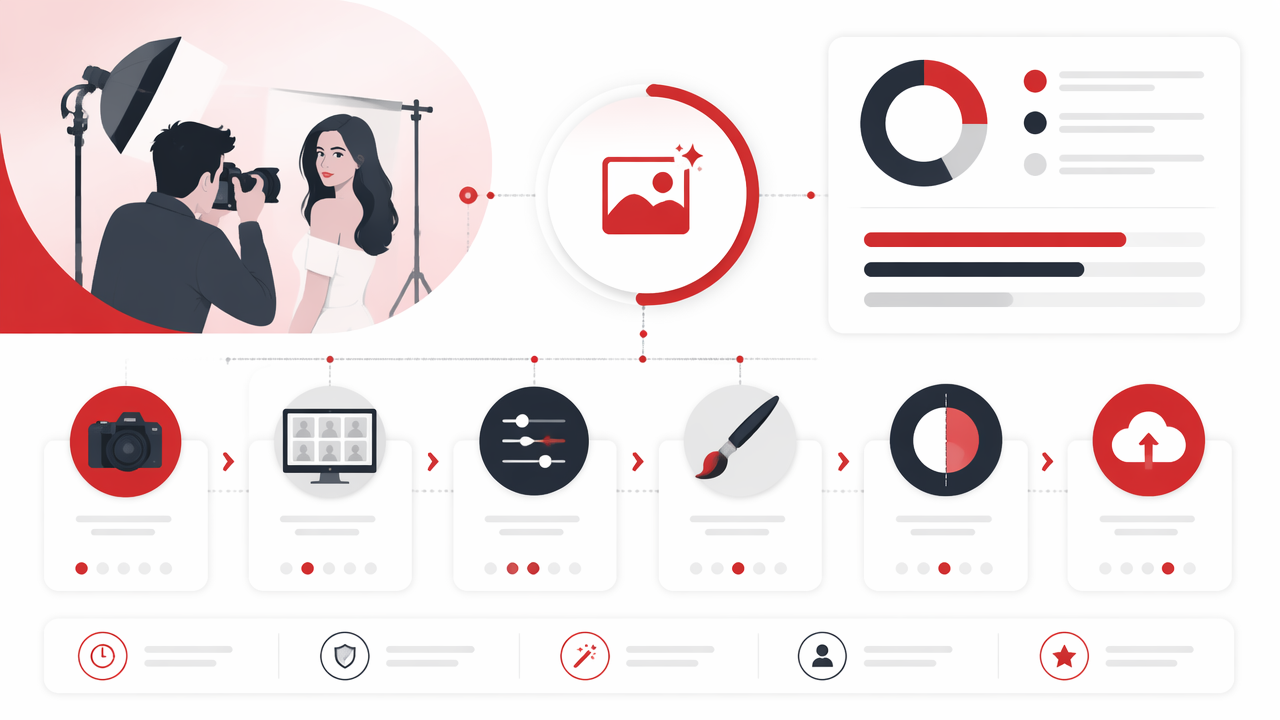
Manual vs AI vs generated portrait workflow
| Method | Best for | Strength | Watch point |
|---|---|---|---|
| Manual editing | High-end retouching, brand shoots, professional headshots | Maximum control over skin, color, and detail | Slower and often more expensive |
| AI-assisted editing | Background cleanup, object removal, lighting fixes, quick retouching | Fast improvements with less manual work | Needs human review for realism |
| Full AI portrait generation | New outfits, scenes, glamour looks, fantasy portraits, dating-profile variety | Creates styled images without a new shoot | Must preserve recognizable identity |
Manual editing still wins when precision matters. AI-assisted tools are excellent for routine cleanup and testing styles. Full generation is useful when your camera roll has ten nearly identical selfies and one heroic photo of your lunch.
For profile photos, I recommend a blended workflow: keep one realistic anchor image, create two or three polished lifestyle options, then add one more expressive or stylized image. That mix gives viewers both trust and range.
How should AI-generated portraits fit into your workflow?
AI-generated portraits should extend a shoot by creating believable variations in clothing, lighting, setting, and mood while keeping the person recognizable. Treat AI as a creative assistant, not a magician with suspicious hobbies.
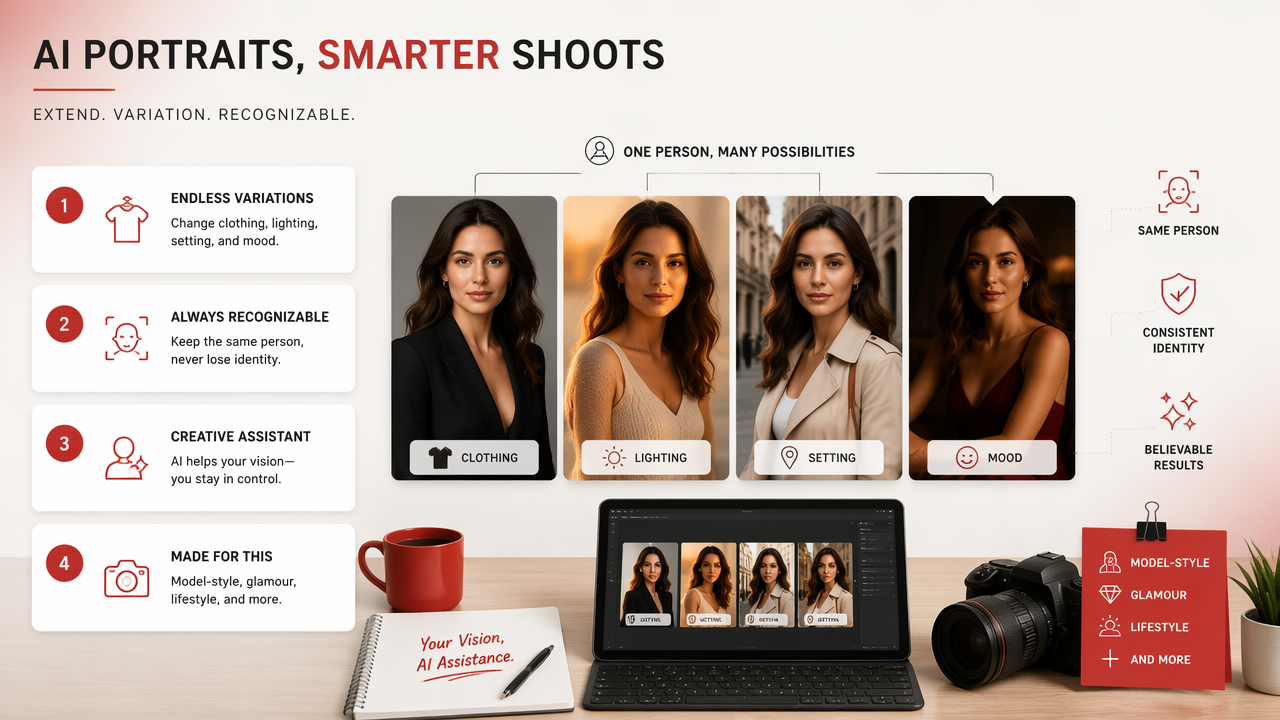
The HotphotoAI platform is most useful when you want model-style, glamour, lifestyle, or dating-app-ready variations from existing personal photos. It helps users test outfits, backgrounds, and visual styles without arranging locations, lighting, makeup, and a photographer.
A 2022 paper on deepfakes and AI in advertising by Colin Campbell, Kirk Plangger, and Sean Sands examined how synthetic media could reshape advertising practice, which is directly relevant to branded and influencer-style imagery source. Research by Paul Rohde and Gunnar Mau on social media influencer marketing also studied long-form YouTube content through social influence heuristics, a reminder that audience trust depends on presentation cues, not image polish alone source.
Prompt recipe for stronger styled portraits
Use specific visual instructions rather than vague compliments like "make me look amazing." The AI is clever, not psychic.
- Define the purpose: dating profile, creator banner, headshot, glamour portrait.
- Choose a setting: rooftop, studio, cafe, beach, office, cinematic street.
- Specify lighting: soft window light, golden hour, flash fashion, moody neon.
- Name the wardrobe style: tailored suit, black dress, casual denim, fitness look.
- Set realism level: natural portrait, editorial, fantasy, luxury campaign.
With HotphotoAI, the strongest results usually come from clear source photos and a focused style brief. If you want to experiment, visit hotphotoai.com and compare several looks before choosing your final set.
What to expect in 2027
By 2027, personal image editing will likely feel less like operating software and more like directing a tiny virtual studio. Expect better identity consistency, more accurate hands and fabric, stronger lighting control, and clearer disclosure norms for synthetic images.
The practical winner will be the user who can judge taste. Tools will get faster, but taste still has to sit in the driver's seat, ideally wearing something flattering.
FAQ about photoshoot editing
Photoshoot editing questions usually come down to realism, timing, AI use, and what makes a final image feel trustworthy. The answers below focus on practical decisions for profile photos, social content, and polished personal portraits.
How much should you retouch a portrait?
Retouch enough to remove distractions, not enough to rewrite the person. Temporary blemishes, uneven lighting, lint, and background clutter are fair targets. Facial structure, skin texture, and expression should stay recognizable for dating, professional, and social profiles. For fantasy or glamour edits, stronger styling is fine if the intent is obvious.
Can AI replace a traditional photoshoot?
AI can replace parts of a traditional shoot when you need new styles, backgrounds, outfits, or profile-photo variety quickly. It does not replace the value of original high-quality source images, strong expressions, and clear personal branding. The best workflow uses real photos as identity anchors, then creates polished variations around them.
What makes edited dating-app photos work better?
Strong dating-app photos show your face clearly, use flattering but believable light, and include variety across outfits and settings. Avoid a full set of heavily stylized images because it can feel less trustworthy. Use one clean headshot, one lifestyle image, one social or activity photo, and one polished standout.
Should creators disclose AI-edited portraits?
Disclosure depends on context. Casual style experiments usually need less explanation than ads, endorsements, or professional claims. If an image could affect trust, identity, body representation, or commercial intent, transparency is safer. Audiences are becoming more familiar with synthetic media, so honesty often protects the creator more than silence.
Conclusion
Strong photoshoot editing starts with smart selection, then uses correction, retouching, and styling with a light hand. For 2026, the winning workflow blends realism with creative range: edit the best originals, generate a few new looks, then choose images that still feel like you. If you want polished personal portraits without booking a studio, try HotphotoAI and build a profile-ready set from your strongest source photos.